TL;DR: Run the receive, reason and reply loop on one Whapi.Cloud webhook. Set the LangGraph thread_id to the sender's phone number with a checkpointer, so every contact keeps their own memory. Return HTTP 200 in under a second and run the agent in a background task. No ngrok, no Meta verification, no message templates. Start with MemorySaver, swap to a Postgres checkpointer for production.
The three-step loop every WhatsApp agent runs
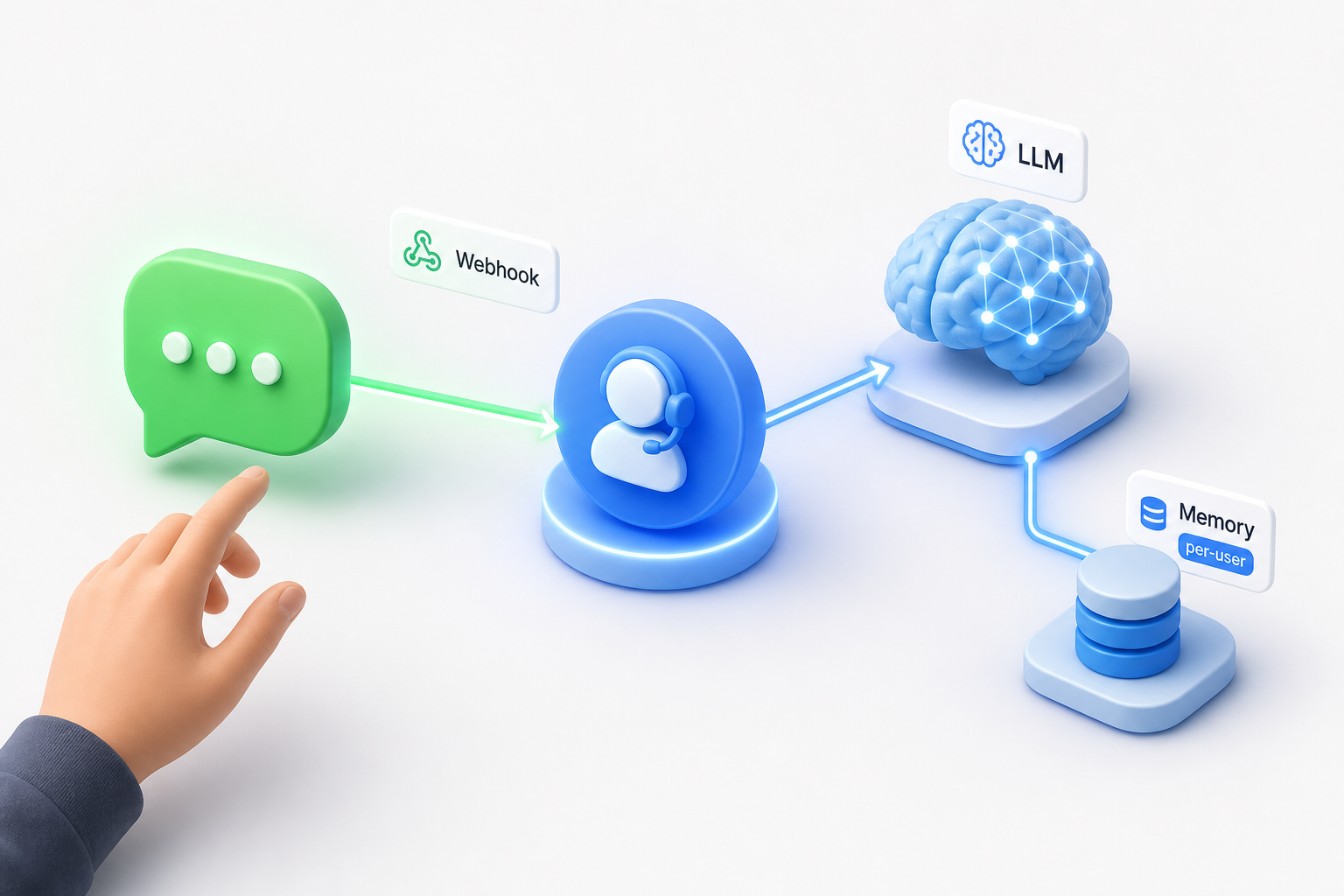
A WhatsApp AI agent is one loop: receive the message, reason with a tool-using agent, send the reply. Everything else is wiring around those three steps.
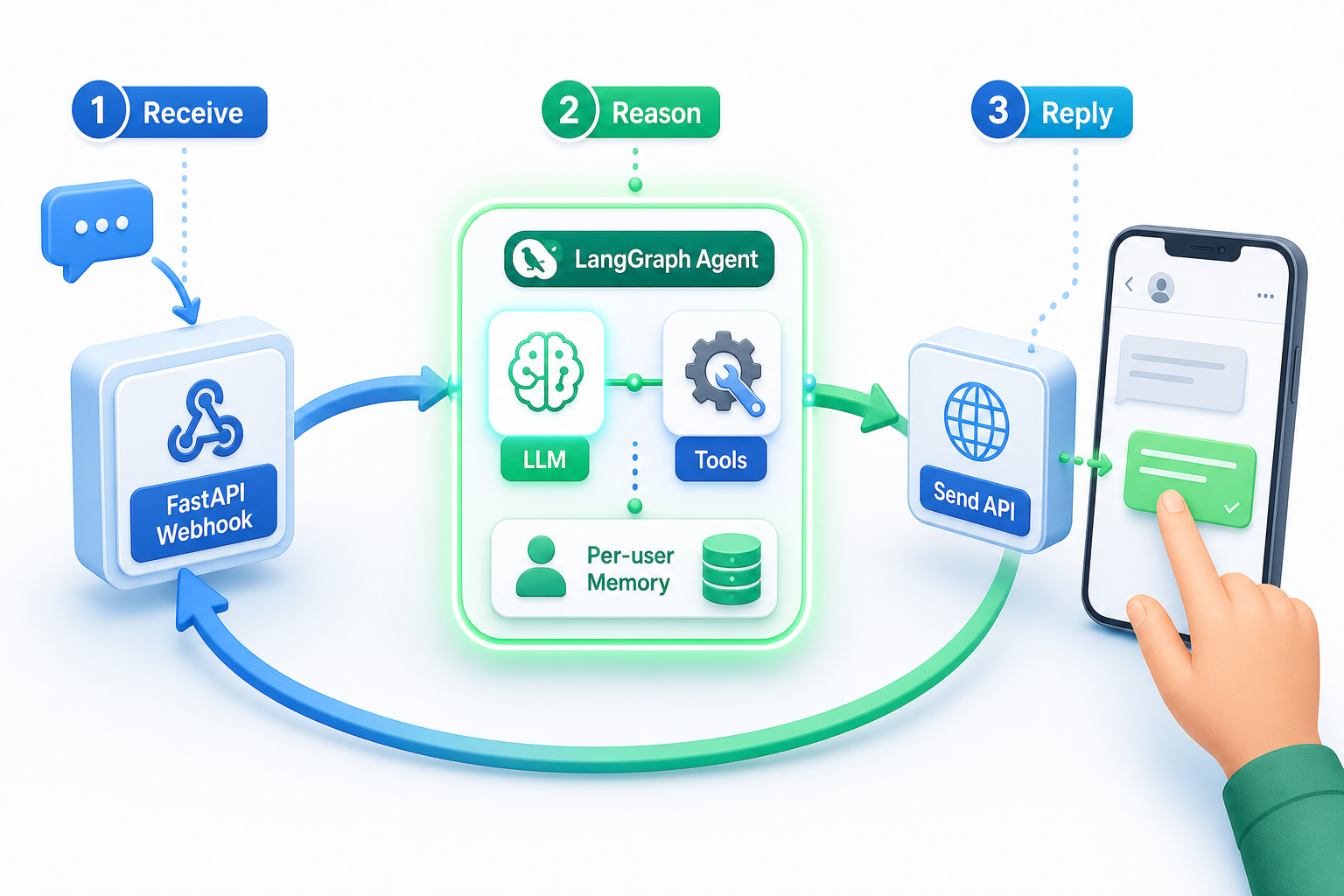
In this build a FastAPI route receives the inbound message from Whapi.Cloud, a LangGraph agent powered by ChatOpenAI decides what to do, and a single REST call sends the answer back. The phone number that messaged you is the only identifier you need to carry through all three steps.
Connect the number and point one webhook at your app
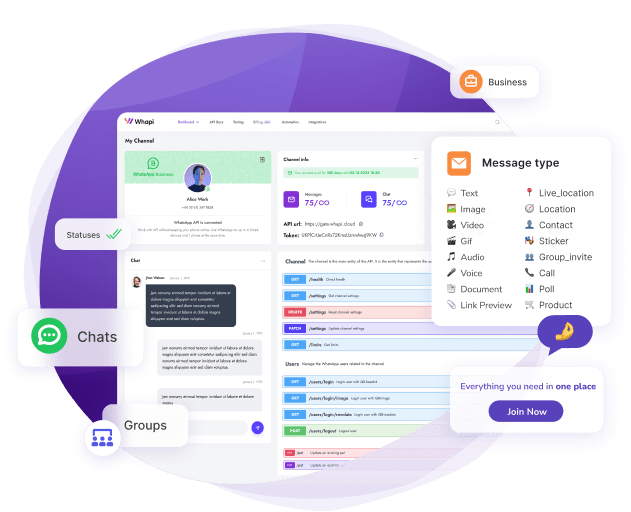
Scan a QR code to connect the number, then paste your public URL into the channel's webhook settings. Inbound messages arrive as JSON POSTs the moment a contact writes to you.
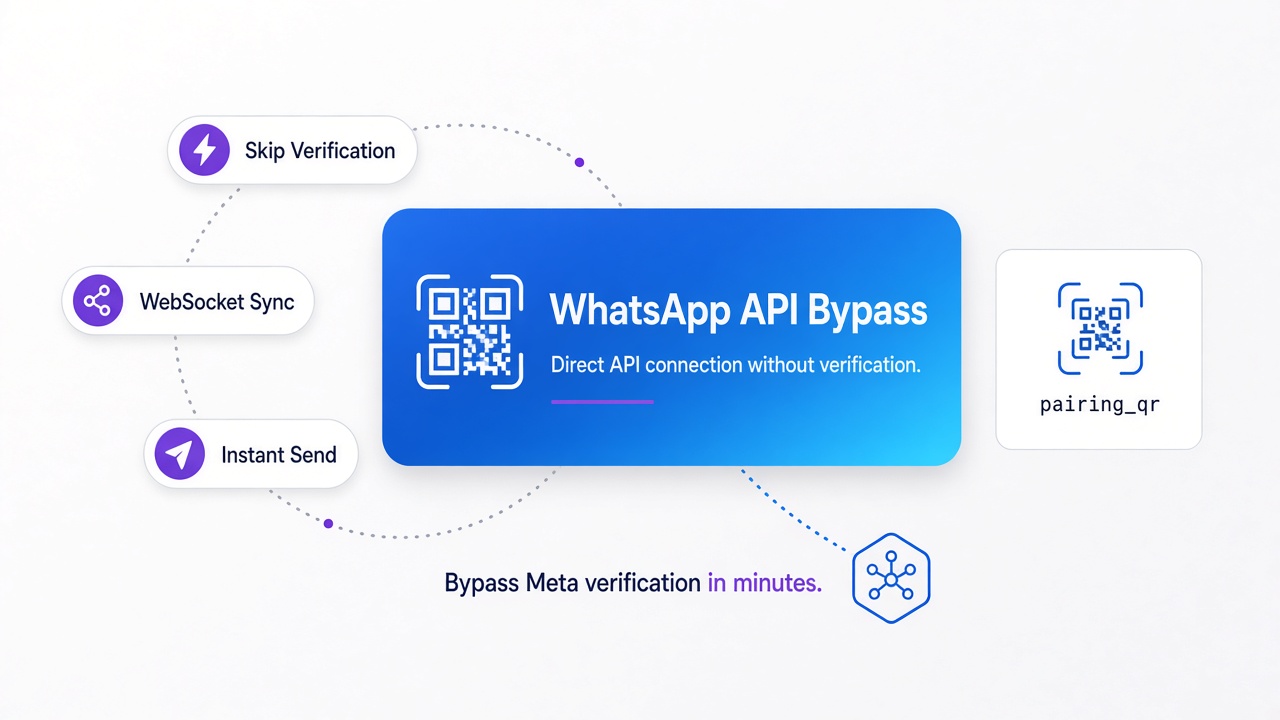
In the official WhatsApp Business API you would register an app, pass Meta business verification, and run a verification handshake before a single message reaches your code. With Whapi.Cloud you connect a regular WhatsApp number by scanning a QR code, the same pairing flow WhatsApp Web uses, and the API is live in about two minutes. There is no Meta review queue between you and your first inbound payload.
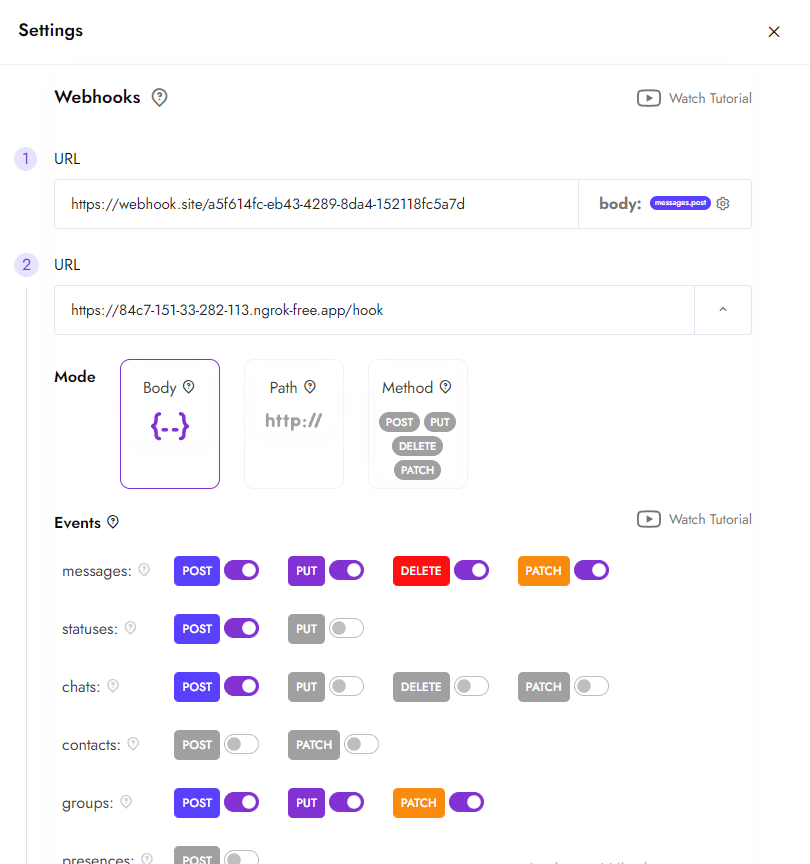
Set the webhook URL to your deployed app's /webhook route and subscribe to the messages event in the channel settings. Whapi.Cloud then POSTs every incoming message to that route. The FastAPI handler below reads the sender's phone number and the text body out of the payload.
# webhook.py -- receives inbound WhatsApp messages from Whapi.Cloud
from fastapi import FastAPI, Request

app = FastAPI()

@app.post("/webhook")
async def webhook(request: Request):
    data = await request.json()
    # Whapi delivers inbound messages in a "messages" array.
    for msg in data.get("messages", []):
        if msg.get("from_me"):
            continue  # skip your own outgoing messages echoed back
        sender = msg["from"]              # the contact's phone number, e.g. "14155551234"
        text = msg.get("text", {}).get("body", "")
        print(f"{sender}: {text}")
    return {"status": "ok"}
That sender value is the spine of the whole agent. It tells you who to reply to, and in a moment it becomes the key that keeps each conversation separate. See the Whapi.Cloud API documentation for the full inbound message schema.
Build the ReAct agent that picks tools, acts, then observes
A LangGraph ReAct agent is an LLM that picks a tool, runs it, reads the result, and repeats until it can answer. LangGraph supplies the loop; you supply the model and the tools.
LangChain gives you the model wrapper and the tool abstractions. LangGraph's create_react_agent wires them into a stateful graph so the agent can call a tool, observe the output, and decide its next move. You define each capability as a plain function decorated with @tool, then hand the list to the agent.
# agent.py -- a tool-using ReAct agent
from langchain_openai import ChatOpenAI
from langchain_core.tools import tool
from langgraph.prebuilt import create_react_agent

# Define tools as standalone functions.
# Decorating a bound method (def check_slots(self, ...)) raises a
# duplicate "self" argument error at agent-build time -- keep tools module-level.
@tool
def check_appointment_slots(day: str) -> str:
    """Return free appointment slots for a given day."""
    return "09:00, 11:30, 16:00"

model = ChatOpenAI(model="gpt-4o", temperature=0)
agent = create_react_agent(
    model,
    tools=[check_appointment_slots],
    prompt="You are a clinic's WhatsApp assistant. Keep replies short.",
)
The prompt argument sets the agent's standing instructions and is reapplied on every turn, so the assistant's role stays stable even as the conversation grows. Keep tools small and single-purpose: one to read appointment slots, one to look up an order, one to escalate to a human. The model decides which to call from the tool's name and docstring, so write both as if they were API documentation.
This agent can already reason and call a tool. What it cannot do yet is remember anything. Invoke it twice and the second message starts from a blank slate, because nothing connects one call to the next. In practice that gap is where most first builds feel broken.
Set thread_id to the phone number, and every user keeps their own memory
Attach a checkpointer and pass thread_id equal to the sender's phone number on every call. That single line is the difference between one shared brain and one memory per contact.
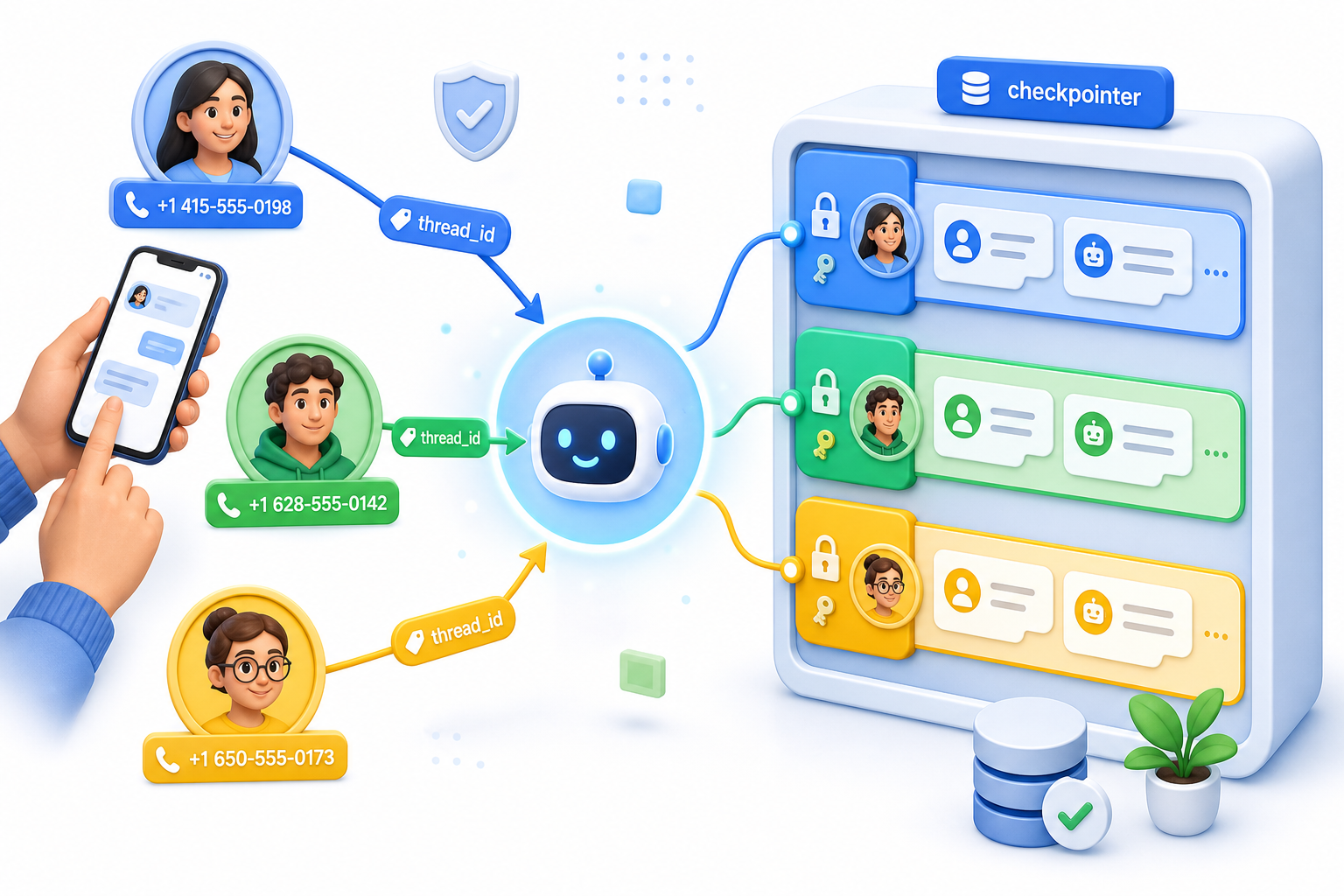
Without a checkpointer, every user shares one conversation state, so the second person to message inherits the first person's context. With a checkpointer plus a per-user thread_id, each contact gets an isolated thread. Use the phone number from the webhook as that thread_id and the routing solves itself. We call this the phone-as-thread_id rule, and it is the load-bearing decision in the whole build.
# memory.py -- one isolated conversation per phone number
from langgraph.checkpoint.memory import MemorySaver
from langgraph.prebuilt import create_react_agent

checkpointer = MemorySaver()  # in-memory; resets on restart
# For production, swap one line:
# from langgraph.checkpoint.postgres import PostgresSaver
# checkpointer = PostgresSaver.from_conn_string("postgresql://...")

agent = create_react_agent(model, tools=tools, checkpointer=checkpointer)

def reply_for(sender: str, text: str) -> str:
    # thread_id = phone number -> each contact keeps a separate conversation
    config = {"configurable": {"thread_id": sender}}
    result = agent.invoke({"messages": [("user", text)]}, config=config)
    return result["messages"][-1].content
MemorySaver keeps each thread in memory and is perfect for the prototype. It forgets everything on restart, which is fine until you deploy. The phone-as-thread_id rule does not change when you move to production; only the storage behind the checkpointer does. Open-source WhatsApp agents running in production use exactly this pattern, keyed by phone number.
Why "just use ngrok and the Business API" breaks first
The common tutorial path drags in a local tunnel, message templates, and a 24-hour reply window before any AI logic runs. The single-webhook path skips all three.
You will likely reach for the standard setup first: an ngrok tunnel so Meta can reach your laptop, plus the official Business API for sending. Here is exactly where it breaks. The tunnel URL changes on every restart and drops without warning, so your webhook silently stops receiving while your code looks fine. Then the sending side adds its own friction.
In the official WhatsApp Business API, any message you start outside a 24-hour window must be a pre-approved template, and roughly one in three templates is rejected on first review for format or category issues. Since July 1, 2025 Meta also bills per delivered template message, priced by category and country, a model with several hidden costs for developers. With Whapi.Cloud the agent answers with a free-form text reply through one API call, so there is no template approval queue and no per-template billing to police. That is the cost-predictability argument in one sentence: a reply you can send freely cannot be rejected or surcharged.
| What the build needs | Single Whapi.Cloud webhook | ngrok + official Business API |
|---|---|---|
| Receiving messages locally | Hosted webhook URL, no tunnel | ngrok tunnel that rotates URLs and drops |
| Account setup | QR scan, live in ~2 minutes | Meta business verification, days to weeks |
| Sending a reply | Free-form text, one REST call | Pre-approved template, ~1 in 3 rejected |
| Reply timing | No 24-hour service window | Free-form only inside a 24-hour window |
| Send cost model | Subscription, no per-message template fee | Per-delivered-template billing since July 2025 |
Return 200 fast, run the agent in the background
Acknowledge the webhook with HTTP 200 immediately, then run the slow LLM call in a background task. A slow reply must never hold the webhook connection open.
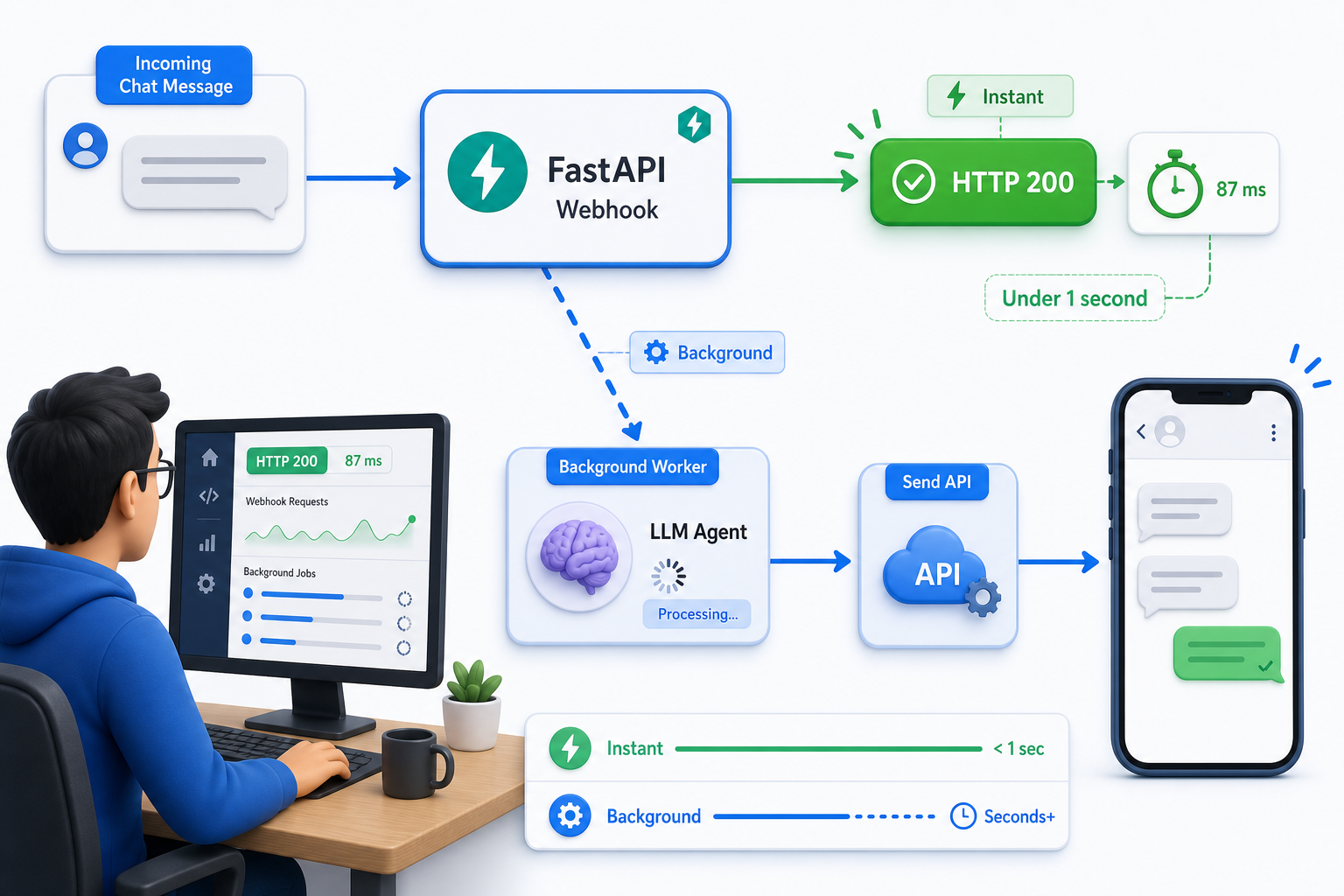
Subscribe only to the messages event in the channel settings so your route is not woken by status updates and read receipts. Each inbound webhook payload carries the sender's number, the message type, and the text body; ignore anything where from_me is true so the bot does not answer its own messages.
An LLM call takes a few seconds; a webhook acknowledgement should take milliseconds. If your handler waits for the agent before returning, the delivery can time out and the same message gets re-delivered, so the user receives the reply twice. FastAPI's BackgroundTasks lets you return at once and process after.
# webhook_async.py -- fast 200, then reason and reply in the background
import os, requests
from fastapi import FastAPI, Request, BackgroundTasks

app = FastAPI()

def handle(sender: str, text: str):
    answer = reply_for(sender, text)  # the slow part: agent + LLM
    # POST https://gate.whapi.cloud/messages/text
    # If you block the webhook waiting for this, Whapi retries the
    # delivery and the contact gets the same answer twice.
    requests.post(
        "https://gate.whapi.cloud/messages/text",
        headers={"Authorization": f"Bearer {os.environ['WHAPI_TOKEN']}"},
        json={"to": sender, "body": answer},
        timeout=30,
    )

@app.post("/webhook")
async def webhook(request: Request, background: BackgroundTasks):
    data = await request.json()
    for msg in data.get("messages", []):
        if msg.get("from_me"):
            continue
        background.add_task(handle, msg["from"], msg.get("text", {}).get("body", ""))
    return {"status": "ok"}  # returned in milliseconds
The reply goes back through POST /messages/text with the sender's number in the to field and the agent's answer in body. Because the route returns before the agent finishes, deliveries stay fast and duplicate-reply bugs disappear. The pattern we encounter most often in broken first builds is a synchronous handler that blocks on the model and quietly trains the gateway to retry.
From prototype to production: swap MemorySaver for Postgres
MemorySaver remembers until the next restart; a Postgres checkpointer remembers across deploys and crashes. The swap is one line because the phone-as-thread_id rule stays identical.
Deploy the FastAPI app to any public host so the webhook URL is reachable, set WHAPI_TOKEN and your model key as environment variables, and replace MemorySaver with PostgresSaver. Conversation state then survives restarts, and the same per-user threads keep working without a code change in the agent itself.
Common errors first-time builders hit (and the fix)
Two errors trip up nearly every first build: the wrong OpenAI wrapper, and a tool defined as a class method. Both fail at startup with confusing messages.
If you pass a chat model name like gpt-4o to the legacy completion wrapper, OpenAI returns This is a chat model and not supported in the v1/completions endpoint. The fix is to use ChatOpenAI, not the completion-style OpenAI class.
# Wrong: completion wrapper rejects chat models
# from langchain_openai import OpenAI
# model = OpenAI(model="gpt-4o")  # -> v1/completions endpoint error

# Right: chat model wrapper
from langchain_openai import ChatOpenAI
model = ChatOpenAI(model="gpt-4o")
The second error appears when you decorate a bound method with @tool. LangChain reads self as a required tool argument and the agent build fails. Define tools as module-level functions and pass any shared state through a closure or a global client instead.
If you hit unexpected behavior on the WhatsApp side rather than in your Python, reach out to the Whapi.Cloud support team via the chat widget on whapi.cloud -- the team actively helps customers resolve production issues. We won't cover voice-note transcription or vector retrieval here; both sit on top of this same loop and deserve their own guide.
That is the whole build: one Whapi.Cloud webhook receives, a LangGraph agent reasons with memory keyed by each caller's phone number, and a single REST call sends the reply. Skipping tunnels, Meta verification, and template approvals is what keeps it this short. Teams automating appointment booking on this loop report no-shows falling by a quarter or more, which is why the per-user memory pattern is worth getting right. Wire the three steps as shown and the agent holds a real conversation across messages.