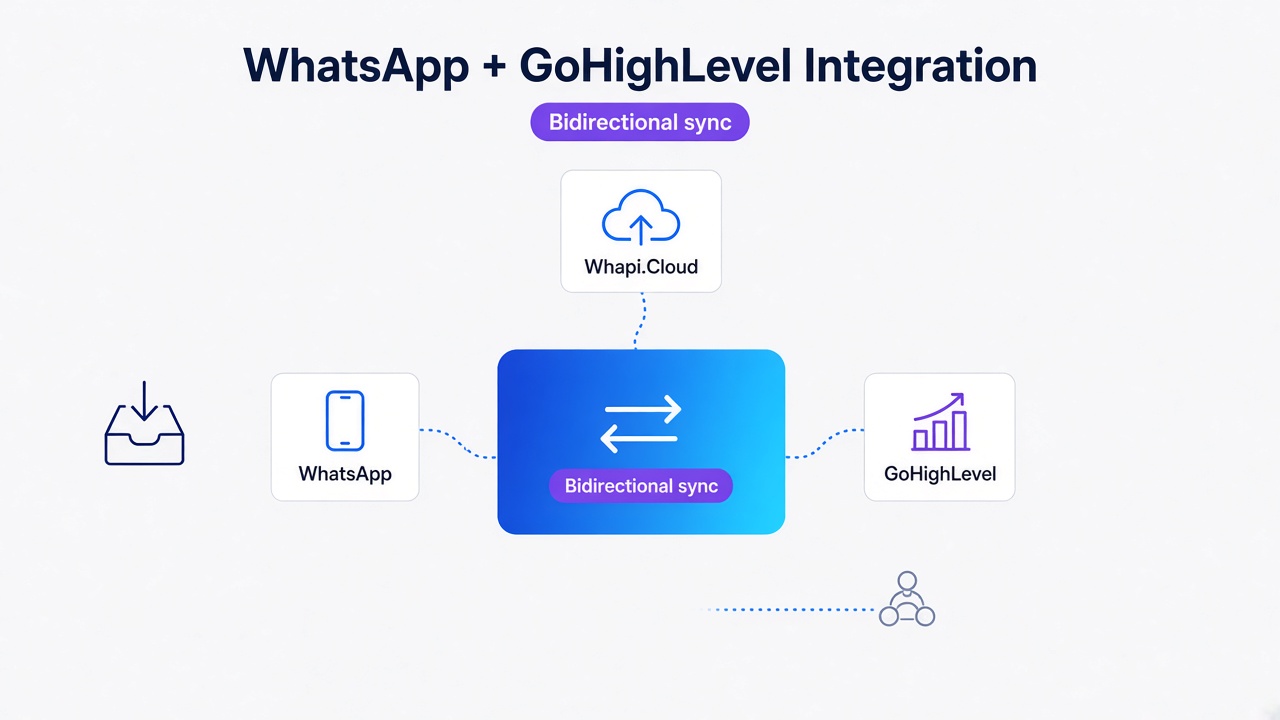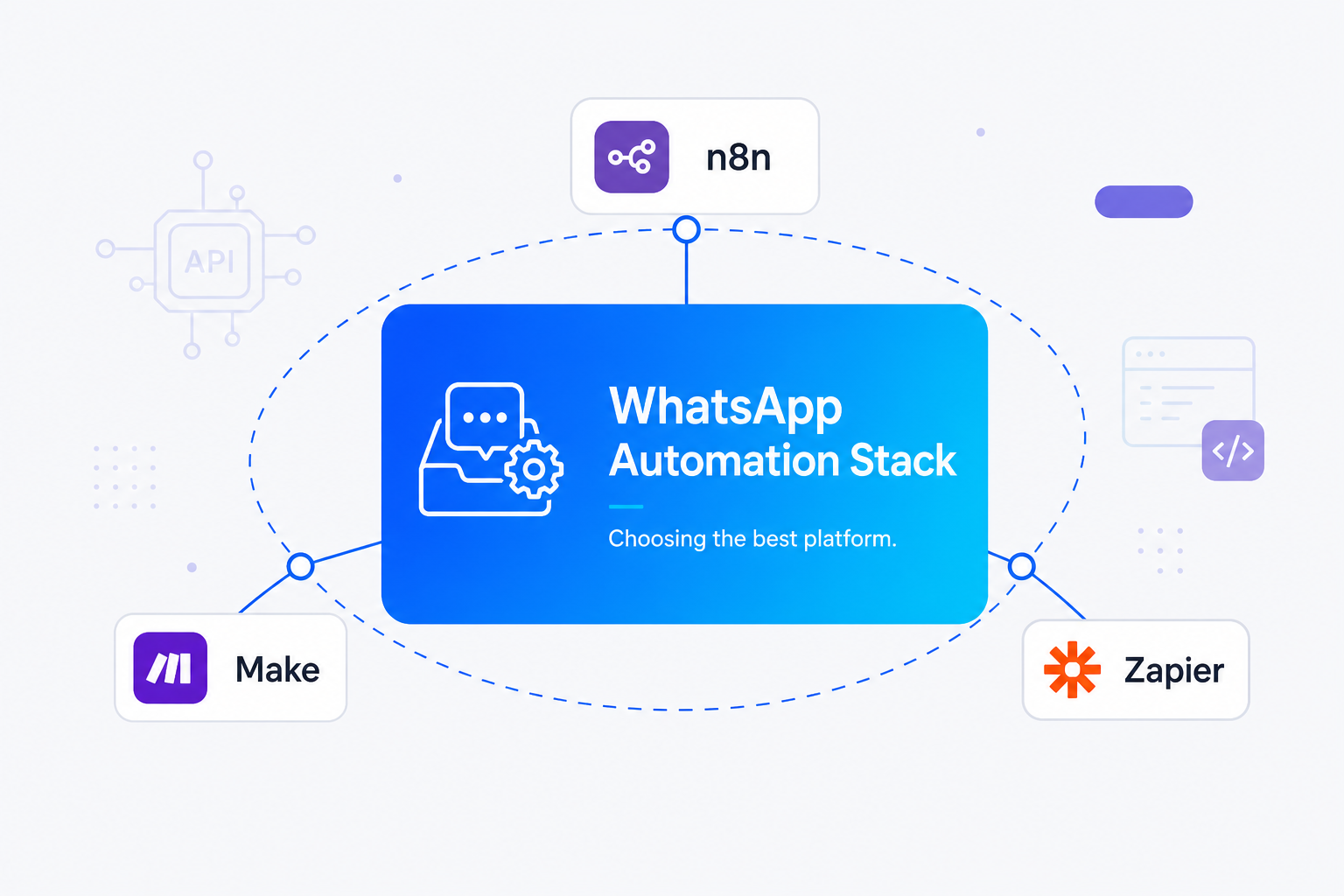
TL;DR: For WhatsApp automation, self-host n8n on a $5 VPS to get unlimited runs once volume exceeds 10,000 tasks/month, or use Make for visual routing under 5,000 runs. Zapier is too expensive at scale ($300+/month for 15,000 tasks). Whapi.Cloud simplifies all three platforms by handling webhook handshakes upstream, flattening nested Meta JSON, and providing flat-rate pricing with no per-message fees.
Webhook Handling: The Silent Killer of WhatsApp Workflows
Choosing between n8n, Make, and Zapier for WhatsApp workflows allows integrators to automate their messaging stack efficiently. While Zapier offers instant setup, high-volume WhatsApp automation demands self-hosted n8n cost-efficiency to remain viable.
Connecting a WhatsApp webhook to n8n or Make often fails during the initial handshake. We've seen native n8n and Make webhook triggers fail Meta's verification because they return JSON instead of raw plain text. Bypassing this silent killer requires custom response logic or an upstream gateway like Whapi.Cloud to handle the handshake.
In the official WhatsApp Business API, webhook handshake verification requires a GET request where your server must return the hub.challenge plain text. If your webhook receiver returns a JSON object (the default behavior for native n8n and Make webhook triggers), Meta's verification fails immediately, and your webhook is rejected.
Meta webhook handshakes require raw plain text, causing native n8n and Make triggers to fail. To bypass this, developers are forced to write custom response logic, set headers manually, or use intermediate script blocks to extract the challenge and return it as a raw string. In n8n, this means configuring the Webhook node to respond with "Binary" or "Custom" and writing JavaScript to handle the GET request differently from incoming POST events.
Whapi.Cloud bypasses the hub.challenge GET handshake by managing WhatsApp webhook verification upstream. Because Whapi.Cloud connects to WhatsApp via web-session sockets--the same mechanism WhatsApp Web uses--it absorbs the entire protocol complexity. When you configure a webhook in Whapi.Cloud, it delivers a direct POST request to your automation platform's webhook URL. You do not need to write any handshake verification logic; your n8n, Make, or Zapier workflow simply receives the clean, verified payload on the first run.
Why Nested WhatsApp JSON Arrays Break No-Code Scenarios
Meta's incoming WhatsApp JSON payload is deeply nested and breaks standard no-code triggers. Extracting message data from these structures requires complex parsing, which increases workflow complexity and consumes excess task quotas.
In the official WhatsApp Business API, incoming messages are delivered as deeply nested JSON arrays, structured as entry[0].changes[0].value.messages[0]. Extracting message data from this structure requires Parsing Nested WhatsApp JSON arrays, which standard no-code triggers cannot parse without specialized iterator nodes or custom code blocks.
Deeply nested Meta JSON arrays break no-code scenarios; Whapi.Cloud delivers flat, normalized payloads. In Make, parsing these nested arrays requires adding multiple "Iterator" and "Array Aggregator" modules, which increases the operation count and visual complexity of your scenario. Setting up a robust Make WhatsApp integration allows you to map these fields visually without wasting your operation limits. In n8n, you frequently have to write a custom Code node using JavaScript to extract the sender's phone number and the message body before you can pass them to your CRM or database.
To solve this, Whapi.Cloud uses the flat payload pattern. When a user sends a message, Whapi.Cloud flattens and normalizes the JSON payload before forwarding it to your webhook. The message text, sender details, and chat ID are available at the top level of the JSON object. This allows you to map fields directly in Make, Zapier, or n8n without writing a single line of parsing code or wasting operation quotas on data transformation. You can review the complete structure in the webhook format reference.
The Double-Send Problem: Handling Webhook Retries and Idempotency
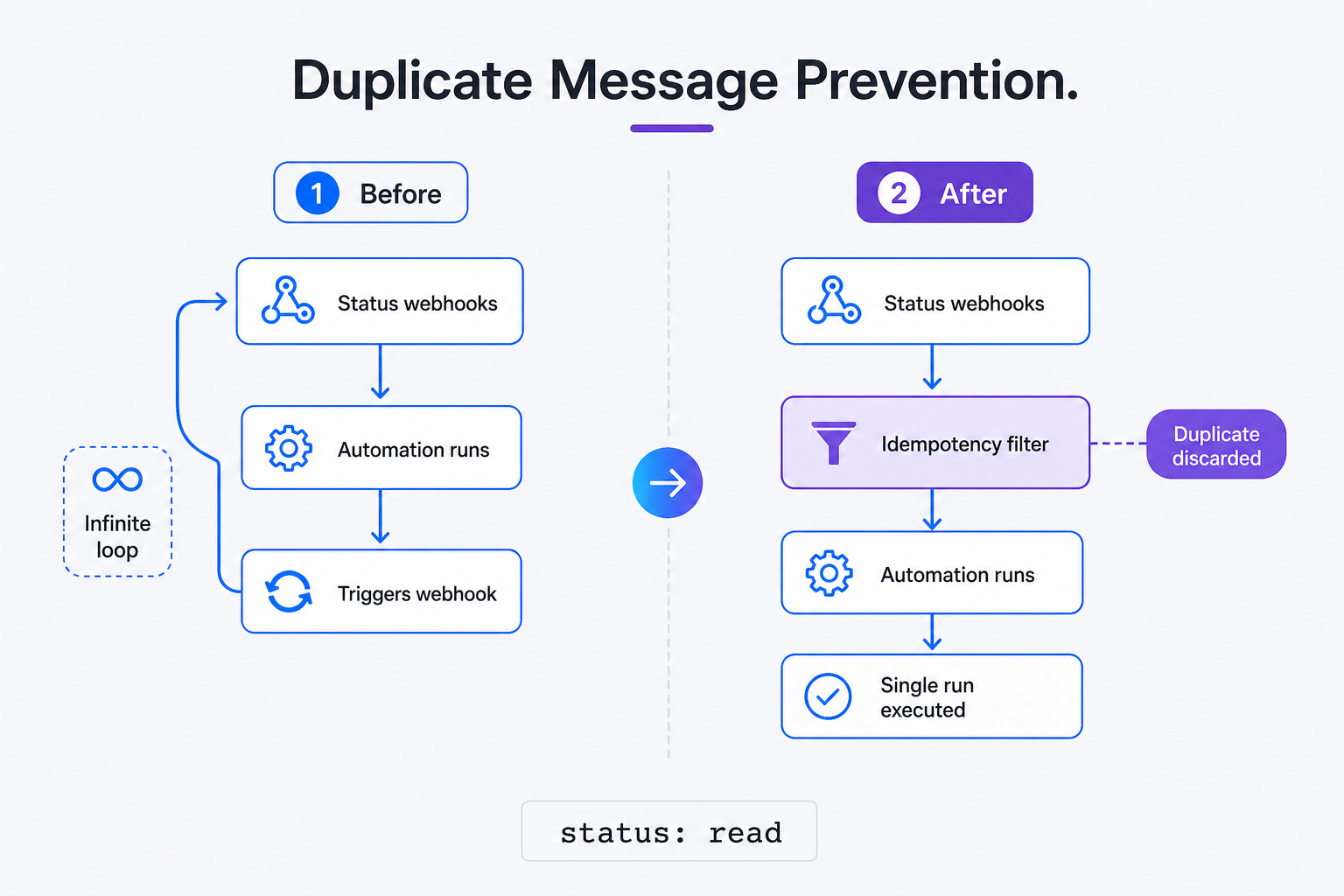
WhatsApp status updates trigger infinite loops unless workflows filter sent, delivered, and read webhooks. Without strict filters, every outgoing message triggers a status webhook, causing duplicate runs and wasting your platform task limits.
A common production issue in WhatsApp automation is the "double-send" loop, where your chatbot sends two or three identical replies to a single user message. This occurs because Meta's API sends webhook events for every single status change, including when a message is sent, delivered, and read, rather than only for incoming messages. If your workflow does not explicitly filter these status updates, each outgoing reply triggers a status webhook, which triggers the workflow again, creating an infinite execution loop.
WhatsApp status updates trigger infinite loops unless workflows filter sent, delivered, and read webhooks. In Make, you must configure a strict filter immediately after your webhook trigger to only allow events where the message direction is incoming. In n8n, you must use an If node to check the event type. A common mistake is relying on native WhatsApp triggers without filtering out status updates (sent, delivered, read), which triggers infinite loops and consumes thousands of operations in minutes.
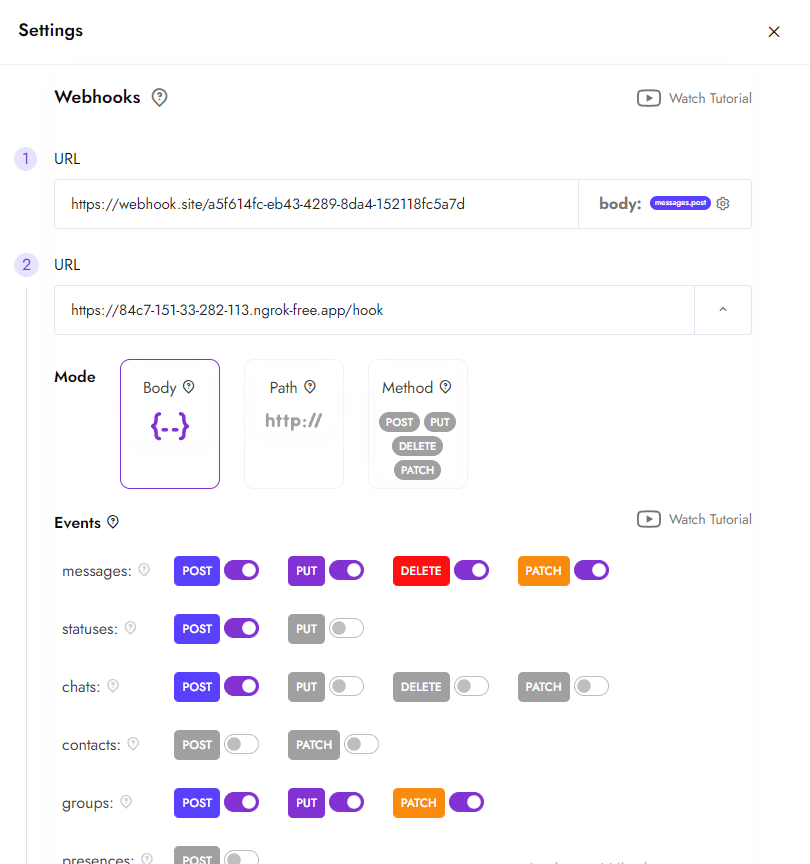
Another trigger for duplicate messages is slow execution times. If your workflow takes longer than 3 seconds to respond (for example, if it is waiting for an AI response from OpenAI), Meta assumes the webhook delivery failed and retries the request. Slow workflow executions trigger Meta webhook retry loops, causing duplicate outgoing WhatsApp messages. Managing slow executions requires robust Webhook Retry Loop Handling to prevent Meta from retrying and triggering duplicate runs. Whapi.Cloud prevents this by implementing built-in Duplicate Message Prevention and handling retries upstream, ensuring your webhook receiver is only triggered once per unique message ID.
Meta's 3-Step Media Uploads vs. Whapi.Cloud's Direct URL Sending
Meta's official API requires a complex, multi-step media upload process before sending files. This workflow overhead forces you to handle temporary files and manage media ID lifecycles, which increases failure rates.
In the official WhatsApp Business API, sending media requires a three-step process: uploading the file via a binary POST request, capturing a temporary media ID, and making a second API call to send it. You cannot simply pass a file URL to the message payload.
Meta requires a three-step upload-and-send process, while Whapi.Cloud sends media files via direct URLs. This three-step process is highly inefficient in no-code environments. In Make or Zapier, it requires setting up multiple HTTP modules, handling temporary file storage, and managing media ID lifecycles. If any step fails, the entire workflow halts, leaving the user without their requested document.
Whapi.Cloud simplifies Media and Document Delivery by allowing you to send files directly via a single URL parameter. When using Whapi.Cloud's POST /messages/image or POST /messages/document endpoints, you simply pass the public URL of the file in the media field. Whapi.Cloud automatically downloads, encodes, and delivers the file to the recipient in a single, atomic operation, reducing your workflow steps from three to one.
// Send an image with a caption using Whapi.Cloud REST API in a single call
// without the Bearer token in the Authorization header, gate.whapi.cloud returns 401 Unauthorized
const response = await fetch('https://gate.whapi.cloud/messages/image', {
  method: 'POST',
  headers: {
    'Authorization': `Bearer ${process.env.WHAPI_TOKEN}`,
    'Content-Type': 'application/json'
  },
  body: JSON.stringify({
    // without a valid 'to' phone number with a channel suffix (like @c.us for chats or @g.us for groups), the API returns a 400 Bad Request
    to: '[email protected]', // recipient's WhatsApp ID
    media: 'https://example.com/brochure.png', // direct URL to the media file
    caption: 'Here is your requested property brochure.'
  })
});

if (!response.ok) {
  // If the media URL is unreachable or invalid, Whapi.Cloud returns a 400 error immediately
  // failing fast before attempting to send a broken message to the user
  const errorData = await response.json();
  console.error('Failed to send media:', errorData);
}
Platform Pricing: The Financial Crossover Point of WhatsApp Workflows
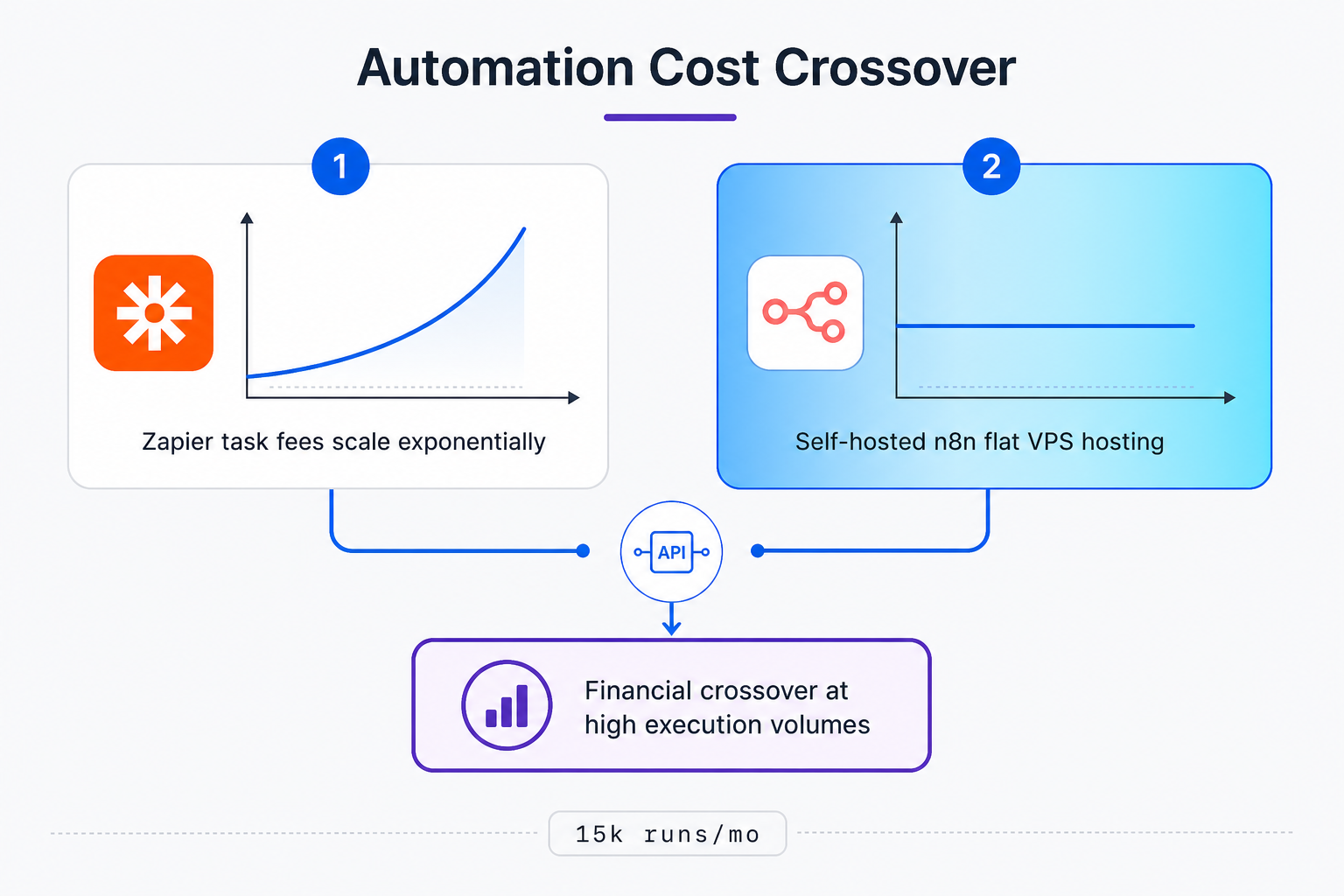
Your execution volume dictates your monthly software bill, as Zapier's task-based pricing scales poorly for conversational interfaces. High-volume WhatsApp workflows demand flat-rate cost predictability to remain financially viable.
When choosing an automation platform, your execution volume dictates your monthly software bill. Zapier's task-based pricing model scales poorly for conversational interfaces. A simple 5-step WhatsApp workflow running just 100 times daily generates 15,000 tasks per month, which quickly pushes you into plans costing $299 to $389 per month. If you hit unexpected spikes, Zapier Overage Costs can accumulate rapidly, making high-volume conversational bots financially unviable on their platform.
Make offers a more balanced pricing model, but it introduces hidden costs through Polling Operations. If you set up a scenario to poll your database or CRM for new leads every 5 minutes, Make consumes an operation on every check, even when no new data is found. These scheduled runs can eat up thousands of operations before a single WhatsApp message is sent.
At high volumes, Whapi.Cloud's per-number flat rate keeps the budget predictable regardless of how active a conversation thread becomes; the cost is the same whether you send 500 or 50,000 messages that month. By combining Whapi.Cloud's flat-rate subscription with a self-hosted n8n instance, you eliminate per-task and per-message fees entirely, creating a fully predictable cost structure for enterprise-scale messaging.
| Monthly Executions | Zapier (SaaS) | Make (SaaS) | n8n (Self-Hosted) |
|---|---|---|---|
| 1,000 runs | ~$49 / mo | ~$9 / mo | ~$5 / mo (VPS) |
| 10,000 runs | ~$208 / mo | ~$20 / mo | ~$5 / mo (VPS) |
| 50,000 runs | ~$599 / mo | ~$80 / mo | ~$10 / mo (VPS) |
How to Handle the Infrastructure Burden of Self-Hosting n8n
While self-hosting n8n on a $5 VPS offers unlimited executions for a flat fee, it shifts the entire operational overhead of maintenance, backups, and uptime monitoring onto your team.
Unlike SaaS platforms like Make and Zapier, which handle uptime, scaling, and security patches automatically, a self-hosted instance requires active maintenance, monitoring, and database management.
Self-hosted n8n eliminates task fees but shifts infrastructure, backups, and uptime responsibility to developers. In practice, teams starting with self-hosted n8n often use the default SQLite database configuration. While SQLite is sufficient for development, it quickly corrupts under concurrent database writes when handling high-volume WhatsApp webhooks. For production environments, you must configure n8n to use PostgreSQL and implement automated backup routines to prevent data loss during server crashes. If you want to avoid these hosting complexities, you can use a managed n8n WhatsApp integration to connect your workflows directly.
Buyers avoid the operational tax of hosting, persistence, and monitoring when they choose a managed gateway like Whapi.Cloud alongside their automation stack. Whapi.Cloud manages the complex WhatsApp web-session socket infrastructure, proxy rotation, and protocol updates on its own servers, allowing you to focus purely on workflow logic in n8n without worrying about maintaining a complex messaging infrastructure.
Feature Coverage: Beyond Simple One-to-One Chatbots
Advanced WhatsApp features like managing group chats, broadcasting to channels, and checking phone numbers are essential for real-world business workflows. Most tutorials ignore these, focusing only on basic one-to-one text messages.
In the official WhatsApp Business API, advanced features like managing group chats, broadcasting to channels, and checking phone numbers are either restricted or completely unavailable. In Whapi.Cloud, you get full programmatic access to groups, channels, and status updates because Whapi.Cloud's web-session socket connection supports all native WhatsApp features simultaneously.
These advanced capabilities are completely absent from Meta's official consumer-business API surface, which restricts integrations to basic template-based messaging. For workflows built on community management, broadcast channels, catalog commerce, status outreach, or aggressive list hygiene, that gap can be the entire reason a gateway like Whapi.Cloud exists--not a nice-to-have differentiator.
By using Whapi.Cloud's native integrations in n8n and Make, you gain full programmatic access to WhatsApp Groups, Channels, and Statuses. You can automate group creation, add participants, and track message read statuses across communities using the WhatsApp Groups API. We won't cover WhatsApp Flows or official VoIP calling APIs here, as those are exclusive to Meta's official Business API and require formal business verification. For 95% of operational automation needs, the web-session socket approach provides unmatched feature coverage.
Bypass Meta's Onboarding Gating with QR-Code Connection
Meta's official API onboarding gating prevents rapid prototyping and makes quick client deployments impossible. Navigating Facebook Business Manager, completing verification, and waiting for template approvals creates severe onboarding friction.
In the official WhatsApp Business API, onboarding requires navigating Facebook Business Manager, completing Meta Business Verification, and waiting for template approvals. In Whapi.Cloud, you connect any regular phone number in two minutes by scanning a QR code because Whapi.Cloud bypasses Meta's onboarding gating entirely, allowing immediate deployment.
QR-code connection bypasses Meta onboarding gating, enabling WhatsApp automation on any number in minutes. With Whapi.Cloud, you connect your existing WhatsApp number by scanning a QR code in the Whapi dashboard. The API becomes active immediately, allowing you to start sending and receiving messages in n8n, Make, or Zapier within minutes, completely bypassing Meta's strict onboarding restrictions. To ensure your account remains safe after setup, we recommend following Whapi.Cloud's guide to avoiding account bans.
In practice, teams implementing Real Estate Response Times optimizations drop follow-up delays to under 60 seconds, preventing lead leakage. Similarly, using WhatsApp for E-Commerce Abandoned Cart Recovery achieves 3x to 5x higher conversion rates compared to traditional email campaigns. Overall, businesses report a 20% to 27% WhatsApp Sales Increase due to instantaneous engagement. Automating WhatsApp lead response within sixty seconds slashes lead leakage and boosts conversions significantly. Ultimately, selecting the right platform among n8n, Make, and Zapier for your WhatsApp workflows enables integrators and low-code builders to automate messaging stacks efficiently while managing technical trade-offs like webhook handshakes and platform pricing. Whapi.Cloud provides the reliable, flat-rate integration layer that removes technical hurdles and lets you scale your WhatsApp workflows with confidence.
Ready to automate your WhatsApp workflows without the technical headaches? Start Your Free Whapi.Cloud Trial Now