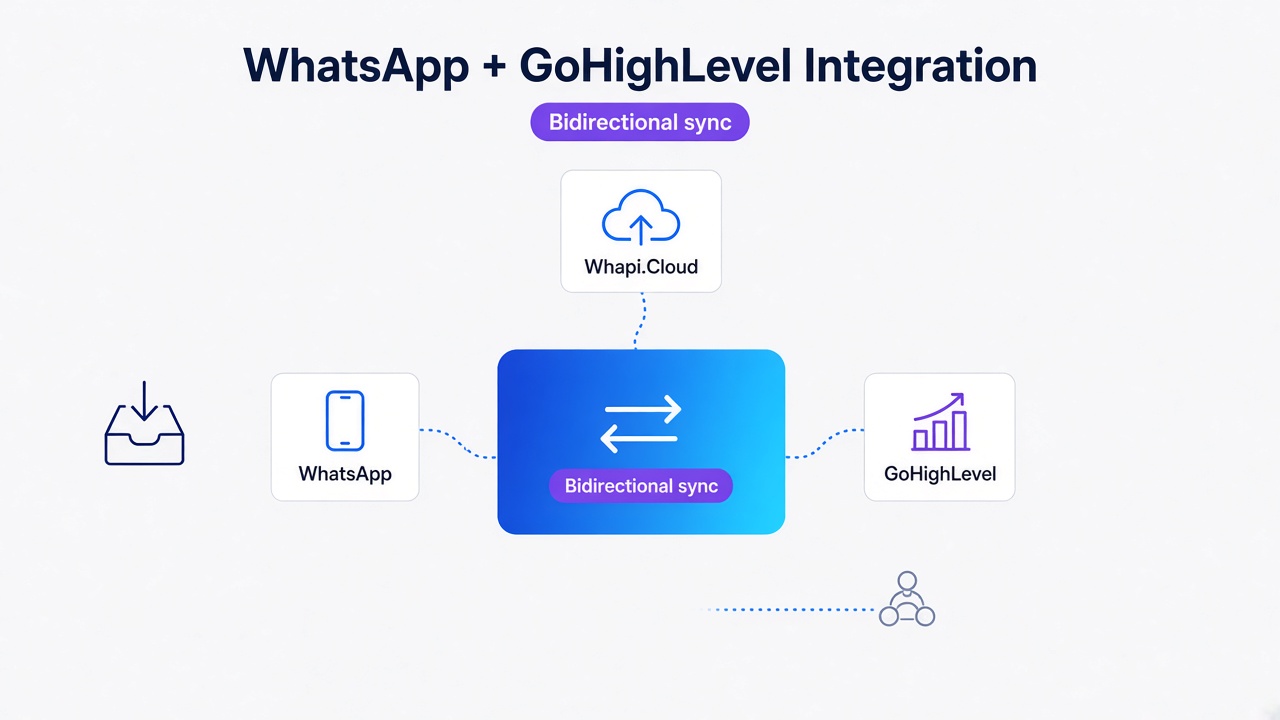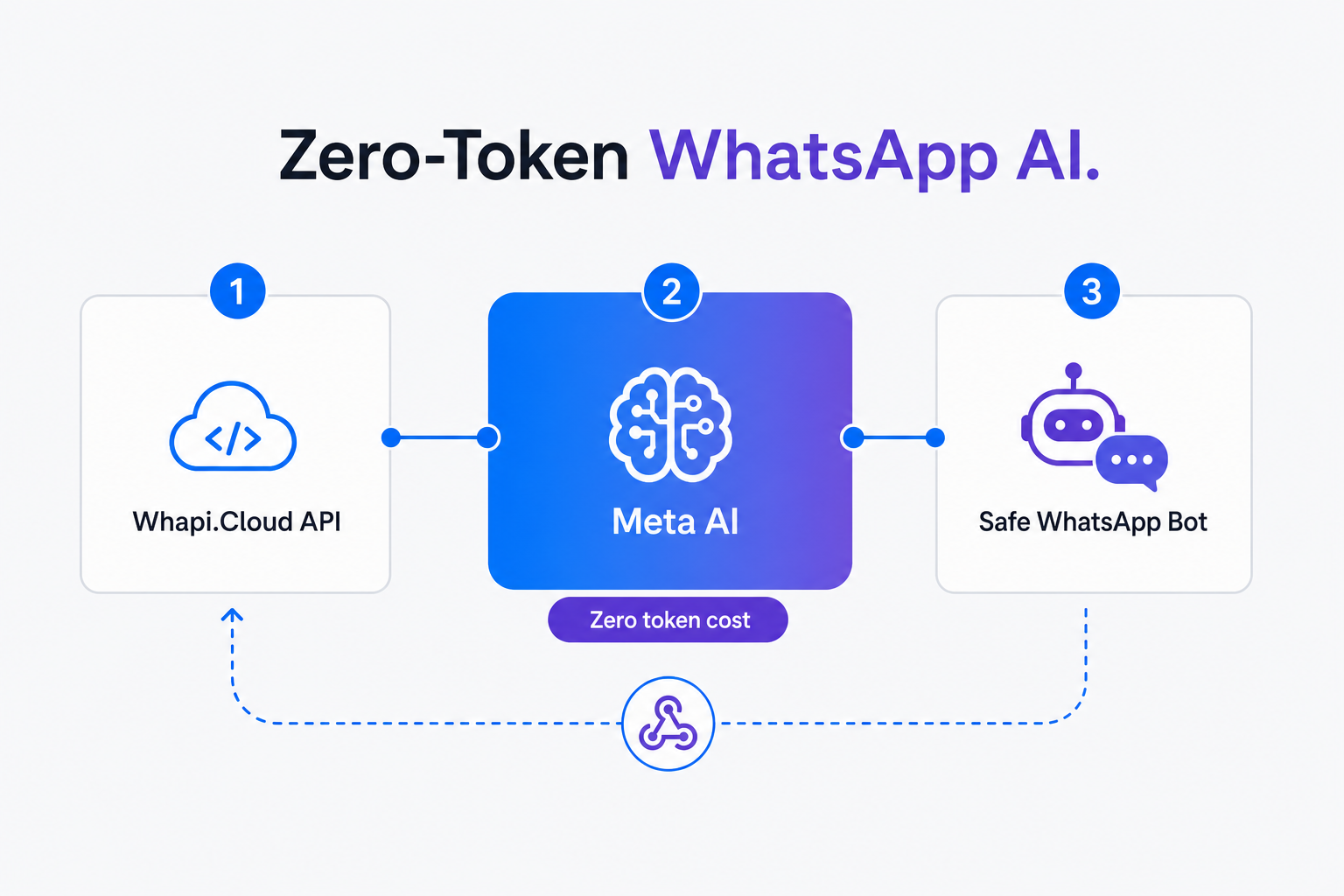
TL;DR: Build a production-ready WhatsApp AI assistant with zero ongoing token costs in three steps. This guide helps developers and founders evaluate technical tradeoffs and start a free Whapi.Cloud trial to route customer messages to native Meta AI, bypassing OpenAI fees.
What "Free AI" Actually Costs at 500, 5K, and 50K Messages per Month
SaaS message caps penalize business growth; flat-rate gateways reward scaling conversation volume. While building a prototype with OpenAI seems cheap, scaling to thousands of monthly conversations quickly introduces a massive, unpredictable financial burden.
In our experience, teams starting their WhatsApp automation journey almost always underestimate the long-term cost of conversational intelligence. A flat-rate subscription is the only sustainable choice for growing companies.
There is a common misconception that high-quality WhatsApp AI bots require expensive per-token OpenAI subscriptions. If you want to create a WhatsApp chatbot, Meta AI offers zero-token intelligence, while custom OpenAI integrations drain startup budgets daily. By using the built-in Meta AI assistant natively available on your WhatsApp account, you offload the NLP workload to Meta's free model, keeping your AI processing cost at exactly zero.
| Monthly Message Volume | Freemium SaaS (ManyChat/Botpress) | Cloud API + External LLM (Groq/OpenAI) | Whapi.Cloud + Native Meta AI Loop |
|---|---|---|---|
| 500 Messages | $0 to $15/mo SaaS free tier limits apply; ManyChat Pro starts at $15/mo for 500 contacts. |
$15 to $30/mo Meta Cloud API conversation fees + free-tier Groq/OpenAI token costs. |
$30/mo Flat Whapi.Cloud subscription + $0 Meta AI inference. |
| 5,000 Messages | $45 to $75/mo SaaS free tiers exhausted. Overage fees or tiered contact upgrades apply. |
$120 to $180/mo Meta conversation fees scale with volume; OpenAI token bills scale linearly. |
$30/mo Flat Whapi.Cloud subscription + $0 Meta AI inference. |
| 50,000 Messages | $350 to $600/mo High-volume SaaS tiers penalize large contact lists and high message volume. |
$950 to $1,400/mo Massive metered conversation fees + linear LLM token scaling costs. |
$30/mo Flat Whapi.Cloud subscription + $0 Meta AI inference. |
| Core Economics | Contact-based scaling fees | Linear per-message & per-token fees | Flat-rate gateway + $0 AI inference |
As the table above demonstrates, the only free-at-inference-scale path is routing webhooks directly to native Meta AI via GET/POST /bots. In the official WhatsApp Business API, you must complete Meta Business Verification and pay per-conversation fees. Whapi.Cloud flat-rate gateway bypasses complex Meta Business Verification and conversation fees, charging a flat monthly subscription per connected WhatsApp number with no per-message markups, no conversation-window fees, and no template gating -- because Whapi.Cloud operates via web-session sockets, allowing you to project operational expenses with absolute certainty.
Zero-Token Architecture: Webhook → Meta AI → Customer
Whapi.Cloud web-session sockets connect your WhatsApp number to Meta AI in seconds. Instead of spinning up a detectable Chrome instance, Whapi.Cloud manages the connection at the protocol layer, keeping your channel stable while enabling programmatic access to Meta's built-in assistant.
The zero-token webhook loop redirects incoming WhatsApp messages to native Meta AI processing, establishing a direct routing path that bypasses external LLM APIs entirely. This architecture eliminates token billing. Whether your assistant exchanges 500 or 50,000 messages a month, your AI processing cost remains zero. Because Meta AI is deeply integrated into WhatsApp, its response latency is exceptionally low, providing customers with near-instantaneous replies.
Step-By-Step: Retrieve Bot ID and Route Messages (Node.js)
Retrieve available bots, configure your webhook, and route incoming messages programmatically. To implement the zero-token loop, you only need to interact with two lightweight Whapi.Cloud API endpoints and set up a basic Express server to handle webhooks. If you are looking for a complete Node.js WhatsApp bot tutorial, this setup provides the exact code to get started.
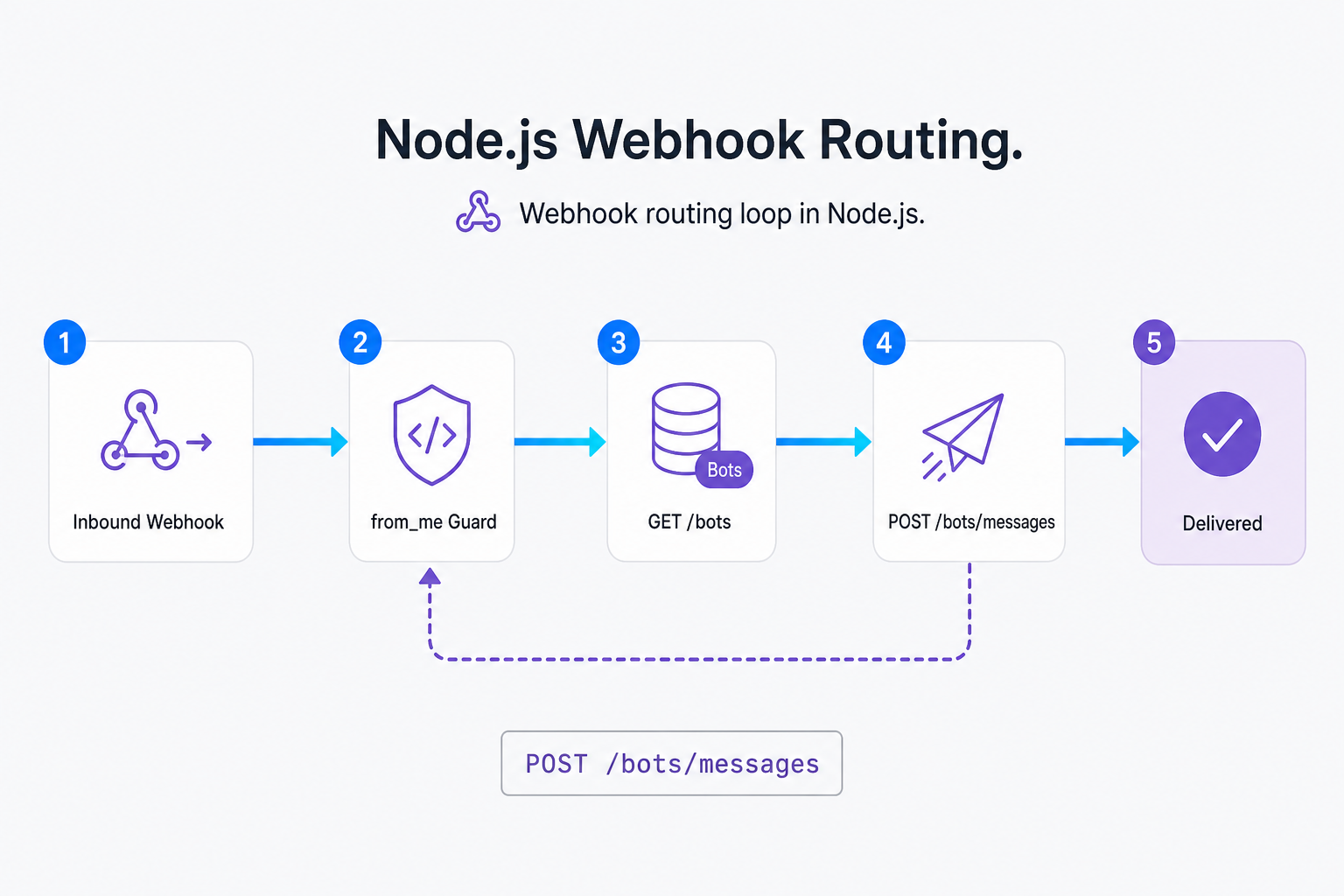
Query the GET /bots endpoint to retrieve the native Meta AI bot ID, then route inbound text using POST /bots/{BotID}/messages.
// GET https://gate.whapi.cloud/bots
// Retrieves the list of active AI bots on your WhatsApp channel
async function getMetaBotId() {
  try {
    const response = await fetch('https://gate.whapi.cloud/bots', {
      method: 'GET',
      headers: {
        'Authorization': `Bearer ${process.env.WHAPI_TOKEN}`
      }
    });

    if (!response.ok) {
      console.error(`Failed to fetch bots: ${response.status} ${response.statusText}`);
      return null;
    }

    const bots = await response.json();
    if (!Array.isArray(bots)) {
      console.error('Expected bots to be an array, got:', bots);
      return null;
    }

    // Find the native Meta AI bot in the returned list
    const metaBot = bots.find(bot => bot.name && bot.name.toLowerCase().includes('meta'));
    return metaBot ? metaBot.id : null;
  } catch (error) {
    console.error('Error fetching Meta AI Bot ID:', error);
    return null;
  }
}
Once you have the bot ID, configure a webhook to receive incoming customer messages in real time. When a user sends a message to your phone number, Whapi.Cloud serializes the payload and POSTs it to your server. Refer to our webhook format reference to see the full JSON structure of these incoming events.
Step 2: Set Up the Webhook and Route Messages
import express from 'express';
const app = express();
app.use(express.json());

// Webhook endpoint to capture incoming WhatsApp events
app.post('/webhook', async (req, res) => {
  const { messages } = req.body;
  if (!messages || messages.length === 0) {
    return res.sendStatus(200);
  }

  const message = messages[0];

  // CRITICAL: Skip outgoing messages sent by the bot or yourself.
  // without skipping messages where from_me is true, your webhook will trigger an infinite loop
  // where the bot replies to its own messages until your WhatsApp number is permanently banned.
  if (message.from_me) {
    return res.sendStatus(200);
  }

  // Handle only text messages to prevent crashes on media/system events
  if (!message.text || !message.text.body) {
    return res.sendStatus(200);
  }

  const botId = process.env.META_BOT_ID; // The ID retrieved from GET /bots
  if (!botId) {
    console.error('META_BOT_ID is not configured');
    return res.sendStatus(200);
  }

  try {
    // Route the customer's text directly to the Meta AI bot
    const response = await fetch(`https://gate.whapi.cloud/bots/${botId}/messages`, {
      method: 'POST',
      headers: {
        'Authorization': `Bearer ${process.env.WHAPI_TOKEN}`,
        'Content-Type': 'application/json'
      },
      body: JSON.stringify({
        BotID: botId,
        body: message.text.body
      })
    });

    if (!response.ok) {
      // without checking response.ok here, silent failures in Whapi's bot routing are hard to debug
      console.error(`Whapi Bot API Error: ${response.status} ${response.statusText}`);
    }
  } catch (error) {
    console.error('Failed to route message to Meta AI:', error);
  }

  res.sendStatus(200);
});

app.listen(3000, () => console.log('Zero-Token Webhook Server running on port 3000'));
When Meta AI Is Enough (and When You Still Need OpenAI or RAG)
While native Meta AI provides incredible conversational intelligence at zero cost, it is not a silver bullet. Choosing between native Meta AI and a custom LLM stack depends on your requirements for custom knowledge, brand control, and data privacy.
Deploy native Meta AI for general customer engagement, tier-1 support triage, or FAQ handling where general reasoning is sufficient.
| Criteria | Native Meta AI (Zero-Token Loop) | Custom LLM / OpenAI + RAG |
|---|---|---|
| Custom Knowledge Base | No custom context. Meta AI relies on its general knowledge base and web search. | Fully supported. Connect your product catalog, PDFs, or CRM databases via vector search. |
| Brand Tone Control | General, helpful assistant tone. Cannot be locked to a specific brand voice. | Strict system prompts enforce exact brand guidelines, safety guardrails, and scripts. |
| Inference Cost | $0. Unlimited messages processed at zero token cost. | Scales linearly. Every message incurs API token costs (input + output). |
| Setup Complexity | Minimal. Requires only 2 API endpoints and a basic webhook. | High. Requires vector databases, embedding pipelines, and prompt orchestration. |
| Compliance & SLA | No guaranteed SLA. Subject to Meta's global availability and regional policies. | Guaranteed uptime SLAs available from commercial cloud providers. |
If your business requires strict adherence to a pre-defined script, direct access to a dynamic inventory database, or absolute control over data residency, you should implement a hybrid pattern. In a hybrid setup, you can use Meta AI for initial triage and escalate to a custom OpenAI/RAG pipeline or a human agent when specific keywords are detected. If you want to create a WhatsApp chatbot with advanced NLP, this hybrid approach gives you the best of both worlds.
Additionally, consider the scaling constraints of external models. Free-tier LLM concurrency limits choke production; native Meta AI handles high-volume scaling seamlessly because it runs on Meta's own infrastructure. While free tiers of models like Groq are excellent for prototyping, they impose strict rate limits that fail under real customer traffic.
What Meta AI Can and Cannot Do in a Business WhatsApp Bot
Setting realistic expectations is critical before deploying any automated assistant. Because Meta AI is a consumer-facing engine running natively inside WhatsApp, it operates under several programmatic boundaries that developers must design around.
Meta AI cannot be trained on custom documents natively, meaning it relies entirely on general knowledge and real-time web search.
-
No Custom Training: You cannot upload custom PDFs, documents, or product catalogs to train Meta AI natively. It will answer using its general knowledge base and real-time web search.
-
No Guaranteed SLA: Meta AI is subject to Meta's global availability, rate limits, and regional constraints. It does not offer commercial uptime guarantees.
-
No Proactive Outbound: Meta AI can only respond to incoming user queries. It cannot initiate outbound marketing broadcasts or automated follow-ups. In the official WhatsApp Business API, outbound broadcasts require pre-approved message templates and incur per-message fees. In Whapi.Cloud, you can send free-form outbound messages at any time without template gating -- because Whapi.Cloud operates via web-session sockets.
-
Media Handling Limits: The bot primarily processes text inputs programmatically. It cannot analyze complex incoming PDF invoices, voice notes, or high-resolution images sent by users.
Troubleshooting Meta AI Routing in Production
In practice, teams deploying zero-token AI assistants see immediate, measurable improvements in operational efficiency, but they also run into common production failure modes. Handling these edge cases gracefully ensures long-term bot stability.
The Headless Trap: Open-source libraries like whatsapp-web.js rely on Puppeteer to emulate Chrome. Meta's automated-client detection algorithms monitor headless sessions aggressively, flagging programmatic scrolls and rapid connection handshakes, triggering instant 24-hour account bans. Professional integrations rely on web-session sockets. Whapi.Cloud connects to WhatsApp through web-session sockets, the same mechanism WhatsApp Web uses, managing the connection at the protocol layer to keep your channel stable.
-
GET /bots Returns Empty: This occurs if Meta AI is not active or available on the connected WhatsApp account or region. Ensure Meta AI is enabled on your phone and that you can chat with it manually first.
-
POST Fails Silently (4xx): Validate response.ok on bot endpoints to prevent silent routing failures in production. If the
WHAPI_TOKENis misconfigured or if theBotIDis invalid, Whapi's bot routing will fail. Always validateresponse.okin your code to catch and log these errors immediately. -
Non-Text Inbound Messages: If a user sends an image, document, or audio file, a naive webhook routing
message.text.bodywill throw a TypeError. Always check ifmessage.textexists before routing. -
Infinite Reply Loop: Missing from_me webhook checks trigger catastrophic self-amplifying infinite message loops. If you forget this check, the bot will reply to its own messages, leading to a rapid ban. Always include the from_me guard at the very top of your webhook handler.
-
Webhook Signature Validation: Secure your endpoint by verifying incoming payloads from Whapi.Cloud. This simple check prevents unauthorized POST requests from triggering fake messages to your Meta AI loop.
If you encounter unexpected behavior, reach out to the Whapi.Cloud support team via the chat widget on whapi.cloud; the team actively helps customers resolve production issues.
Route to Meta AI Without a Custom Server (n8n or Make)
For low-code developers and founders, spinning up a custom Node.js server is often unnecessary. Low-code HTTP nodes in n8n orchestrate WhatsApp routing without writing custom backend code, allowing you to build the exact same zero-token webhook loop visually.
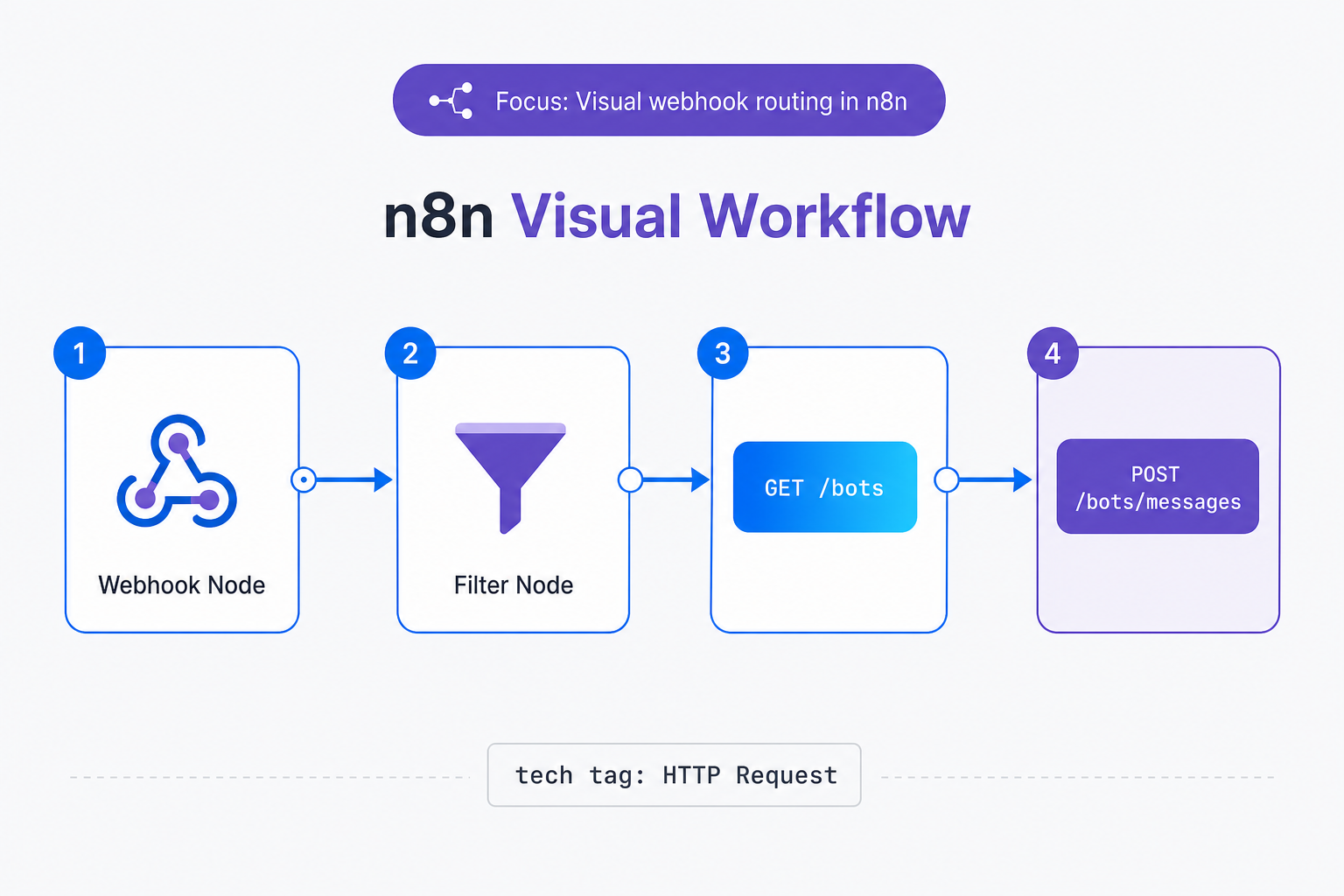
To implement this in n8n, configure a Webhook node to capture incoming events from Whapi.Cloud. Next, add a Filter node to check if messages[0].from_me is false. If true, stop the execution. Then, use an HTTP Request node to send a GET request to https://gate.whapi.cloud/bots to retrieve the active Bot ID. Finally, add another HTTP Request node to send a POST request to https://gate.whapi.cloud/bots/{BotID}/messages with the payload {"BotID": "...", "body": "{{ $json.messages[0].text.body }}"}. This visual workflow mirrors the Node.js implementation perfectly while requiring zero server maintenance. You can refer to our n8n WhatsApp integration page for detailed node properties. Alternatively, if you prefer Make, see our Make.com integration for visual scenario mapping.
Going Live Safely After Your Meta AI Loop Works
Deploying a zero-token WhatsApp AI assistant is the most cost-efficient way to automate business communication in 2026. However, maintaining long-term channel health requires safe operational practices.
| Gateway Model | Whapi.Cloud Flat-Rate | Official Meta Cloud API |
|---|---|---|
| Pricing | Flat monthly subscription per connected number. | Metered per-conversation fees (utility, marketing, authentication). |
| Message Templates | Not required; send free-form text or media anytime. | Mandatory pre-approval and category-specific fees. |
| Group Automation | Full programmatic access to groups, channels, and statuses. | Highly restricted (max 8 members, enterprise-only). |
Because Whapi.Cloud operates via web-session sockets, safety depends on sending patterns rather than API compliance forms. Always warm up new channels gradually and avoid sending identical bulk broadcasts. Whapi.Cloud provides a built-in number readiness score in your dashboard to evaluate your channel's strength before launching high-volume campaigns. If you ever hit unexpected connection issues, you can read our detailed guide on how to avoid WhatsApp bans to ensure your channel remains healthy.
While official APIs restrict group automation, Whapi.Cloud enables programmatic AI group management. By using the WhatsApp Groups API, you can add your Meta AI assistant to a WhatsApp group to moderate discussions or answer FAQs. In the official WhatsApp Business API, group-level automation is highly restricted to enterprise accounts sending over 100K messages per day and capped at 8 members. In Whapi.Cloud, you get full programmatic access to WhatsApp groups of up to 1024 members with no volume restrictions -- because Whapi.Cloud connects via web-session sockets, making it the only viable gateway for community-driven AI workflows.
When routing messages from group chats, you must implement additional filtering. Filter group message payloads by participant IDs to prevent automated bot spam storms. If the bot responds to every message in a group without checking who sent it or whether the bot was explicitly mentioned, it can trigger infinite reply loops with other automated participants.
To prevent customer frustration when the AI cannot resolve a query, you must build a fallback path. Keyword-triggered human escalation handoffs preserve customer trust when automated AI routing fails. By monitoring inbound webhooks for terms like 'human', 'help', or 'agent', your routing logic can temporarily disable the Meta AI loop for that contact and notify a live support agent.
By combining Whapi.Cloud with native Meta AI, you can build a highly responsive, ban-safe, and budget-friendly assistant with zero ongoing token fees. Scan your QR code, deploy your Node.js webhook, and start automating your WhatsApp workflows today.