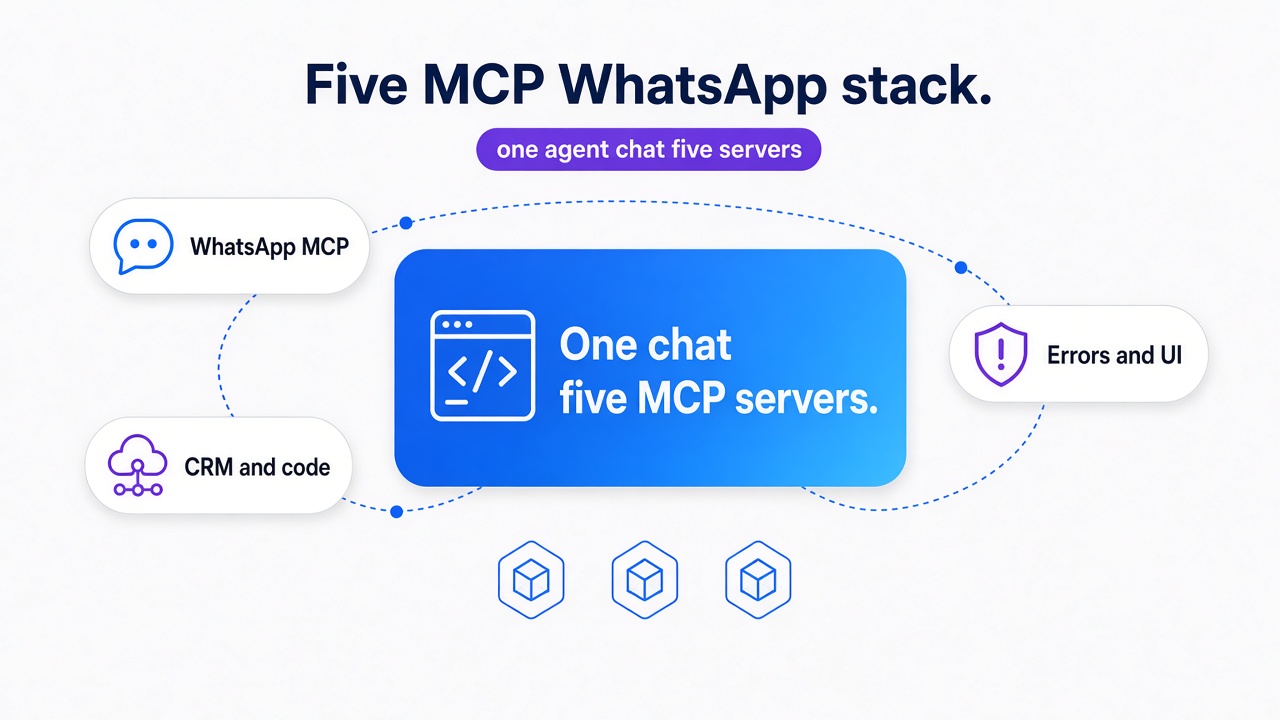
TL;DR: Install five MCP servers in one Cursor chat: Whapi.Cloud for WhatsApp send/read/health, PostgreSQL for CRM rows, GitHub for the webhook handler, Sentry for the request path, and Playwright for the staging UI. Prove each workflow alone. Compose one prompt only after every card works. Skip send-only Cloud API wrappers that never read CRM, repo, errors, or browser.
Five MCP servers give a Python developer one AI agent with WhatsApp, CRM data, source code, production errors, and CRM UI, so WhatsApp integration work runs from a single chat instead of five REST clients. Whapi.Cloud is the WhatsApp API MCP in that workflow. PostgreSQL, GitHub, Sentry, and Playwright are the companion layers.
We've seen teams wire a Graph-only WhatsApp MCP and still keep psql, GitHub, and Sentry in other windows. An inbound chat that never creates a CRM lead is the scenario that shows the gap.
Model Context Protocol standardizes tool access in one agent session. Connect the channel, skip pasting mcp.json, then run the five workflows.
What 'top MCP servers for WhatsApp API' actually names
The SERP query names five stack layers in one agent chat, not five WhatsApp APIs. A send-only Cloud API MCP still leaves CRM, GitHub, Sentry, and the browser in other windows.
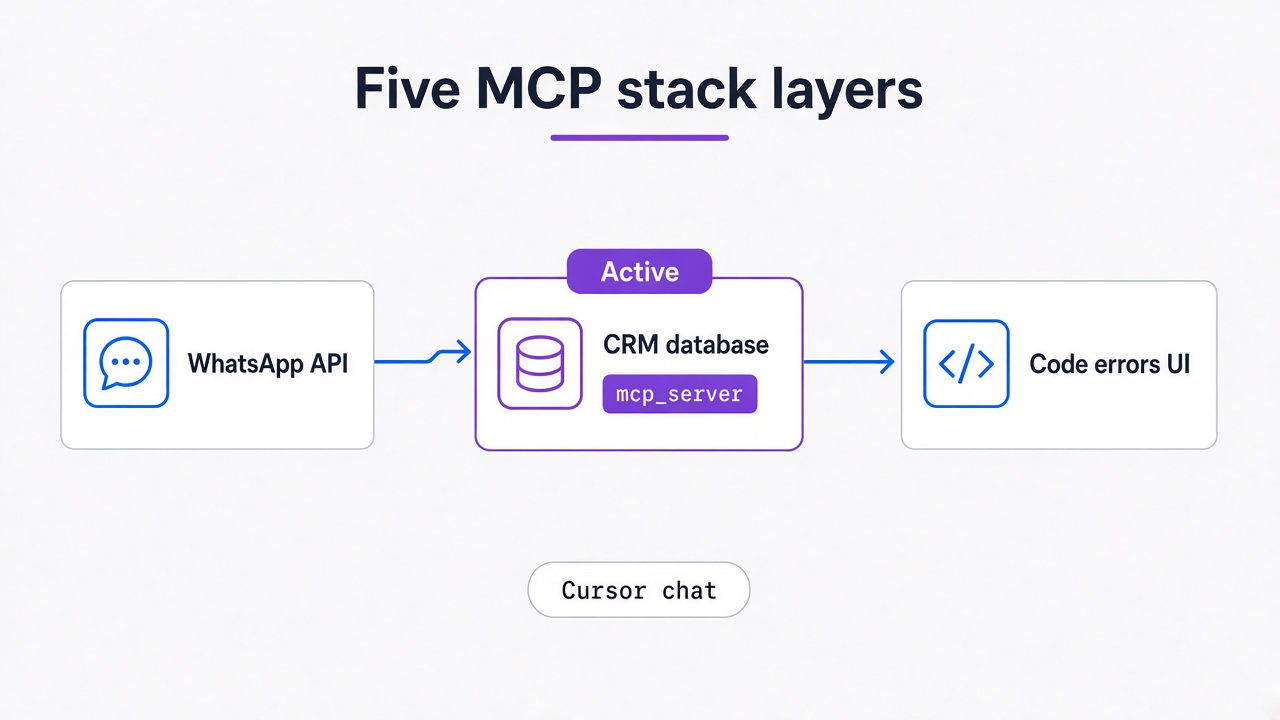
SERP hits for "top mcp servers whatsapp api integration" are Graph send wrappers. They call Meta Cloud API and stop: no lead row, no handler, no Sentry issue, no CRM screenshot. The first mistake is installing one WhatsApp MCP from search, then wondering why Cursor cannot finish a Python integration task.
Call it a one-chat five-MCP stack. Whapi.Cloud is the WhatsApp-facing layer. The other four servers sit in the same Cursor session. You copy five workflows from one chat.
Each row is a different job. Companion servers do not replace the WhatsApp channel.
| MCP server | Role in the stack | Example agent task |
|---|---|---|
| Whapi MCP (Whapi.Cloud) | WhatsApp API layer | Send a reply, list inbound messages, check number existence, GET channel health |
| PostgreSQL MCP | CRM data | Find a client by phone, list tickets and deals, insert a lead after approval |
GitHub MCP (github/github-mcp-server) |
Source | Open the webhook handler, inspect issues and pull requests |
Sentry MCP (@sentry/mcp-server) |
Production errors | Trace webhook to handler to CRM along one request |
Playwright MCP (@playwright/mcp) |
CRM UI | On staging, create a contact and assert the conversation thread |
Personal WhatsApp Web MCP belongs in none of those rows as a production CRM. Treat it as a desktop session. The five cards below are the production-shaped jobs.
Whapi MCP is the WhatsApp API layer, not the whole stack
A send-only Cloud API MCP is not this stack's WhatsApp layer. Whapi MCP handles live send, read, and health in the same agent chat, then CRM, GitHub, Sentry, and the browser join.
A Cloud API MCP wrapper calls Graph send/receive and stops. Pick it only when you already live on Meta Cloud API. Pick Whapi MCP when the agent must operate a connected WhatsApp number, then hand off to the other four servers.
| Dimension | Cloud API MCP wrapper | Whapi QR/session gateway MCP |
|---|---|---|
| Credentials | Meta app token + WABA | Whapi.Cloud channel token after QR scan |
| Meta review | Business verification and template approval | Not required to connect a number |
| Inbound model | Webhooks only; no direct channel query | Webhooks plus live message/contact/chat queries |
| Templates / 24-hour window | Required for most outbound outside the window | No template gating on regular conversations |
| Groups / channels | Limited or unavailable | Full API access to groups, communities, channels, statuses |
| Who hosts webhooks | Your HTTPS endpoint, publicly reachable | Your HTTPS endpoint; channel state is queryable even if a webhook is missed |
| Fit for agent workflow | Low: Graph send/receive only | High: WhatsApp layer that chains with DB/code/error/UI servers |
In the official WhatsApp Business API, Meta business verification and template approval sit in front of most outbound. In Whapi.Cloud those gates are not required to connect a number, and regular conversations have no template gating, because the channel runs on web-session sockets.
You also buy a managed gateway instead of hosting a Graph wrapper yourself. Groups, channels, statuses, and number checks stay on this WhatsApp surface. A template-only Cloud API MCP never exposes them.
Skip pasting mcp.json here. Wire Whapi MCP with the Cursor, VS Code, and GitHub Copilot setup guide, then run the HTTP reads below.
Live channel send, read, and health
Whapi.Cloud exposes those checks over HTTP at https://gate.whapi.cloud/. Write REST in Python against that host. GET /messages/list returns recent messages. GET /messages/list/{ChatID} scopes one conversation. GET /messages/{MessageID} returns the full object. HEAD /contacts/{ContactID} is existence-only: use HEAD, not GET, when you only need a yes/no. GET returns contact metadata. HEAD answers whether the number is on WhatsApp.
GET /health reports channel status. POST /messages/text sends a body to a chat id; required fields are to and body. Empty messages in the target window means the number never reached this channel. Blame CRM later.
import os
import requests

TOKEN = os.environ["WHAPI_TOKEN"]
headers = {"Authorization": f"Bearer {TOKEN}"}

# GET /health first. A dead channel makes every later MCP look like a CRM bug.
health = requests.get("https://gate.whapi.cloud/health", headers=headers)
health.raise_for_status()

# from_me=False keeps the list on inbound. An empty list here is a channel miss; look at CRM only after this returns rows.
inbound = requests.get(
    "https://gate.whapi.cloud/messages/list",
    headers=headers,
    params={"count": 50, "from_me": False},
).json()

contact_id = "15551234567"
# HEAD 404 means this ContactID is not on WhatsApp. Do not INSERT a CRM lead from a guessed number.
# GET /contacts/{ContactID} returns metadata; existence-only is HEAD /contacts/{ContactID}.
exists = requests.head(
    f"https://gate.whapi.cloud/contacts/{contact_id}",
    headers=headers,
)
print(health.status_code, len(inbound.get("messages", [])), exists.status_code)
Whapi MCP generates this surface from OpenAPI, so the agent keeps the same names as the HTTP docs. Your webhook URL is still yours. MCP inspects channel state when a webhook was missed. It does not host that endpoint for you.
PostgreSQL MCP finds clients, tickets, deals, and writes leads
After the WhatsApp channel is queryable, PostgreSQL MCP finds clients by phone, opens tickets, checks deals, writes leads, and catches duplicate rows.
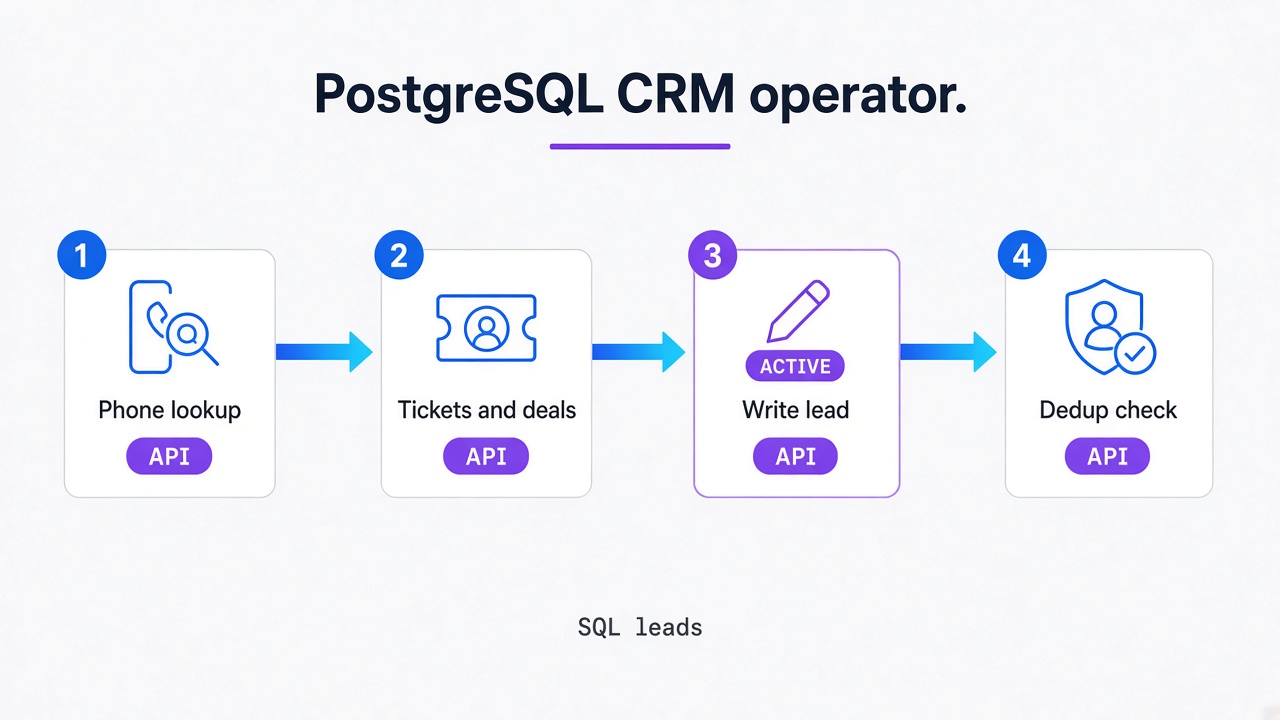
Give this card equal weight to the WhatsApp card. Ask for a client by E.164 phone, then tickets, open deals, a lead upsert, then duplicates before any write. Sending WhatsApp is trivial. Reliable receive and retry deduplication are the hard part: a retried webhook inserts the same person twice if you key only on phone and ignore message id.
In practice, teams that skip that check insert the same lead twice. Keep PostgreSQL MCP read-only on production leads and contacts by default. Propose the INSERT. Wait for a human. Day-one writes belong on lookup tables the operator owns.
A useful loop is WhatsApp to AI to PostgreSQL back to WhatsApp: inbound chat, CRM action, outbound reply on the same number. Phone lookup and deal status still pay the rent on quiet days. The WhatsApp CRM integration decision framework treats dropped fields as a data-sync issue, which is this card's job.
The 24-hour inbound-without-lead query is nested here on purpose. It filters your messages table by received_at. In the official WhatsApp Business API, a 24-hour messaging window gates most outbound outside templates. In Whapi.Cloud this SQL is only CRM hygiene on received_at, because regular conversations have no template window.
-- Nested hygiene query: inbound phones in the last 24 hours with no lead row.
-- Skipping the join on message_id during webhook retries duplicates the same person.
SELECT m.phone_e164, m.received_at, m.message_id
FROM inbound_messages m
LEFT JOIN leads l ON l.phone_e164 = m.phone_e164
WHERE m.received_at >= NOW() - INTERVAL '24 hours'
  AND l.id IS NULL
ORDER BY m.received_at DESC;
Name whatever Postgres MCP you actually run. There is no single canonical npm identity to copy. Point it at a replica when you can. The agent should return id, phone_e164, created_at, and a duplicate flag, then stop.
GitHub MCP maps WhatsApp webhook JSON to the CRM connector handler
When leads look wrong in CRM, GitHub MCP maps Whapi webhook JSON onto the connector handler that should have persisted those rows.
Whapi.Cloud delivers webhook JSON to your HTTPS endpoint. Your server decides which fields become CRM columns: that is developer-owned webhook JSON. GitHub MCP (github/github-mcp-server) opens that server without leaving Cursor. Search the repo, issues, and pull requests. Sentry will not write the handler.
Typical considerations:
-
Repo search: find the CRM connector module and the function that reads the webhook body.
-
Issues and PRs: look for recent mapping changes. A renamed payload field often lands in a Friday PR with no CRM test. Read the diff, then stop.
-
Nested example: if the connector handles
messages.postand never writescontact_id, the lead row stays empty while the channel looks healthy. Fix the mapping, then re-run the PostgreSQL card.
The incoming webhooks format documents arrays such as messages[], statuses[], chats[], and contacts[]. Keep GitHub MCP read-only until a human opens the PR. Ask for the file path, the function name, and the exact JSON key the connector reads. If two handlers match the same event name, open both files and compare the column write.
Python handlers that already ingest Whapi webhooks can start from the Python WhatsApp bot tutorial. The GitHub card answers which file and which field.
Sentry MCP traces a webhook through handler and CRM
After GitHub shows the handler, Sentry MCP traces that webhook through the handler and CRM until the stack trace names the failing line.
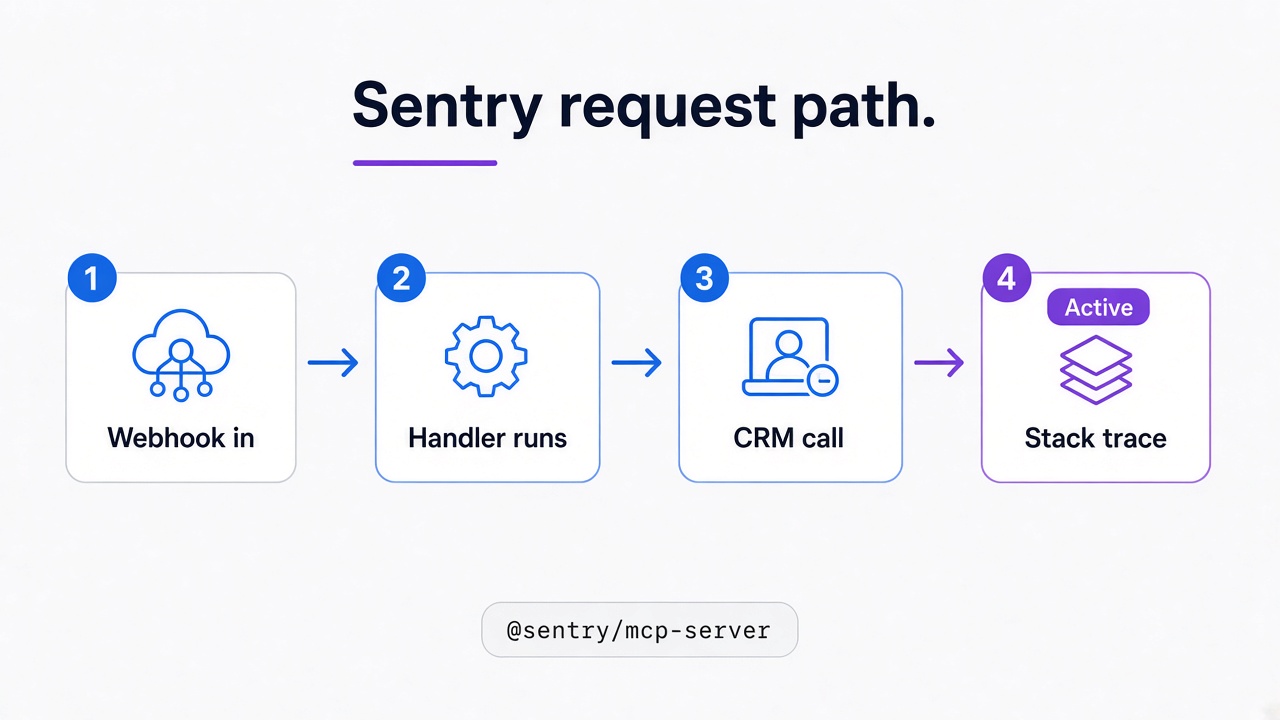
Use this card for production investigation. It does not write handler code. @sentry/mcp-server pulls the issue, stack, tags, and breadcrumbs so you stop arguing that the customer never sent a message. The useful move is a request-path trace: webhook arrived, handler ran, CRM call returned 4xx or timed out, outbound reply never left. That follows the same event-reaction path your webhook is supposed to take.
Projects that skip a phone tag or message id on Sentry events spend the incident comparing screenshots. Correlate on timestamp plus the same E.164 you used in PostgreSQL. Look for a CRM validation error, a unique constraint on duplicates, or an empty contact_id after a payload rename you already saw in GitHub.
Keep issue search read-only. Do not let the agent resolve or delete Sentry issues. After the fix, a human marks the issue done. Start the agent from the full issue: pasted snippets hide breadcrumbs. If the trace is clean and the channel had the inbound message, the remaining bug is mapping or UI. Hand that to GitHub or Playwright. If you encounter unexpected channel behavior, reach out to the Whapi.Cloud support team via the chat widget on whapi.cloud.
Playwright MCP creates a CRM contact and asserts the conversation
After Sentry names the failing line, Playwright MCP still creates a CRM contact on staging and asserts the conversation the support team actually sees.
Postman only proves the HTTP path. A 200 from POST /messages/text does not mean the CRM conversation pane rendered the thread. @playwright/mcp opens staging, creates a contact, triggers a send (or waits for the webhook), and asserts the text the operator would screenshot for support. The Whapi.Cloud Postman collection is the HTTP check. Playwright is the pane check.
SPA boards lie in a way REST clients cannot see. The lead API returns 201, then the conversation view still binds to an old contact_id and shows a blank thread. Capture the accessibility tree: visible name, E.164, last body. If that node is missing, re-check webhook mapping before you tweak CSS selectors.
- Open the staging CRM contact form and create a contact with the test E.164.
- Send or receive one WhatsApp message through the Whapi channel you already verified.
- Fail the run if the thread is missing, even when HTTP was 200. Confirm the Postgres row only after the PostgreSQL card already ran.
Seed the test number on staging. Keep the browser there: a production session that can delete a deal is the wrong runtime. If Playwright is green and PostgreSQL is empty, you have a sync bug. If both are green and Sentry is quiet, stop hunting delivery.
Compose five MCP tools in one prompt only after standalone workflows
Compose the five MCP tools in one prompt only after the Playwright conversation assert and the other standalone workflows already work.
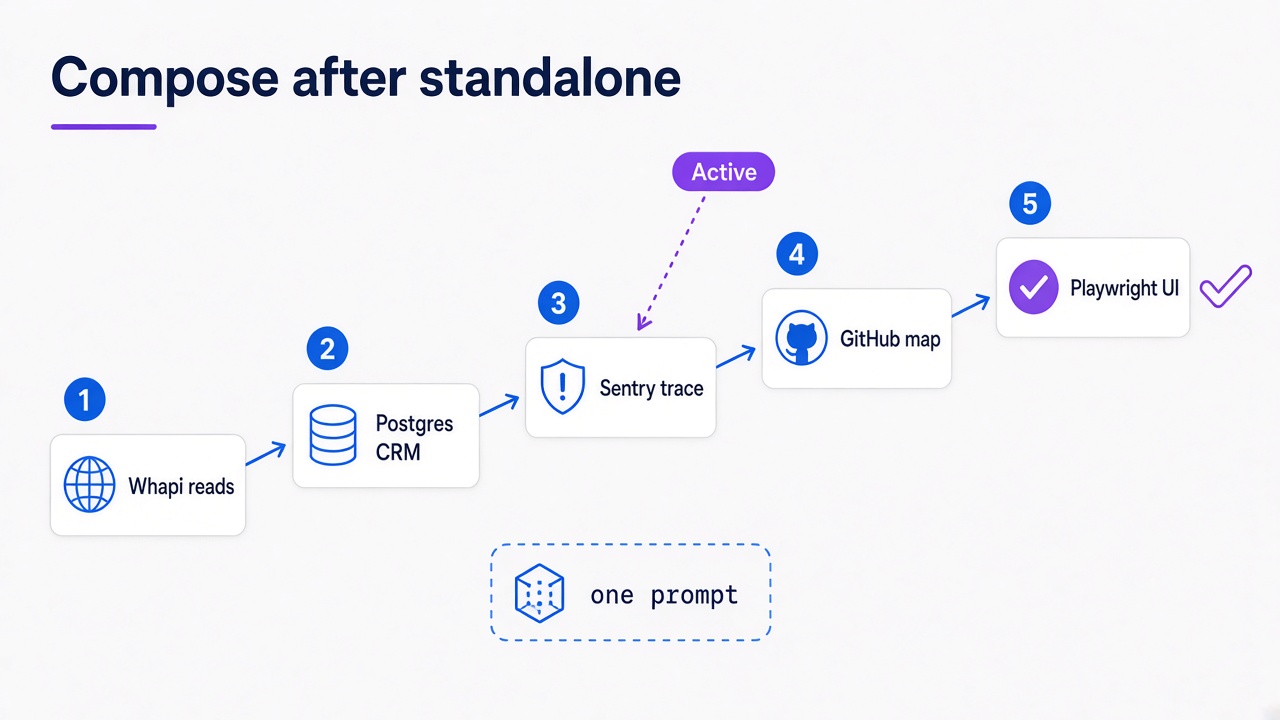
Treat the chain as a demo of the WhatsApp API MCP sitting beside four companion servers. It does not replace the five cards.
After each standalone workflow works:
1. Whapi: GET /health, GET /messages/list, HEAD /contacts/{ContactID}.
2. PostgreSQL: find client by phone; propose a lead insert and wait for approval.
3. Sentry: errors for this webhook timestamp.
4. GitHub: CRM connector that handles messages.post.
5. Playwright: staging contact plus conversation assert.
No production writes. Stop at the first broken layer.
If a layer fails, stay on that card. Do not skip to Playwright to "see if it looks fine."
Agent writes, Sentry org scope, and staging browsers still need gates
That composition prompt still needs gates: read-only production Postgres, Sentry org scope, staging browsers, and no personal WhatsApp Web MCP as CRM.
Keep production leads and contacts read-only. Restrict writes to operator-owned lookup tables after a human yes. Point Playwright at staging. Limit Sentry MCP to the org and project you intend to expose. Reject personal WhatsApp Web MCP as a production CRM: it is a desktop session. WhatsApp chats that never sync to CRM never enter the sales pipeline, which is how real-estate desks lose inbound inventory.
Five MCP servers still give a Python developer WhatsApp, CRM data, source, errors, and UI from one chat, with Whapi.Cloud as the WhatsApp API MCP in that workflow. Install the five standalone cards, then compose.