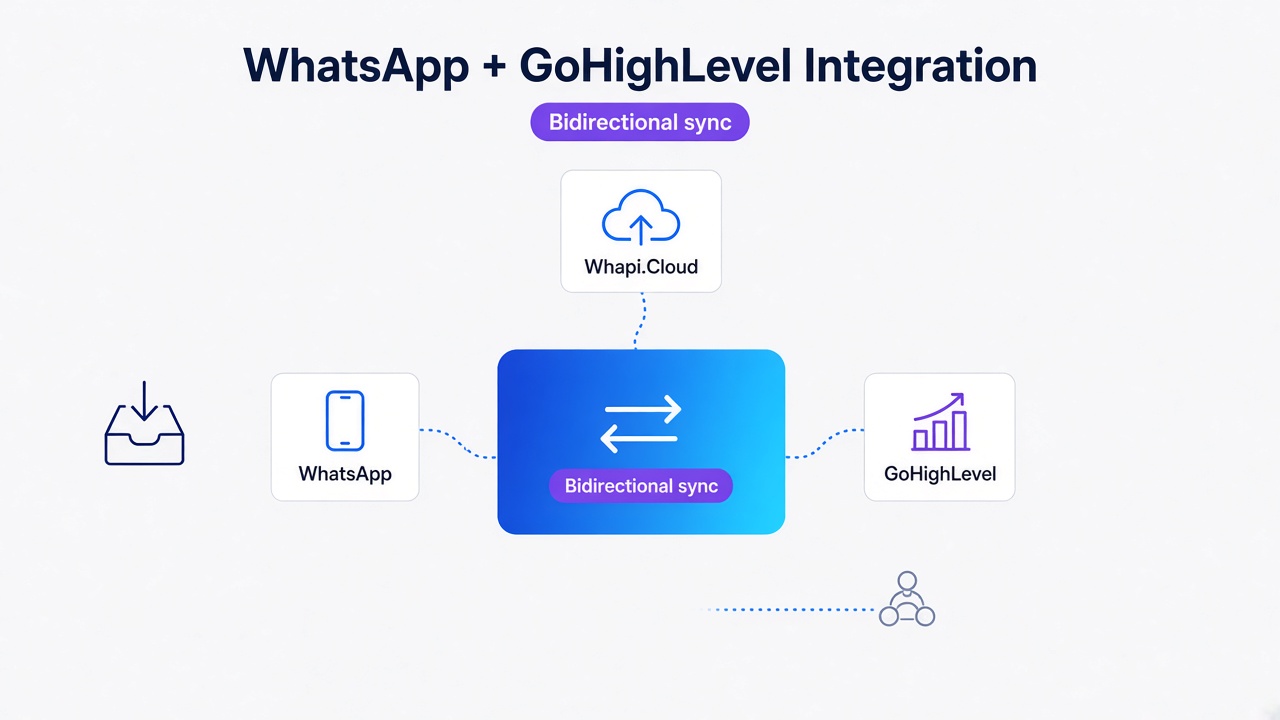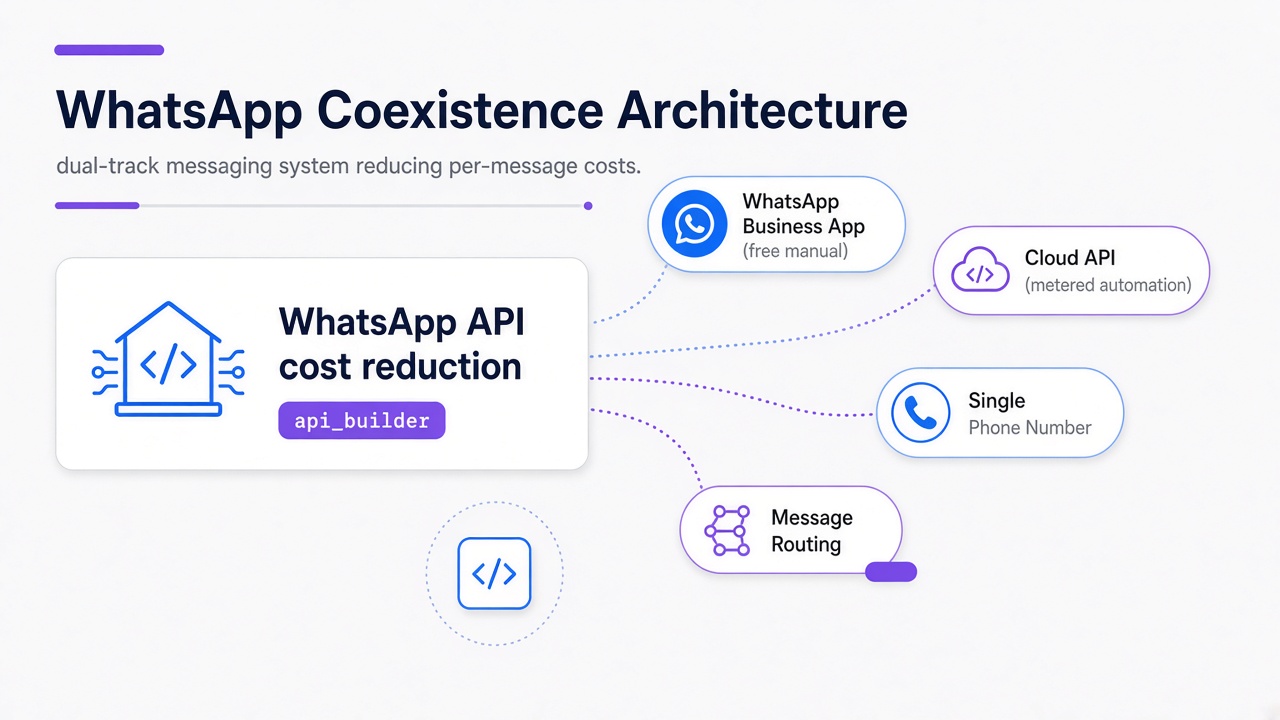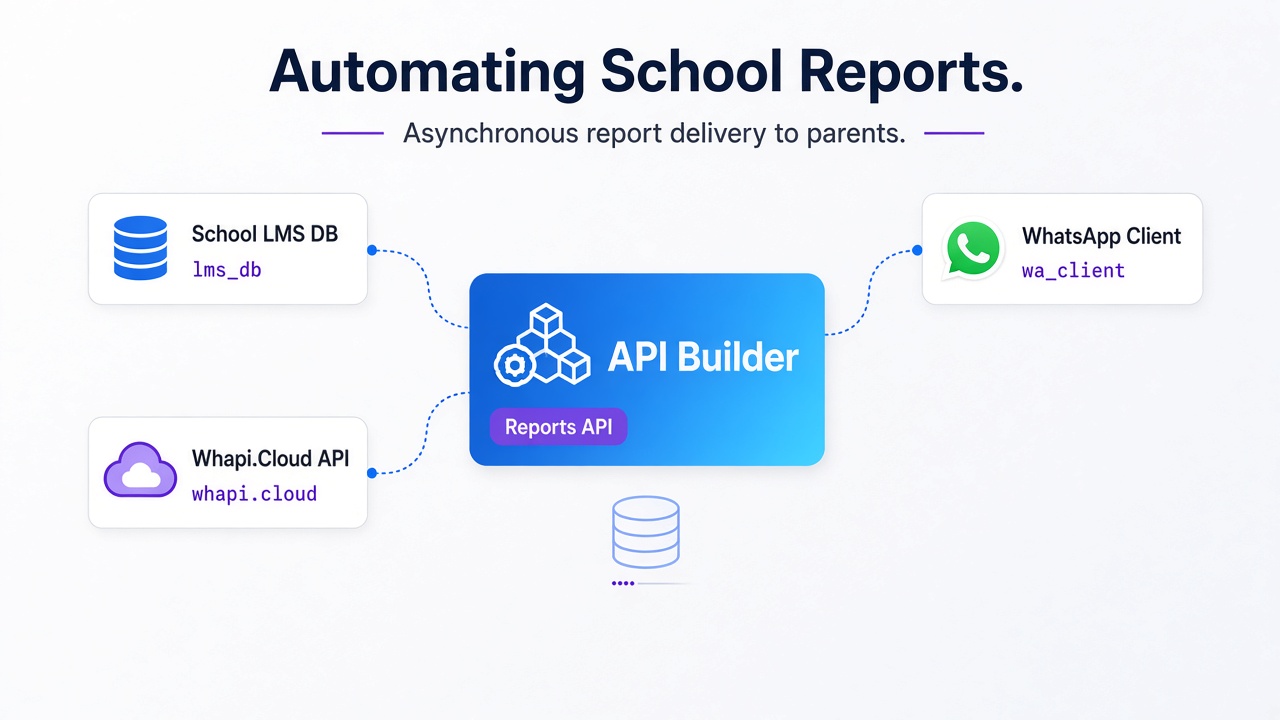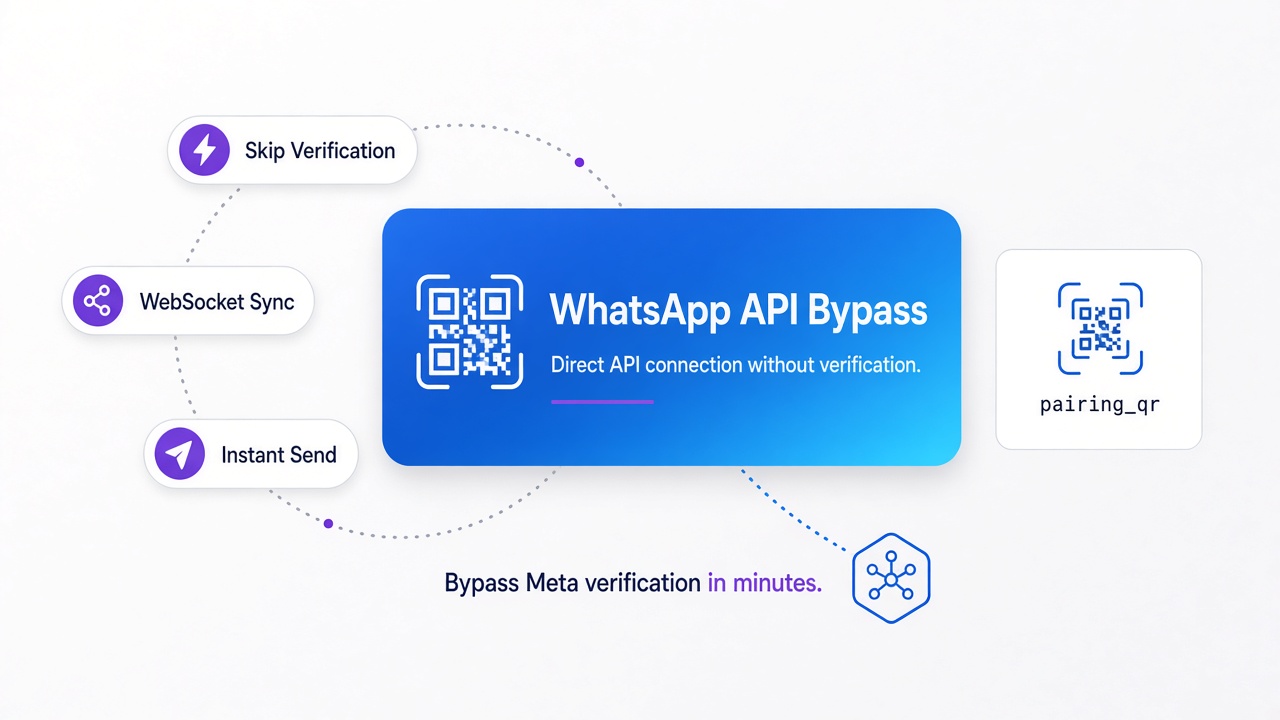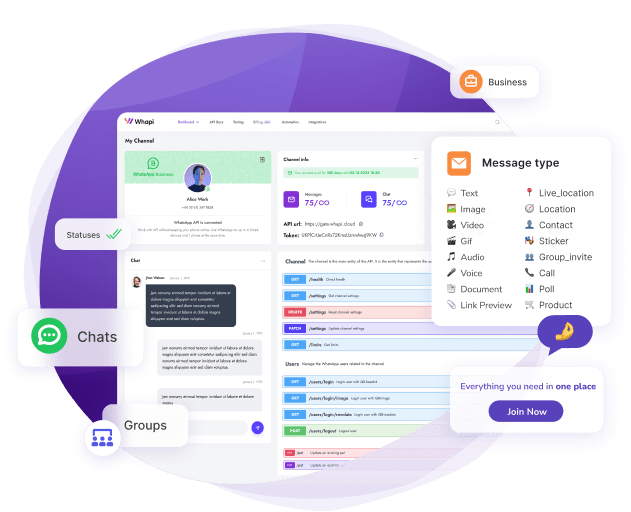
TL;DR: Set up a public HTTPS endpoint, register it as your Whapi.Cloud webhook, and your server receives every WhatsApp event as a JSON POST. Check the type field to route logic, then call POST /messages/text with to and body to reply. That two-step loop — receive event, send reaction — is every integration in this guide. Start with text message routing; add conditional branches as your use case grows.
The Core Principle: Event → Reaction
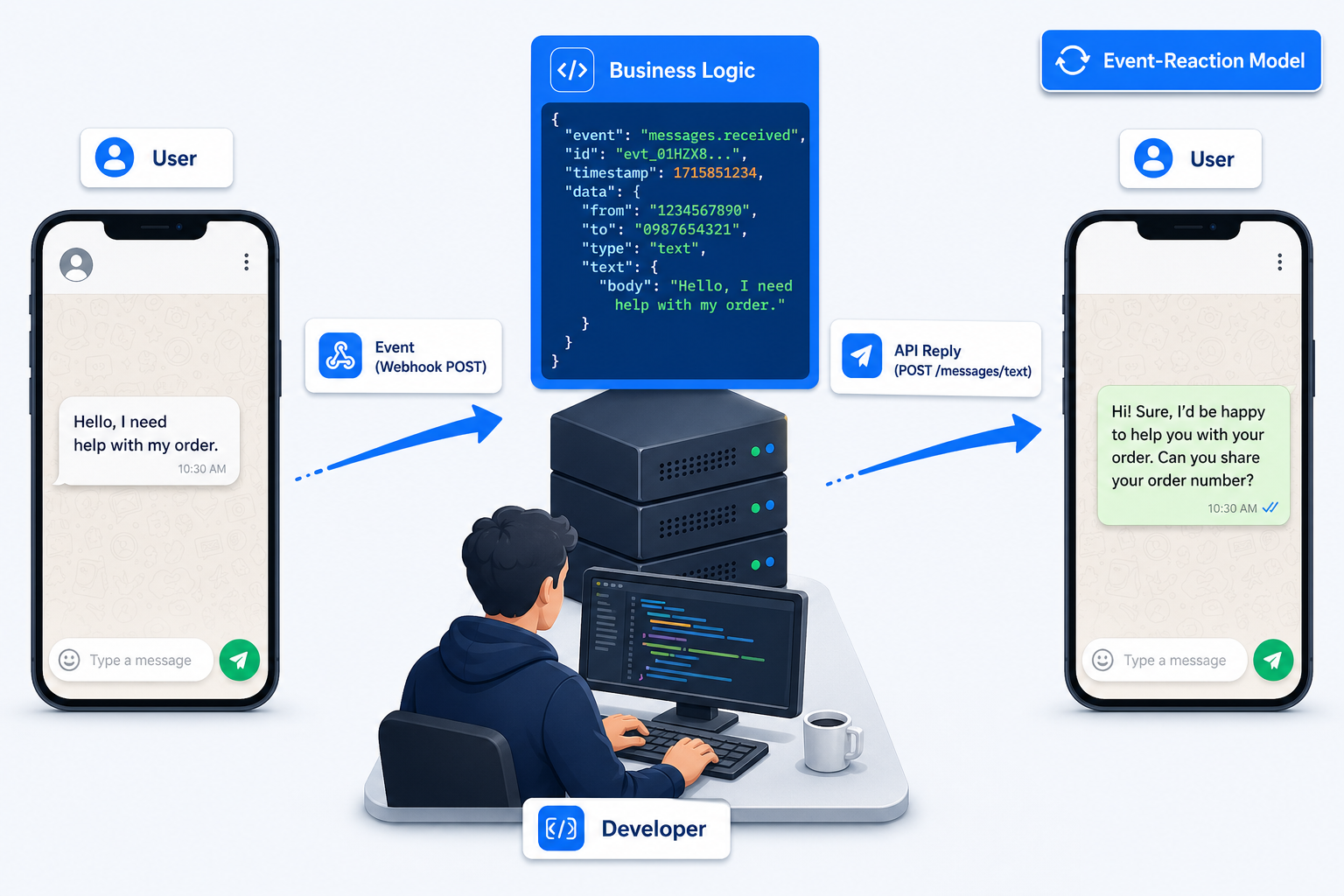
WhatsApp API integration is event-driven, not a messaging SDK. Something happens on WhatsApp, Whapi.Cloud notifies your server via webhook, your code decides the reaction, and the API executes it.
The sequence is fixed. A user sends a message to your WhatsApp number. Whapi.Cloud captures that event and immediately fires an HTTP POST to your webhook URL with a JSON payload — who sent it, what type of message, the content. Your server reads the payload, applies business logic, and calls the Whapi.Cloud REST API to send a reply, update a CRM record, or trigger a downstream action. The loop repeats for every subsequent event.
Your code never polls — Whapi.Cloud pushes every WhatsApp event to your webhook as it happens. The only question your business logic answers: given this event, what happens next?
Delivery receipts, emoji reactions, button taps, group membership changes, and call events all fire webhooks — inbound text is one event type among eight. Mapping the full taxonomy to business decisions is what separates a working integration from a half-built one. Developers familiar with Stripe webhooks or Twilio callbacks will recognize the pattern immediately.
Why Use a Gateway Instead of the Official API?
Whapi.Cloud connects via web-session sockets. Scan a QR code and send your first message in minutes — no Meta verification or template approval required.
The official WhatsApp Business Platform requires business verification, BSP onboarding, and pre-approved message templates before you can send a single proactive message. Whapi.Cloud charges a flat subscription with no per-conversation fees. Over 3,300 development teams run it in production across multiple countries.
One real trade-off: Whapi.Cloud is not officially sanctioned by Meta, which matters for regulated industries requiring formal compliance documentation. For e-commerce, support bots, HR tooling, and CRM sync — not a blocking constraint. The getting started guide covers what you need before your first API call.
The Full WhatsApp Event Taxonomy
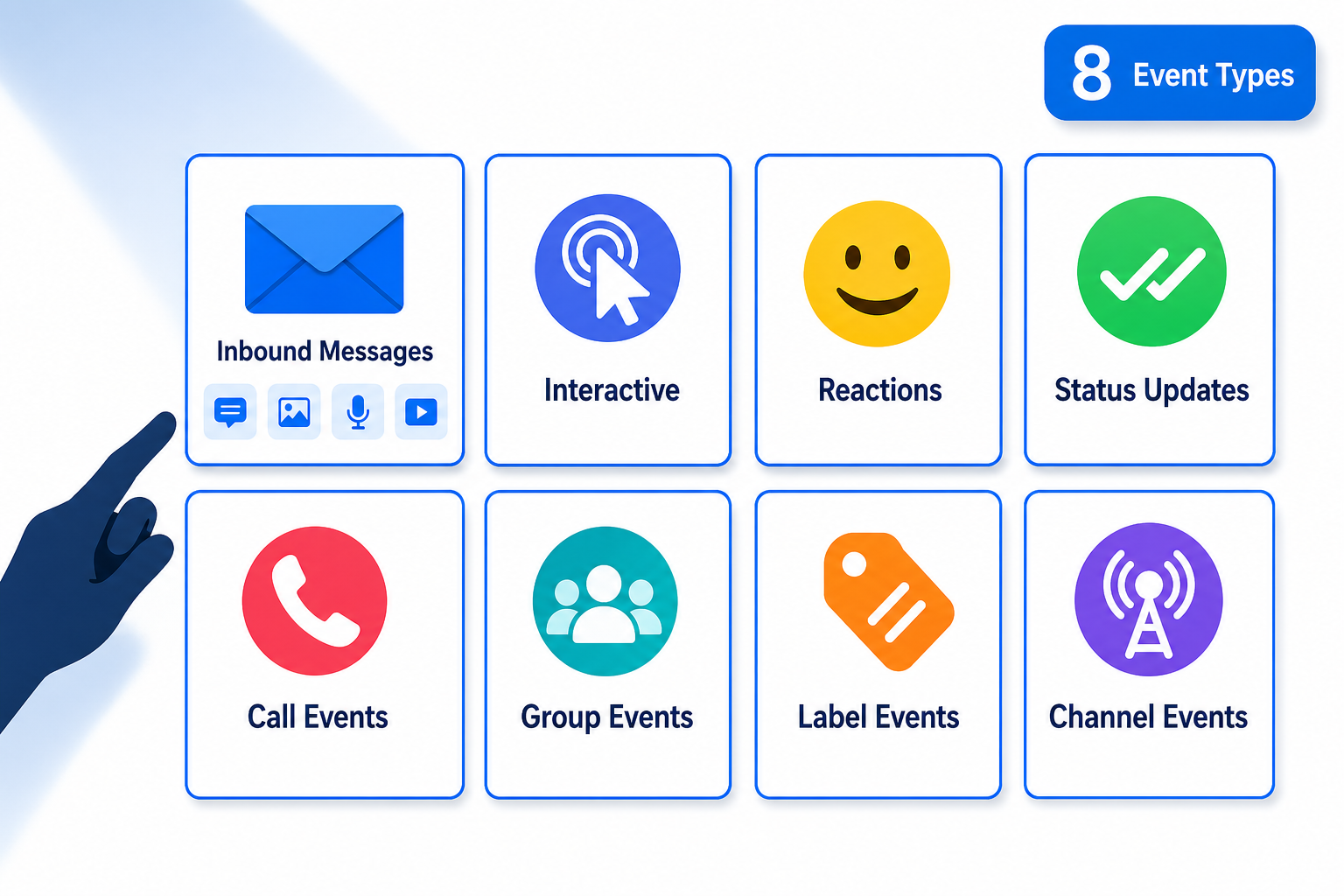
Every event category maps to a distinct class of business decisions your routing logic must handle — and the full taxonomy is wider than most developers expect before their first integration.
Every event Whapi.Cloud delivers shares the same outer structure: a JSON POST to your webhook with a type field identifying the event category. Your handler branches on type first, then extracts sub-fields specific to that category.
| Event Category | Specific Event Types | Typical Business Reaction |
|---|---|---|
| Inbound message | text, image, audio, video, document, sticker, location, contact card | Route to AI handler, forward to CRM, auto-reply, tag conversation |
| Interactive interaction | button reply, quick reply, list selection, template response | Advance conversation state machine, confirm order, trigger backend action |
| Emoji reaction | reaction added, reaction removed | Log sentiment score, trigger follow-up, update satisfaction metric |
| Message status | sent, delivered, read, played (voice note) | Update CRM delivery field, cancel re-engagement timer, trigger follow-up sequence |
| Call event | incoming call initiated, call missed, call rejected | Log missed call, send automated callback request message |
| Group event | participant joined, participant left, admin changed, group created/archived | Update membership list, send welcome message, sync with HR system |
| Label event | label applied to chat, label removed | Segment contact in CRM, trigger campaign, update pipeline stage |
| Channel event | follower joined channel, channel update published | Send subscriber acknowledgment, sync analytics, trigger notification workflow |
The routing rule is consistent across every row: read the type field, branch to the matching handler, extract the sub-fields relevant to that type. An "image" message needs a different handler than a "button_reply" interaction — both arrive as POST requests to the same webhook URL, but the payload structure and your business logic differ completely.
Paths to Integration
Whether you write server code or configure a visual workflow tool, every integration follows the same event→reaction loop — only the tooling changes.
| Approach | Technical Requirement | Time to First Message | Best For |
|---|---|---|---|
| REST API (Python / Node.js / PHP) | HTTP client, any backend with a public URL | ~30 minutes | Custom business logic, AI chatbots, CRM connectors |
| Make (native Whapi.Cloud module) | Make account only | ~10 minutes | Non-developers, marketing automation teams |
| n8n (self-hosted or cloud) | n8n instance (Docker or cloud) | ~15 minutes | Technical teams wanting self-hosted workflow control |
| cURL / Postman | None beyond the tool itself | ~5 minutes | Testing endpoints, proof of concept |
Make and n8n users configure a webhook trigger node that receives the same JSON payload a custom backend would. The nodes then read event fields and call Whapi.Cloud's send endpoint as the reaction. The event→reaction model does not change; the business logic lives in a visual canvas instead of code.
Webhook Setup: The Receiving End
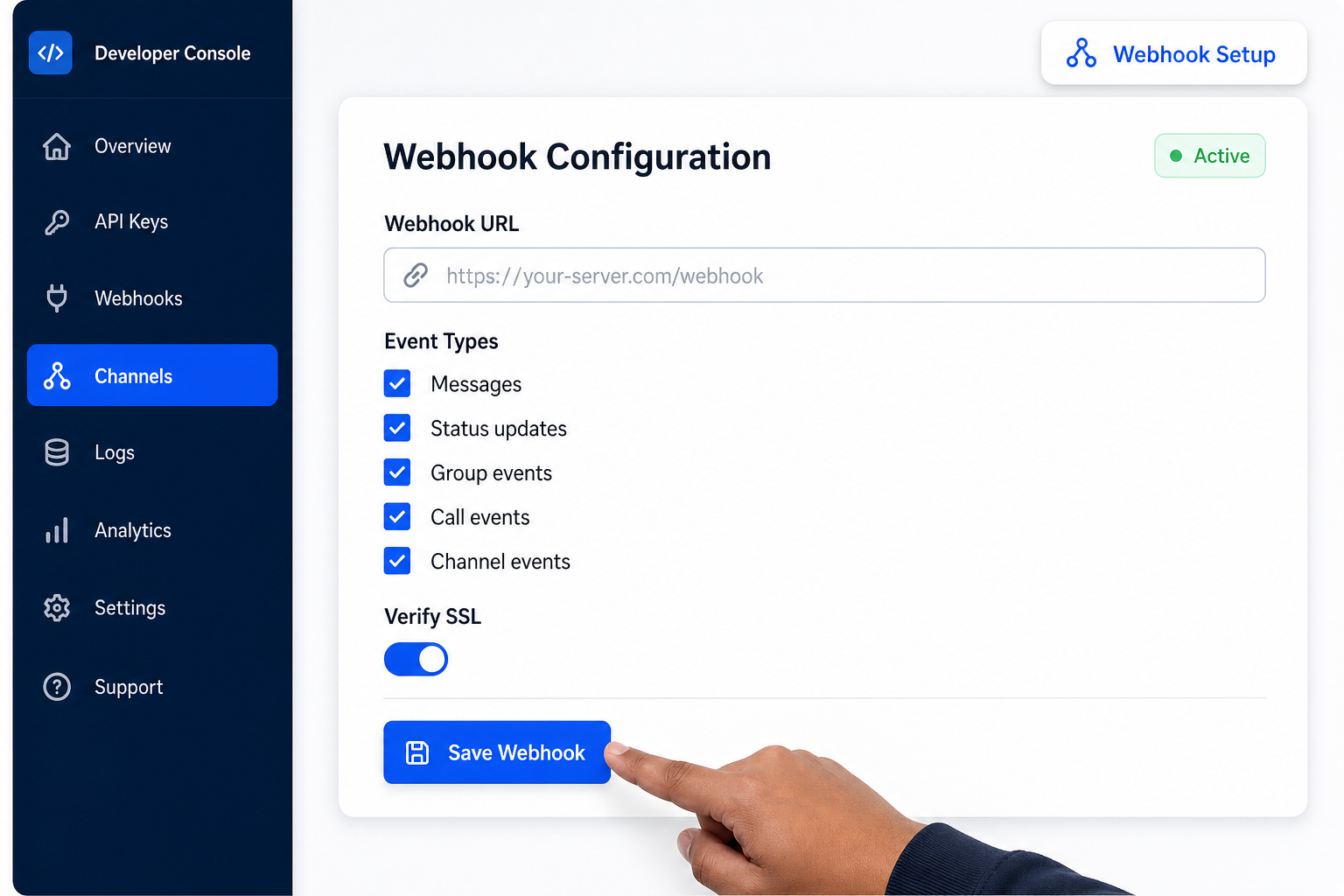
Webhook setup in Whapi.Cloud takes three inputs: your endpoint URL, the event types you want to receive, and an optional secret for request verification. The endpoint must be publicly reachable over HTTPS.
Configure the webhook inside your Whapi.Cloud channel settings. Once saved, Whapi.Cloud begins forwarding WhatsApp events to your URL as HTTP POST requests with a JSON body. Events arrive in real time — typically within a few hundred milliseconds of the WhatsApp action. There is no polling interval to configure and no persistent connection to maintain from your side. The full webhook payload format reference documents every field your handler will need to parse.
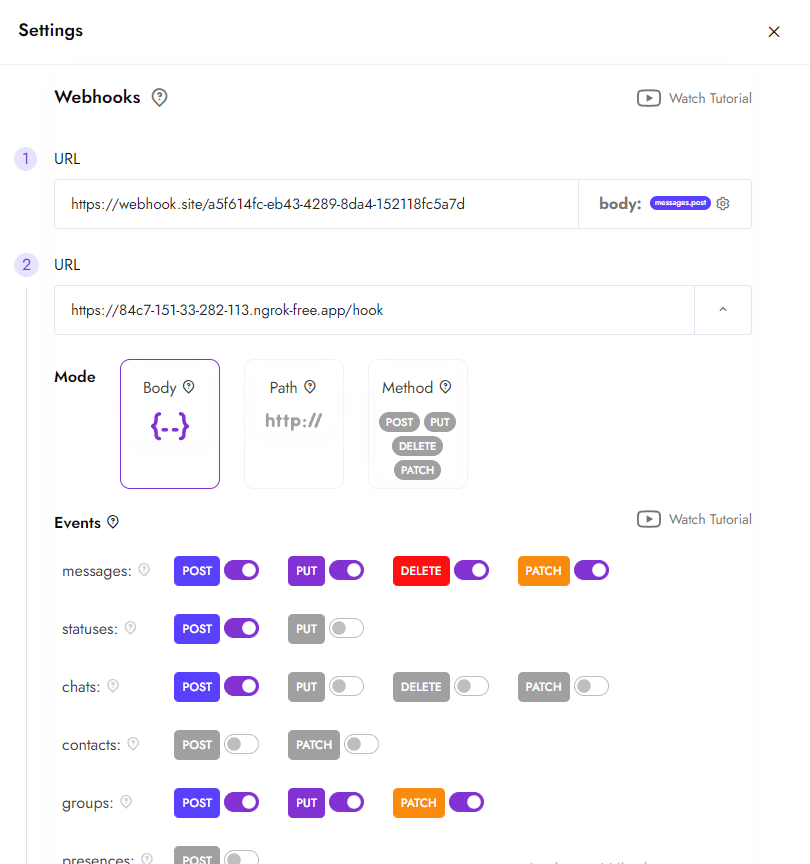
During development, ngrok exposes a local port to a public HTTPS URL. Set that URL as your temporary webhook, run your handler locally, and inspect live payloads before committing to a server deployment.
Return HTTP 200 before processing. This is not optional. Whapi.Cloud retries delivery if your endpoint does not respond within the timeout window. Acknowledge the request immediately, push the payload to a background thread or task queue, and process asynchronously. Mixing acknowledgment and processing in the same synchronous path causes duplicate events when your logic is slow.
From Webhook to Reply: A Working Code Example
Any language with an HTTP client — Python, Node.js, PHP, Go — integrates the same way. No proprietary SDK, no wrapper to install. The handler below routes inbound messages and sends replies via POST /messages/text.
from flask import Flask, request, jsonify
import requests
import threading

app = Flask(__name__)

WHAPI_TOKEN = "your_channel_token"         # from panel.whapi.cloud/dashboard
WHAPI_URL   = "https://gate.whapi.cloud/messages/text"

def send_reply(to: str, body: str) -> None:
    # Calls sendMessageText — required: to (chat ID), body (message text)
    requests.post(
        WHAPI_URL,
        headers={"Authorization": f"Bearer {WHAPI_TOKEN}"},
        json={"to": to, "body": body}
    )

def process_event(data: dict) -> None:
    for msg in data.get("messages", []):
        if msg.get("from_me"):
            continue                         # skip outbound confirmations

        sender   = msg.get("chat_id")        # e.g. "[email protected]"
        msg_type = msg.get("type", "")

        if msg_type == "text":
            text = msg.get("text", {}).get("body", "").lower()

            if any(w in text for w in ["hello", "hi", "hey"]):
                send_reply(sender, "Hey! How can I help you today?")

            elif "price" in text or "pricing" in text:
                send_reply(sender, "Check our pricing: https://whapi.cloud/price")

            elif "order" in text:
                send_reply(sender, "Please share your order number and we'll check its status.")

            else:
                send_reply(sender, "Thanks! Our team will get back to you shortly.")

        elif msg_type == "image":
            send_reply(sender, "Got your image — our team will review it.")

        elif msg_type == "button_reply":
            btn_id = msg.get("button_reply", {}).get("id", "")
            send_reply(sender, f"You selected: {btn_id}. Processing your request...")

        elif msg_type == "reaction":
            # Reactions carry sentiment data — log them, don't reply by default
            emoji  = msg.get("reaction", {}).get("text", "")
            msg_id = msg.get("reaction", {}).get("msg_id", "")
            print(f"Reaction {emoji} on message {msg_id} from {sender}")

@app.route("/webhook", methods=["POST"])
def webhook():
    data = request.get_json()
    # Acknowledge immediately — never block on processing
    threading.Thread(target=process_event, args=(data,)).start()
    return jsonify({"status": "ok"}), 200

if __name__ == "__main__":
    app.run(port=5000)
Four routing branches are visible: greet on salutation keywords, offer pricing on purchase intent, request clarification on order queries, log reactions for sentiment. The same conditional structure scales to hundreds of branches — or replace the entire if/elif chain with an LLM call. The webhook handler itself stays the same. For production deployment steps with Celery queuing, see the Python WhatsApp bot guide.
In a real deployment, replace the background thread with a task queue (Celery, RQ, or a cloud queue service) for retry guarantees and horizontal scaling. The webhook acknowledgment and the business logic must stay separated — that boundary is the load-bearing architectural decision in every integration at scale.
Interactive Message Types as Distinct Event Inputs
Button replies, list selections, and quick replies are distinct event types with separate payload structures. Each requires its own routing branch in your code.
When a user taps a button in a WhatsApp interactive message, Whapi.Cloud delivers a button_reply event. The payload contains the button ID you assigned when building the message, not the visible label text. Your routing logic checks the ID, making interactive flows deterministic — no user phrasing accidentally triggers the wrong branch.
Typical considerations:
-
button_reply: Extract
button_reply.id— the programmatic ID you set when building the button message. Route to the matching handler without any text parsing. -
list_reply: Extract both
list_reply.idandlist_reply.title— the ID drives logic, the title is useful in confirmation messages sent back to the user. -
reaction: Extract
reaction.text(the emoji character) andreaction.msg_id(which message was reacted to). Map to sentiment logging or use as a lightweight satisfaction signal without interrupting the conversation. -
Status updates: Each status event carries
statuses[].statusas"sent","delivered", or"read". Update your CRM field, cancel a re-engagement timer, or start a follow-up sequence based on status transitions.
Read receipts are behavioral data, not delivery bookkeeping. A prospect who reads your pricing message at 9 PM but does not reply is telling your CRM something. Route status events to your data layer — they are signals to act on, not noise to filter out.
AI Chatbot Architecture on WhatsApp
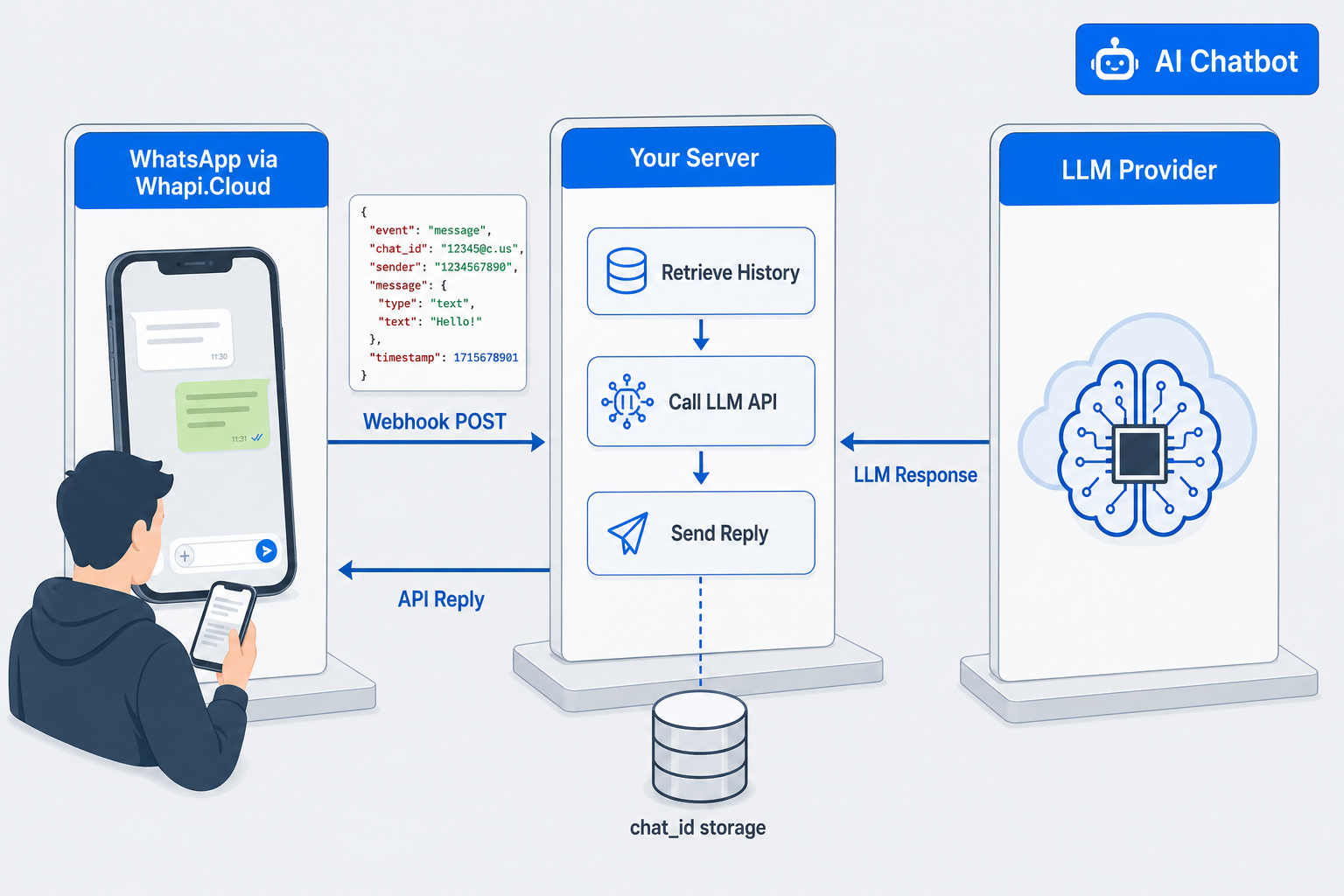
An LLM between webhook and API reply turns a WhatsApp number into an AI agent. The architecture has three layers. The middle layer is where most teams make the decision that determines whether the chatbot feels coherent or broken.
Layer one: Whapi.Cloud delivers the inbound message to your webhook. Layer two: your server retrieves conversation history from persistent storage, appends the new message, calls the LLM API with the full conversation context, and sends the reply back via Whapi.Cloud. Layer three: the LLM provider — OpenAI, Anthropic, or Gemini — sees a prepared context window, not the raw webhook payload.
The layer most teams underestimate is storage. Conversations are stateful — persist history keyed by chat_id, cap to the last 15–20 turns before each LLM call. Without persistent storage, your AI reads every message as if the conversation just started.
Human handoff is the second critical pattern: no AI resolves 100% of conversations correctly. Build an explicit escalation trigger — a keyword match, a confidence score threshold, or a conversation turn limit — that routes the chat to a human agent. Flag the conversation in your CRM, notify the agent, and optionally send the user an acknowledgment message. Your webhook continues delivering messages during the handoff; the routing logic simply changes the handler from AI to human queue.
Whapi.Cloud's GitHub repository includes bot templates in Python and Node.js that implement this three-layer pattern with storage, routing, and API call logic already written. Clone, configure your token and LLM credentials, and run.
Business Use Cases Across Industries
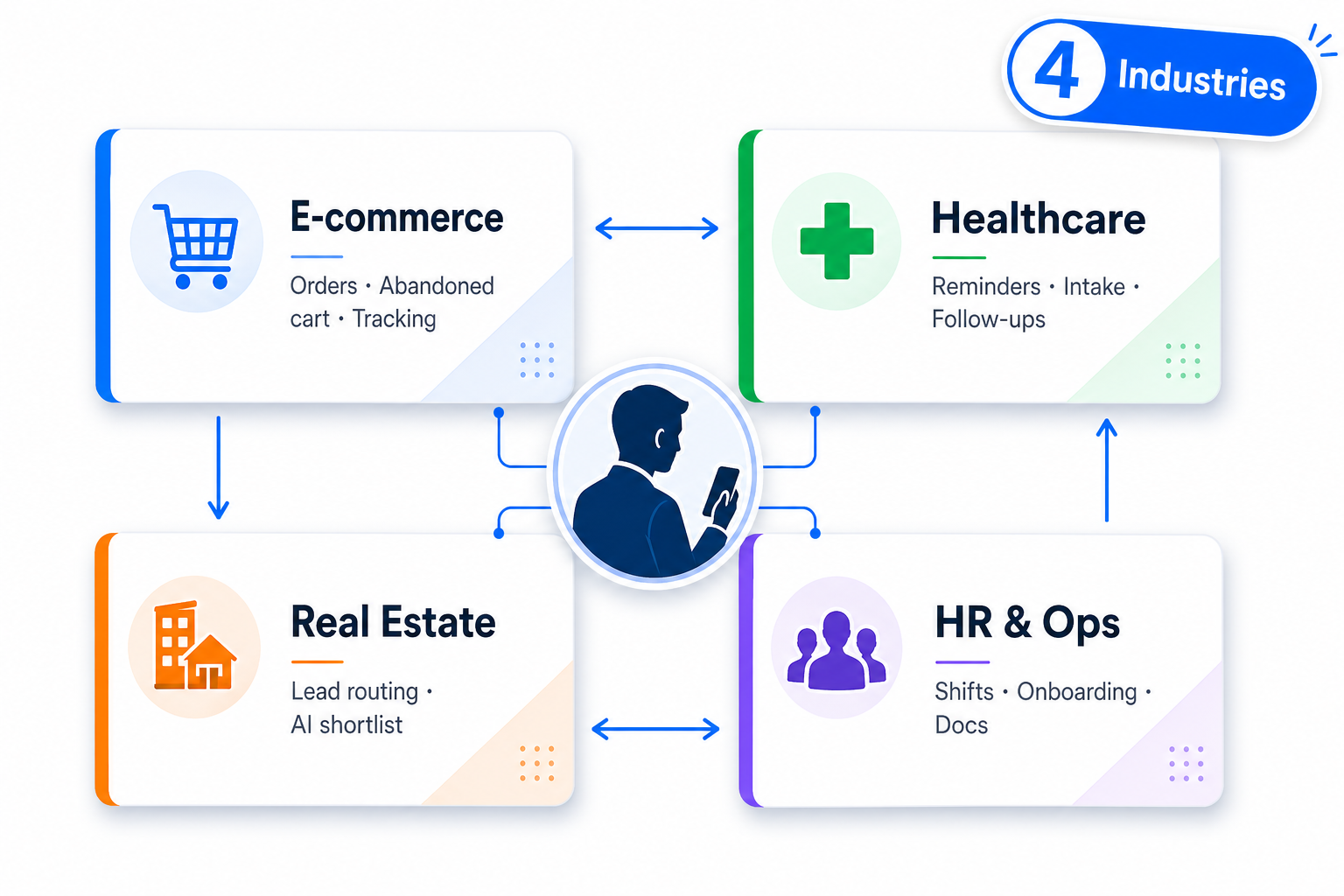
The event→reaction loop applies identically across every industry where WhatsApp is an active communication channel — only the business logic inside changes.
-
E-commerce: Order confirmed on purchase event, abandoned cart reminder on inactivity timeout, read-receipt tracking to measure delivery-to-reply rate.
-
Healthcare clinics use button reply menus for intake forms, trigger appointment reminders 24h and 2h before slot time, and fire a no-show follow-up when a read receipt arrives without a reply.
-
Real estate: Inbound inquiry triggers an AI shortlist by budget and location via button replies, qualified leads routed to agent queue with a CRM entry created automatically on the same event.
-
For HR and internal operations, shift schedules go out as group messages, employee confirmation is tracked via read status, and onboarding documents are delivered automatically from HR system trigger events.
Production Considerations
Four decisions determine whether an integration holds up under real traffic. Acknowledge before processing and deduplicate on message ID — skip either and you will process some events twice.
-
Acknowledge before processing. Return HTTP 200 immediately. Move business logic to a background thread or task queue. Whapi.Cloud retries on timeout — mixing acknowledgment and processing in the same synchronous path produces duplicate events.
-
Message IDs are your deduplication key. Store each processed ID with a short TTL (Redis works well) and skip re-processing when the same event arrives twice. Network conditions deliver duplicates occasionally even from reliable infrastructure.
-
Pace outbound sends on new numbers. Whapi.Cloud production channels carry no hard API rate limits. The risk is WhatsApp's server-side spam detection — sudden volume spikes on recently activated numbers attract enforcement. Implement a send queue with modest inter-message delays when broadcasting to large lists from a fresh number.
-
AI chatbot sessions need three settings from day one: key history to
chat_id, cap context to the last 15–20 turns before each LLM call, and clear expired sessions after a configurable inactivity window. Skip any of these and you will debug context overflow or stale-state errors in production.
Whapi.Cloud's infrastructure handles WhatsApp protocol updates automatically — your integration does not break when WhatsApp releases a new client version. For guidance on number warmup and safe sending patterns, the safe messaging guide covers the behaviors that actually trigger WhatsApp enforcement.
What Teams Building on Whapi.Cloud Say
"Whapi.Cloud became a key part of our customer communication. We automated product updates, order notifications and support messages without needing Meta templates or approvals."
— Oscar T., CTO
"We connected WhatsApp to our workflows using n8n in just a few minutes. No code, no complications — everything worked on the first try."
— Martin P., Developer
"Everything is simple, intuitive and easy to navigate. The docs are clear, and all the info I need is right on the screen."
— Roberto K., Web Developer
Developers write business logic; Whapi.Cloud handles WhatsApp delivery. That separation is what makes the architecture scalable — your routing code runs identically on a $5 VPS or a containerized cluster, because protocol complexity stays on the gateway side. Map every business event to a WhatsApp reaction: that is the complete architecture.