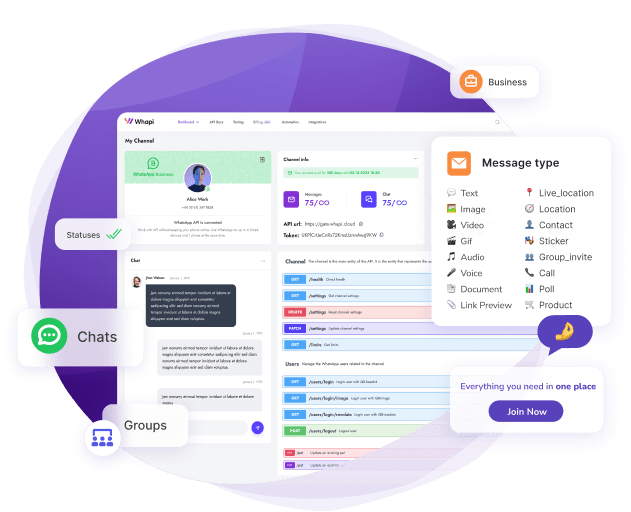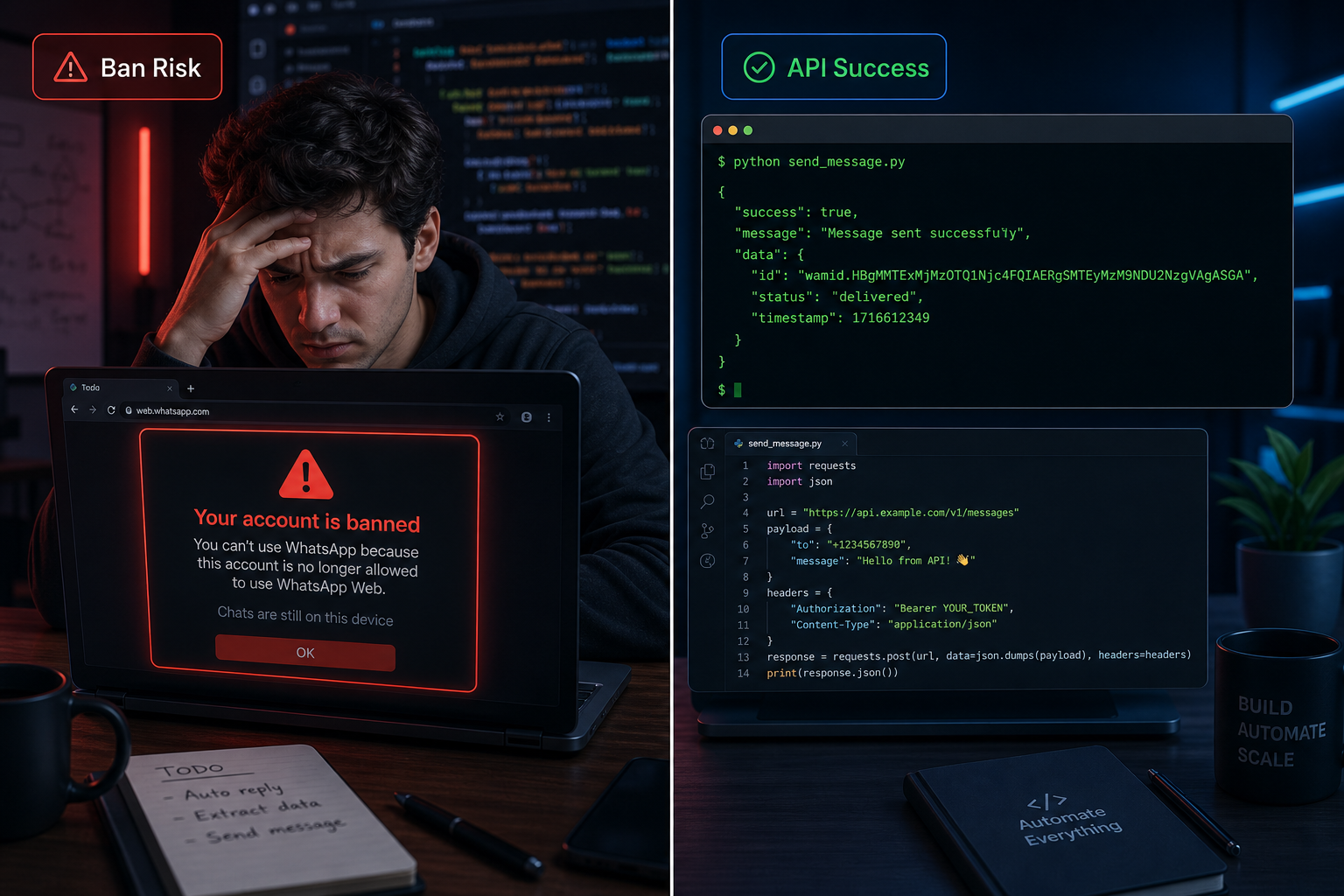
TL;DR: browser-use runs Playwright headless Chrome. WhatsApp fingerprints headless sessions and bans the account. After 12 bans and 47 broken sessions in 30 days, I replaced the entire setup with a 10-line REST call to Whapi.Cloud. Skip the browser layer entirely. A proper API connection handles authentication, reconnection, and delivery confirmation without the maintenance overhead that browser automation creates.
The Day I Found the browser-use Repo on GitHub
The browser-use repo looked like a shortcut: point an LLM at a browser, tell it to open WhatsApp Web, send messages. No API approval process, no monthly subscription. My test message delivered in under 30 seconds.
I had been building a notification bot for an e-commerce side project: order confirmations and shipping alerts to customers who opted in at checkout. The official WhatsApp Business Platform required Meta business verification, which takes time. Managed API providers like Whapi.Cloud connect via WhatsApp web-session sockets with no verification queue, and setup takes under ten minutes. I didn't know that yet. I had found browser-use three days earlier while looking for automation examples on GitHub, and someone in the issues had mentioned running it against WhatsApp Web.
The first local test worked perfectly. The LLM agent opened WhatsApp Web, found the chat, typed the message, sent it. I wrote a wrapper, deployed it to a $10/month DigitalOcean droplet, and felt reasonably clever about avoiding a subscription fee. That lasted four days.
On day five, the pipeline stopped delivering messages. No exception in the logs. The browser was launching, the agent was running, but nothing was sending. I SSH'd into the VPS and found that WhatsApp Web was showing a QR code. The session had expired while the process was running headless. I scanned from my phone, messages went through for another day, then the session expired again.
The QR code expired every 24--48 hours and the session died without any alert. My "automated" pipeline required a human with a phone nearby at all times.
I dug through the browser-use GitHub issues. Dozens of threads on session persistence. People suggested saving browser context to disk, running non-headless for the initial scan, persisting localStorage state to a file. I tried all of it. Session lifetimes improved slightly. WhatsApp was detecting the automated browser and killing sessions server-side.
Why WhatsApp Detects browser-use: The Fingerprinting Chain Explained
browser-use runs on Playwright, and Playwright runs headless Chrome. WhatsApp fingerprints the browser layer and flags headless sessions specifically. The detection targets the runtime environment, not the message content.
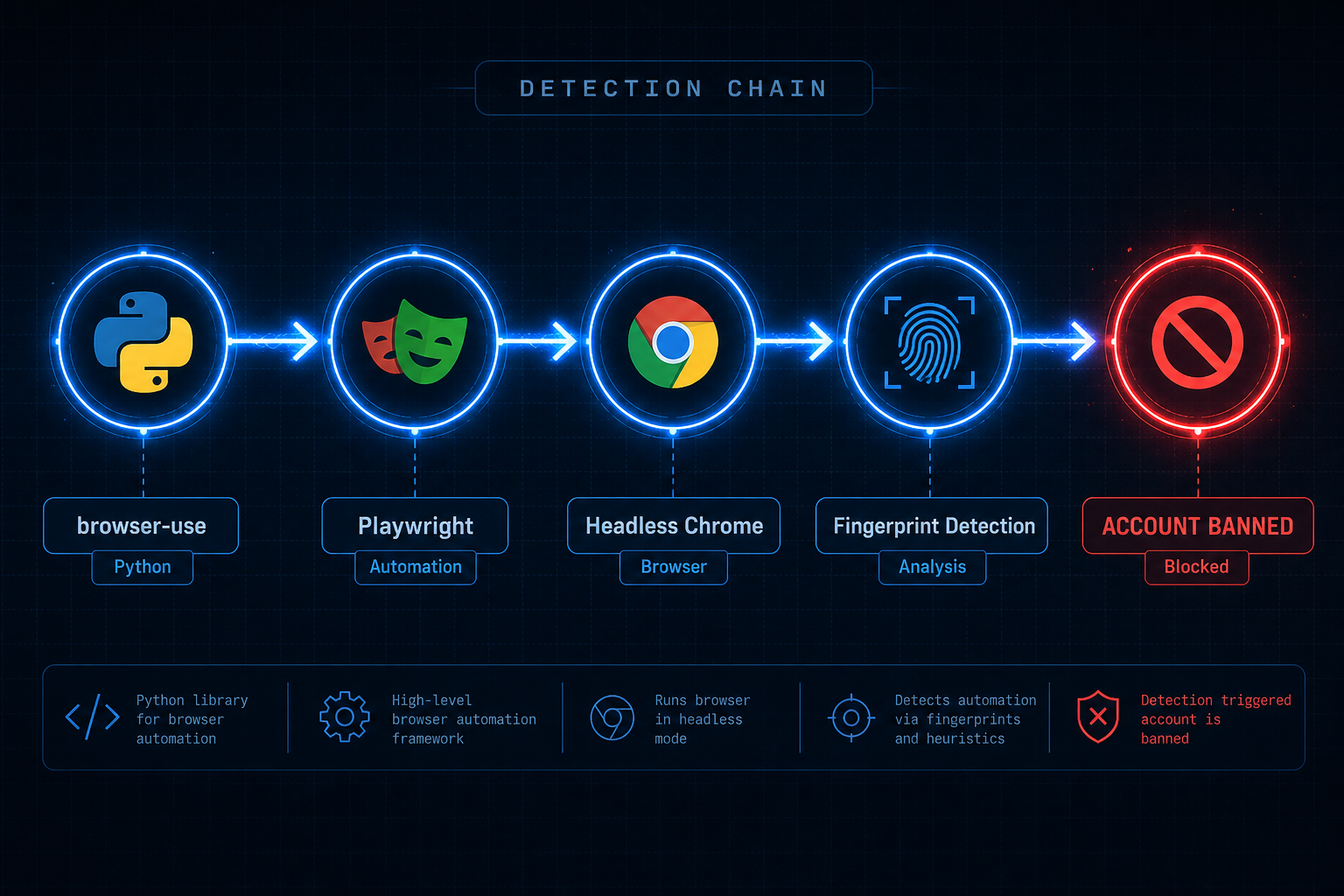
The detection runs at several layers at once. First: navigator.webdriver. In a headless Playwright session, this JavaScript property is set to true by default. WhatsApp Web reads it. A real user's browser returns false. That single property is a reliable, cheap-to-check bot signal, and WhatsApp has been checking it for years.
navigator.webdriver = true in a headless Chrome session: WhatsApp reads this property on connection, and it is one of the clearest automated-session signals in the browser fingerprint.
Beyond that single property, the fingerprint goes deeper. The WebGL renderer string from a headless instance running on a cloud VPS differs from a consumer laptop's GPU driver name. Connection timing patterns diverge as well. An LLM agent navigating the WhatsApp Web UI produces machine-regular delays at the millisecond level, selecting a contact in exactly the same number of milliseconds every single time. Scroll behavior, click event timing, DOM interaction sequences: these patterns have been used in bot detection for years across multiple platforms, and WhatsApp is not an exception.
browser-use can run in non-headless mode with stealth plugins to mask fingerprint signals. I tried both. Non-headless mode on a cloud server requires Xvfb, a virtual display emulator. That adds another service to maintain and another failure point. Stealth plugins patch some properties but not all. WhatsApp's detection updates faster than community plugins do: approaches that worked in early 2025 were partially detected again by mid-2025, based on reports in the browser-use and Playwright GitHub issues.
You can also read Whapi.Cloud's guide on avoiding account bans for a breakdown of what WhatsApp's server-side enforcement actually monitors. The patterns are about new-number behavior and volume spikes, not just fingerprints. But for browser-use specifically, the fingerprinting issue is the fundamental one, and patching it from the application layer is a losing game.
The chain is: browser-use runs Playwright; WhatsApp detects Playwright; your account disappears. There is no clean bypass because the issue exists at the infrastructure level. WhatsApp fingerprints headless Chrome differently than human browsers -- and bans it. Patching navigator.webdriver moves you one step further down the detection list, not out of it.
The 30-Day Breakdown: 12 Bans, 47 Broken Sessions, Zero Stable Pipelines
In 30 days running browser-use against WhatsApp Web in production, I logged 12 account bans, 47 sessions that required manual recovery, and roughly 23 hours of maintenance time. The log starts optimistic.

Week 1 ran cleanly. Sessions expired twice, I scanned the QR from my phone both times, and around 200 messages delivered. I thought I had something workable with minor inconveniences.
Week 2 opened with the first ban. The phone number I had been using received a temporary restriction from WhatsApp. No reason specified, just a Terms of Service violation notice. The restriction lifted after 24 hours. I added a residential proxy service and dialed back the sending rate.
The proxy helped for five days. Then a second ban, 48 hours this time. I registered a third number. Session breaks became daily, sometimes multiple per day; the proxy introduced connection latency that confused the browser session state. I was checking VPS logs every morning before anything else.
Day 21: the third ban within a single week. I had a spare phone number registered and ready because by that point I expected each ban before it arrived.
By week four I had built what I called a "session manager." In practice: a retry loop with exponential backoff, a /health endpoint, a Telegram bot for session drop alerts, and a recovery SOP I kept consulting because every ban required a specific re-auth sequence to avoid triggering another. The automation now required active monitoring to function.
The final break was a 2am session failure during a batch of shipping confirmations. Forty customers were waiting on order status updates. The session had dropped, the retry loop had exhausted all attempts without sending any messages, and my Telegram alert had fired while I was asleep. I woke to a dead queue and 40 undelivered notifications.
Twenty-three hours of maintenance over 30 days does not sound catastrophic until you notice it is distributed entirely across nights and weekends. Sessions do not break on a predictable schedule. They break during campaigns, during peak order hours, and during sleep.
What the browser-use WhatsApp Code Actually Looks Like in Production
Here is the browser-use WhatsApp setup I ran in production. Thirty-one lines to attempt one message send, and the error-handling block is longer than the actual sending logic.
This is the core send function. It reuses a saved browser context to skip the QR scan on restart.
import asyncio
import os
from browser_use import Agent, Browser, BrowserConfig
from browser_use.browser.context import BrowserContextConfig
from langchain_openai import ChatOpenAI

SESSION_FILE = "/tmp/whatsapp_session.json"

async def send_whatsapp_message(phone: str, message: str) -> bool:
    browser = Browser(
        config=BrowserConfig(
            headless=True,              # headless = detectable by WhatsApp
            chrome_instance_path="/usr/bin/chromium",
        )
    )
    context_config = BrowserContextConfig(
        save_storage_state=SESSION_FILE,
        storage_state=SESSION_FILE if os.path.exists(SESSION_FILE) else None,
    )
    agent = Agent(
        task=(
            f"Open https://web.whatsapp.com. "
            f"If a QR code is visible, raise an error -- session expired. "
            f"Search for contact {phone}, open the chat, "
            f"type '{message}', and click Send."
        ),
        llm=ChatOpenAI(model="gpt-4o"),
        browser=browser,
        browser_context_config=context_config,
    )
    try:
        await agent.run(max_steps=20)
        return True
    except Exception as e:
        os.remove(SESSION_FILE)  # force re-auth on next run
        raise RuntimeError(f"Send failed: {e}") from e
    finally:
        await browser.close()
This function handles exactly one happy path. It does not handle CAPTCHA challenges, WhatsApp Web DOM layout changes after updates, rate-limit responses from the server, the case where the agent selects the wrong contact, or the case where the LLM runs out of steps without finding the chat.
The session recovery wrapper around this function adds another 15 lines of retry logic, and it still cannot recover from a CAPTCHA challenge or a hard account ban without someone physically picking up a phone.
By the end of week three, the production setup also included: a /health ping every five minutes, a Telegram alert on failure, exponential backoff on retries, a dead-letter queue for undelivered messages, and a recovery script to re-initialize the session after a ban. That is the real scope of "using browser-use for WhatsApp" at production scale.
A clean Python WhatsApp setup without that scaffolding looks very different. The Python WhatsApp bot guide covers the full stack from number connection to message delivery.
When browser-use Actually Makes Sense (Just Not for WhatsApp)
browser-use works for browser automation. WhatsApp is one of the worst surfaces to apply it to, because WhatsApp actively detects the exact runtime that browser-use depends on.
Use cases where browser-use works well:
-
Web scraping on sites without APIs: extracting structured data from public pages that do not offer programmatic access and do not run active bot detection.
-
Internal tool automation: filling enterprise forms in legacy CRMs or internal portals when the target system is not actively detecting automation. Multi-step workflows with variable layouts work well here.
-
Research and multi-page synthesis tasks where an AI agent browses several sites, collects data, and produces a consolidated output. No single API covers this; the browser is the only available interface.
If WhatsApp is not in the URL, browser-use is probably a reasonable choice.
After My Third Ban in Two Weeks, I Switched to a Real API
After ban number three in two weeks, I stopped patching the browser layer and looked for a different connection model. Whapi.Cloud uses web-session sockets instead of a browser, with no headless Chrome process and no detectable fingerprint on your end.
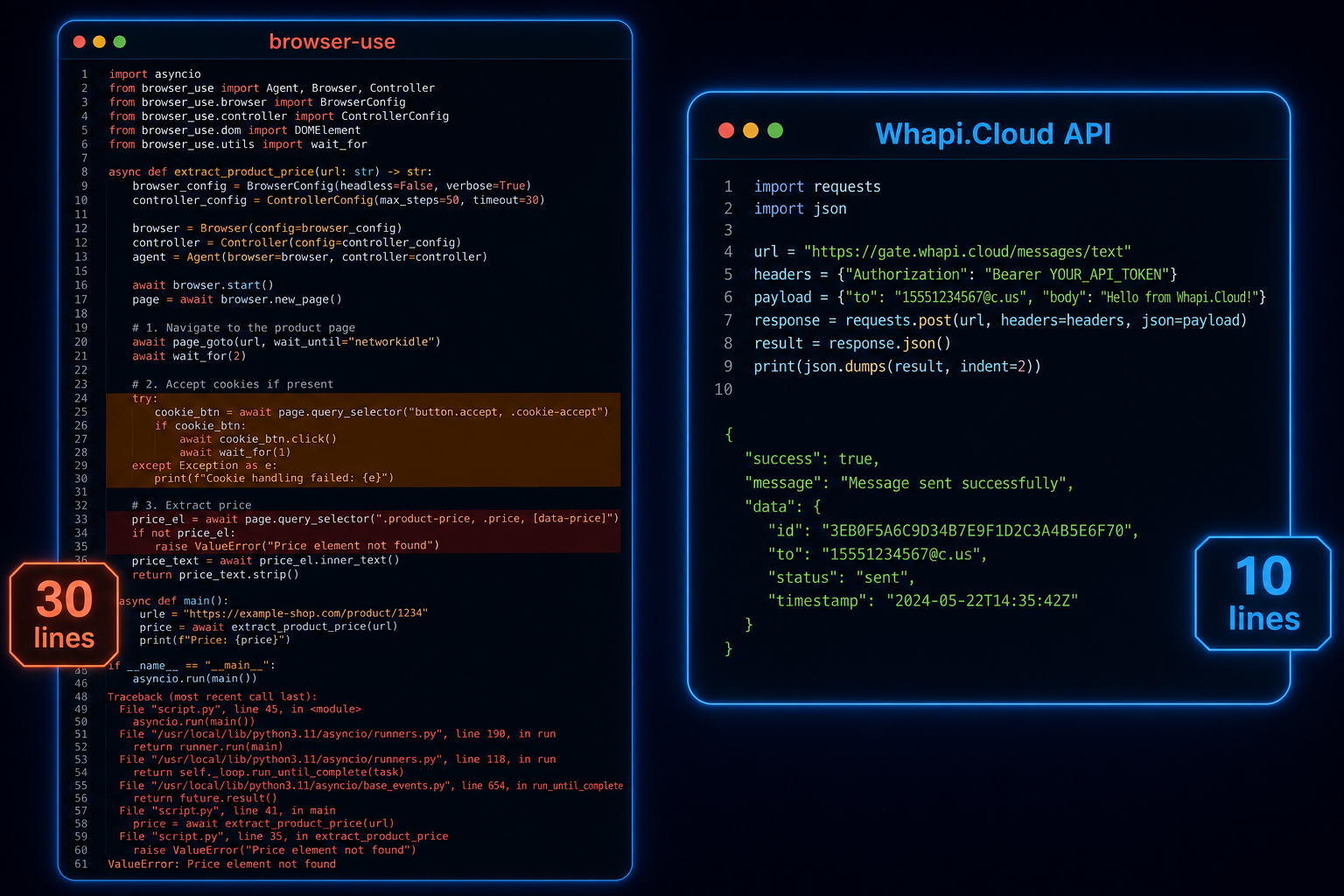
The connection model is the key difference. browser-use spawns a Chrome process, navigates WhatsApp Web as a real browser, and tries to maintain that session across restarts. Whapi.Cloud handles the connection at the protocol layer on managed infrastructure. Your code makes a REST call. There is no browser to fingerprint because no browser is running on your end.
Here is the code that replaced my 31-line browser-use function. It sends the same message to the same number, handles the same use case, in 10 lines:
import requests

WHAPI_TOKEN = "YOUR_TOKEN_HERE"

def send_whatsapp(phone: str, message: str) -> dict:
    """Send a WhatsApp text message via Whapi.Cloud REST API."""
    response = requests.post(
        "https://gate.whapi.cloud/messages/text",
        headers={"Authorization": f"Bearer {WHAPI_TOKEN}"},
        json={"to": f"{phone}@s.whatsapp.net", "body": message},
    )
    response.raise_for_status()
    return response.json()

# Usage -- returns message ID and delivery confirmation
result = send_whatsapp("15551234567", "Your order has shipped!")
print(result)
No browser process to manage. No session files. No QR code to scan on every server restart. The number was connected once via QR scan through the Whapi.Cloud dashboard, and the API has been live since. Webhooks deliver incoming messages in real time without polling. The full API documentation covers every endpoint with code examples in Python, PHP, and Node.js.
In the three weeks since switching, WhatsApp Web rolled out a UI update that broke several browser-automation setups discussed in GitHub issues. The Whapi.Cloud connection kept running without any change on my end. Their team tracks WhatsApp protocol changes and pushes updates continuously. When WhatsApp changes something under the hood, their infrastructure absorbs it. When you run browser automation, every WhatsApp Web update becomes your emergency.
The same Whapi.Cloud connection has run for three weeks without a ban, a session drop, or a 2am alert. That is the full maintenance record -- zero incidents in the same window that produced 12 bans and 47 broken sessions on the browser-use setup. Managed API infrastructure carries uptime guarantees. Browser automation's reliability record is: it worked yesterday.
The Real Cost of "Free" browser-use WhatsApp Automation
browser-use is free to download. Running it for WhatsApp in production costs more than an API subscription by the second month. Here is the actual breakdown.
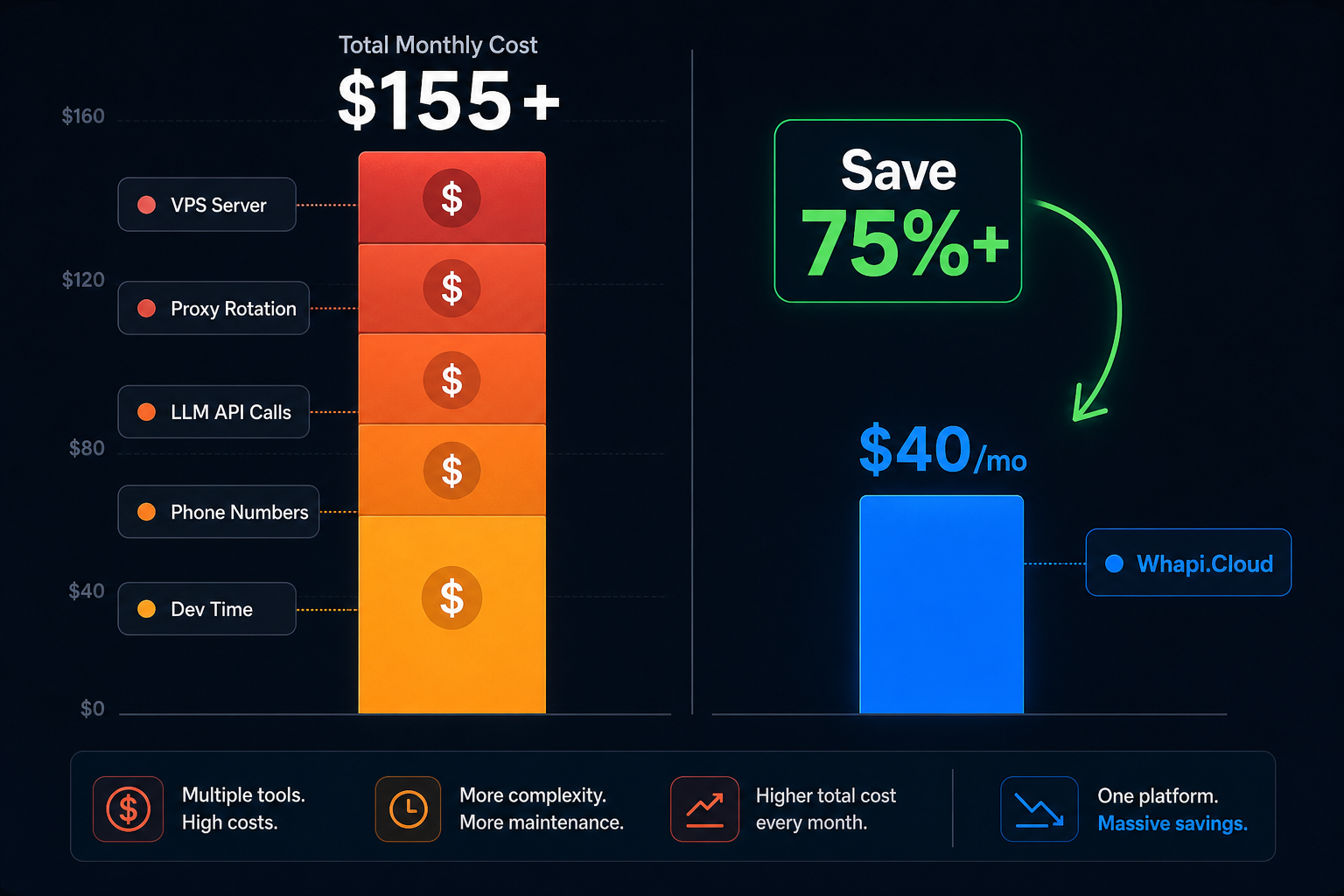
| Cost Component | browser-use Setup (monthly estimate) | Whapi.Cloud API |
|---|---|---|
| Server / VPS | $10--20/month (headless Chrome needs 2+ GB RAM) | Included (managed infrastructure) |
| Proxy rotation | $15--40/month (residential proxies reduce detection risk) | Not required |
| LLM API calls | $30--80/month (browser-use calls GPT-4o for every navigation step) | Not required |
| Replacement numbers | $5--15/month (bans consume phone numbers) | Use your existing number |
| Developer maintenance time | 20--30 hours/month; at any hourly rate you assign | Near zero after initial setup |
| Whapi.Cloud subscription | Not applicable | ~$40/month per number (flat rate, no per-message fees) |
| Month 2 total (cash only) | $60--155+ (before counting maintenance hours) | ~$40/month, stable |
The LLM cost is what surprises most people. browser-use calls GPT-4o to interpret the WhatsApp Web interface at every step: read the DOM, locate the contact, navigate to the chat, compose the message, click send, verify delivery. Each message send involves several inference calls, and GPT-4o pricing adds up quickly at any real volume.
The browser-use setup cost me roughly $280 across two months in cash (before counting the 23 hours of maintenance time), compared to $40/month for the Whapi.Cloud subscription that replaced it.
At very low volumes (a few dozen messages per month, purely testing a concept locally), browser-use is cheaper in cash. At production volumes, or any scenario where a failed message affects a real user, the economics shift before the end of the first month.
The "free vs paid" framing is the wrong lens for WhatsApp automation. The real question is whether you want a working message pipeline or a maintenance project. Those are different products with different costs, and browser-use delivers the second one when applied to WhatsApp.
If You're Here Because You Googled "browser-use WhatsApp"
You are at the same decision point I was five weeks ago. The browser automation path works for a demo. In production under load, the failure mode is a banned account with a queue of undelivered messages.
The browser-use repo is genuinely interesting software, and the demos are compelling. The actual problem is a mismatch: reliable WhatsApp automation requires maintaining an authenticated connection that passes fingerprinting checks. browser-use solves browser control. WhatsApp's enforcement shuts it down at the authentication layer.
If your goal is sending WhatsApp messages from code (order confirmations, notifications, chatbot replies, anything that users depend on), you need a connection layer that handles the WhatsApp session for you. Connect a number once by QR scan, use the REST API from that point forward. The 10-line version works; the 150-line version breaks at 2am.
At 2am with a dead session queue and 40 customers waiting on order updates, that is what browser-use maintenance looks like in production. The actual product work starts after you stop managing the connection layer.