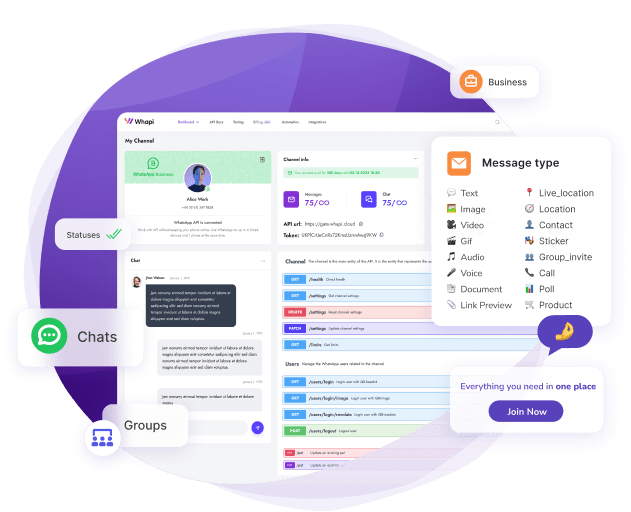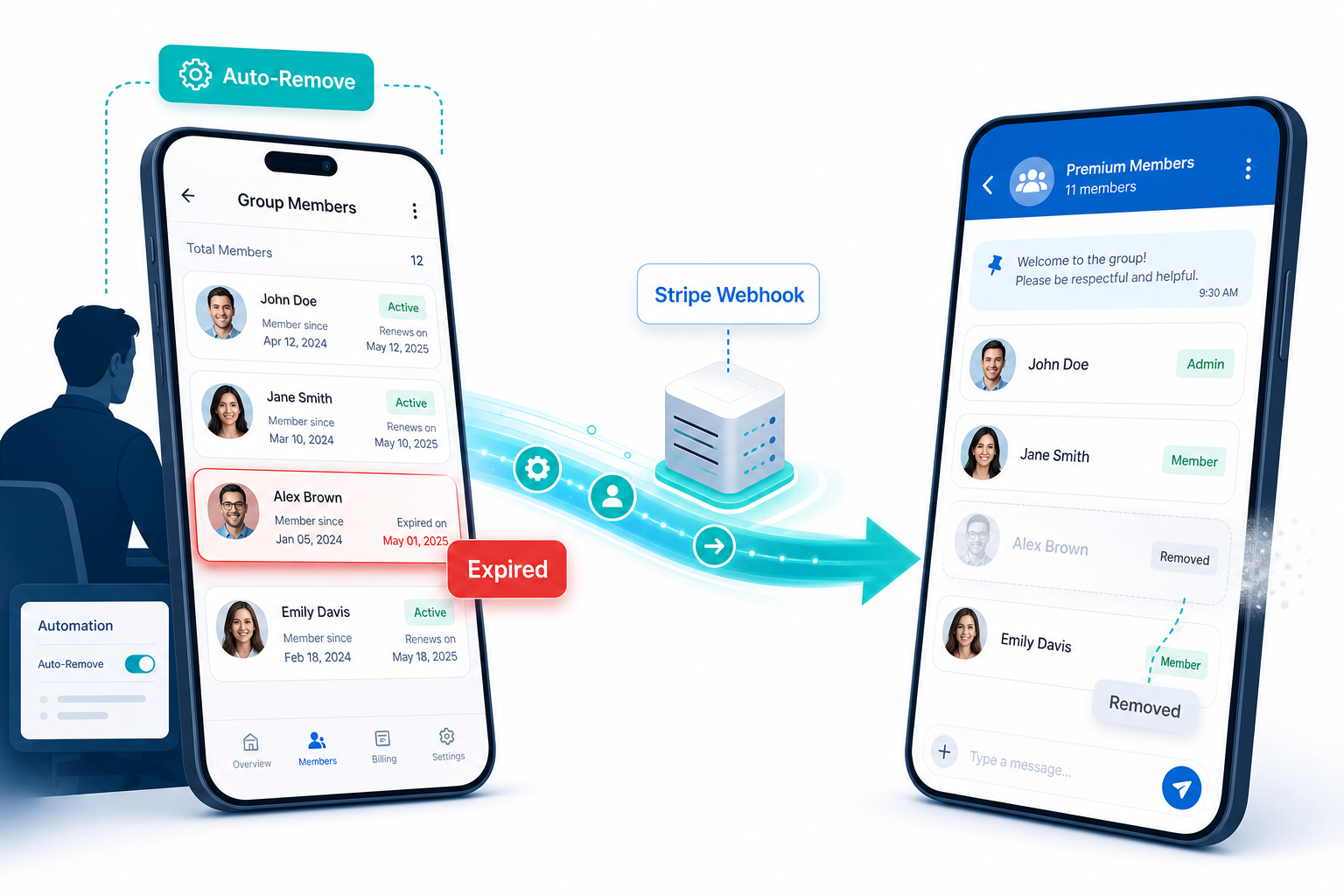
Paid WhatsApp group owners who still manage membership by hand lose an average of 8 hours per week and risk 15--20% revenue leakage from expired members who never get removed. The fix is two Whapi.Cloud API calls triggered by a Stripe webhook: when a subscription lapses, the member is removed from the group within seconds. Set this up once and membership stays permanently synced with payment status: no spreadsheet checks, no manual kicks, no awkward group notifications.
Why Paid Group Owners Leave Expired Members: What It Actually Costs
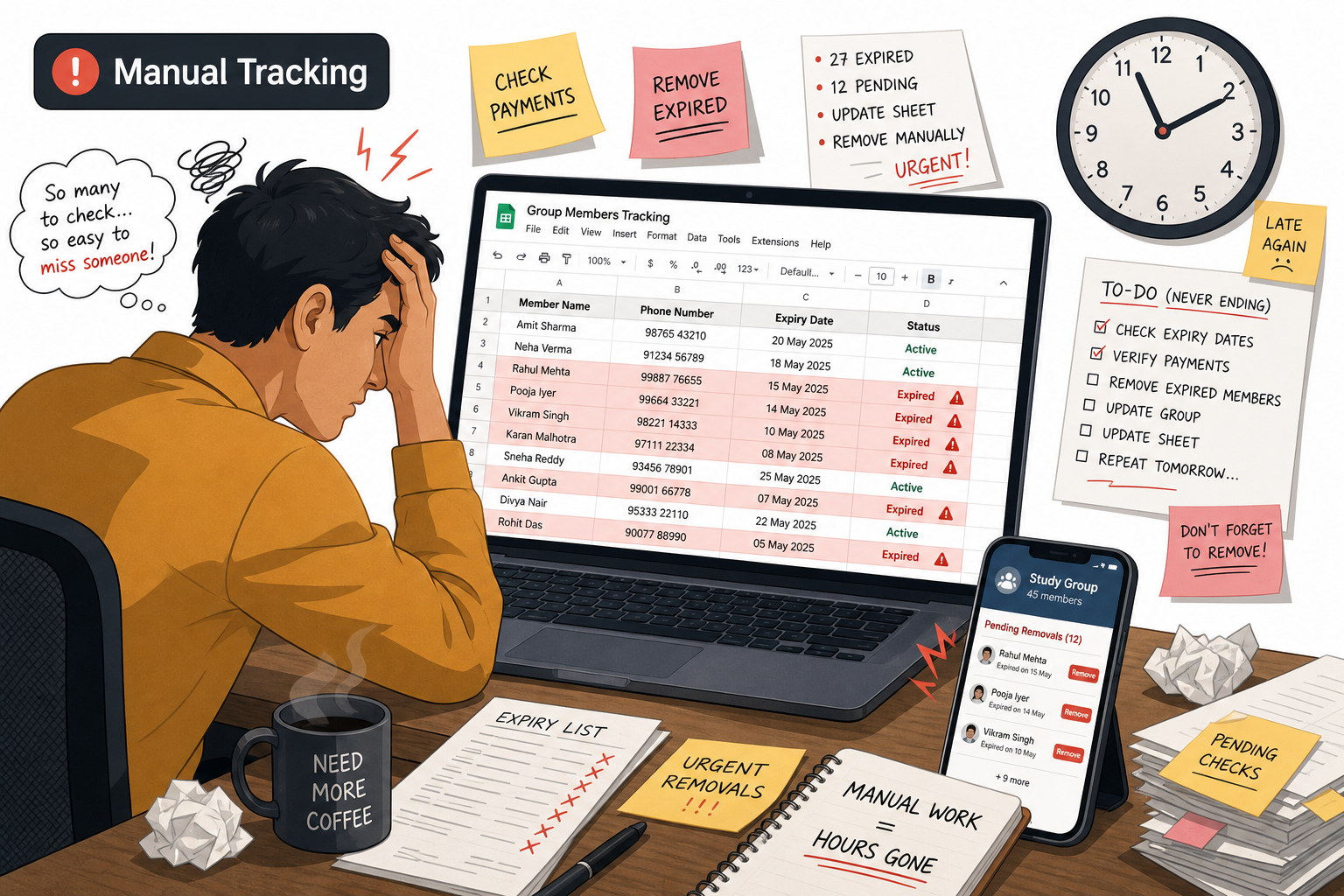
"Members stay in the group after their subscription expires because it's awkward to manually kick them." -- suby.fi, documenting the real operational patterns of paid community owners.
That description fits trading signal groups, fitness coaching communities, and online tutoring groups every week. In each case, the cost is the same.
The social mechanics are straightforward. Removing someone from a WhatsApp group is a visible act. WhatsApp notifies the entire group. The removed person sees it. Many operators know they should act, then delay for days. Others delay for months. A few never do it at all, running a group where 30% of the roster stopped paying two billing cycles ago while continuing to receive every message, file, and signal you send.
According to communipass.com, a platform built specifically for paid WhatsApp community management, the manual workflow breaks down into measurable time costs per operator:
-
Check payment status: 2--5 minutes per member, repeated daily.
-
Track expiry dates in Google Sheets or Excel: 15--30 minutes per day maintaining the tracker and cross-referencing against WhatsApp contacts.
-
Manually remove expired members: 10--20 minutes per day, with group removal notifications visible to every current member.
-
Chase late payments individually: 5--10 minutes per case, requiring private messages, follow-ups, and negotiating grace periods one by one.
Operators who automate this process save an average of 8 hours per week, according to communipass.com. At a conservative $50/hour in operator time, that is $20,800 per year -- the real annual cost of not automating membership access control.
For fitness coaches charging monthly for WhatsApp group access, the revenue impact is direct. Reports from coaching communities put the figure at 15--20% revenue loss from expired members who continue consuming content (attending live check-ins, downloading programs, receiving daily tips) after their subscription has lapsed. For a coach with 60 paying members at $50/month, that is $450--$600 per month walking out undetected.
Crypto and forex signal providers face the same cycle. A group owner sends five daily trade signals to 80 subscribers; three subscriptions expire over a weekend. By Tuesday those three members have received ten signals at no charge; each one a missed re-subscribe trigger that an automated removal would have converted into a renewal prompt the moment the subscription lapsed.
Why "Just Kick Them Manually" Is Not a Real Solution
"Just kick them manually" treats a recurring process failure as a one-time task. It breaks in three distinct ways that get worse as the group grows.
First, it requires active daily attention. The moment an operator takes a sick day, travels, or simply forgets to check the spreadsheet, expired members accumulate. One missed week can mean five to ten non-paying members consuming group content undetected. This is a workflow that fails the first time a human does.
Second, it does not scale. According to communipass.com: "After 50 members, the manual system becomes unmanageable due to errors." At that size, cross-referencing payment dates, WhatsApp display names, and subscription tiers in a spreadsheet produces consistent mistakes -- members get removed who have paid, expired members stay because their name in the sheet does not match their WhatsApp contact. The 50-member threshold is the point where the manual system stops being inconvenient and starts being structurally broken.
Third, and this is why the suby.fi observation resonates: the social friction of a visible manual removal causes procrastination. Every day the decision is deferred is another day of free access delivered to someone who stopped paying. The discomfort is structural. It is baked into every manual kick regardless of who performs it, and no reminder system removes it because the social cost of the action is unavoidable every time.
"Just kick them manually" is not a real solution. It trades revenue leakage for social discomfort, indefinitely. The table below shows what that trade actually looks like:
| Task | Manual Workflow | Automated Workflow |
|---|---|---|
| Detect expired subscription | Daily spreadsheet check (15--30 min) | Real-time -- Stripe fires webhook on event |
| Remove expired member | Manual, visible group notification, 10--20 min/day | Instant, silent, API-triggered |
| Restore access on re-subscribe | Another manual step, often forgotten for days | Automatic on subscription.created event |
| Prevent invite link leaks | Manual link rotation, easy to forget | API-based revoke and regenerate on demand |
| Scale to 100+ members | Breaks at 50+, errors multiply | Same code handles any group size |
| Monthly admin time | 30--50 hours | Near zero (monitoring only) |
The Leaky Funnel: Shared Invite Links Reach Non-Paying Members
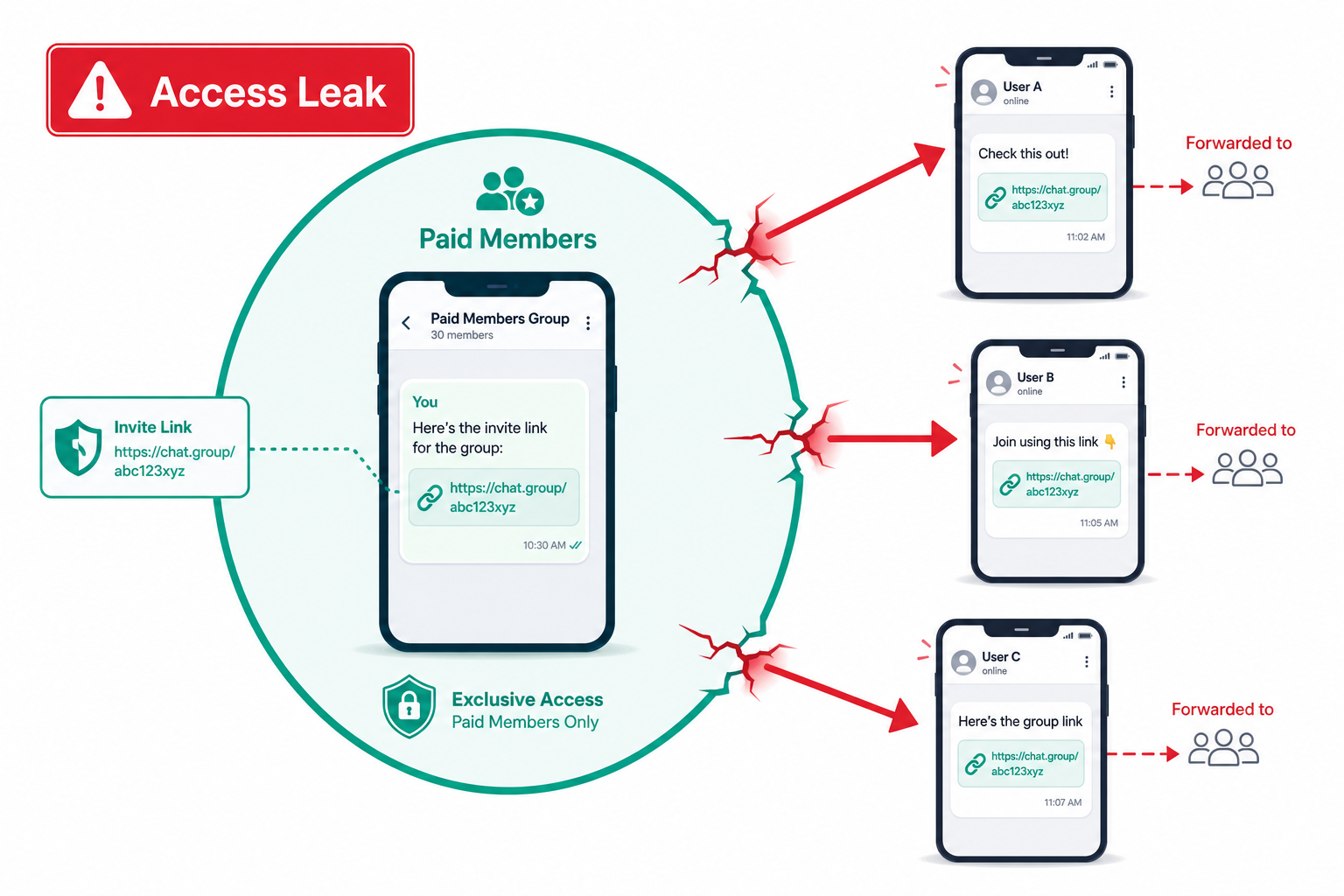
Shared invite links grant paid-group access to non-paying members for free.
Once a member screenshots your invite URL and shares it in a public forum or with a friend, you have no visibility into who joined and no way to distinguish them from legitimate subscribers.
This is the second access control problem that manual management cannot solve. Expired members staying too long is the first. Unauthorized members arriving through a link you shared with paying subscribers months ago is the second. Both problems exist simultaneously in most paid WhatsApp groups.
The Whapi.Cloud API includes invite link management endpoints. When you suspect a link has been leaked, or as a routine security step on each billing cycle, you can revoke the current invite and generate a new one:
# Revoke the current invite link -- invalidates all copies immediately
curl -X DELETE https://gate.whapi.cloud/groups/{groupId}/invite \
  -H "Authorization: Bearer YOUR_WHAPI_TOKEN"

# Get the new invite link after revocation
curl -X GET https://gate.whapi.cloud/groups/{groupId}/invite \
  -H "Authorization: Bearer YOUR_WHAPI_TOKEN"
After revocation, distribute the new link only through your payment confirmation flow, automatically, as part of the same webhook that adds the member to the group. Any previously shared copies stop working immediately. Link rotation on each new subscription cycle closes the funnel that manual management leaves permanently open.
How Automated Member Removal Works: Stripe Webhook + Whapi.Cloud API
The full automation is three steps: Stripe fires a webhook when a subscription lapses → your server extracts the subscriber's phone number → Whapi.Cloud's API removes them from the group. The entire flow runs in under two seconds.
What you need: a Whapi.Cloud account connected to a WhatsApp number (scan a QR code, active in minutes), a Stripe account where subscribers pay and you store their WhatsApp phone number in customer metadata, and a server running Node.js, Python, or PHP that can receive webhook POST requests from Stripe.
The official WhatsApp Business API limits groups to 8 participants and requires 100,000+ daily messages to get group management access at all, which puts this capability out of reach for virtually every paid community operator. Whapi.Cloud exposes the full group API through the same web-session socket path WhatsApp Web uses, with no volume threshold and no Meta approval process. The endpoints used in this integration are verified and available on all plans:
// Stripe webhook handler -- syncs WhatsApp group membership with payment status
// Input: POST /stripe-webhook (Stripe sends this on subscription lifecycle events)
// Does: removes expired members and re-adds re-subscribers via Whapi.Cloud API
// Returns: 200 OK to Stripe; logs action to console

const express = require('express');
const stripe = require('stripe')(process.env.STRIPE_SECRET_KEY);
const app = express();

const WHAPI_TOKEN  = process.env.WHAPI_TOKEN;
const GROUP_ID     = process.env.WHATSAPP_GROUP_ID; // e.g. "[email protected]"
const WHAPI_BASE   = 'https://gate.whapi.cloud';

// Removes a member from the paid WhatsApp group via Whapi.Cloud API
// Input: phone string like "+12025551234"
async function removeGroupMember(phone) {
  const contactId = `${phone.replace(/^\+/, '')}@s.whatsapp.net`; // Whapi.Cloud contact ID: no leading "+"
  return fetch(`${WHAPI_BASE}/groups/${GROUP_ID}/participants`, {
    method: 'DELETE',
    headers: {
      'Authorization': `Bearer ${WHAPI_TOKEN}`,
      'Content-Type': 'application/json'
    },
    body: JSON.stringify({ participants: [contactId] })
  });
}

// Re-adds a member after they renew their subscription
// Input: phone string like "+12025551234"
async function addGroupMember(phone) {
  const contactId = `${phone.replace(/^\+/, '')}@s.whatsapp.net`; // Whapi.Cloud contact ID: no leading "+"
  return fetch(`${WHAPI_BASE}/groups/${GROUP_ID}/participants`, {
    method: 'POST',
    headers: {
      'Authorization': `Bearer ${WHAPI_TOKEN}`,
      'Content-Type': 'application/json'
    },
    body: JSON.stringify({ participants: [contactId] })
  });
}

// Stripe sends raw body for signature verification -- do not use express.json() here
app.post('/stripe-webhook', express.raw({ type: 'application/json' }), async (req, res) => {
  const sig = req.headers['stripe-signature'];
  let event;

  try {
    // Verify the request actually came from Stripe before processing
    event = stripe.webhooks.constructEvent(req.body, sig, process.env.STRIPE_WEBHOOK_SECRET);
  } catch (err) {
    return res.status(400).send(`Webhook verification failed: ${err.message}`);
  }

  // Retrieve the Stripe customer to read the stored WhatsApp phone number
  const customerId = event.data.object.customer;
  const customer   = await stripe.customers.retrieve(customerId);
  const phone      = customer.metadata.whatsapp_phone; // stored at checkout, e.g. "+12025551234"

  if (!phone) {
    console.warn('No whatsapp_phone in Stripe metadata for customer:', customerId);
    return res.json({ received: true });
  }

  if (event.type === 'customer.subscription.deleted') {
    await removeGroupMember(phone);
    console.log(`Removed ${phone} from group -- subscription expired`);
  }

  if (event.type === 'customer.subscription.created') {
    await addGroupMember(phone);
    console.log(`Added ${phone} to group -- new subscription started`);
  }

  res.json({ received: true });
});

app.listen(3000);
Store the subscriber's WhatsApp phone number in Stripe customer metadata at checkout, under the key whatsapp_phone. When Stripe fires customer.subscription.deleted, the handler retrieves that number, formats it as a Whapi.Cloud contact ID ([email protected]), and calls the DELETE endpoint. The member leaves the group with no admin-triggered notification visible to the rest of the group.
If you process payments through PayPal instead of Stripe, the pattern is identical. PayPal subscription webhooks fire on BILLING.SUBSCRIPTION.CANCELLED and payment failure events; the Whapi.Cloud side of the integration stays the same. Any payment processor that sends webhooks on subscription state changes plugs into the same handler structure.
Telegram group bots have offered this capability natively for years through the official Telegram Bot API, which includes banChatMember and unbanChatMember methods. WhatsApp has no equivalent public bot API for group participant management. Whapi.Cloud's group API fills exactly the gap Telegram bots already solved -- exposing add, remove, and invite-link controls over a standard REST interface, without any volume threshold.
Bi-Directional Access Control: Remove on Expiry, Restore on Re-Subscribe
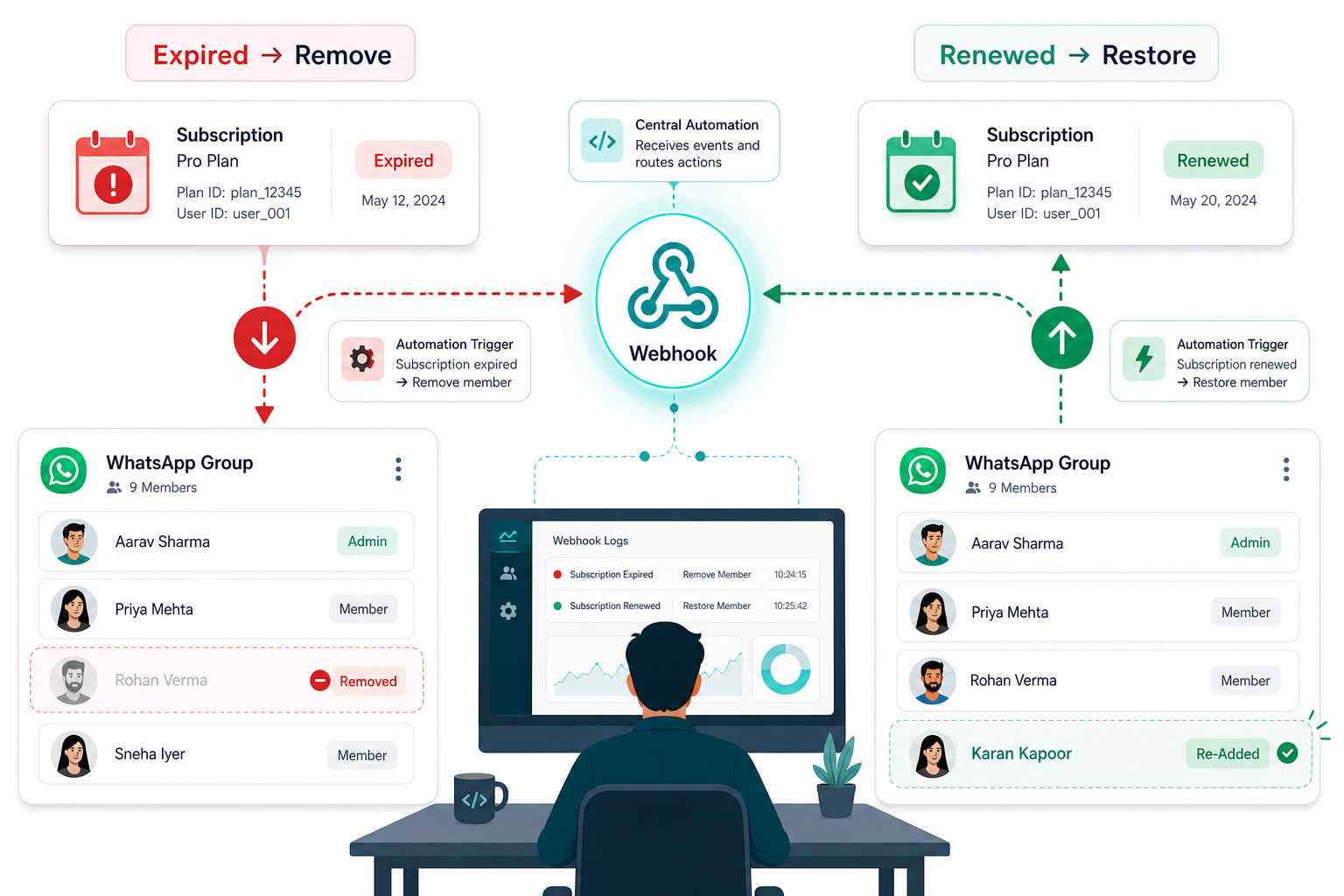
Access control works in both directions. The same webhook handler that removes an expired member also handles re-subscription: when customer.subscription.created fires, addGroupParticipant adds them back with no manual step required.
When a member renews, the system re-adds them automatically: same group, no admin message, no grace period delay. If your checkout supports paused subscriptions, handle customer.subscription.updated to restore access when a paused plan reactivates. Due to WhatsApp's anti-spam policy, some contacts may require a group invite rather than a direct API re-add; see the Whapi.Cloud guide on adding group members for both approaches.
One edge case: if a subscriber provides a different phone number at re-subscribe, the re-add creates a duplicate slot. Prevent it by collecting the WhatsApp number at first subscription and storing it as a locked metadata field in Stripe. One phone number, one membership record.
Tool Alternatives, WhatsApp Terms of Service, and What to Expect
ManyChat and Superchat handle chat automation and broadcast messaging well. Neither exposes an API for removing specific group participants; that requires direct access to the WhatsApp group management layer, available only through an API-level integration like Whapi.Cloud.
On WhatsApp Terms of Service: Whapi.Cloud connects through web-session sockets and is used by over 3,000 businesses daily. Adding and removing individual members as subscriptions change is standard group administration behavior. WhatsApp monitors for bulk unsolicited outreach, not routine membership events.
If you manage multiple paid groups across different price tiers, the same webhook handler scales to all of them: map Stripe plan IDs to Whapi.Cloud group IDs and route each event accordingly. The Whapi.Cloud Groups API documentation covers multi-group setup, participant listing, and settings management.