TL;DR: Keep your reply rate above 30%, stay under 30 outbound messages per hour, and never start a new number above 50 messages per day. Match your connection IP to the phone's home country. Wait at least 3–5 days before scaling any new number. When banned, check for a countdown timer first — its presence means a soft ban (24–72 hours); no timer means a permanent ban with under 20% appeal success. Fix the right layer, not just the message content.
WhatsApp's Enforcement Engine: The Four-Layer Overview
This guide from Whapi.Cloud, a WhatsApp API provider, explains how to avoid a WhatsApp ban by mapping the four-layer detection system behind every enforcement action. It is written for businesses and developers sending messages through WhatsApp — via the official Business API or an unofficial integration — who want to understand what the ban algorithm actually measures, not just a list of rules to memorize.
In the first half of 2025, Meta banned 6.8 million WhatsApp accounts. Most belonged to businesses whose messaging behavior crossed the same thresholds the system uses for bulk spam. The enforcement engine does not distinguish intent from outcome.
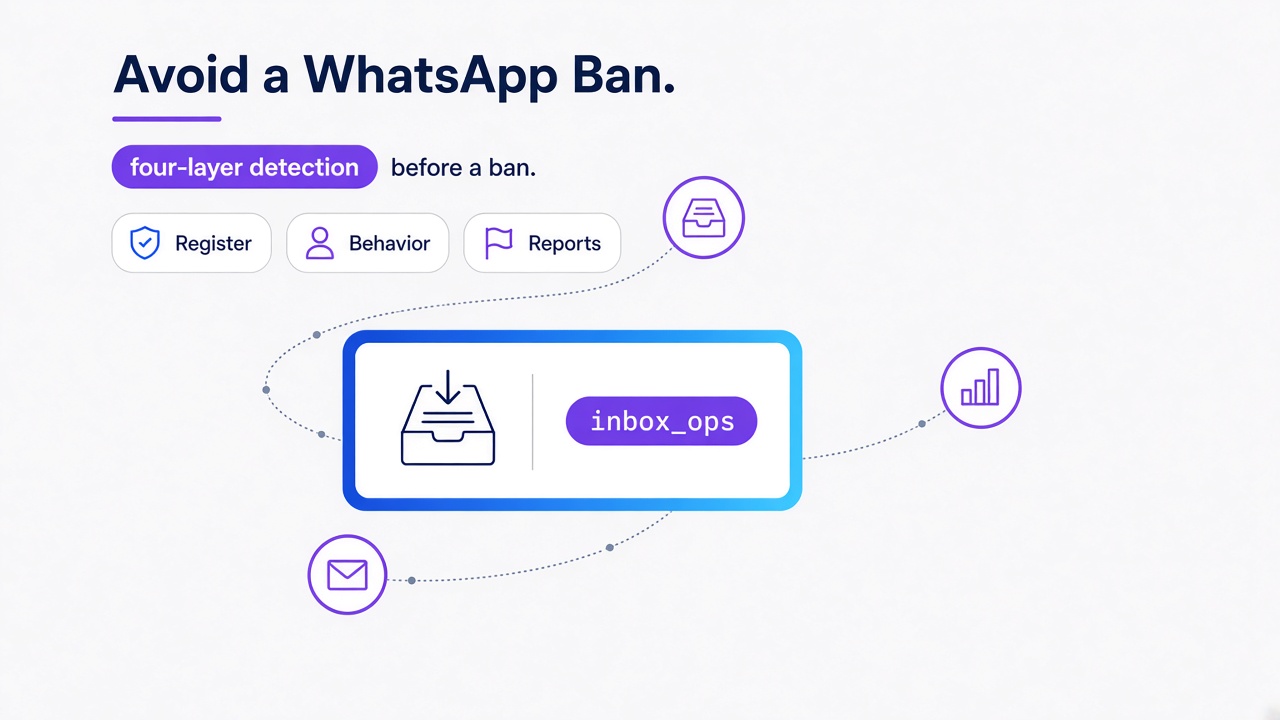
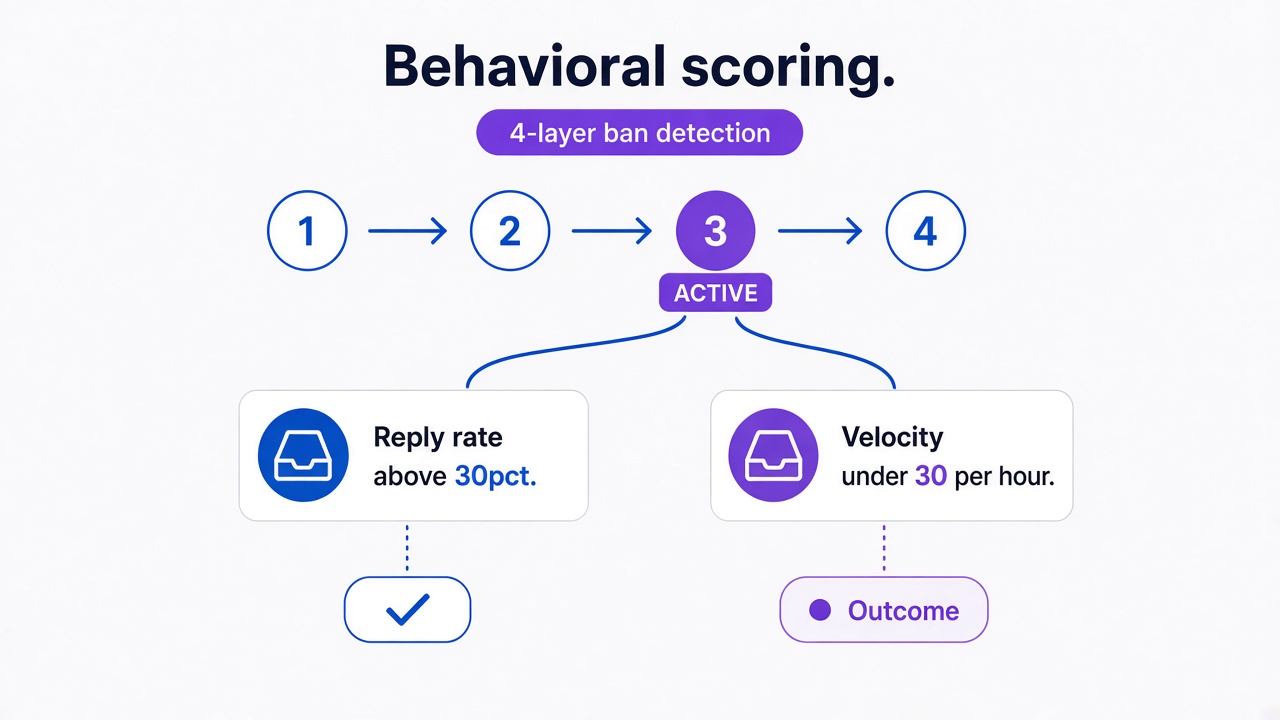
WhatsApp's ban system is a four-layer enforcement engine running simultaneously. Layer 1 scores your number at registration and connection. Layer 2 tracks how you send. Layer 3 counts what recipients do with your messages. Layer 4 analyzes message metadata patterns without reading encrypted text. A violation in any single layer adds negative weight to a shared trust score. Cross enough thresholds across enough layers, and the account gets restricted.
This guide covers what each layer measures and where most bans actually start. It does not replace WhatsApp's official terms of service — but it maps the enforcement logic clearly enough to support informed operational decisions.
Layer 1 — Registration Fingerprinting
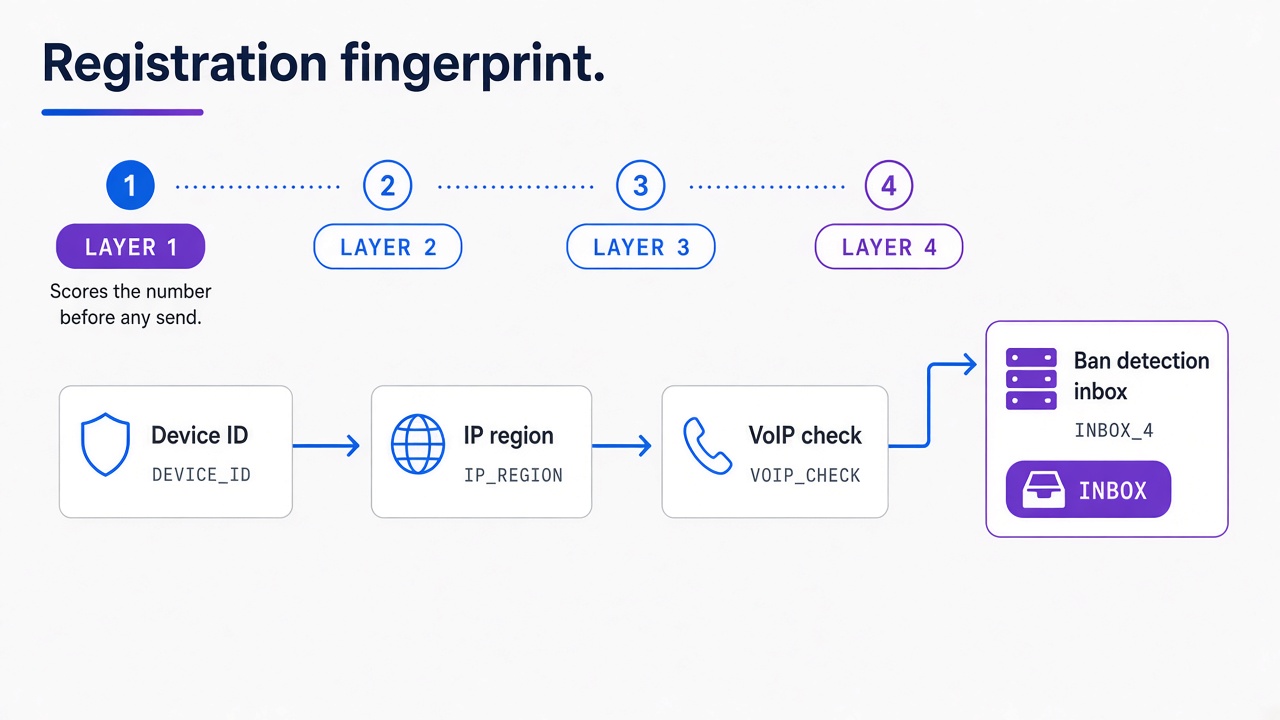
WhatsApp starts scoring your number before you send a single message. The fingerprinting layer captures device metadata, the IP address used during and after registration, SIM card origin signals, and whether the number came from a VoIP service rather than a physical SIM.
A number connecting through an IP address that doesn't match its home country is already a Layer 1 red flag, before any message is sent. A German number consistently appearing on a US server, a Brazilian account connecting from Eastern Europe — these mismatches don't cause an immediate ban, but they add negative weight to every subsequent behavioral signal. The system cross-references where a phone number was issued against the geography of its active connection in real time, on every session.
VoIP-originated numbers start with a disadvantaged trust position. WhatsApp has reliably detected VoIP origination patterns for years. If you are running an automated messaging setup, a real SIM from the same country as your primary operation makes a measurable difference in how quickly the account reaches stable trust standing.
Device fingerprinting captures IMEI numbers, Android version, and hardware identifiers. Accounts connecting from shared infrastructure — where multiple phone numbers route through the same IP block or device cluster — are indistinguishable from coordinated spam operations in the detection model. Each number should have an isolated, consistent connection path that matches its home region.
Layer 2 — Behavioral Analysis: Where Most Bans Actually Begin
The behavioral layer is where the majority of enforcement actions originate. It tracks how you send (velocity, reply rates, session timing, active hours) and continuously scores your number against thresholds that practitioners have mapped through observed enforcement behavior.
All thresholds below are community-tested estimates, consolidated from practitioner experience across 50+ operational deployments. WhatsApp does not publish its enforcement cutoffs. These numbers represent what the community has observed to trigger or avoid enforcement actions; they are not official documentation.
Reply rate is the single most important behavioral metric, and below 15% is the danger zone. A reply-to-send ratio below 30% is the warning zone. The comfortable safe zone practitioners use is 50 replies for every 100 messages sent. An account sending 500 messages a day with a 45% reply rate is in a healthier trust position than one sending 80 messages a day where 90% are left unread. The ratio matters more than absolute volume.
On send velocity, the community-observed safe ceiling is under 30 messages per hour. Above 60 per hour, enforcement risk increases substantially. Scheduled sends spread across a wider window keep per-number velocity low. Load-balancing the same daily volume across multiple numbers achieves the same effect at scale.
Session timing is a technical signal that catches most automation setups off guard. The behavioral layer detects when messages are sent with fixed mechanical intervals. A send sequence paced at exactly 500 milliseconds between each message is a documented detection signal: human users don't operate on a fixed clock, and the system flags that pattern accordingly. Variable delays, randomized across a natural range, are required for any automated sending workflow.
Practical behavioral parameters backed by community data:
-
Daily volume ceiling: Under 200 messages per number per day until the account has at least 3 weeks of history. New numbers are safer starting at 20–50 per day and scaling from there.
-
Active sending window: Concentrate bulk sends within an 8-hour window per day. Sending activity distributed around the clock matches the pattern of automated, not human, operation.
-
Keep pace at or under 1 message per minute during bulk sends. Even a brief burst to 5 per minute is enough to flag velocity at the behavioral layer.
-
Timing variation: Randomize delays between sends. The 500ms fixed interval is a documented automation detection signal, not a safe default.
Contact Novelty Matters More Than Raw Volume
Five hundred messages into existing threads sit in a different risk bucket than five hundred first-contact messages. WhatsApp already knows who you talk to. A sudden run of chats with numbers that have never appeared in your history is a stronger Layer 2 flag than the same daily total sent to people you already message.
We've seen this on Whapi.Cloud channels that looked safe on daily totals: under 200 messages, under 30 per hour, and still returning FAILED on new recipients. The count was fine. The mix was not. New-chat initiation was the metric that moved.
Keep a separate budget for new conversations. Warm a number on known contacts first. When you do open new chats, space them and keep first-time recipients a small share of the day's traffic. An opted-in list you have never messaged from this number still counts as novel contact.
The 2026 Update: WhatsApp's Unanswered-Message Counter
Starting in 2026, WhatsApp added a cumulative counter tracking messages with no reply within 48 hours, accumulating on a rolling 30-day window. Previous enforcement focused on reply rates as a snapshot ratio. The rolling counter changes the math: low engagement from three weeks ago still affects your current trust score.
Even opt-in senders are affected. An active consent form does not override poor engagement metrics. The practical implication: contact list hygiene is an ongoing operation. Removing contacts who stopped engaging belongs in the weekly workflow, not just the pre-campaign checklist.
Messaging Isn't the Only Activity That Can Trigger Restrictions
Most ban guides stop at outbound 1:1 volume. WhatsApp scores group work and account-management actions on the same behavioral clock.
Teams using the WhatsApp Groups API have hit restrictions after a burst of group work with almost no 1:1 traffic. Rapid group creation, bulk adding participants, scraping profile photos, and a jump from quiet hours to full automation all register as activity.
-
Creating many groups in a short window
-
Adding participants in bulk to one group or many groups
-
Pulling profile photos or avatars at volume
-
A sharp activity jump after a quiet period
-
Opening new chats again and again with no prior history
Pace group operations the same way you pace sends: small batches, variable delays, no overnight spikes. Groups are a strength of Whapi.Cloud; they still need the same warm-up discipline as 1:1 traffic.
Read Operations Can Also Create Behavioral Signals
Checking 100,000 numbers without sending a message is still activity. WhatsApp sees the lookups. A bulk existence check touches a huge set of identifiers in a short window, from one account, with no prior conversation history — the same burst shape as a cold campaign.
A read-only check still carries risk. Clients run the WhatsApp number checker in one dump and then watch channel health drop. Split large lists, space the checks, and keep a six-figure run off a freshly warmed number.
Layer 3 — The Block Cascade: What User Reports Do to Your Score
A single block report does not ban your account. Reports accumulate by rate — blocks per thousand messages sent — and the enforcement system responds to the ratio, not the absolute count.
A block rate above 2% drops your WhatsApp Quality Rating to Low — the visible signal that the invisible trust score crossed a threshold. Once Quality Rating hits Low, your daily messaging limit gets cut. If the rate doesn't improve over the following 7 days, enforcement escalates to account-level restrictions.
Two scenarios account for most reports. First: messages arriving from an unrecognized sender with no prior context. Second: messages that feel promotional to someone who has no memory of opting in. Opt-in consent is as much an operational risk control as it is an ethical standard. Recipients who asked to hear from you don't report the messages. Recipients who don't recognize the sender almost always do.
Respecting STOP commands is the fastest individual action available for controlling block rate. When a recipient sends "STOP" and you continue messaging them, their next interaction with WhatsApp's Report button is predictable. Automated opt-out handling that removes the contact from future sends immediately, rather than waiting for the next list refresh, keeps that situation off the table entirely.
The lowest-risk conversation structure is one the recipient starts. A customer who reaches out first through a click-to-chat link, a QR code, or an SMS prompt asking them to message you has signaled intent before a single outbound message is sent. Businesses that build their active contact base through user-initiated conversations consistently show lower block rates than those relying entirely on outbound campaigns to cold or semi-cold lists.
Layer 4 — Content Pattern Matching (Without Reading Your Messages)
WhatsApp messages are end-to-end encrypted. The content layer does not read message text. It analyzes message metadata instead: length distribution across a batch of sends, media type ratios, link density per message, and structural similarity between messages sent within the same time window.
The community-tested threshold where content pattern flags begin to accumulate is sending the same template structure to more than 15 recipients per hour. The pattern matcher does not need to decrypt text to identify a broadcast. N messages of near-identical length, carrying the same attachment type, containing the same link, sent in a compressed window — that fingerprint is sufficient to assign a content-pattern flag regardless of what the messages actually say.
Personalization addresses this in two ways simultaneously. A message body that varies in length, structure, or greeting across sends looks different statistically from a batch of near-identical messages. And personalized messages that reference the recipient directly tend to produce higher reply rates, which improves behavioral scoring at Layer 2 at the same time.
Link behavior is a separate flag. Including the same external URL in every message of a campaign, especially on a newer number, matches phishing patterns in the enforcement model. Using an established domain (not one registered in the last few weeks), varying link wording, and limiting links to one per message where possible reduces this signal.
Rich media (images, documents, audio notes) adds structural diversity to sends, which helps with content-pattern scoring. One caveat: sending the same image file to 200 contacts generates an identical file hash across all those messages. That hash match is its own content-pattern signal. Small variations in a media file are enough to break it.
Your Trust Score Factors at a Glance
All four layers feed into a shared trust score. The table below maps key behavioral factors to their enforcement impact, based on community practitioner data across 50+ deployments. These are observed estimates, not official WhatsApp enforcement metrics.
| Factor | Safe Zone (community estimate) | Danger Zone | Impact on Trust Score |
|---|---|---|---|
| Reply-to-send ratio | Above 30% (target: 50%) | Below 15% | High negative if in danger zone |
| Send velocity | Under 30 messages/hour | Above 60 messages/hour | Strong Layer 2 flag above danger zone |
| Block rate | Under 1% | Above 2% | Quality Rating drops to Low at 2% |
| Daily volume (new number) | 20–50 messages/day | 200+ messages/day before week 3 | High negative in first 10 days |
| IP-to-region match | IP matches phone country | IP in a different country | Layer 1 flag on every session |
| Session timing | Variable, human-like delays | Fixed 500ms intervals | Behavioral automation flag |
| Identical template batch | Under 15 identical messages/hour | 15+ structurally identical messages/hour | Content pattern flag at Layer 4 |
| Number age | Account older than 10 days | First 10 days of active use | Elevated base risk window |
| Unanswered messages (2026) | Recipients reply within 48 hours | No reply in 48h, accumulating | Rolling 30-day negative counter |
| Contact novelty | Most traffic in existing threads | Burst of first-time chats | Layer 2 flag on new-chat share |
| Non-message activity | Gradual group and check work | Rapid group create, bulk add, mass check | Behavioral activity flag |
How to Warm Up a New WhatsApp Number
New numbers face the highest enforcement risk in the first 10 days. The behavioral layer weights new-account activity heavily because most spam operations register numbers and immediately send at scale. A fresh account going to hundreds of messages on day one is indistinguishable from that pattern.
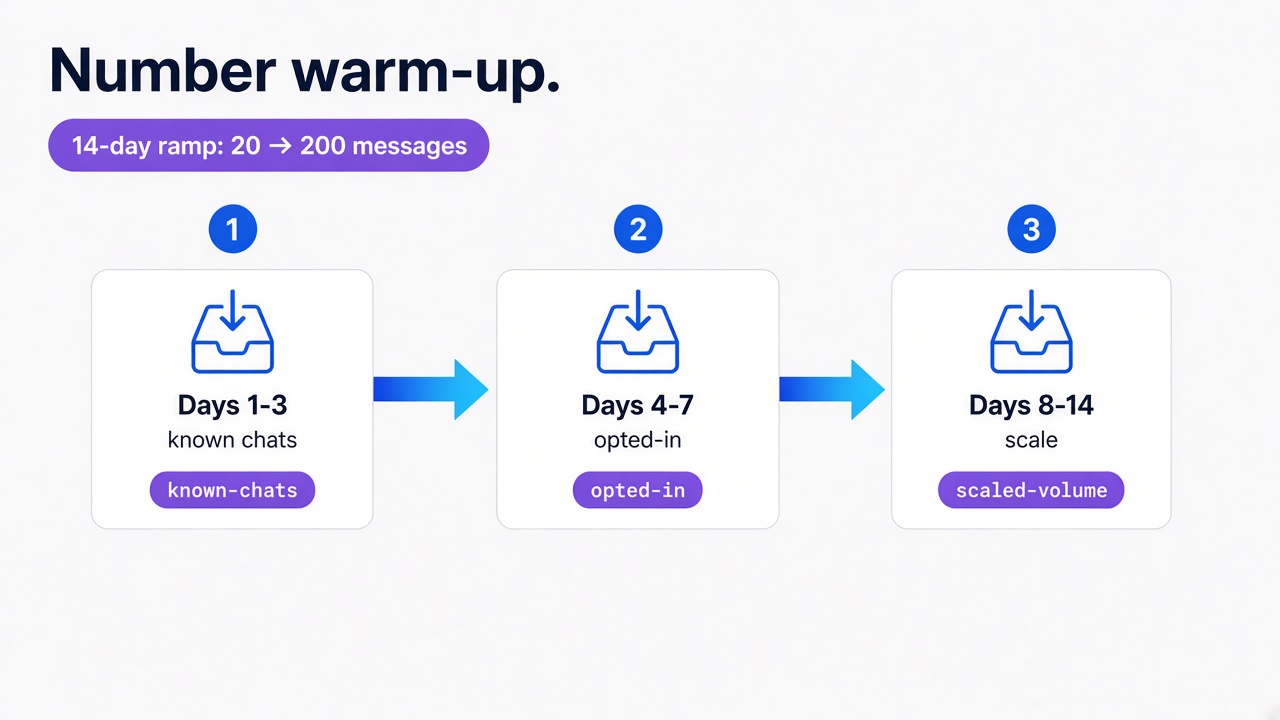
Start at 20–50 messages per day and roughly double capacity every 3 days, reaching normal operational volume by day 10–14. This ramp-up pattern signals the behavioral layer that the account is growing organically. An operation that appears on day one with full send capacity pre-loaded matches the spam registration pattern exactly.
During the warm-up window, prioritize high-quality contacts: people who are likely to reply. Starting with your most engaged audience builds a positive reply-rate baseline during the highest-risk period. Every reply received in week one is a trust signal that carries forward in the rolling behavioral window for weeks afterward.
Contact list signals also contribute to the trust baseline. Accounts that receive and exchange messages with contacts already saved in the phone's address book benefit from an additional trust boost. Even a few dozen two-way conversations with actual customers, before any bulk campaign, changes the number's behavioral profile measurably.
Warm-up schedule (community-tested starting point, not official guidance). For a complete channel setup walkthrough, see the Whapi.Cloud getting-started guide:
-
Days 1–3: 20–50 messages per day. Known contacts only. Target conversations that will generate a reply.
-
Days 4–7: Scale to 50–100 messages per day. Expand to opted-in subscribers. Keep reply rate above 30%.
-
Days 8–14: Move to 100–200 messages per day. Check your Quality Rating before expanding further — "High" or "Medium" is the green light for broader campaign sends.
-
After day 14: Scale gradually based on your reply rate trend. An account with a strong baseline at day 14 can sustain higher volume without triggering a velocity flag.
Infrastructure Matters: IP Address, WebSocket Connections, and Your Setup
The infrastructure your number connects through affects its trust score before any message is sent. Most teams focus on message content and reply rates while their connection configuration is already flagging Layer 1. Infrastructure is the most underestimated variable in WhatsApp ban prevention.
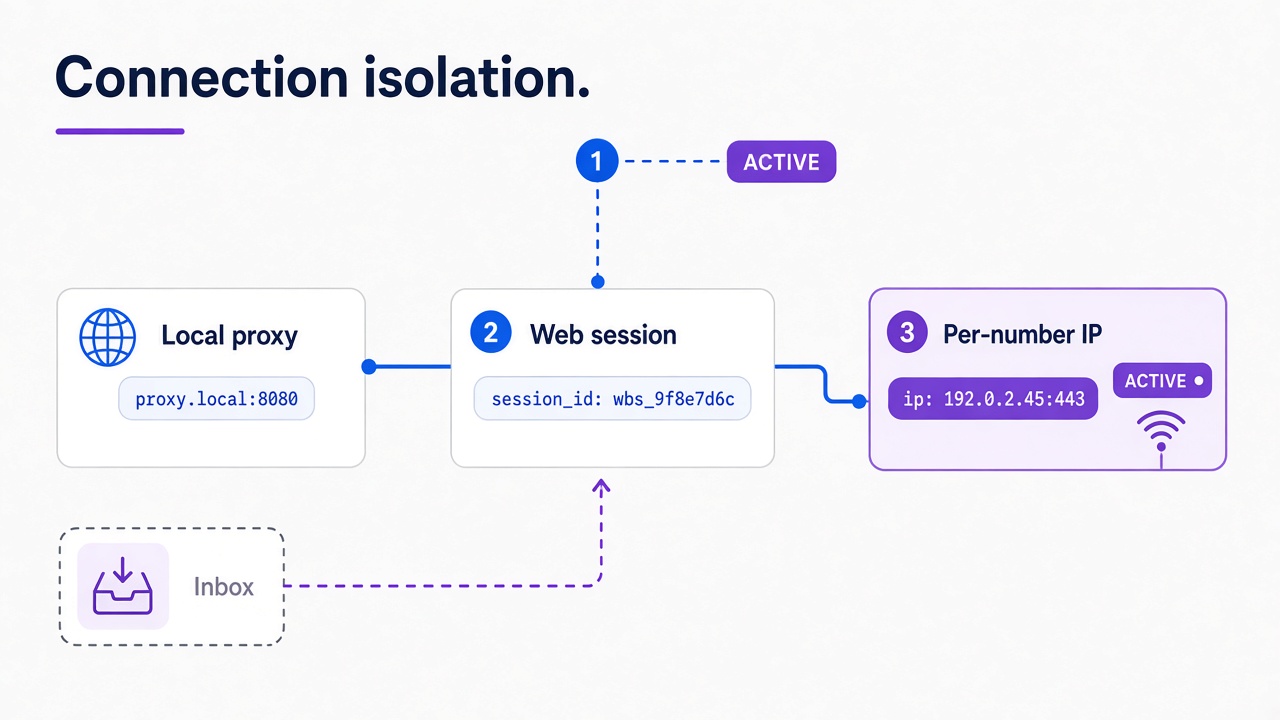
Layer 1 fingerprinting checks the connection IP against the phone number's home region on every session. The system is looking for implausible mismatches — the kind that correlate with VPN usage, shared proxy pools, and data-center IP ranges. A business number in São Paulo connecting through Frankfurt is exactly the pattern the model is trained to catch.
Browser emulation is detected at the WebSocket layer, well beyond JavaScript flag inspection. Tools that simulate WhatsApp Web through a headless browser (Puppeteer, navigator.webdriver-based libraries) generate WebSocket frame patterns and session-establishment signatures that differ measurably from native web-session behavior. Randomizing send delays reduces some behavioral signals, but it does not change the underlying connection signature. The session setup sequence itself identifies the emulation layer, independently of message timing.
This is where the infrastructure your API runs on has direct impact on ban risk. Whapi.Cloud routes each connected number through geo-local proxy servers, so the number's connection IP stays in its home region rather than appearing from shared data-center blocks that flag Layer 1 on every session. Individual IP isolation means that if another number on the platform encounters an enforcement action, it has no effect on your number's IP reputation or trust history. The connection itself uses web-session sockets, the same protocol mechanism WhatsApp Web uses natively, which avoids the browser-emulation detection window entirely. For teams tracking multiple numbers, the platform also provides an Activity Safety Meter: a real-time health score for each number that makes a declining trust trend visible early, before the first restriction notice arrives.
For any multi-number operation, per-number connection isolation is the baseline requirement. Shared IP pools turn one account's enforcement action into a cascade across every number in the group. Each number needs its own independent path.
Restricted Account: The Step Before a Ban
WhatsApp now documents Restricted Account as a middle state. The number stays signed in and keeps existing threads. New chats stay blocked until the in-app timer ends.
A Restricted Account can still message people and groups it already knows. Starting chats with new numbers, calling new contacts, creating groups, adding members, and using linked devices stay blocked. WhatsApp shows remaining time, and the limit lifts on its own.
On Whapi.Cloud this usually shows up as a split: sends to old chats go through, sends to new numbers come back FAILED. That split is the operational tell. Pause new-chat work and wait out the timer instead of rotating the number.
Read the restriction screen in this order: Normal → Restricted → Temporarily blocked (countdown, usually 24–72 hours) → Banned (no timer). Restricted is the reversible middle. Keep existing threads and let the timer run down.
What to Do If You Get Banned
When your WhatsApp account is restricted, the first action is to check whether a countdown timer is visible in the app. That timer tells you everything about your recovery path. If existing chats still send and only new numbers return FAILED, you are in Restricted Account — wait out that timer before treating it as a ban.
A countdown timer means a soft ban (typically 24 to 72 hours), and your account history and chat data are preserved. No timer means a permanent ban, with appeal success rates below 20% based on practitioner records.
Soft bans expire without action. Use the downtime productively: audit your reply rate trend over the last 30 days, identify which message templates were running when the restriction hit, and plan a lower-velocity restart. Coming back at the same pace that triggered the restriction produces the same result.
For permanent bans, appeals run through two channels:
-
In-app button: The restriction screen typically shows a "Request a Review" or "Contact Support" button. Tap it immediately. This is the fastest path to a human review at WhatsApp.
-
Web form: Submit an appeal through the WhatsApp contact page. Include the banned phone number, a description of your legitimate use case, and a clear statement that all recipients opted in.
Keep appeal messages factual and brief. A straightforward template that works: "My account [phone number] was restricted. I use WhatsApp Business to send order confirmations and customer support messages to people who have opted in to receive them. All recipients consented to communication from our business. I request a review of this account status." No apologies for violations you did not commit. No promises that imply you were breaking the rules to begin with.
Reconnecting a New Number After a Permanent Ban
When a banned number cannot be recovered, replacing it correctly requires several specific steps to prevent an immediate secondary restriction:
-
Change the IP address or proxy. Using the same connection path links the new number to the old account's trust history in the fingerprint model. A new number on a previously flagged IP inherits the risk profile.
-
Start a completely fresh session. A session tied to a banned account carries its device-level fingerprint forward. Reinstall the app, or connect through a clean session environment that has no link to the old account.
-
Run a full warm-up before any bulk sends — minimum 2–7 days. Do not copy the banned number's profile picture, display name, or bio text immediately. These metadata elements contribute to the device fingerprint the system builds for the new account.
-
Use a different device if possible. IMEI-level bans are documented: WhatsApp associates hardware identifiers with enforcement history. A device that hosted a permanently banned account will apply elevated scrutiny to any new account registered on the same hardware, regardless of the new SIM or number.
Appeals for permanent bans are worth submitting, but expect a low success rate. The most defensible appeal position is a documented opt-in record and a clear, specific business use case. Technical arguments about infrastructure rarely move the review. Under 20% of permanent ban appeals succeed based on practitioner experience across multiple operations.
Avoiding a WhatsApp ban starts with understanding what the system actually measures. For teams that want to go deeper on safe operation practices for API-based senders, Whapi.Cloud's guide to avoiding account bans covers infrastructure setup, behavioral hygiene, and number readiness assessment in detail.