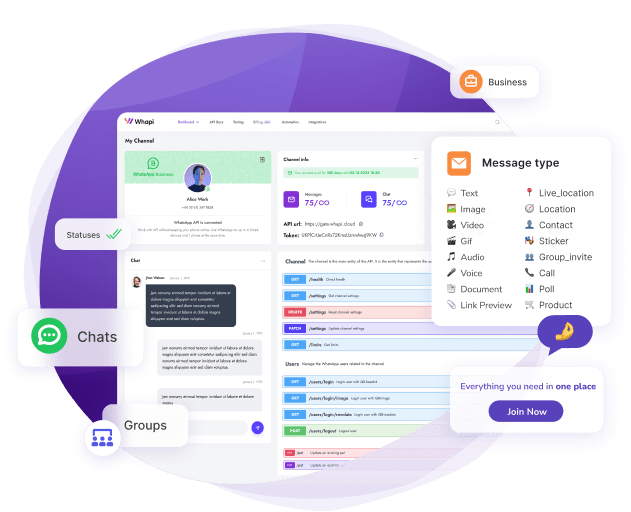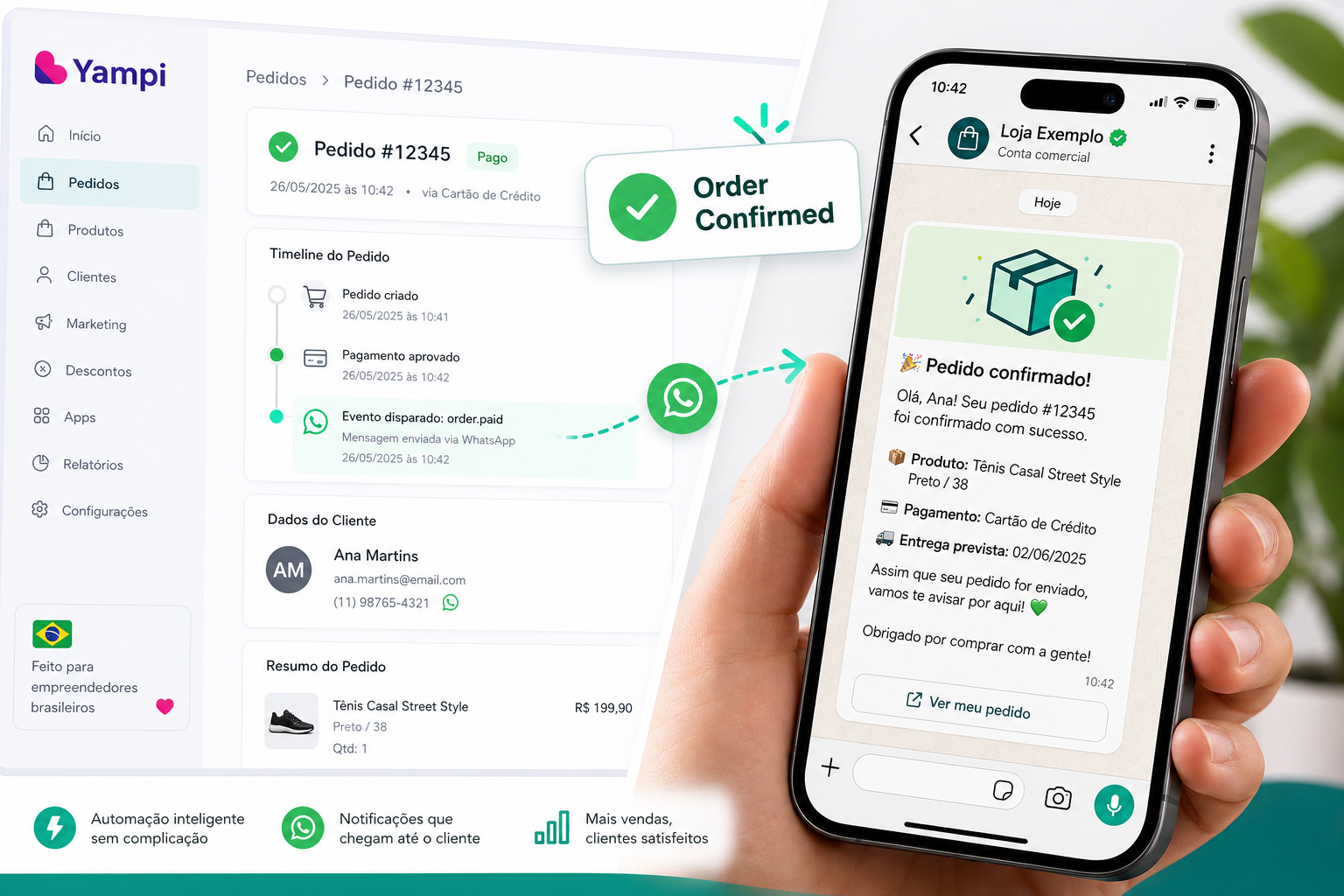
This step-by-step integration guide from Whapi.Cloud, a WhatsApp Business API provider, is written for Node.js and Python developers and technical managers at Brazilian Yampi stores who want to add WhatsApp order notifications without a connector subscription. Yampi has no native WhatsApp notification channel. To add one, you point Yampi's webhooks at a server that calls Whapi.Cloud's REST API: one HTTP POST to /messages/text sends the message to the buyer's WhatsApp in under a second. This guide covers HMAC-SHA256 signature validation, all six Yampi webhook event types, working code in Node.js/Express and Python/Flask, a no-code path via Make, n8n, and Zapier, and a comparison with closed platforms including NI, Pluga, and Interakt. It does not cover WhatsApp Flows, Meta Cloud API onboarding, or WABA setup.
TL;DR: What you'll get from this guide
- Full working Node.js and Python webhook handlers with HMAC-SHA256 validation
- All 6 Yampi webhook events mapped to WhatsApp message templates
- One HTTP POST to
/messages/textsends a WhatsApp message, no connector fee - No-code path via Make, n8n, or Zapier for non-developers
- Comparison of REST API vs closed platforms (NI, Pluga, Interakt) across 8 criteria
- LGPD opt-in and E.164 phone format requirements covered
Does Yampi Have a Native WhatsApp Integration?
No — and this catches many Yampi store owners off guard. Yampi is a solid Brazilian e-commerce platform with a webhook system, but it ships no built-in WhatsApp notification channel.
Connector tools like Pluga and NI fill part of this gap, but they charge per message or lock you into a fixed template set — at any meaningful order volume, cart recovery campaigns become unprofitable fast.
The direct path is Yampi's webhook system plus Whapi.Cloud's REST API. Yampi fires an HTTP POST to your server every time a meaningful order event occurs. Your server validates the request, reads the payload, and sends one HTTP POST to Whapi.Cloud's /messages/text endpoint. The buyer receives a WhatsApp message in under a second. No middleman subscription, no per-message fee, no vendor lock-in.
Why open rates matter here: WhatsApp automation achieves around 98% open rates versus 20–25% for email. For a Brazilian store sending 500 order notifications per day, that is roughly 390 more messages actually read per day compared to email, a concrete difference in customer satisfaction and repeat purchase rates.
Whapi.Cloud is a WhatsApp Business API provider that connects via web-session sockets, the same mechanism WhatsApp Web uses. Brazilian developers and agencies use it specifically because it carries no per-message fees and works with your existing WhatsApp number.
Why WhatsApp for Your Yampi Store?
Brazil has the highest WhatsApp penetration of any major e-commerce market. Over 99% of smartphone users have it installed. Email inboxes compete with hundreds of messages a day; WhatsApp conversations are personal and immediate.
| Channel | Open Rate | Response Rate | Typical Cost Model |
|---|---|---|---|
| WhatsApp (automated) | ~98% | 40–60% | Flat monthly (Whapi.Cloud) |
| 20–25% | 2–5% | Per-send or flat | |
| SMS | 75–85% | 15–25% | Per-message |
| Push notification | 10–15% | 1–3% | Flat monthly |
For cart recovery, the ROI math is blunt: a WhatsApp cart reminder reaches nearly every buyer; the same message by email reaches one in five. At any real order volume, the revenue difference covers the integration cost inside the first week.
Yampi-to-WhatsApp automation covers six lifecycle stages: order confirmation, payment failure recovery, shipping updates, delivery confirmation, review request, and upsell. Each stage maps to a separate Yampi webhook event, all handled from a single server endpoint.
How the Integration Works
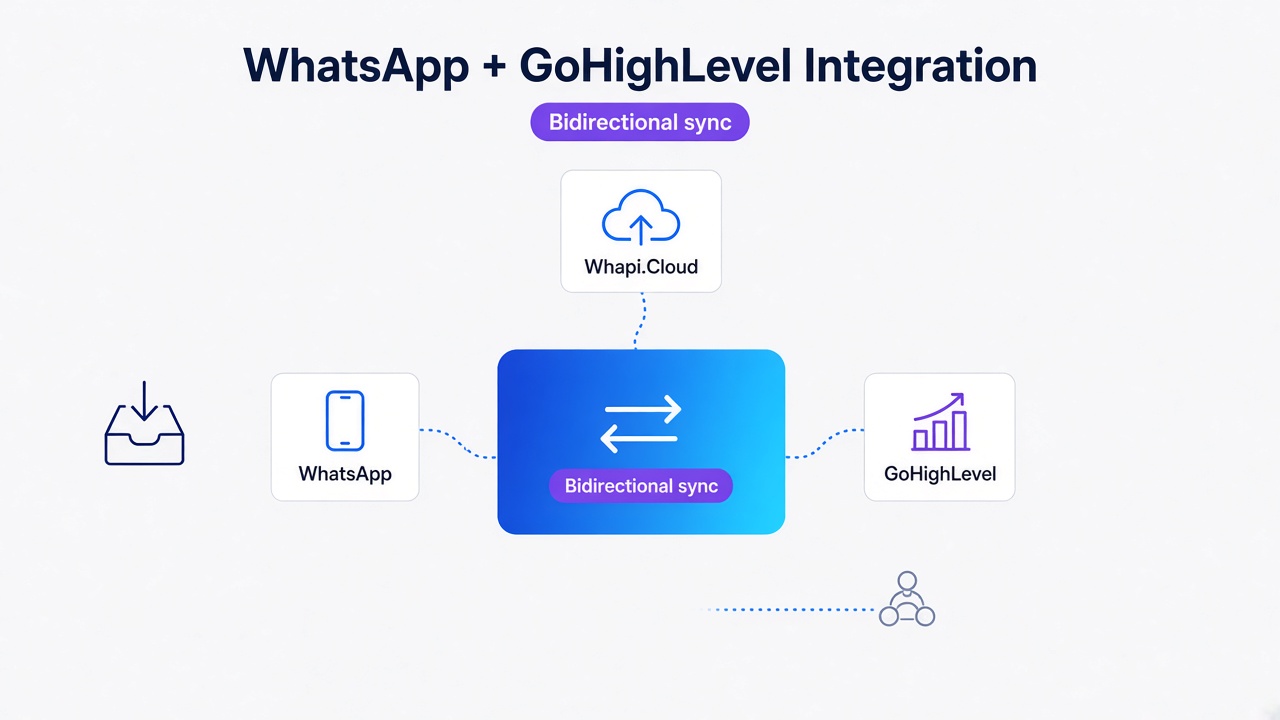
The architecture is three components: Yampi's webhook system, your server (or a no-code tool), and Whapi.Cloud's REST API. No connector platform sits in between.
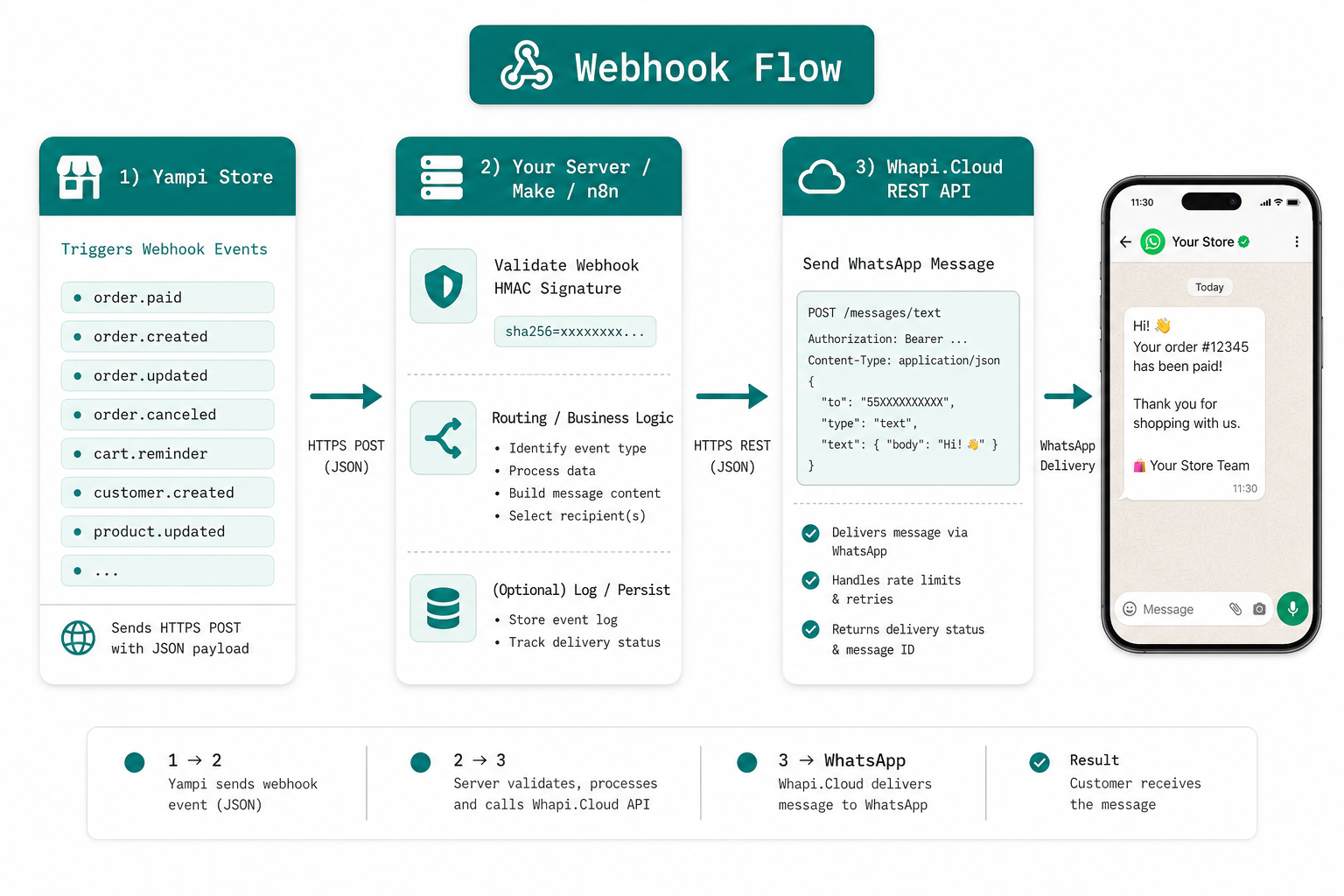
Here is the event-to-reaction flow:
- Yampi fires a webhook. When a buyer pays, abandons a cart, or their order status changes, Yampi sends an HTTP POST to your configured webhook URL with a JSON payload and an HMAC-SHA256 signature header.
- Your server validates the signature. Every Yampi webhook includes an HMAC-SHA256 signature in the
x-yampi-hmac-sha256header. Validate it server-side before processing. Skip this step and spoofed requests can trigger messages to random buyers. - Your server reads the event type and payload. The
eventfield identifies the trigger. Theresourceobject contains customer phone, name, order number, and event-specific data. - Your server sends one HTTP POST to Whapi.Cloud: a single POST to
https://gate.whapi.cloud/messages/textwith the phone number in E.164 format and the message body. Whapi.Cloud delivers the message to the buyer's WhatsApp in under a second. - Yampi receives a 200 OK. Respond immediately, then process the payload asynchronously to avoid timeouts.
E.164 format is non-negotiable. Whapi.Cloud requires phone numbers in E.164 format. For Brazil: +5511999998888. A missing country code silently breaks message delivery with no error thrown at the Yampi side. Always normalize the phone number from Yampi's payload before sending.
The Complete Yampi Webhook Events Reference
Yampi exposes six webhook events that cover the full order lifecycle. Each has a clear trigger, a predictable payload structure, and a natural WhatsApp message to match.
| Event | When it fires | Key payload fields | Recommended WhatsApp template |
|---|---|---|---|
order.created |
Buyer places an order (before payment) | number, customer.phone, customer.name, checkout_url |
"Hi [name]! Order #[id] received. Complete your payment to confirm: [link]" |
order.paid |
Payment confirmed, fires instantly | number, customer.phone, customer.name, total |
"Hi [name]! ✅ Order #[id] confirmed. We're preparing it now. Thanks for shopping!" |
order.status.updated |
Order status changes (e.g. shipped, delivered) | number, status, customer.phone, tracking_url |
"Hi [name]! Order #[id] is now: [status]. Track it here: [link]" |
transaction.payment.refused |
Payment attempt declined | number, customer.phone, checkout_url, reason |
"Hi [name], your payment for order #[id] was declined. Try again: [link]" |
cart.reminder |
Buyer abandoned cart (configured delay) | customer.phone, customer.name, checkout_url, items |
"Hi [name]! You left items in your cart 🛒 Complete your order: [link]" |
order.cancellation |
Order cancelled (by store or buyer) | number, customer.phone, reason |
"Hi [name], order #[id] was cancelled. Reply if you need help sorting it out." |
Prioritize order.paid — it fires the moment payment clears. Send the WhatsApp confirmation immediately while the buyer is still engaged. This touchpoint generates the most goodwill and reduces inbound support contacts more than any other event on the list.
Step-by-Step Integration Guide
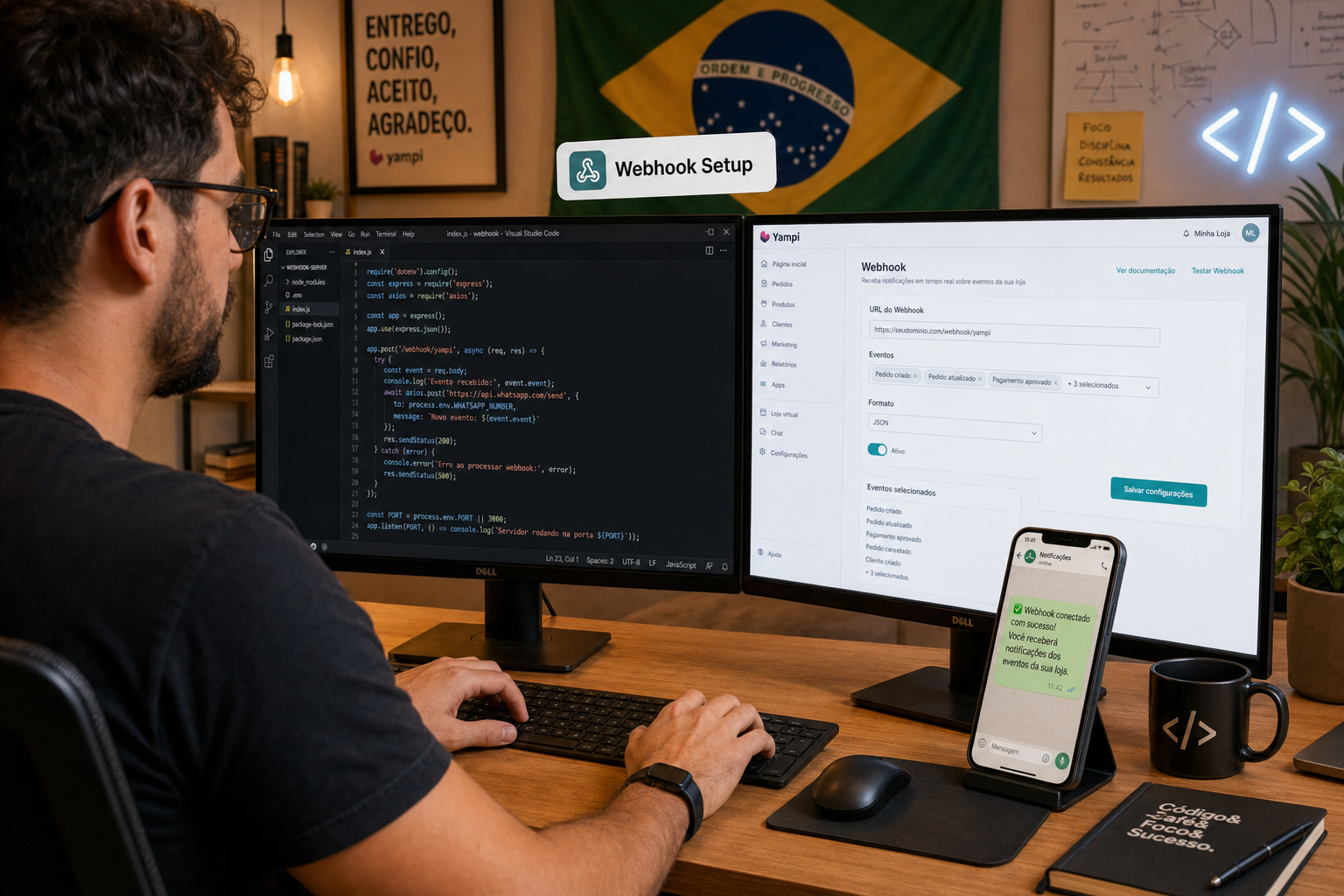
This gets you from zero to a running webhook server in about two hours. The Node.js version is the primary reference; the Python equivalent follows in Step 5.
Step 1: Prerequisites
Before writing a single line of code, you need:
- A Yampi store with webhook access (available on paid plans)
- A Whapi.Cloud account: sign up for the free sandbox (lets you send test messages without a production number)
- Your Whapi.Cloud channel token (from the dashboard after creating a channel)
- A publicly accessible HTTPS URL for your webhook (use ngrok for local testing; covered in Step 6)
- Node.js 18+ or Python 3.9+ installed
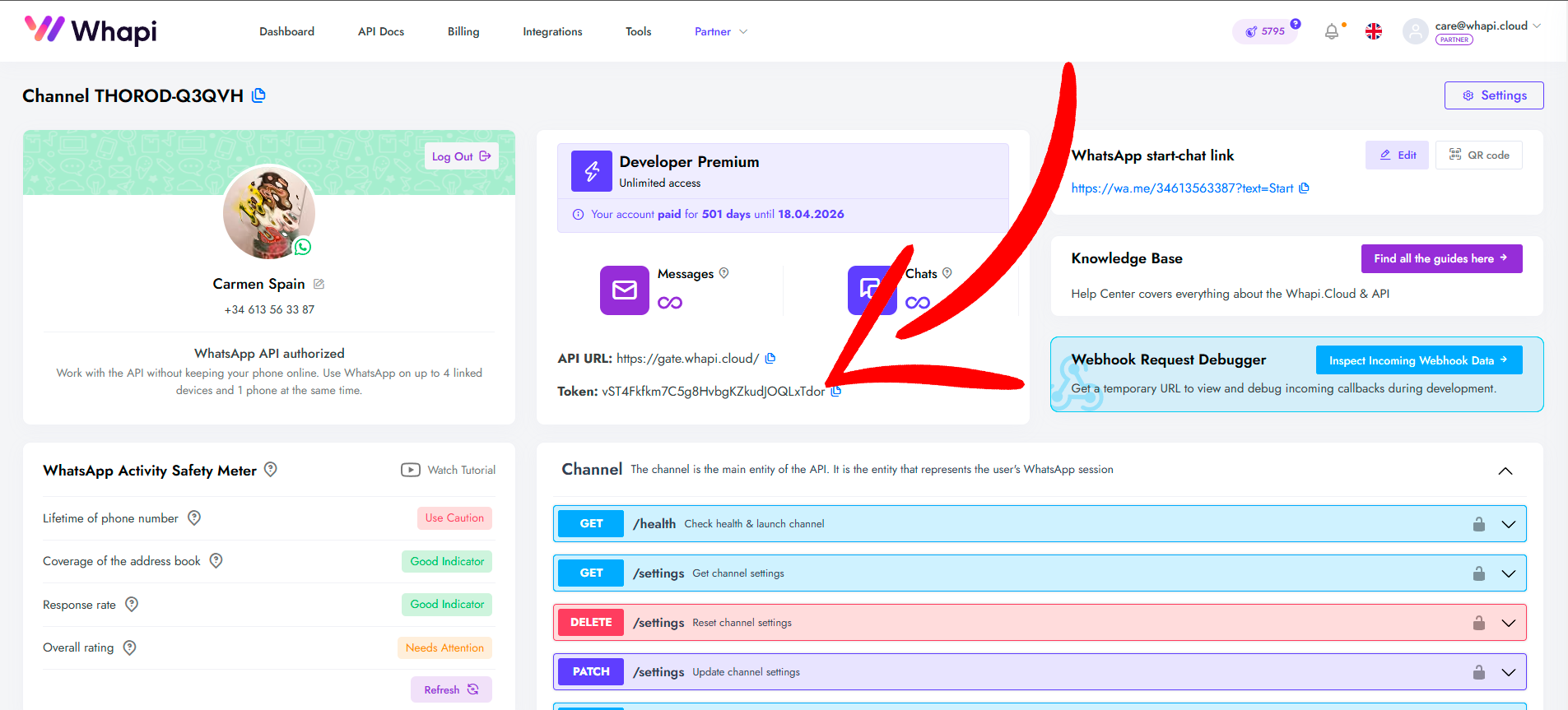
Step 2: Configure the Webhook in Yampi Dashboard
- Log in to your Yampi admin panel and go to Settings → Webhooks
- Click Add Webhook and enter your server URL (e.g.
https://yourdomain.com/webhook/yampi) - Select the events you want:
order.created,order.paid,order.status.updated,transaction.payment.refused,cart.reminder,order.cancellation - Copy the Secret that Yampi generates. Store it as
YAMPI_WEBHOOK_SECRETin your.envfile immediately for HMAC validation. - Save the webhook. Yampi will send a test ping to your URL. Your server must return 200 OK.
Step 3: Node.js Webhook Server with HMAC-SHA256 Validation
This is the complete, production-ready server. Install dependencies first: npm install express axios dotenv.
// .env: YAMPI_WEBHOOK_SECRET, WHAPI_TOKEN, PORT
require('dotenv').config();
const express = require('express');
const crypto  = require('crypto');
const axios   = require('axios');

const app = express();

// Capture raw body for HMAC verification
app.use(express.json({
  verify: (req, res, buf) => { req.rawBody = buf; }
}));

const WHAPI_BASE = 'https://gate.whapi.cloud';

// Normalize Brazilian phone to E.164: +5511999998888
function toE164(phone) {
  const digits = phone.replace(/\D/g, '');
  return digits.startsWith('55') ? `+${digits}` : `+55${digits}`;
}

// Send a WhatsApp text message via Whapi.Cloud
async function sendWhatsApp(phone, text) {
  const to = toE164(phone); // E.164 required — e.g. +5511999998888
  await axios.post(`${WHAPI_BASE}/messages/text`, { to, body: text }, {
    headers: { Authorization: `Bearer ${process.env.WHAPI_TOKEN}` }
  });
}

// Yampi webhook: validate HMAC-SHA256 signature, then route event
app.post('/webhook/yampi', (req, res) => {
  const sig      = req.headers['x-yampi-hmac-sha256'];
  const expected = crypto
    .createHmac('sha256', process.env.YAMPI_WEBHOOK_SECRET)
    .update(req.rawBody)
    .digest('base64');

  if (!crypto.timingSafeEqual(Buffer.from(sig), Buffer.from(expected))) {
    return res.status(401).send('Invalid signature');
  }

  res.status(200).send('OK'); // Acknowledge immediately

  const { event, resource } = req.body;
  const phone   = resource?.customer?.phone;
  const name    = resource?.customer?.name?.split(' ')[0] || 'there';
  const orderId = resource?.number;

  switch (event) {
    case 'order.paid':
      sendWhatsApp(phone,
        `Hi ${name}! ✅ Order #${orderId} confirmed. We're preparing it now. Thanks for shopping with us!`);
      break;
    case 'order.created':
      sendWhatsApp(phone,
        `Hi ${name}! We received order #${orderId}. Complete payment to confirm. Questions? Reply here.`);
      break;
    case 'order.status.updated':
      sendWhatsApp(phone,
        `Hi ${name}! Order #${orderId} status updated: ${resource?.status}. Track it in your email.`);
      break;
    case 'transaction.payment.refused':
      sendWhatsApp(phone,
        `Hi ${name}, your payment for order #${orderId} was declined. Try again: ${resource?.checkout_url}`);
      break;
    case 'cart.reminder':
      sendWhatsApp(phone,
        `Hi ${name}! You left items in your cart 🛒 Complete your order: ${resource?.checkout_url}`);
      break;
    case 'order.cancellation':
      sendWhatsApp(phone,
        `Hi ${name}, order #${orderId} was cancelled. Need help? Reply and we'll sort it out.`);
      break;
  }
});

app.listen(process.env.PORT || 3000, () => console.log('Webhook server running'));
Critical: raw body for HMAC. HMAC-SHA256 validation requires the exact raw bytes Yampi sent, not a parsed JSON object. The verify callback in express.json() captures the raw buffer before Express parses it. If you try to re-serialize the parsed body instead, the signature will never match.
Step 4: Sending WhatsApp via Whapi.Cloud /messages/text
The sendWhatsApp function does one thing: POST to https://gate.whapi.cloud/messages/text with three fields:
to: phone in E.164 format (e.g.+5511999998888); missing country code silently breaks messagesbody: the message textAuthorization: Bearer YOUR_TOKEN: your Whapi.Cloud channel token in the header
Whapi.Cloud gives Yampi stores full message control and flat monthly pricing per channel. There are no per-message fees, no template approval workflow, and no vendor lock-in — contrast this with NI, Pluga, and Interakt, which charge per delivery or restrict you to predefined templates.
Step 5: Python Equivalent
Install dependencies: pip install flask requests. The logic is identical: validate signature, route event, send message.
import os, hmac, hashlib, base64, requests
from flask import Flask, request, abort

app = Flask(__name__)
WHAPI_TOKEN    = os.getenv('WHAPI_TOKEN')
WEBHOOK_SECRET = os.getenv('YAMPI_WEBHOOK_SECRET')

def to_e164(phone):
    digits = ''.join(filter(str.isdigit, phone))
    return f"+{digits}" if digits.startswith('55') else f"+55{digits}"

def send_whatsapp(phone, text):
    # to must be E.164 format: +5511999998888
    requests.post('https://gate.whapi.cloud/messages/text',
        json={'to': to_e164(phone), 'body': text},
        headers={'Authorization': f'Bearer {WHAPI_TOKEN}'})

@app.route('/webhook/yampi', methods=['POST'])
def yampi_webhook():
    sig      = request.headers.get('X-Yampi-Hmac-Sha256', '')
    expected = hmac.new(WEBHOOK_SECRET.encode(), request.get_data(), hashlib.sha256).digest()
    if not hmac.compare_digest(sig, base64.b64encode(expected).decode()):
        abort(401)

    data     = request.json
    event    = data.get('event')
    res      = data.get('resource', {})
    phone    = res.get('customer', {}).get('phone', '')
    name     = res.get('customer', {}).get('name', 'there').split()[0]
    order_id = res.get('number', '')

    msgs = {
        'order.paid':                 f"Hi {name}! ✅ Order #{order_id} confirmed. We're on it!",
        'order.created':              f"Hi {name}! Order #{order_id} received. Complete payment to confirm.",
        'order.status.updated':       f"Hi {name}! Order #{order_id} status: {res.get('status')}",
        'transaction.payment.refused':f"Hi {name}, payment declined for #{order_id}. Retry: {res.get('checkout_url')}",
        'cart.reminder':              f"Hi {name}! Your cart is waiting 🛒 {res.get('checkout_url')}",
        'order.cancellation':         f"Hi {name}, order #{order_id} cancelled. Reply if you need help.",
    }
    if event in msgs:
        send_whatsapp(phone, msgs[event])
    return 'OK', 200

if __name__ == '__main__':
    app.run(port=int(os.getenv('PORT', 3000)))
Step 6: Test with ngrok, Then Deploy to Production
For local development, expose your server with ngrok:
npx ngrok http 3000Copy the generated HTTPS URL (e.g. https://abc123.ngrok.io) and paste it into Yampi's webhook configuration. Trigger a test order in Yampi sandbox mode. You should see the webhook hit your server and a WhatsApp message arrive on your test number.
For production, use any Node.js or Python host with HTTPS: Railway, Render, Fly.io, a VPS with nginx, or a serverless function (Vercel, AWS Lambda). The hard requirement is a publicly accessible HTTPS endpoint that returns 200 within Yampi's timeout window.
No-Code Path: Make and n8n
No server required. Make (formerly Integromat) and n8n both connect Yampi webhooks to Whapi.Cloud without code. Setup takes 30–60 minutes and requires no hosting.
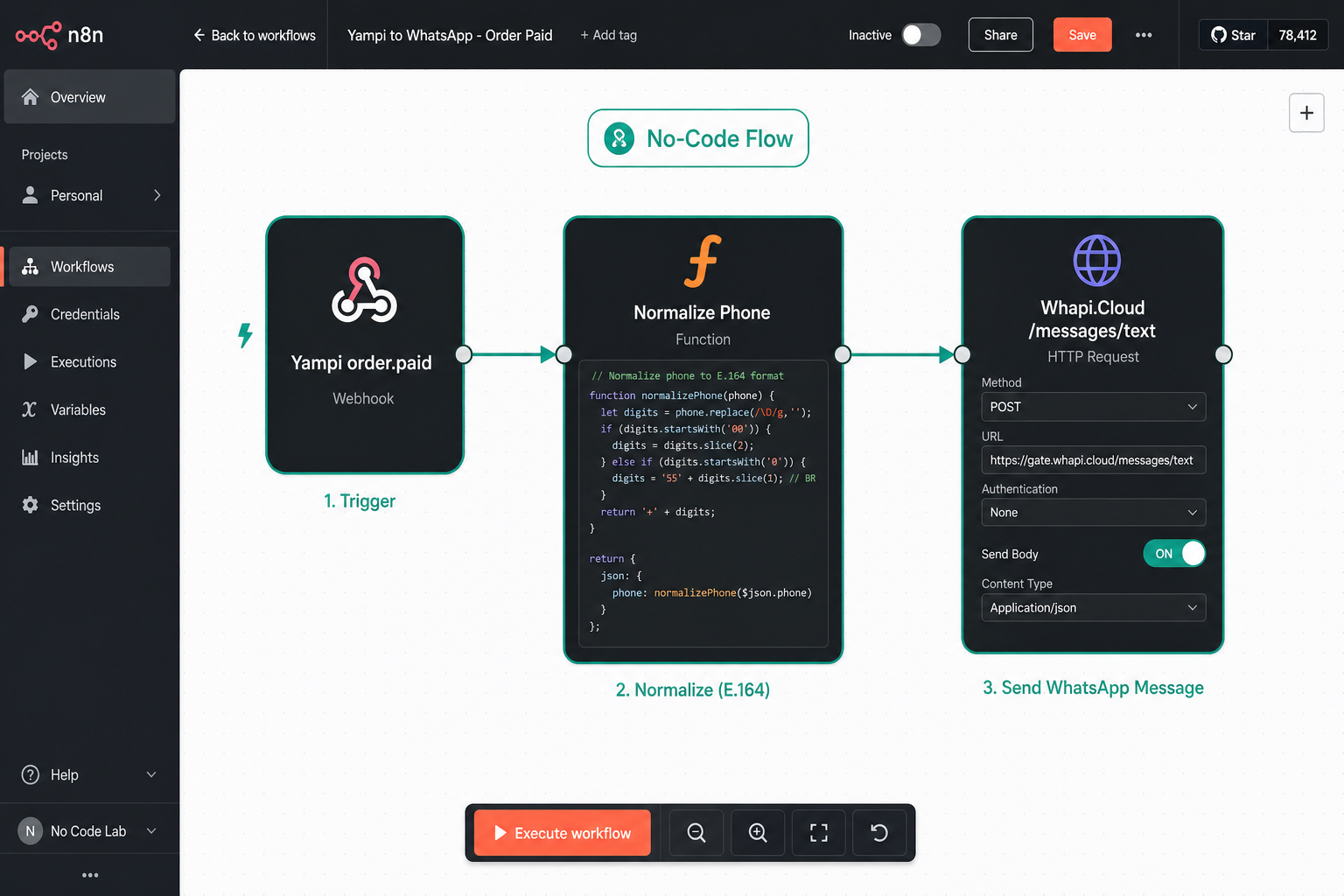
The pattern in both tools is the same: a Webhook trigger receives the Yampi event, you route on the event field, then an HTTP POST module sends to https://gate.whapi.cloud/messages/text with your Bearer token. Phone normalization to E.164 happens in an intermediate step.
Make (formerly Integromat)
- Add a Webhooks → Custom Webhook trigger. Copy the URL into Yampi's webhook settings.
- Add a Router module with one filter per event type (
event = order.paid, etc.). - After each filter, add an HTTP → Make a Request module: POST to
https://gate.whapi.cloud/messages/text, JSON body{"to": "{{phone}}", "body": "{{message}}"}, Authorization header with your Whapi.Cloud token. - Use Make's text functions to normalize the phone to E.164. See Whapi.Cloud's Make integration guide for a step-by-step walkthrough.
n8n
- Add a Webhook trigger node. Set the path to
/yampiand paste the URL into Yampi. - Add a Switch node routing on
{{ $json.event }}. - For each branch, add an HTTP Request node: POST to
https://gate.whapi.cloud/messages/text, JSON body withtoandbody, Bearer token header. See Whapi.Cloud's n8n integration guide for full configuration details.
Zapier users can replicate the same flow with a Webhooks by Zapier trigger and a POST action pointed at Whapi.Cloud's /messages/text endpoint.
The trade-off is real: Make and n8n add subscription costs and impose workflow operation limits. At 1,000+ orders per day, those limits generate friction and cost more than running the REST API path directly.
Real Use Cases from Yampi Stores
The patterns below come from Yampi stores running Whapi.Cloud in production. Numbers are from the stores themselves.
Cart Recovery with cart.reminder
A Brazilian fashion accessories store set a cart.reminder webhook to fire 45 minutes after abandonment. The message includes the cart link and the customer's first name. Conversion rate on recovered carts: 18% — compared to 4% for the same message by email. The WhatsApp message gets read; the email gets ignored or filtered. The store recovers roughly 140 additional orders per month from this one automation, with zero per-message cost on Whapi.Cloud's flat plan.
Payment Failure Recovery with transaction.payment.refused
Payment refusal is a high-intent moment — the buyer wanted to purchase and something failed technically. A Yampi electronics store sends an immediate WhatsApp on transaction.payment.refused with a retry link and an offer to help via chat. 31% of refused-payment buyers complete the purchase within 10 minutes of receiving the message. The store's email follow-up for the same event converts at 6%.
Full Lifecycle from a São Paulo Fashion Store
A mid-size São Paulo fashion store runs all six webhook events through a single Whapi.Cloud channel: order created → payment prompt; order paid → confirmation with estimated dispatch; status updated (shipped) → tracking link; status updated (delivered) → review request with a discount code; cancellation → re-engagement offer. Each message is personalized with the buyer's first name and order number. The store's support ticket volume dropped 40% after launch — buyers stopped emailing because they already had the information on WhatsApp.
What Stores Are Saying
Three operators (a store owner, a developer, and a digital agency) describe what changed after going live with the integration.
"We tested two other WhatsApp platforms before Whapi.Cloud. Both charged per message, which made cart recovery campaigns unprofitable at our order volume. With Whapi.Cloud's flat rate, we're saving over 70% on messaging costs and getting sub-200ms API responses. Four months live, zero downtime."
— Rafael S., Yampi store owner, São Paulo
"I integrated Yampi webhooks with Whapi.Cloud in under two hours. The documentation is clear, and HMAC signature validation was straightforward. Our support team now handles replies directly in WhatsApp. No more email lag."
— Mariana T., E-commerce Developer
"We manage 14 Yampi stores for our clients using Whapi.Cloud's Partner API. One integration template, deployed across all accounts. Our clients pay monthly, and we handle everything centrally. The white-label setup took one afternoon."
— Diego F., Digital Agency, Rio de Janeiro
Approach Comparison: REST API vs No-Code vs Closed Platform
The right path depends on technical capacity, order volume, and tolerance for vendor dependency. Here is the honest comparison across eight criteria.
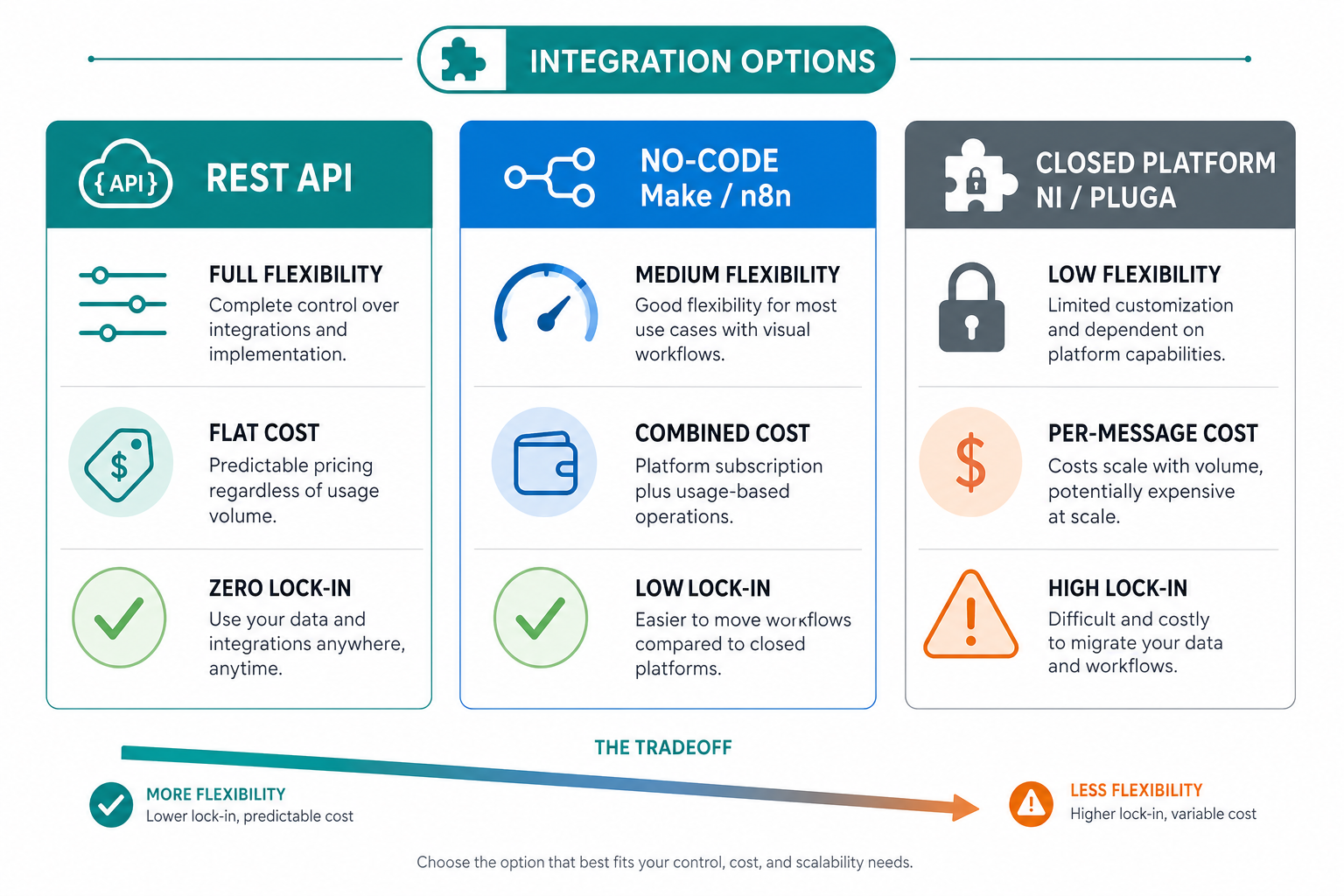
| Criteria | REST API (Whapi.Cloud) | No-code (Make/n8n + Whapi) | Closed platform (NI/Pluga/Interakt) |
|---|---|---|---|
| Flexibility | Full: custom logic per event | Medium, visual flows | Low, fixed templates |
| Message control | 100% custom content | 100% custom content | Restricted to platform templates |
| Cost model | Flat monthly per channel | Make/n8n fees + Whapi flat | Per-message fees + subscription |
| Vendor lock-in | None | Low | High |
| Setup time | ~2 hours | 30–60 minutes | Minutes (then ongoing dependency) |
| Scalability | Unlimited | Limited by plan operations | Scales but costs rise sharply |
| WhatsApp number | Your own number | Your own number | Often requires a new number |
| Bidirectional messaging | Yes, full inbound support | Yes (with webhook configuration) | Depends on plan tier |
At 300+ orders per month, the cost difference versus per-message platforms pays for the integration inside the first month. At 1,000+ orders per day, the no-code path's operation limits also start generating friction that the REST API path avoids entirely.
For Agencies: Sell as a Managed Service
If you run a digital agency managing multiple Yampi stores, this integration flips from cost to revenue. Whapi.Cloud's white-label program lets you resell Yampi WhatsApp automation to store clients with predictable monthly recurring revenue.
The practical structure: one integration template deployed across all client accounts via Whapi.Cloud's Partner API, each client on their own channel (their own WhatsApp number), billed monthly through your agency. Diego F.'s testimony above describes exactly this: 14 stores, one template, one afternoon of setup.
Agency pricing typically runs at a 3–5x markup on Whapi.Cloud channel costs, plus setup fees and a monthly management retainer. The integration becomes a proprietary service: measurable value (recovered carts, payment retries, support ticket reduction) is justifiable at every renewal conversation.
Partner program details: Whapi.Cloud's Partner API allows channel creation, management, and monitoring under a single partner account. Visit the Whapi.Cloud partner program for pricing and white-label options.
Compliance: LGPD and WhatsApp Opt-In
Two requirements must be in place before the first message goes out: LGPD-compliant data processing consent and explicit WhatsApp messaging opt-in.
LGPD (Lei Geral de Proteção de Dados): Under Brazil's LGPD, you need a documented legal basis to process customer phone numbers and send automated messages. The most common basis is consent collected at checkout. Your Yampi store's terms and privacy policy must specify that phone numbers are used for order updates and marketing via WhatsApp.
WhatsApp opt-in: WhatsApp's Business Policy requires that recipients explicitly opt in to receiving messages from your business number. Collect this at checkout with a clearly labeled checkbox: "I agree to receive order updates and promotions via WhatsApp." Do not pre-check the box.
Unsubscribe handling: Provide a clear opt-out mechanism. The simplest approach: handle any inbound message containing "STOP" or "Parar" by flagging the customer's record and excluding them from future automated messages. This is a one-time handler on Whapi.Cloud's inbound message webhook.
Non-compliant messaging risks LGPD fines and WhatsApp number bans. The consent checkbox at checkout and a STOP handler in your webhook server take a few hours to build. Build them before going live.
Start Building for Free
Whapi.Cloud's free sandbox lets you send test WhatsApp messages without a production number. Connect your Yampi webhooks, validate your HMAC implementation, and confirm end-to-end delivery before going live. No credit card required.
Create Your Free Sandbox AccountTakes 2 minutes. Free sandbox includes full API access and developer documentation.