TL;DR: Self-hosting WAHA in 2026 carries a 15-20% annual maintenance overhead and risks catastrophic session loss during version upgrades. Production-grade WhatsApp automation requires managed infrastructure that absorbs protocol shifts and eliminates the "Silent 200 OK" trust-killer. Use Whapi.Cloud to connect in two minutes instead of eight weeks of infrastructure setup.
The Session Loss Crisis: Why Upgrading WAHA Can Kill 2000+ Connections
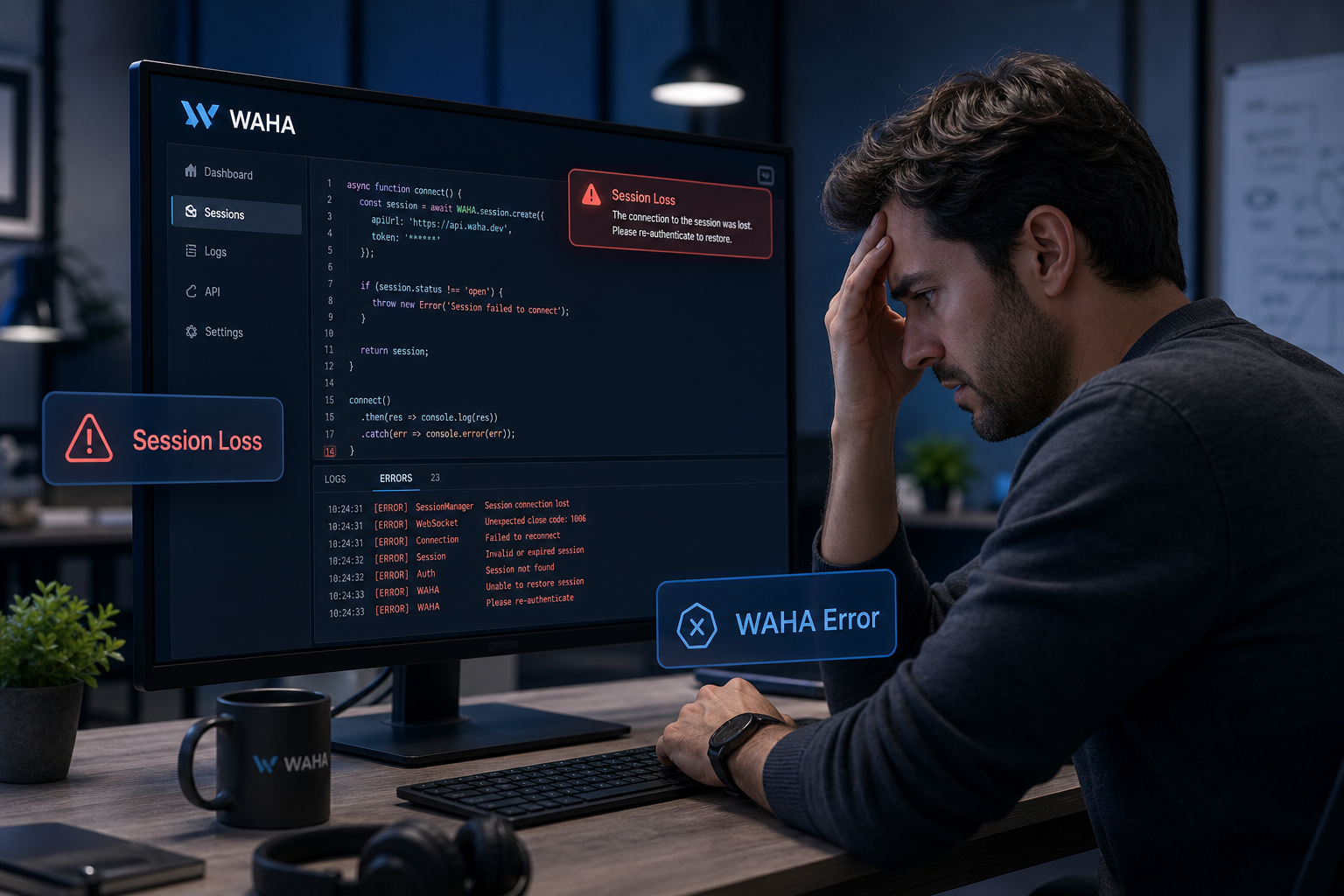
Stability in production is measured by session persistence. For developers self-hosting the WAHA (WhatsApp HTTP API), version upgrades are high-risk events where a single container restart can trigger catastrophic data loss.
Real-world evidence from 2026 shows that upgrading to version 2025.9.8 (NOWEB engine) can disconnect over 2,000 active sessions simultaneously. As reported in GitHub Issue #1509, developers managing multiple instances faced significant service disruptions after a routine update failed to migrate session state correctly. The issue stems from how the engine handles the underlying database—SQLite or PostgreSQL—during the migration of encryption keys and browser fingerprints.
Catastrophic session loss is a structural risk of self-hosted engines, not a temporary bug. When you manage the database layer, you are responsible for the integrity of the web-session sockets. A minor schema mismatch during a pull request can invalidate thousands of QR-scanned connections, forcing your customers to re-authenticate manually. In a Dockerized environment, if your volume mounting is not perfectly configured or if the database driver experiences a race condition during a high-load restart, the session tokens can become corrupted beyond recovery.
Furthermore, the NOWEB engine introduces complexity in how it emulates the WhatsApp protocol. If the internal state machine loses sync with the WhatsApp server's sequence numbers during an upgrade, the server terminates the session as a security measure. This leaves developers in a "re-scan loop" where they must physically access the phones to restore service—a logistical nightmare for distributed teams or white-label providers.
The "Silent 200 OK" Danger: When Your Logs Lie to You
The most dangerous failure in a messaging API is a successful response that masks a delivery failure. This "Silent 200 OK" is a recurring theme for WAHA users in 2026.
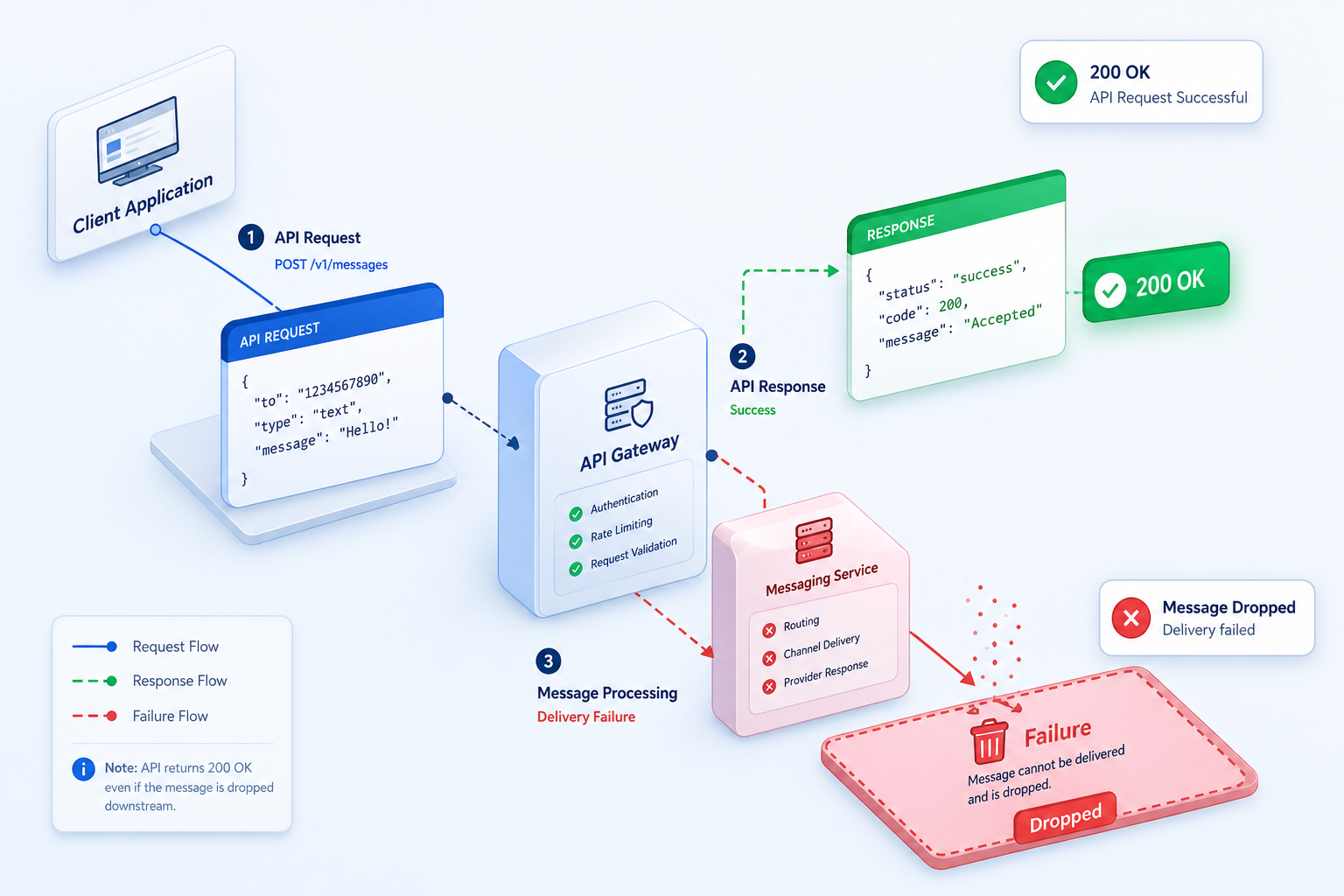
Developers using the WEBJS engine have reported that messages to WhatsApp Channels are frequently dropped without any error feedback. According to GitHub Issue #1863, the API returns a success status, but the message never reaches the @newsletter destination. This occurs because the engine believes the message was successfully injected into the browser's DOM, but the internal WhatsApp Web logic rejects it due to an unhandled protocol shift or a missing metadata field.
If your API logs success while WhatsApp drops the message, your monitoring is useless. This lack of feedback loops makes self-hosted solutions a liability for high-stakes industries. For example, in a real estate lead qualification flow, a "Silent 200 OK" means a potential buyer never receives the viewing schedule, but the CRM marks the task as complete. The developer sees green logs, while the business sees lost revenue.
The technical root cause is the disconnect between the HTTP layer and the browser's internal state. Open-source engines often fail to track whether the message actually left the "outbox" of the web client. When WhatsApp updates its UI or internal API, the selectors used by the engine to click "Send" or verify delivery may fail silently. Without a managed provider who continuously audits these selectors, you are essentially running your business on a "best-effort" infrastructure that cannot guarantee message delivery.
The Protocol Update Trap: Why "Working Today" Means Nothing Tomorrow
WhatsApp updates its web protocol multiple times per week without public documentation. For a self-hosted library, every update is a potential breaking change that requires manual patching and immediate redeployment.
A recent example involving status uploads illustrates this fragility. A minor change in WhatsApp's internal StatusUtils caused a TypeError in the browser-based engine, completely breaking status functionality as documented in GitHub Issue #2063. Developers were forced to wait for a community fix while their production features remained offline. This isn't just about missing features; it's about the technical debt of maintaining a fork of a library that might not receive an official patch for days.
Whapi.Cloud absorbs these protocol shifts so your code stays stable. While open-source projects break at 3 AM, our managed infrastructure continuously tracks WhatsApp version changes. We update our internal socket-based architecture in real-time, ensuring that your sendMessageText or getGroups calls continue to work regardless of what Meta changes on their servers. We maintain a dedicated team of engineers whose only job is to ensure that the protocol layer remains invisible to you.
Consider the impact of a protocol shift on encryption. If WhatsApp changes the way it handles end-to-end encryption keys, a self-hosted engine might start sending garbled text or fail to decrypt incoming webhooks. In a managed environment like Whapi.Cloud, we handle the key rotation and decryption logic centrally. Your backend receives clean, parsed JSON, shielding you from the cryptographic complexity that often breaks open-source implementations.
Case Study: High Stakes in Healthcare and E-commerce
When reliability is non-negotiable, the hidden costs of self-hosting transition from a technical annoyance to a business-critical risk. We see this most clearly in healthcare and D2C e-commerce.
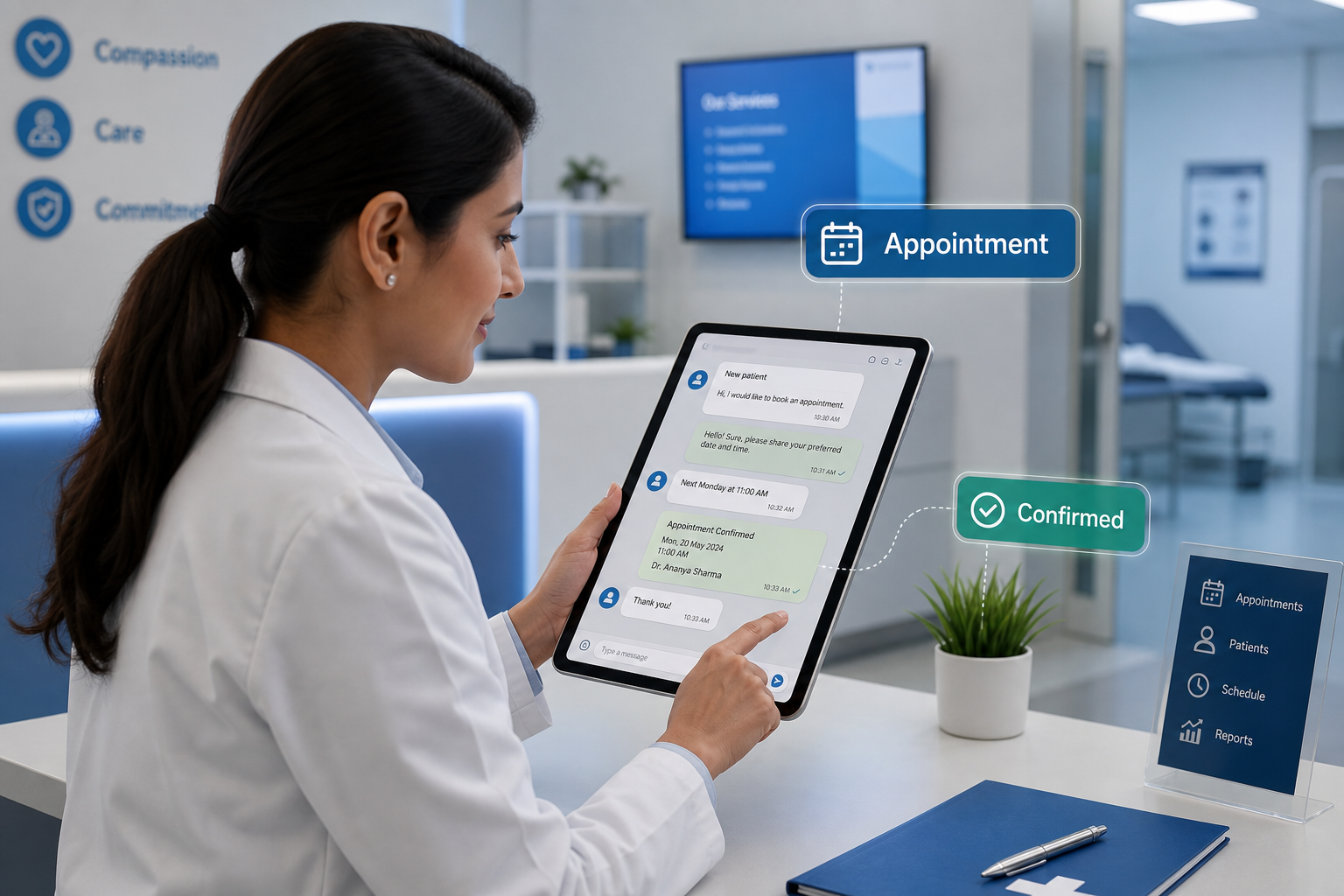
Healthcare Appointment Booking: A medical tourism clinic in Turkey implemented a self-hosted WhatsApp bot to handle patient follow-ups and appointment scheduling. During a routine server restart, the session database corrupted, leading to the loss of 400+ active patient conversations. Because the self-hosted setup lacked a robust history persistence layer, the clinic lost track of which patients had confirmed their surgery dates. This resulted in double-bookings and a significant hit to their reputation. They eventually migrated to Whapi.Cloud to ensure 24/7 uptime and reliable session state management.
D2C E-commerce Engagement: A flash-sale clothing brand used a self-hosted API to send out purchase notifications. During their biggest sale of the year, the API experienced intermittent "Timed out connecting to server" errors (Issue #1965) due to the engine's inability to handle the sudden spike in outbound traffic. While the developer was busy debugging the container's memory leaks, thousands of customers failed to receive their order confirmations, leading to a surge in support tickets that overwhelmed their team. The maintenance cost of that one failure exceeded the annual cost of a managed API subscription.
Real Estate Lead Qualification: In high-ticket sales, speed is everything. A real estate agency found that their self-hosted bot was experiencing "Silent 200 OK" failures, where lead inquiries were being acknowledged by the API but never delivered to the agents' WhatsApp groups. By the time they discovered the issue, dozens of qualified leads had moved on to competitors. The agency realized that saving $30 a month on a "free" library was costing them thousands in lost commissions.
Calculating the Real TCO: Why "Free" Software Costs 20% More
The "Free" label on a GitHub repository only covers the license, not the operation. For a growing business, the Total Cost of Ownership (TCO) of WAHA often exceeds the cost of a managed subscription.
| Cost Category | WAHA Self-Hosted | Whapi.Cloud Managed |
|---|---|---|
| Server Infrastructure | $20 - $100/mo (VPS + Proxies) | Included in subscription |
| Maintenance Overhead | 15-20% of dev time annually | Zero (Managed by us) |
| Time to Market | 4 - 8 weeks (Setup + Debugging) | 2 minutes (QR Scan) |
| Protocol Breakage Risk | High (Manual fixes required) | Zero (Absorbed by provider) |
| Developer Opportunity Cost | $100 - $200/hr (Debugging) | $0 (Focus on features) |
| Ban Risk Management | Manual proxy rotation | Automated (Unique proxies) |
Maintenance overhead typically consumes 15-20% of the initial development budget every year. This isn't just a statistic; it's a reflection of the time spent on "non-value-add" tasks. If your senior developer spends 5 hours a month fixing a broken WhatsApp integration, that's $500–$1,000 in lost productivity. Over a year, you've spent $6,000–$12,000 just to keep a "free" library running. In contrast, a managed subscription provides a fixed, predictable cost that includes 24/7 monitoring and protocol insurance.
Furthermore, consider the cost of proxies. To avoid bans on self-hosted accounts, you must invest in high-quality residential or mobile proxies, which can cost $15–$50 per month per number. Whapi.Cloud includes unique, high-reputation proxies in every plan, ensuring that your connection remains stable without you having to manage a complex proxy rotation service. When you add up the server costs, proxy fees, and developer hours, the "free" solution is almost always the most expensive choice for production environments.
How to Migrate from WAHA to Whapi.Cloud in 5 Minutes
Transitioning from a self-hosted setup to a managed environment is a straightforward process that eliminates your infrastructure burden without requiring a full rewrite of your business logic.
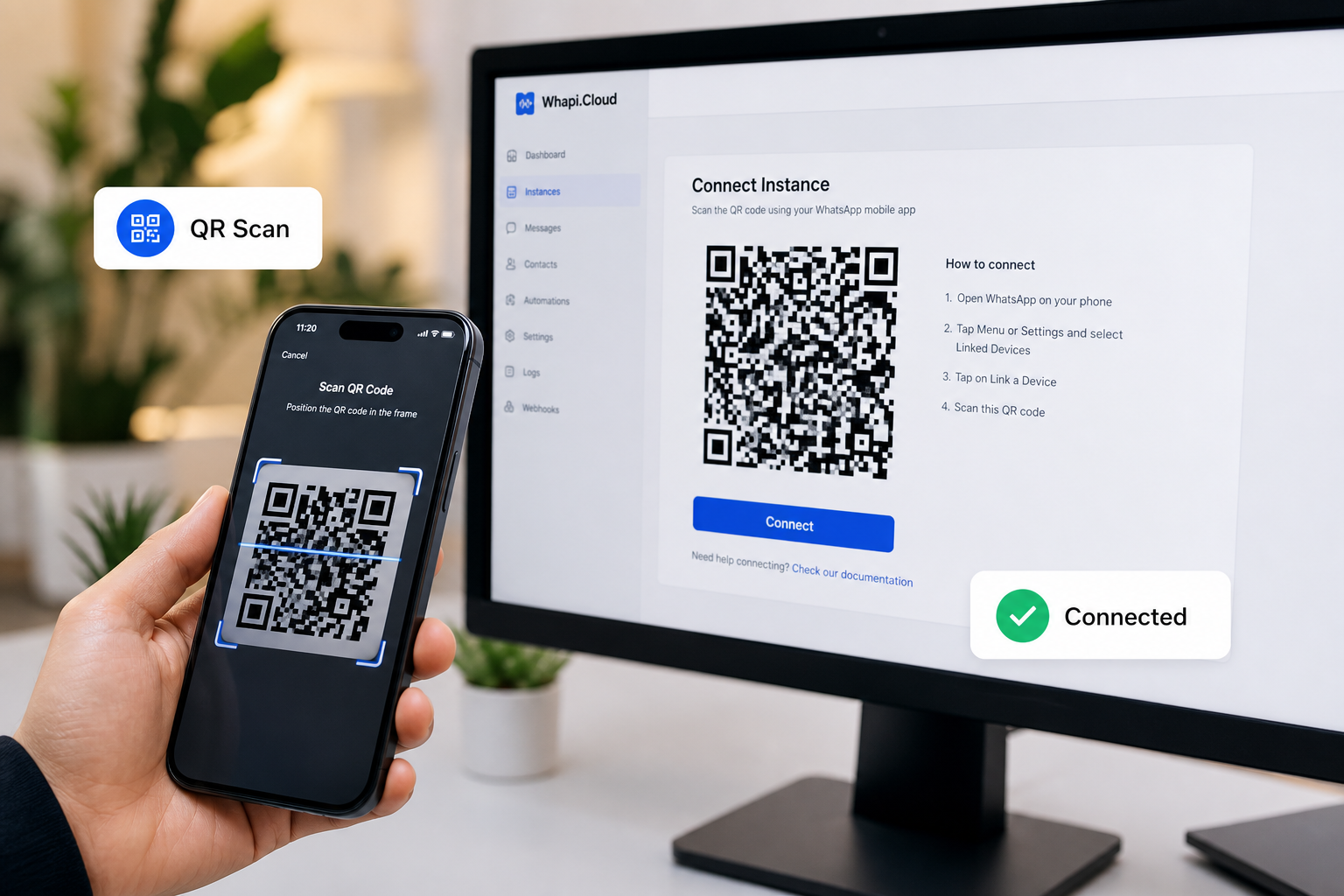
Step 1: Create Your Account. Sign up at the Whapi.Cloud Dashboard. You can start with the free Sandbox to test your integration. Unlike official API onboarding, there is no Meta business verification required—you can be live in seconds.
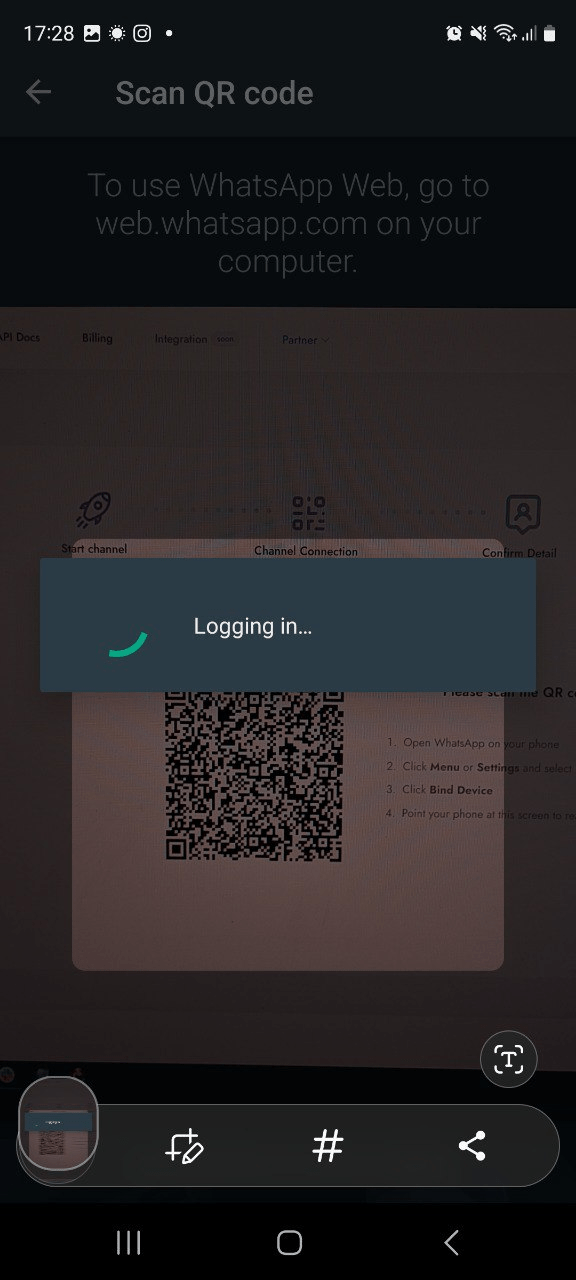
Step 2: Connect Your Number. Scan the QR code provided in the dashboard using your WhatsApp app. This establishes a web-session socket connection. Your existing message history remains on the phone, and Whapi.Cloud begins managing the session state in our high-availability cloud.
Step 3: Update Your API Calls. Whapi.Cloud uses a clean REST API. If you were using WAHA's /sendText, you will simply switch to our sendMessageText endpoint. Our documentation provides copy-paste examples in Node.js, Python, and PHP to make the transition as fast as possible. Most developers find that they can migrate their entire bot logic in less than an hour.
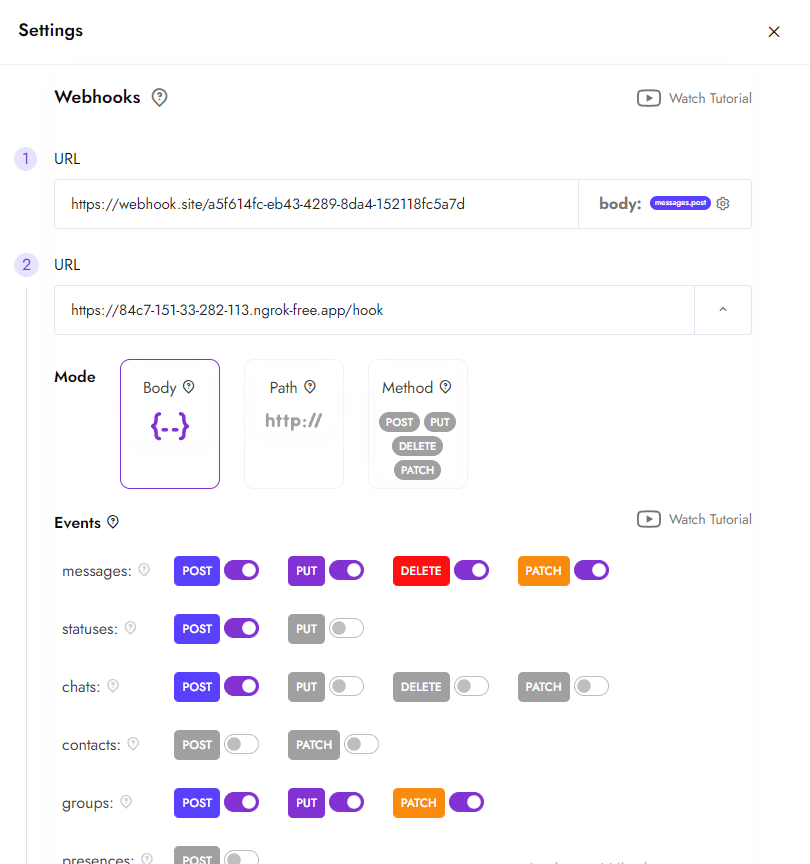
Step 4: Configure Webhooks. Set your webhook URL in the Whapi.Cloud dashboard. We deliver incoming messages, status updates, and group events as standardized JSON payloads. Because we handle the decryption and parsing centrally, your server only needs to process the business logic, reducing your CPU and memory requirements.
Moving to Managed Stability: The Whapi.Cloud Solution
If your business relies on 24/7 uptime, manual container restarts and session re-scans are a liability. Moving to a managed API is a strategic decision to focus your engineering resources on growth rather than maintenance.
Whapi.Cloud offers a production-ready alternative with zero server setup and 100% focus on your features. Our API is built on web-session sockets, the same mechanism WhatsApp Web uses, but wrapped in a high-availability cloud layer that handles encryption, session persistence, and protocol updates for you. This stability is why over 3,000 active clients trust us with their production messaging every day.
Stop fighting your infrastructure and start scaling your messaging. Switch to a managed WhatsApp API today and eliminate the hidden costs of "free" software. By choosing stability over "free" licenses, you ensure that your messaging remains a competitive advantage rather than a technical bottleneck.