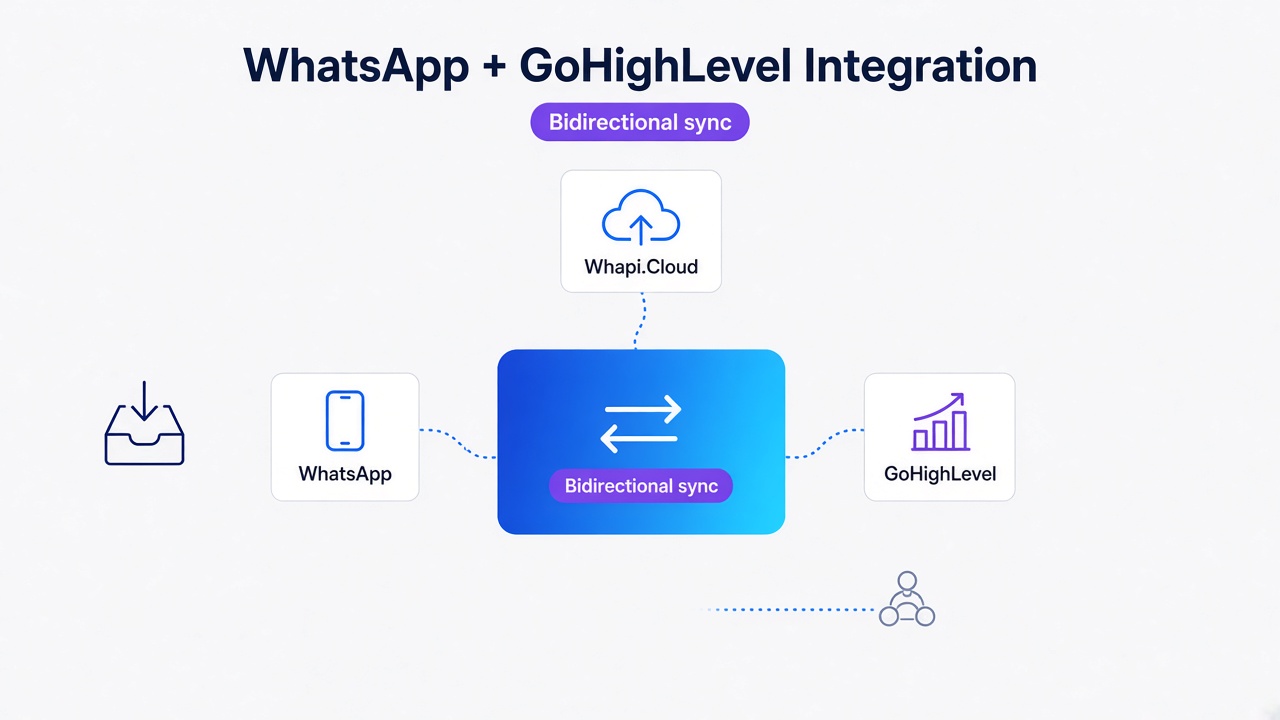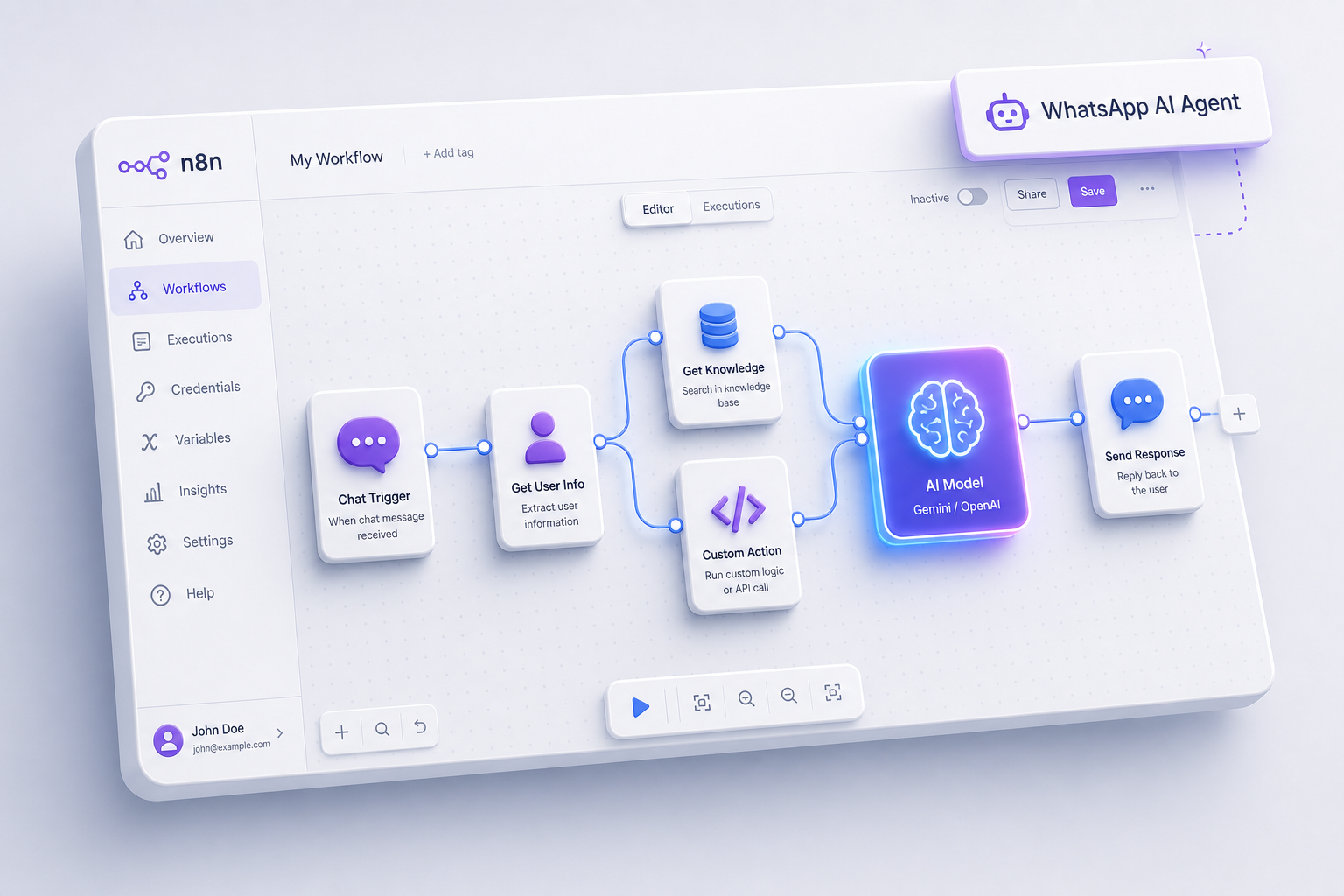
TL;DR: A no-code WhatsApp AI agent is a visual n8n workflow connecting LLMs to chats. Real estate automation cuts lead response times from four hours to forty-five seconds. Using the Decoupled Webhook Pattern in n8n ensures immediate HTTP 200 responses, bypassing Meta's 5-second timeout and processing slow LLM queries asynchronously. Start your Whapi.Cloud trial today.
Why Simple n8n Triggers Fail under Webhook Timeout Traps
Meta limits webhooks to five seconds; Whapi.Cloud handles slow LLM reasoning asynchronously. This single architectural separation prevents Cloudflare timeouts, ensuring that slow-running AI queries do not block message routing.
Building your first visual automation workflow feels simple until the first wave of real users hits your system. The pattern we encounter most often is product managers building direct, synchronous chains where an incoming message triggers an n8n workflow, which calls Gemini or OpenAI, waits for the response, and replies immediately. This sequential execution is a direct path to system failure.
Meta enforces a strict 5-second timeout on all webhook deliveries. If n8n holds the HTTP connection open while waiting for your AI model to formulate a response, the execution window easily slips past 5000 milliseconds. When this happens, Meta severs the connection, triggering 524 timeouts in your Cloudflare error logs.
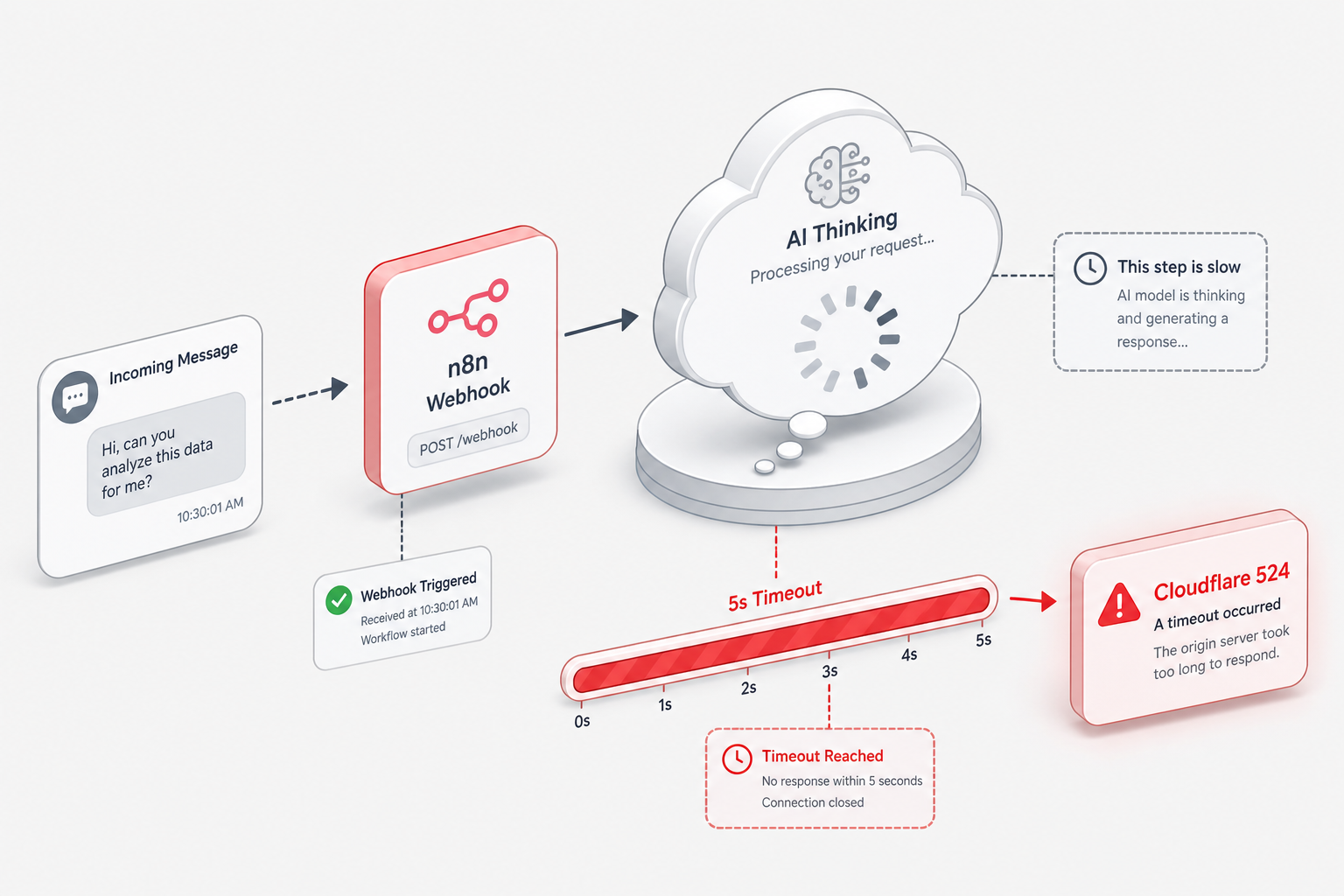
Unlike official Meta webhook setups, which terminate connections at 5 seconds and drop messages, Whapi.Cloud decouples webhook acknowledgement from processing. This means you do not have to worry about slow-running AI queries causing the endpoint to hang. In our practice, teams who configure direct, unbuffered connections risk silent message drops during campaign spikes, leaving the system unresponsive without any visible server alert.
To establish a stable environment, you must reject Direct Synchronous Processing. Attempting to force a slow-reasoning artificial intelligence model to reply within Meta's synchronous execution window is a structural design error. You need an architecture that decouples incoming message delivery from conversational processing.
What to Store in your n8n Database (and What to Skip)
Persisting a minimalist conversation schema in n8n prevents AI agent amnesia while keeping your database queries fast. Defining the minimum data schema to persist is your first operational task before mapping out visual databases.
Before dragging visual database nodes, you must define the minimum data your system needs to persist. Storing too much data slows execution speed; storing too little makes your AI agent behave like an amnesiac, frustrating customers. For product managers operating at 1,000 to 10,000 active chats, Google Sheets serves as an accessible, zero-code database that keeps development overhead minimal.
Your n8n workflow must capture and store three core datasets: the unique WhatsApp Chat ID, the exact timestamp, and the qualification status of the lead. The chat history must be truncated to the last 20 messages. Passing a massive text thread to Gemini or OpenAI for every single message spikes token consumption and introduces latency. Google Sheets should hold these short history buffers, appending new user utterances and clearing records after 24 hours of inactivity.
Skip storing full media assets, heavy attachments, or raw webhook headers. Focus only on the text payload and basic metadata. If your agent is handling clinic bookings, your Google Sheets schema should be mapped precisely to slots: Column A for Chat ID, Column B for Patient Name, Column C for Selected Appointment Time, and Column D for Stripe Payment Confirmation ID. This lightweight structure keeps visual data transformations inside n8n fast and easy to maintain.
The Decoupled Webhook Pattern: Building a Timeout-Proof n8n Flow
Isolating slow artificial intelligence models from immediate incoming webhooks is the single most important architectural decision for chatbot stability. When you build a decoupled flow, you separate message reception from reasoning.
To bypass Meta's 5-second response limit, you must implement the decoupled webhook pattern. This architectural blueprint splits your automation into two independent workflows that run asynchronously. The first workflow does only one job: it listens for the incoming Whapi.Cloud webhook, verifies the payload, and immediately returns an HTTP 200 response to acknowledge receipt. The second workflow is triggered next, running in the background to handle the heavy lifting of LLM generation and message dispatching.
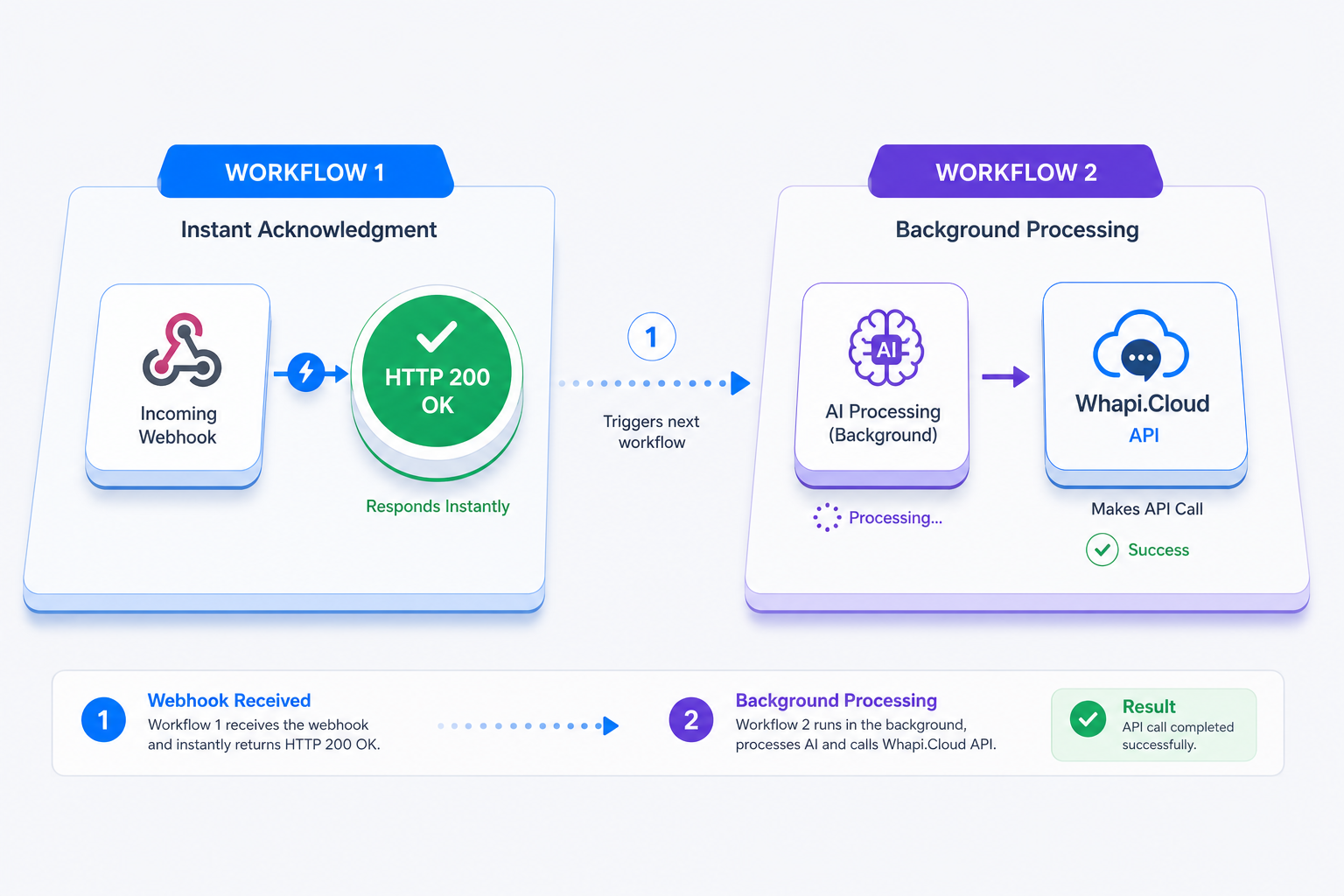
By returning an HTTP 200 response in under 100 milliseconds, you satisfy Meta's webhook gateway, ensuring that your message routing remains continuously active and free from Cloudflare timeouts. Our n8n WhatsApp integration eliminates complex coding here, allowing product managers to handle these data handoffs visually using standard n8n trigger and HTTP Request nodes.
In n8n, you can implement this pattern easily by adjusting your Webhook Node settings. Under the node's advanced parameters, change the "Respond" option to "Immediately" with an empty JSON body. When a customer sends a message, n8n instantly sends back an HTTP 200 OK to Whapi.Cloud. It then passes the raw message payload to your second processing branch, which can take 15, 30, or even 60 seconds to execute complex Gemini prompts without any risk of gateway disconnects.
Step-by-Step Guide to Connecting Whapi.Cloud, n8n, and Gemini
Connecting Gemini to Google Sheets in n8n enables 24/7 automated clinical booking. This step-by-step walkthrough details how to link your visual nodes and build a robust conversational agent without writing code.
To accelerate your setup, you can reference the Whapi-Cloud GitHub Bot Blueprint, which provides a functional, open-source template featuring pre-configured n8n nodes, OpenAI command structures, and product catalog sync out of the box. If you prefer to build from scratch, follow these step-by-step visual configuration instructions:
Step 1: Retrieve Your Whapi.Cloud API Token. Log in to your Whapi.Cloud dashboard and copy your unique Channel API Token. This token authorizes your n8n workflow to send and receive messages on behalf of your connected WhatsApp number.
Step 2: Configure the n8n Webhook Trigger. Create a new n8n workflow and drag an "Webhook" node onto the canvas. Set the HTTP Method to POST and configure the "Respond" setting to "Immediately." Copy the Production Webhook URL provided by n8n. Paste this URL into the Webhooks section of your Whapi.Cloud channel settings, checking the messages event box so your workflow only listens to incoming chat messages.
Step 3: Validate Number Existence. Before triggering expensive LLM nodes, use Whapi.Cloud's checkPhones endpoint (POST /contacts) to verify if the incoming number is active on WhatsApp. This list hygiene filter prevents your AI agent from running executions on broken metadata or empty contact profiles.
// POST https://gate.whapi.cloud/contacts
// This step validates if the number is active before triggering LLM reasoning chains.
// If you do not pass 'contacts' as an array of strings, the API returns a validation exception and drops the batch check.
const response = await fetch('https://gate.whapi.cloud/contacts', {
  method: 'POST',
  headers: {
    'Content-Type': 'application/json',
    'Authorization': 'Bearer YOUR_WHAPI_TOKEN'
  },
  body: JSON.stringify({
    contacts: ['+1234567890'],
    force_check: true
  })
});
const data = await response.json();
Step 4: Integrate the Gemini AI Node. Drag n8n's native "Google Gemini" node onto the canvas. Pass the incoming message text as the prompt, configuring the system instructions to act as an immediate lead qualifier: "Ask for name, budget, and business size. Keep replies under 150 characters."
Step 5: Dispatch the AI Response. Connect an "HTTP Request" node after Gemini. Configure it to make a POST request to https://gate.whapi.cloud/messages/text. Set the Authorization header as Bearer YOUR_WHAPI_TOKEN and pass the JSON payload with to (the sender's Chat ID) and body (the text output generated by Gemini).
// POST https://gate.whapi.cloud/messages/text
// This node dispatches the AI-generated reply back to the WhatsApp user.
// Without providing the correct 'to' field format (phone number with country code), Whapi.Cloud throws a 400 Bad Request error.
const response = await fetch('https://gate.whapi.cloud/messages/text', {
  method: 'POST',
  headers: {
    'Content-Type': 'application/json',
    'Authorization': 'Bearer YOUR_WHAPI_TOKEN'
  },
  body: JSON.stringify({
    to: '[email protected]',
    body: 'Hello! This is an AI-qualified automated reply.'
  })
});
const data = await response.json();
The 3-Minute Connection: Bypassing the Meta Bureaucracy
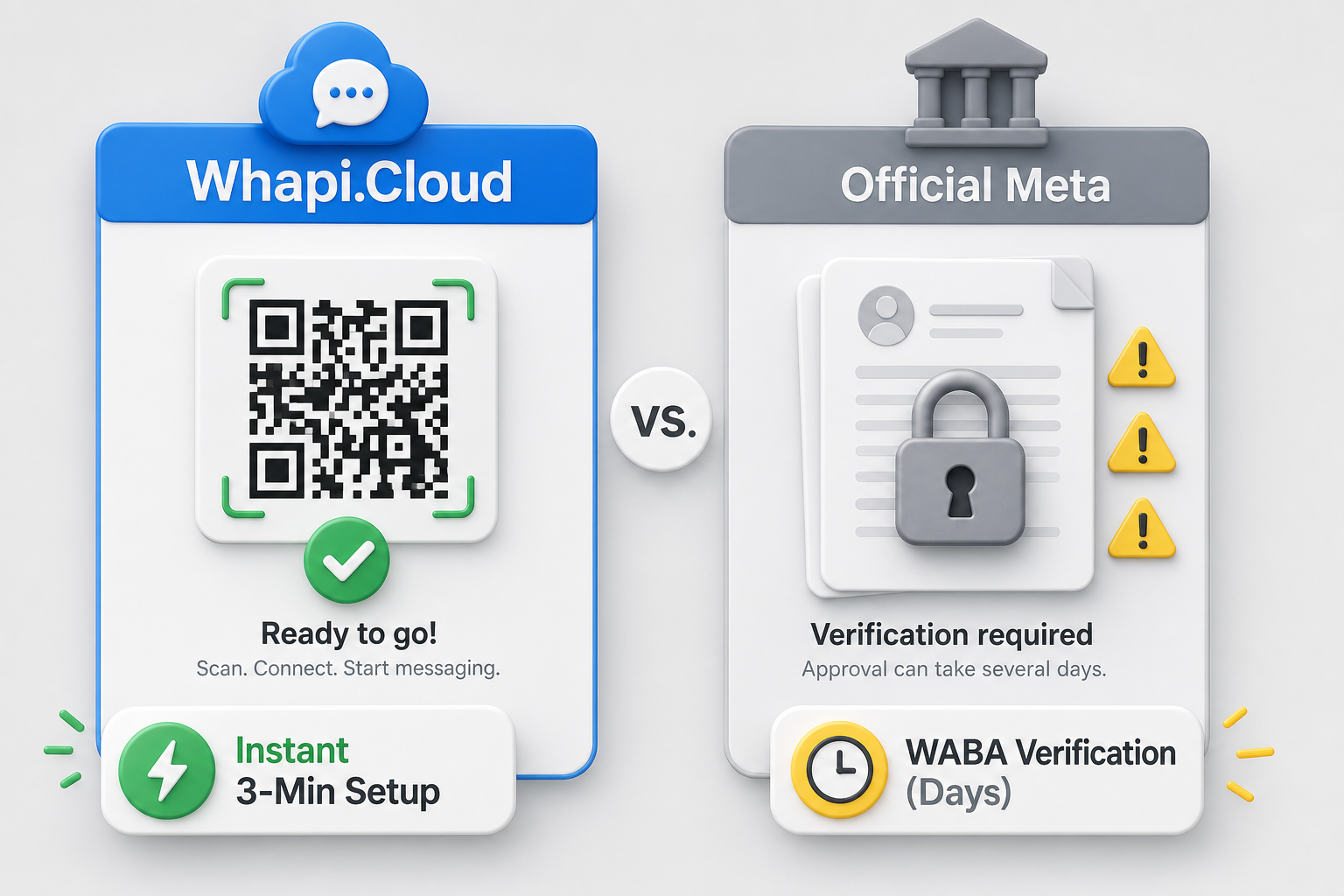
While official WhatsApp APIs block custom outreach, Whapi.Cloud opens instant outbound marketing. Pairing your number via QR code bypasses Meta's strict verification checks, saving days of administrative delays.
The traditional path to launching a WhatsApp bot is cluttered with administrative and bureaucratic hurdles. When using the official WhatsApp Business Cloud API (WABA), product managers must submit business registry documents, wait days for Facebook Business Manager verification, undergo strict template approvals, and navigate complex billing models.
Unlike the official WABA, Whapi.Cloud does not require template approvals, bypassing the Meta process entirely. Any standard WhatsApp number--whether personal or business--can be connected in under two minutes by scanning a QR code, exactly like pairing WhatsApp Web. This makes it an ideal alternative for teams who find that the official WhatsApp API isn't right for small business or fast-moving startups. The API is active immediately, allowing you to test n8n workflows with zero delays.
In the official WhatsApp Business API, you are locked out of initiating outbound contact unless you use expensive, pre-approved templates. Whapi.Cloud enables unrestricted Outbound Custom Messaging, allowing your visual n8n workflows to initiate personalized conversational follow-ups with no template restrictions. Furthermore, official channels enforce a rigid 24-hour customer service window, after which you cannot reply without paying template fees. By running on web-session sockets, Whapi.Cloud acts as a 24-Hour Conversational Window Bypass, allowing B2B SaaS teams to maintain continuous, long-term customer nurturing timelines at a predictable flat rate.
Official WhatsApp channels restrict templates; visual n8n workflows enable dynamic, hyper-personalized conversational flows. We've seen early-stage B2B projects waste weeks trying to navigate Meta's verification gates, only to realize their target audience was already moving to other platforms. To help you evaluate the correct path for your business, the table below outlines the core differences between Whapi.Cloud and the official WhatsApp Business Platform:
| Evaluation Axis | Whapi.Cloud (Web-Session Sockets) | Official WhatsApp Business API (WABA) |
|---|---|---|
| Setup Timeline | ~3 minutes (instant QR scan) | 3 to 14 days (Facebook verification) |
| Message Templates | No pre-approvals; free-text conversational outbound | Mandatory pre-approved templates for all outbound |
| 24-Hour Messaging Window | Bypassed; infinite conversational nurturing timeline | Strictly enforced; no unsolicited messages after 24h |
| Group & Channel Access | Full read/write access to groups and channels | Highly restricted (max 8 members, enterprise only) |
| Cost Structure | Flat monthly subscription; unlimited sending | Metered per-conversation fees + BSP platform markups |
Vertical Case Studies: Real Estate Lead Intake & Clinic Scheduling
While Meta enforces rigid twenty-four-hour chat windows on official channels, Whapi.Cloud provides continuous B2B SaaS nurturing. In high-value sectors like real estate and clinical scheduling, this continuous communication timeline is exactly what drives lead qualification and booking conversions.
In competitive local services, customer attention decays rapidly. Implementing a visual n8n workflow that qualifies leads and schedules bookings in real-time allows companies to capture intent before prospects search for alternative options. The economic impact is immediate when measuring speed to lead.
Real Estate Lead Qualification: Consider the Scallar Gurgaon Case Study. This real estate brokerage was losing qualified prospects because their manual response times across various web channels averaged four hours. By deploying an n8n WhatsApp lead automation workflow, they unified incoming leads from six disjointed property portals. The visual workflow automatically deduplicated leads in their CRM, qualified them via WhatsApp, and instantly sent a personalized PDF brochure with round-robin lead assignment.
The quantitative results were dramatic. Scallar reduced their average lead response time from 4 hours to just 45 seconds. This massive drop in first-response latency prevented prospects from reaching out to competing brokerages, proving that starting WhatsApp AI automation in 2026 is highly lucrative for B2B operators.
At high volumes, pricing model matters as much as reliability. Whapi.Cloud's per-number flat rate means an enterprise campaign sending 50,000 qualified follow-ups costs exactly the same as one sending 500. The monthly budget remains predictable instead of scaling unpredictably with metered per-message pricing. The table below details the visual setup steps for both real estate lead intake and automated healthcare clinic scheduling:
| Vertical Workflow | Core n8n Node Configuration | Database / Sheets Logic | Conversion Hook |
|---|---|---|---|
| Real Estate Intake | Webhook Trigger → Whapi.Cloud Reachability → Gemini AI Agent → HTTP Send Text | CRM deduplication with Google Sheets lead record | Instant PDF brochure dispatch via Whapi in 45 seconds |
| Doctor Booking System | Webhook Trigger → Gemini Booking Logic → Google Sheets Lookup → Stripe Payment Node | Real-time slot allocation and calendar sync in Sheets | Automated 24h & 2h event reminders via WhatsApp |
For healthcare providers, ready-made templates like n8n Template #8825 connect WhatsApp, Google Sheets, Stripe, and Gemini into a 24/7 autonomous booking desk. Clinics completely eliminate receptionist overhead by allowing customers to verify slots, schedule appointments, and process copays directly inside the WhatsApp chat bubble. This visual automation pattern ensures that small businesses can scale operations effortlessly while keeping conversion rates high.
How to Avoid Account Suspensions on WhatsApp
Meta rates-limits cheap VPS webhooks; Whapi.Cloud guarantees immediate real-time message routing. To maintain high sender reputation scores, you must pair reliable routing with safe, human-like message pacing.
Many developers notice their average lead response times decay because Meta's official servers impose webhook throttling latency on shared hosting environments during high-traffic intervals. Whapi.Cloud's high-throughput routing infrastructure ensures real-time callback delivery. However, you must pair this fast delivery with defensive sending habits to prevent triggering Meta Policy Enforcement Rules that monitor bulk outreach patterns.
Sending unsolicited automated messages can trigger WhatsApp's server-side spam detection, resulting in Account Suspension Risk. To reduce this risk, Whapi.Cloud deploys infrastructure protections including unique proxy allocation and regional server hosting, while maintaining continuous tracking of Meta's underlying protocol updates. Our community of over 3,000 active clients successfully runs high-volume conversational campaigns by maintaining healthy, engagement-driven user experiences.
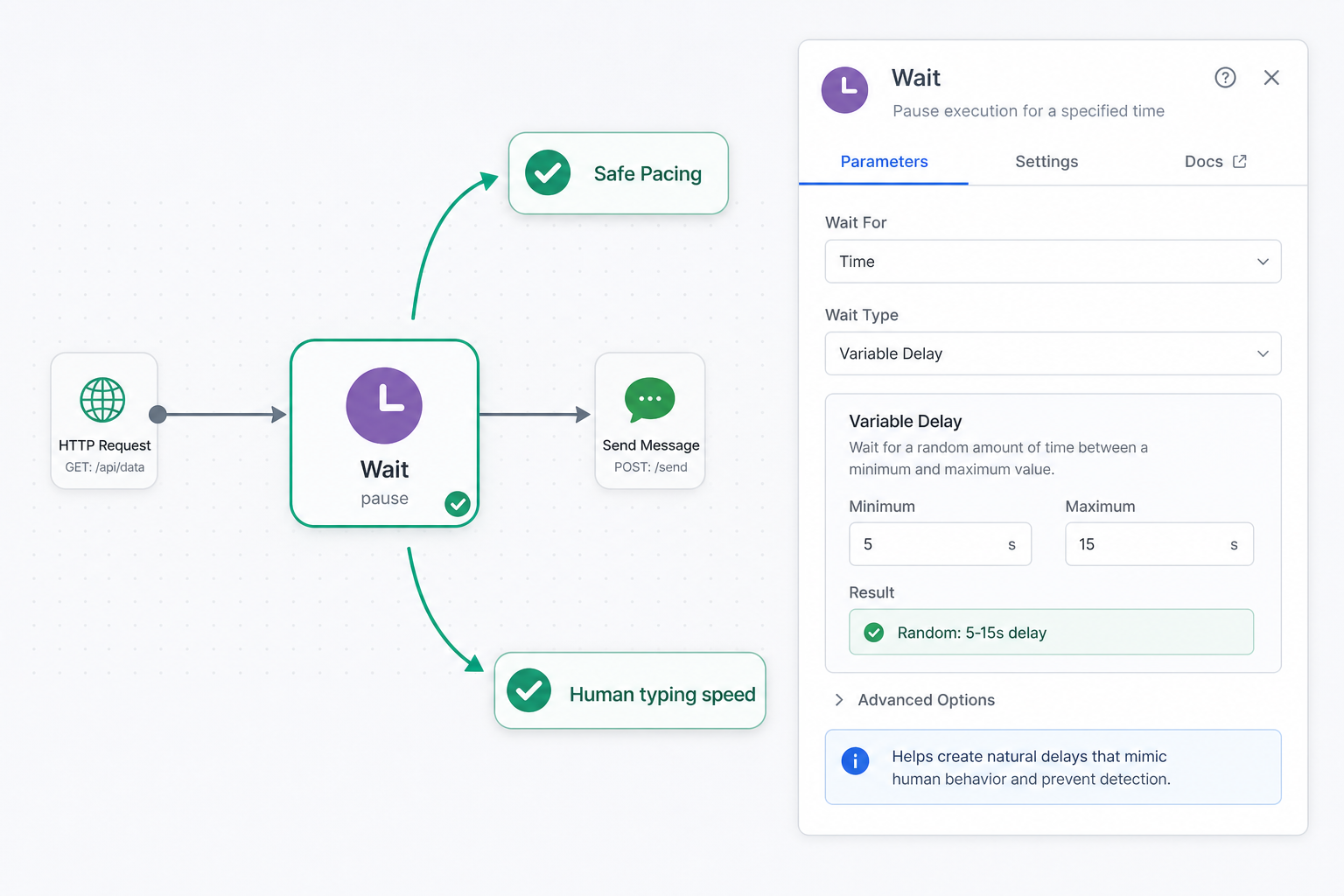
First, implement safe message pacing inside your n8n workflows. Never send bulk, identical messages to thousands of cold numbers. If your n8n workflow triggers multiple outbound qualification follow-ups, configure n8n's "Wait" node to insert a variable delay of 5 to 15 seconds between message dispatches. This simple pacing logic mimics human conversational typing speeds, preventing your connected number from triggering server-side spam thresholds.
Second, implement an active Anti-Ban Phone Warm-up routine for all new numbers. Begin your automation by messaging internal team members or active customers who are guaranteed to reply positively, building up your interaction history. Keep your daily outreach volumes under 100 messages during the first week, gradually scaling by 20% every three days. For comprehensive operational practices on maintaining high sender health, we recommend studying Whapi.Cloud's official guide to avoiding account bans.
If you encounter unexpected behavior or need direct guidance on safe-sending thresholds, reach out to the Whapi.Cloud support team via the live chat widget on the main website. The team actively helps customers resolve production issues and optimize delivery health.
Automating System Recovery with the Webhook Watchdog Pattern
Stale Meta trigger registrations halt messaging; Whapi.Cloud keeps webhook deliveries continuously active. This final operational section shows how to automate system recovery and maintain continuous conversation flows.
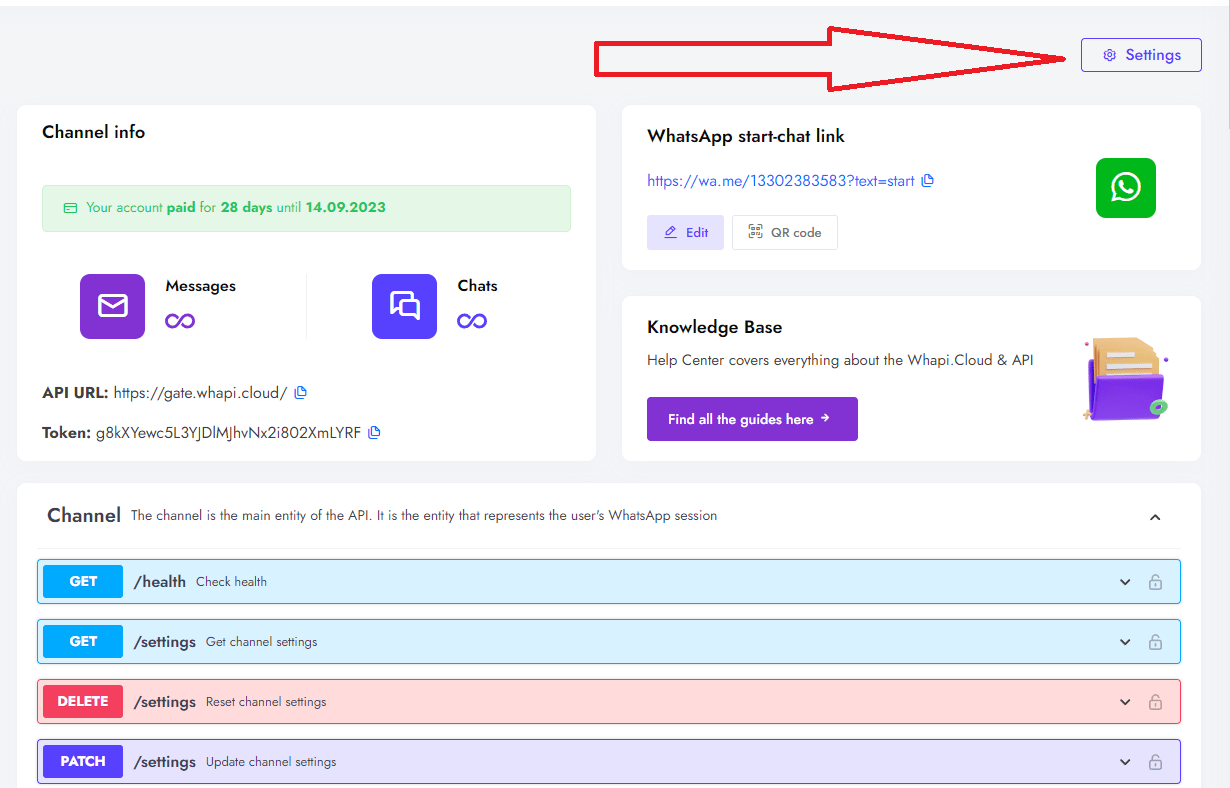
A robust automation flow must handle state recovery automatically. In rare scenarios on Meta's side, webhook trigger registrations can go stale, causing incoming messages to stop routing to n8n. To resolve this, you can set up a secondary Webhook Trigger Watchdog workflow in n8n that runs on a Cron trigger every 12 hours. This watchdog uses Whapi.Cloud's updateChannelSettings endpoint to automatically refresh the webhook URL, ensuring continuous routing without requiring manual human intervention.
We've seen operators assume a bot is stable because it works for a single test user, ignoring the race conditions that occur under load. We won't cover advanced CRM webhooks or custom Salesforce integrations here, as those are highly specific to individual corporate stacks. Focus first on securing your core visual n8n automation, validating message receipt, and ensuring your decoupled processing remains stable under multi-user concurrency.
Visual n8n workflows bypass developer complexity, empowering product managers to launch in minutes. By bypassing the official Meta bureaucracy, implementing the decoupled webhook pattern, and utilizing a flat-rate gateway like Whapi.Cloud, you can scale visual AI automation workflows with complete predictable control. Scan your QR code, connect your n8n canvas, and begin qualifying leads and bookings in minutes.