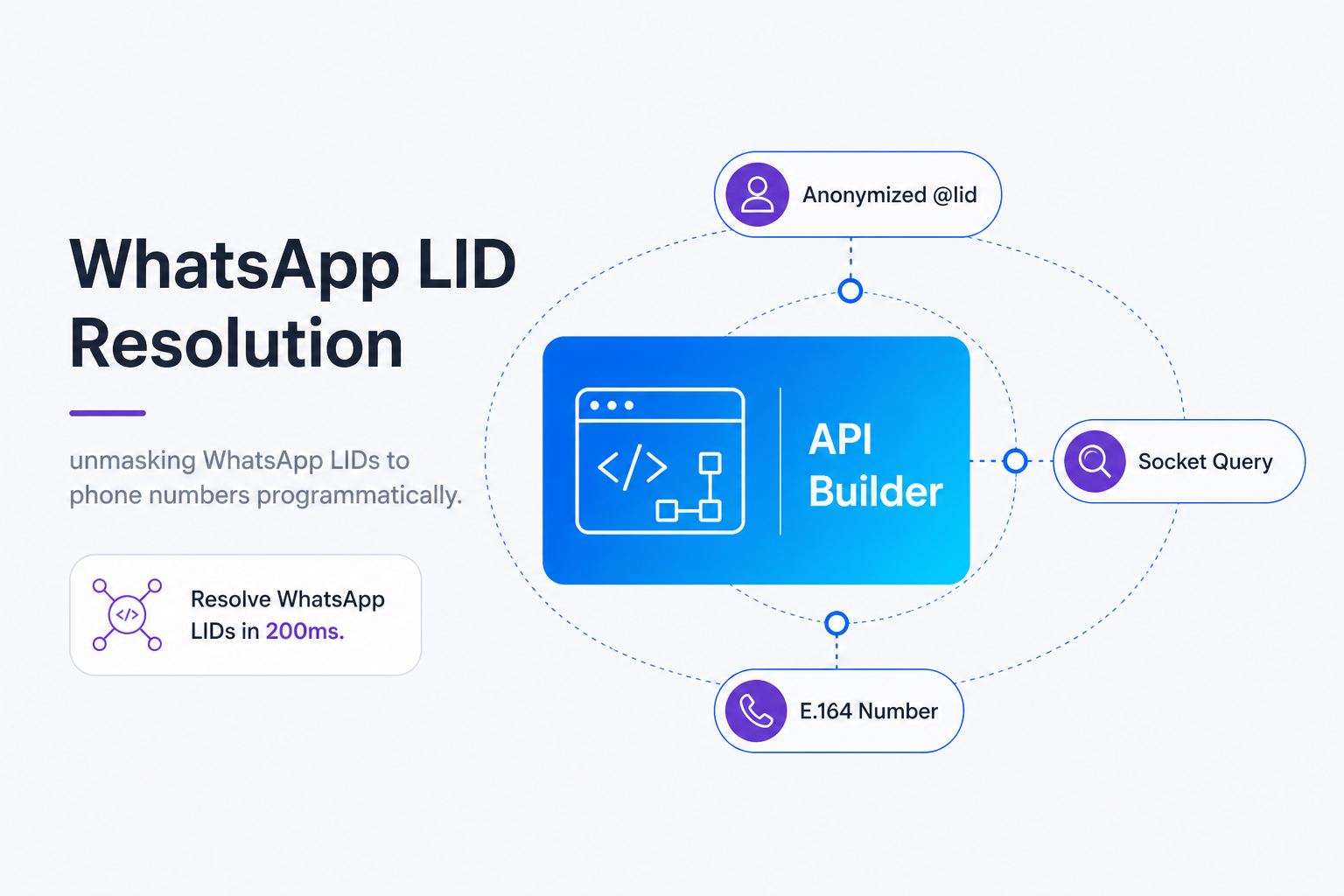
TL;DR: By late 2026, Meta will fully deprecate direct phone numbers as primary WhatsApp chat identifiers. To prevent CRM database duplication and broken ad attribution, you must resolve anonymized Linked Device Identifiers (@lid) back to E.164 phone numbers. This guide shows you how to use Whapi.Cloud's single GET endpoint to map LIDs in under 200ms. Test this safely in the Whapi.Cloud Sandbox before production.
The WhatsApp @lid Problem and Why Meta Masks Phone Numbers
A WhatsApp LID is a privacy-protecting Linked Device Identifier introduced by Meta to mask real phone numbers in client-side databases during multi-device sessions.
In our experience, teams migrating to multi-device setups are often caught off guard by the sudden appearance of these identifiers. Meta introduced this architectural shift as part of the WhatsApp Multi-Device Update to decouple individual physical devices from a single phone number. When users interact with businesses via WhatsApp Web or linked companion apps, Meta's client-side database, specifically the browser's IndexedDB layer, replaces the sender's E.164 phone number with a randomized `@lid` string. This browser-level storage holds companion session tokens and cryptographic mapping keys, ensuring that the local client can route messages to the correct device without exposing the primary phone number to scraping scripts.
In practice, backend developers first encounter LIDs when their webhooks suddenly start returning strings like `1234567890@lid` instead of traditional phone numbers. This transition is not a temporary quirk; it is a permanent privacy standard. If you do not resolve anonymized WhatsApp LIDs to E.164 phone numbers, your CRM database will suffer from duplication and your Meta Conversions API attribution will drop to zero -- socket-level background resolution is the load-bearing decision, everything else is plumbing. According to Meta's Late 2026 Deprecation Timeline, direct phone-based routing is being systematically phased out. If your application relies on raw phone numbers for user authentication, message routing, or database indexing, incoming `@lid` contacts will cause duplicate CRM profiles and break your existing communication flows. Ignoring this migration carries the long-term risk of complete routing failures once phone-based JIDs are fully deprecated by Meta's signaling servers.
Why Local Parsing and Regex Fail to Extract Phone Numbers
Competitors claim LID-to-phone conversion is impossible; Whapi.Cloud delivers direct socket-level resolution because local regex parsing cannot decode randomized internal database keys.
When faced with an anonymized string like `1234567890@lid`, many developers' first instinct is to write a regular expression or string manipulation helper to extract the digits preceding the `@` symbol. This approach is a critical integration mistake that breaks immediately in production. The numbers inside a WhatsApp LID are completely randomized, 64-bit dynamic IDs generated by Meta's signaling servers upon companion binding, not a static hash or encoded version of the phone number. There is no mathematical formula, hashing algorithm, or local decryption method that can decode a LID on your own server. Trying to parse the LID locally produces garbage data, resulting in database corruption and failed message deliveries.
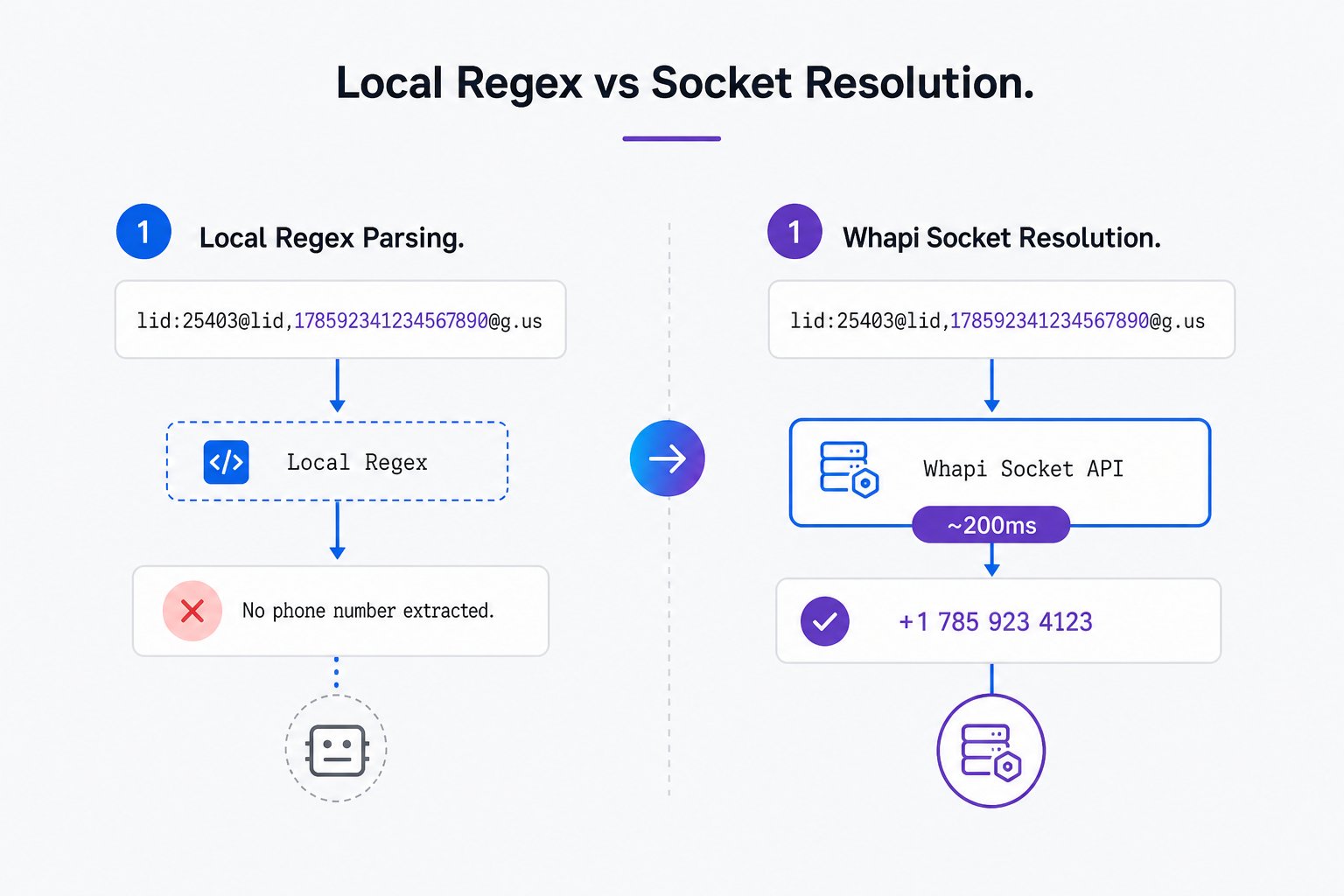
Whapi.Cloud utilizes socket-level background resolution to query Meta's servers in real time, delivering a highly stable alternative where competitor APIs claim resolution is impossible. By utilizing web-session sockets identical to the official WhatsApp Web client, Whapi.Cloud queries Meta's servers in real time to fetch the true identity of the contact. This capability is fully documented in the Whapi.Cloud API documentation, which details the underlying communication protocol. This socket-level architecture allows Whapi.Cloud to bypass the browser-scraping limitations that restrict other providers, delivering highly stable and reliable resolution in production environments.
Resolving LIDs Programmatically in Under 200 Milliseconds
The GET /contacts/ids/{ContactLID} endpoint retrieves original E.164 phone numbers from anonymized WhatsApp LID strings in under 200 milliseconds.
When calling this endpoint, developers frequently make one critical routing mistake: they pass the raw `@lid` string directly in the URL path. Un-encoded '@' symbols trigger 404 errors; URL-encoding `@` to `%40` guarantees successful API routing. Because the `@` symbol is a reserved character in HTTP URI syntax, failing to encode it causes Whapi.Cloud's routing layer to misinterpret the request path, resulting in an immediate HTTP 404 Routing Error. Always ensure your backend encodes the parameter dynamically before making the request.
curl --request GET \
  --url "https://gate.whapi.cloud/contacts/ids/1234567890%40lid" \
  --header "Authorization: Bearer YOUR_API_TOKEN" \
  --header "accept: application/json"
A successful resolution returns a JSON payload containing the original E.164 phone number. Below is the standard response structure you should parse in your integration pipeline:
{
  "id": "1234567890@lid",
  "phone": "15550190010"
}
To implement this in a production environment, developers should adopt **the socket-level resolution gate** pattern. This robust backend integration workflow ensures maximum performance and minimizes external API latency: Webhook received -> Parse sender -> Check local Redis cache (TTL 7 days) -> Call Whapi GET /contacts/ids/{ContactLID} (if cache miss) -> Update Redis -> Execute business logic. For a detailed step-by-step API reference, you can read our guide on how to retrieve phone numbers from WhatsApp LIDs. By gating your database writes with this local cache, you ensure that 99% of incoming messages are matched instantly without making redundant HTTP requests to Whapi.Cloud's servers.
Here is a complete Node.js implementation demonstrating this pattern. Notice how the code handles the URL-encoding dynamically and includes robust error-handling logic:
// Node.js fetch example for LID resolution
// CRITICAL: You must URL-encode the '@' symbol as '%40' in the URL path.
// If you pass the raw '@' symbol, the routing layer will fail to parse the path and throw a 404 error.
const contactLid = "1234567890@lid";
const encodedLid = encodeURIComponent(contactLid); // Produces "1234567890%40lid"

const response = await fetch(`https://gate.whapi.cloud/contacts/ids/${encodedLid}`, {
  method: 'GET',
  headers: {
    'Authorization': `Bearer ${process.env.WHAPI_TOKEN}`,
    'Accept': 'application/json'
  }
});

if (response.status === 404) {
  // This block is triggered if the routing fails or the endpoint is misconfigured
  throw new Error("LID resolution failed with 404. Verify that the '@' symbol is fully URL-encoded.");
}

const data = await response.json();
console.log(`Resolved phone number: ${data.phone}`); // Returns E.164 phone number, e.g., "15550190010"
We won't cover setting up Express.js webhook middleware or Postgres database schema designs here -- those architectural patterns are fully detailed in our dedicated database synchronization guide. Instead, we focus strictly on the single GET API resolution and its immediate error handling.
Technical Limitations: Handling Error 463 and Sync Delays
Sending messages to unresolved migrated numbers triggers WhatsApp Error 463; developers must implement proper LID mapping to prevent delivery dropouts.
We've seen projects that skip proper LID resolution experience high message failure rates during high-volume campaigns. When Meta migrates a user account to the multi-device architecture, the contact's device keys must sync with your WhatsApp session. This is due to the cryptographic nature of WhatsApp's end-to-end encryption (E2EE), which requires each device in a session to exchange unique public keys. If you attempt to send a message directly to a raw phone number that has migrated but has not yet synced, WhatsApp's servers will reject the payload with WhatsApp Error 463 (missing tctoken). This error indicates that your session lacks the cryptographic tokens required to route the message to the user's active linked devices. Resolving the LID to its primary phone number and sending the message to the mapped identifier resolves this delivery block.
Additionally, developers should expect rare resolution failures under specific conditions:
-
Newly Created Accounts: If a contact has registered on WhatsApp within the last few minutes, Meta's directory servers may experience a propagation delay of up to 60 seconds before the LID-to-phone mapping is available globally.
-
Un-synced Sessions: If your Whapi.Cloud channel has just been connected via QR code, it may take up to 30 seconds for the background socket to sync historical contact lists and build the local resolution cache.
-
Invalid LIDs: Passing a malformed LID string or one belonging to a blocked account will result in an HTTP 400 error. Always validate the LID format on your backend before calling the endpoint.
If you encounter unexpected behavior or persistent resolution failures during high-volume testing, reach out to the Whapi.Cloud support team via the chat widget on whapi.cloud, and follow our recommendations in avoiding account bans to keep your session active--the team actively helps customers resolve production issues.
Business Use Cases: CRM Lead Sync and Click-to-WhatsApp Attribution
Resolving LIDs is a critical requirement for maintaining CRM data integrity and securing accurate marketing attribution across your paid acquisition campaigns.
The pattern we encounter most often is businesses losing up to 15% of their marketing attribution data simply because they fail to map incoming LIDs back to their primary CRM contacts. When anonymized LIDs enter your business workflows, they directly impact your bottom line by creating database silos and breaking conversion tracking.
CRM Lead Sync & Enrichment
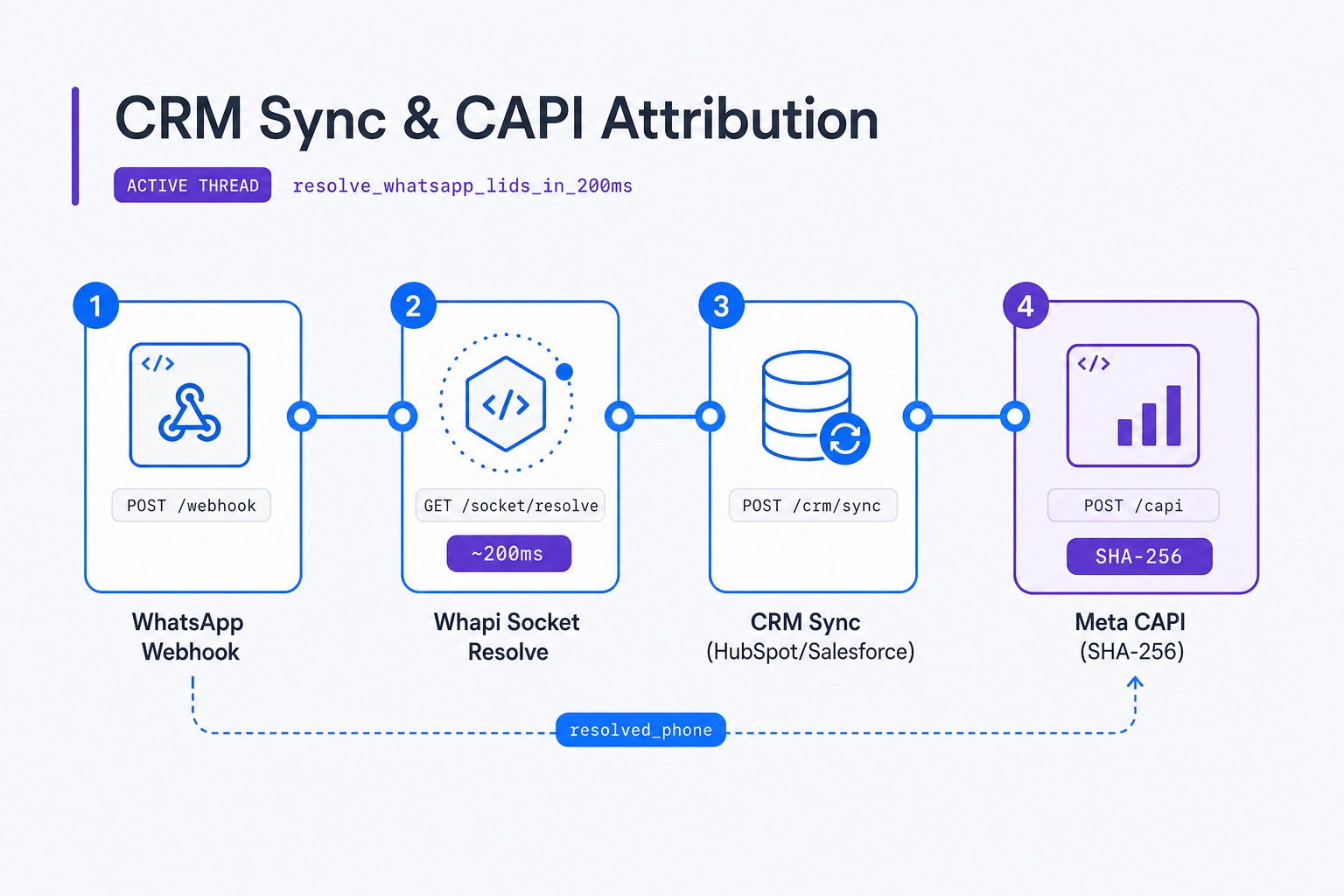
Incoming @lid contacts cause duplicate CRM profiles; socket-level resolution restores HubSpot data integrity. When a customer initiates a chat, your webhook receives their `@lid` as the sender identifier. If your CRM systems, such as HubSpot & Salesforce, are configured to match contacts by E.164 phone numbers, they will fail to find a match. This sync mechanism aligns with our WhatsApp CRM integration decision framework for preventing duplicate customer records. Instead of updating the existing customer profile, the CRM will create a duplicate, orphaned lead record, breaking sales pipelines and confusing your sales representatives.
By implementing Whapi.Cloud's resolution endpoint, your integration pipeline can intercept the incoming webhook, resolve the LID to the true phone number in under 200ms, and perform a clean Lead Sync & Enrichment workflow. This ensures that all conversation logs, notes, and deals are mapped to the correct, unified customer profile without manual intervention or lead friction.
Click-to-WhatsApp Ad Attribution
Anonymized LIDs break conversion tracking; Whapi.Cloud resolves numbers for Meta Conversions API attribution. When running Click-to-WhatsApp ads, Meta passes a referral payload containing a unique click identifier (`ctwa_clid`) to your webhook. To learn more about tracking these events, see our full tutorial on how to track Click-to-WhatsApp ad campaigns. To attribute the conversion and optimize your ad spend, you must push this interaction back to the Meta Conversions API (CAPI).
However, Meta CAPI requires a verified E.164 phone number, typically processed through SHA-256 Hashing, to match the offline event with the Facebook user. Because Meta passes an anonymized `@lid` in the initial chat webhook, you cannot hash the identifier directly. Unresolved LIDs drop Meta Conversions API Event Match Quality (EMQ) to zero due to the lack of SHA-256 hashable phone numbers, rendering your ad optimization useless. Resolving the LID back to the original phone number allows you to perform the SHA-256 transformation and submit accurate attribution data, directly lowering your customer acquisition costs.
At high volumes, Whapi.Cloud's flat subscription pricing keeps your budget completely predictable. Unlike official APIs that charge markup fees on every conversation or message, Whapi.Cloud's flat rate per connected number means your lead enrichment and attribution workflows cost the same whether you process 500 or 50,000 leads per month. This flat-rate subscription pricing handles high message and lead volume predictably without per-message markup fees, allowing your business to scale marketing operations without financial surprises.