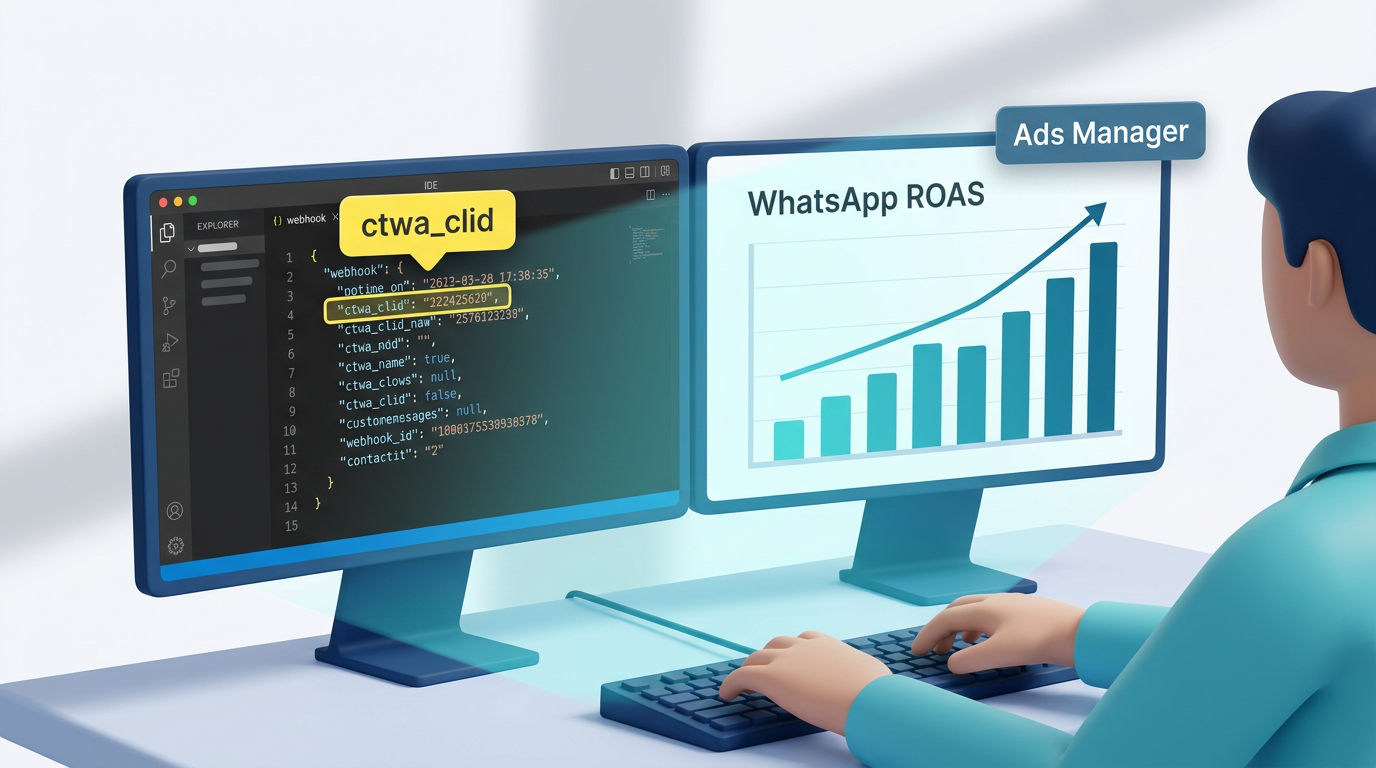
TL;DR: Whapi.Cloud puts ctwa_clid in every Click-to-WhatsApp webhook at context.ad.ctwa, with zero configuration on your side. Read it, store it in your CRM, then POST it to Meta Conversions API as user_data.ctwa_clid to make your WhatsApp ad spend attributable. If context.ad is absent, the message is organic: skip CAPI reporting for that event. Use Lead as the default event name.
What Is Click-to-WhatsApp Advertising?
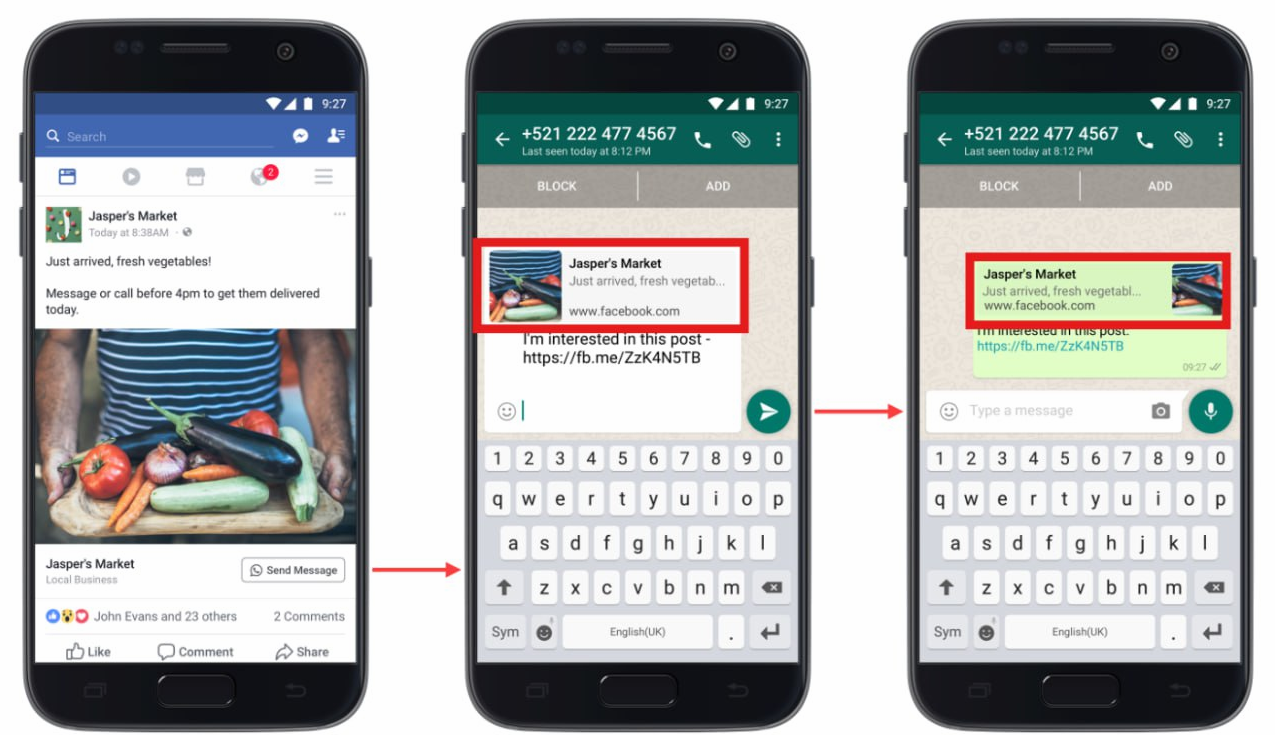
Click-to-WhatsApp (CTWA) ads are Meta ad formats on Facebook and Instagram. Tapping the call-to-action opens a WhatsApp conversation directly, with no intermediate landing page or form to complete.
The user taps the ad, WhatsApp opens, and their first message lands directly in your inbox. Once inside WhatsApp, a standard browser pixel cannot follow them. Before ctwa_clid existed, every WhatsApp ad spend was effectively unattributable: a lead that clicked your ad was indistinguishable from one that typed your number manually.
What Is ctwa_clid and How Does It Work?
When a user taps a Click-to-WhatsApp ad, Meta injects a click identifier called ctwa_clid into the conversation.
It travels with the first inbound message and lets you tie the WhatsApp lead back to the exact ad, campaign, and audience segment that generated it.
Unlike a UTM click ID, ctwa_clid lives in message metadata rather than a URL query string. Meta generates it at the moment of the ad tap and attaches it to the referral object of the first incoming message.
Whapi.Cloud delivers ctwa_clid natively in every qualifying inbound webhook under context.ad.ctwa. Zero configuration on your side: no special flags, no additional API calls required. Some providers strip or omit the referral object before the payload reaches your handler. Whapi.Cloud passes the full attribution object through by default.
Three attribution fields arrive together in the same webhook event:
-
context.ad.ctwa: the
ctwa_clidvalue itself. This is the identifier you send to Meta Conversions API asuser_data.ctwa_clidto report the offline conversion. -
context.conversion.data: the deduplication token. Pass this as
event_idin your CAPI payload. If your setup also fires a browser pixel for the same session, Meta uses this token to deduplicate the server-side and client-side events so the conversion is counted once, not twice. -
context.ad.source.id identifies the specific ad creative. Pair it with
ctwa_clidwhen you need creative-level attribution: not just "this lead came from campaign X," but "this lead came from the carousel variant with that specific headline and image."
Prerequisites: Three Things to Check Before You See ctwa_clid
All three conditions must be true before ctwa_clid appears in your webhooks. Missing any one means context.ad will not be present, regardless of how your webhook handler is written.
- An active Click-to-WhatsApp campaign. The inbound message must originate from a CTWA ad tap. Organic contacts (users who find your number through search, a shared link, or direct entry) send messages with no referral data attached.
- Attribution enabled in WhatsApp Business settings. This is the step most teams miss. Open your WhatsApp Business account settings, find the Ads Attribution section, and enable it. Without this toggle, Meta does not include the referral object in the conversation, and
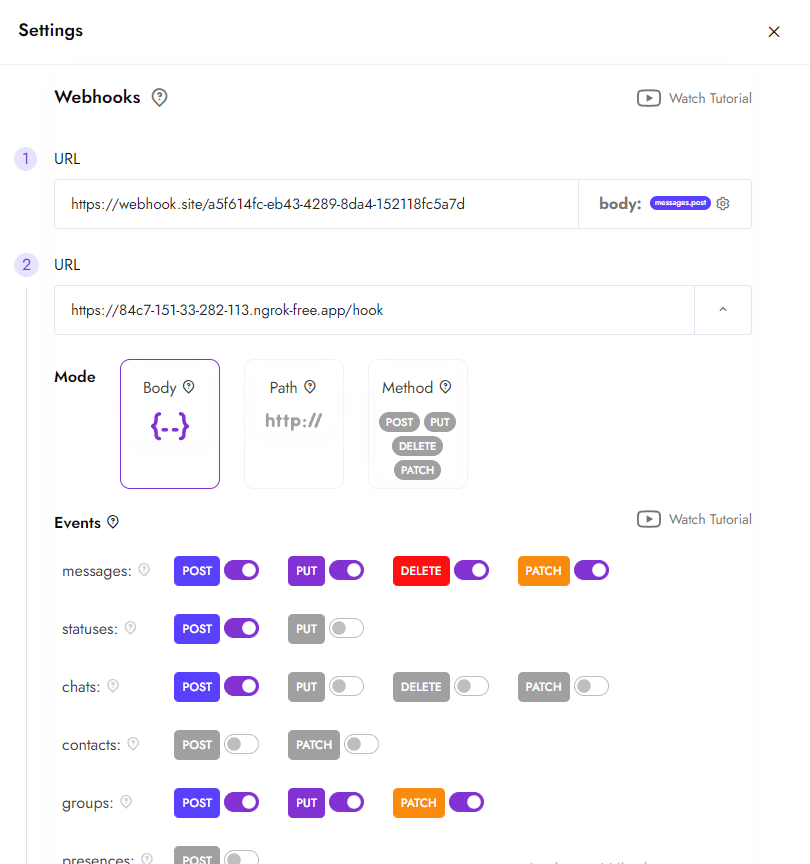
context.adnever appears in the webhook payload. - A configured Whapi.Cloud webhook endpoint. Your backend URL must be registered in the Whapi.Cloud dashboard and must be publicly reachable. Standard webhook setup applies: no special attribution mode or extra permission is needed on the Whapi.Cloud side.
The Whapi.Cloud Webhook: Where ctwa_clid Lives
When a CTWA-attributed message arrives, Whapi.Cloud delivers a webhook payload that includes a context object alongside the standard message fields. That object has two sub-keys: ad (click source data) and conversion (deduplication token).
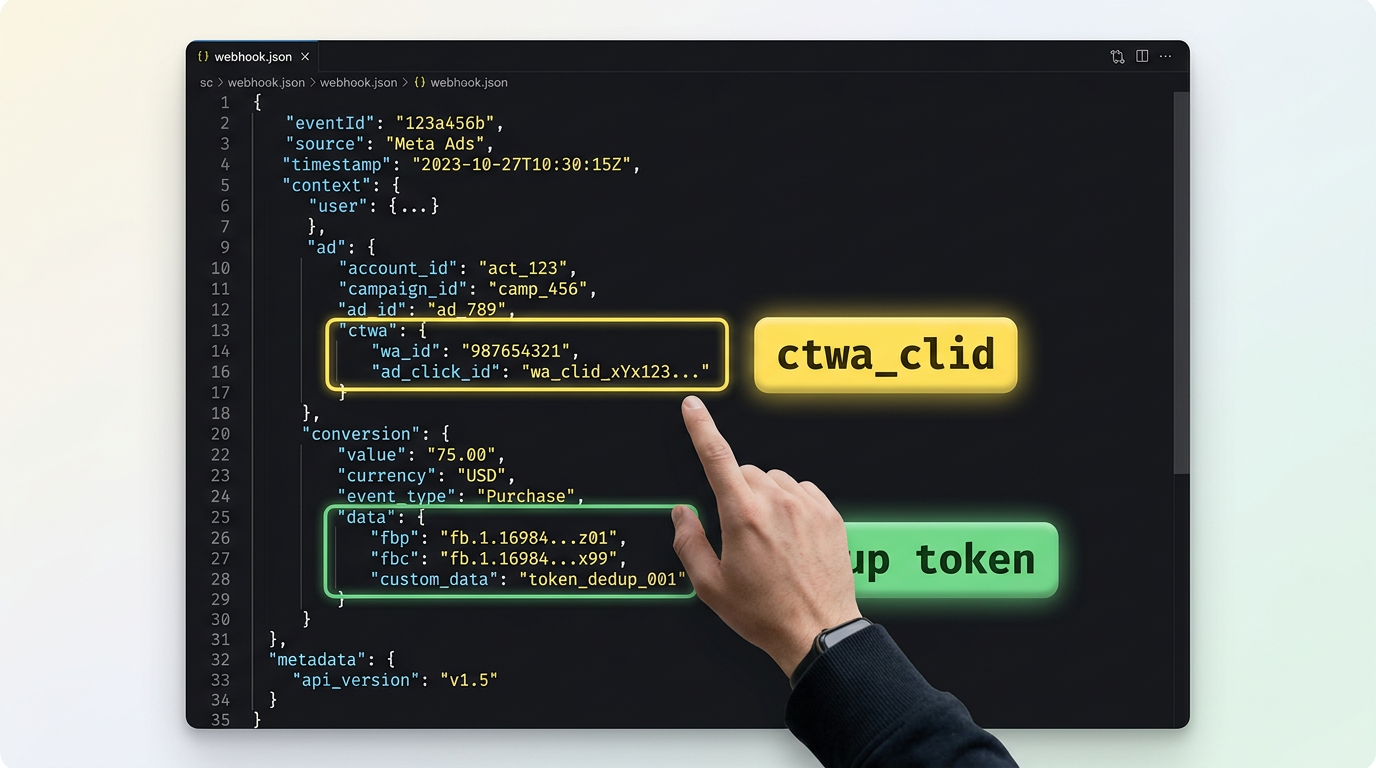
Below is the full Whapi.Cloud webhook payload for an attributed Click-to-WhatsApp message. Study the context block: everything needed for CAPI reporting is in there.
{
  "messages": [
    {
      "id": "msg_id_123",
      "from_me": false,
      "type": "text",
      "chat_id": "[email protected]",
      "timestamp": 1714000000,
      "source": "mobile",
      "text": {
        "body": "Hi, I saw your ad and I'm interested"
      },
      "context": {
        "conversion": {
          "data": "CONVERSION_TOKEN_ABC123",
          "source": "FB_Ads"
        },
        "ad": {
          "title": "Summer Sale — 50% Off",
          "body": "Limited time offer. Click to chat now.",
          "media_type": "image",
          "preview_url": "https://example.com/ad-preview.jpg",
          "source": {
            "id": "AD_ID_987654321",
            "type": "ad",
            "url": "https://fb.me/adlink123"
          },
          "attrib": true,
          "ctwa": "CTWA_CLICK_ID_1234567890"
        }
      },
      "from": "60123456789",
      "from_name": "John Doe"
    }
  ]
}
The two paths to memorize: messages[0].context.ad.ctwa is the ctwa_clid. messages[0].context.conversion.data is the deduplication token. Both are required for a complete CAPI payload.
context.ad.source.id also travels in the same webhook: that is the ad creative ID. One webhook event delivers both user-level attribution (ctwa_clid) and creative-level attribution (ad ID) simultaneously. No second API call needed to find which creative the user saw.
For the complete field reference and edge-case examples, see the Whapi.Cloud knowledge base article on tracking WhatsApp leads from Meta ads. The full incoming webhook payload specification, including all context fields, is in the incoming webhook format reference.
Step-by-Step: Extract ctwa_clid and Send to Meta Conversions API
Six steps from webhook receipt to a reportable offline conversion in Meta Ads Manager. Steps 1–3 live in your webhook handler; steps 4–6 are the CAPI POST.
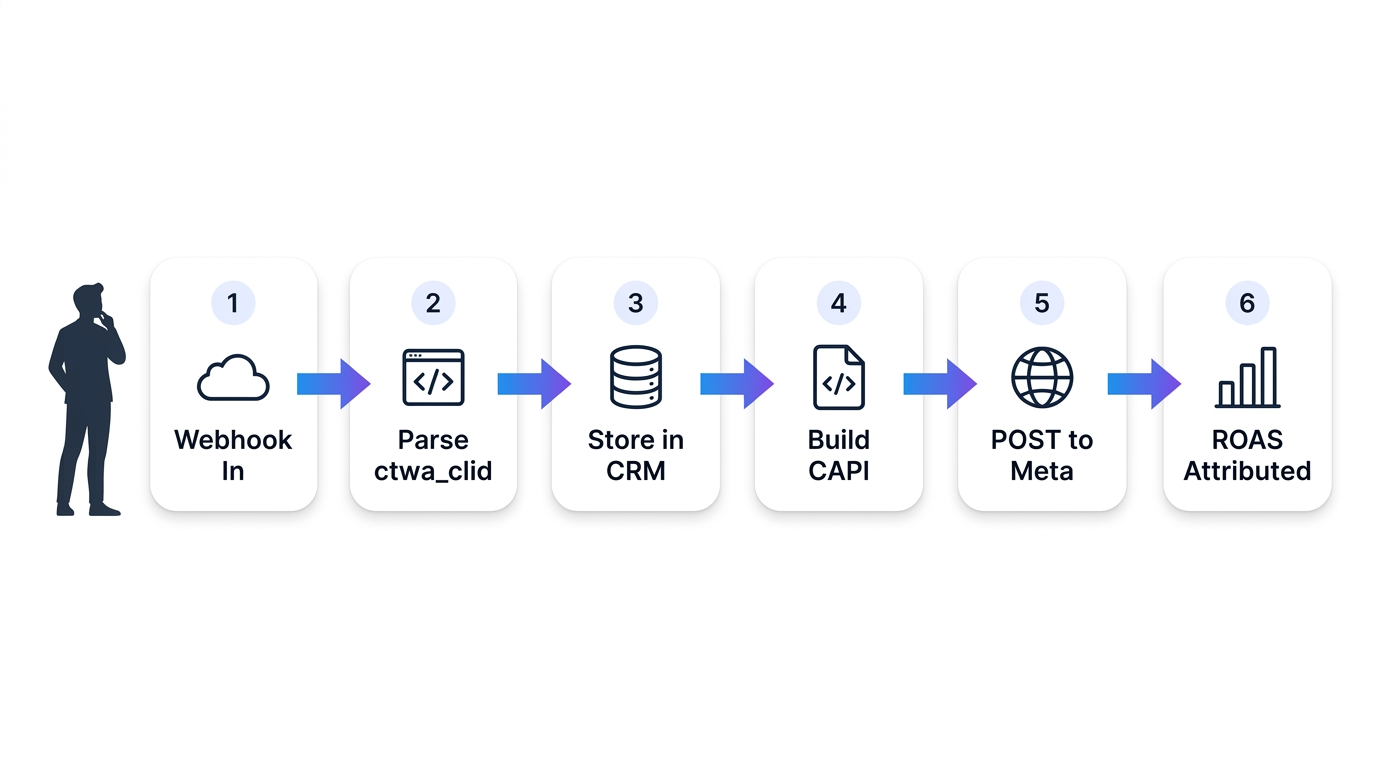
Step 1: Acknowledge immediately, then process. Your webhook endpoint must return a 200 before any async work. Whapi.Cloud retries webhooks that time out, which creates duplicate processing. Respond first, then handle the attribution logic.
Steps 2–3: Extract and store. Read context.ad.ctwa from the payload. If it is absent, the message is organic: exit early and skip CAPI. If it is present, save it alongside the contact record in your CRM before doing anything else. CAPI can be called asynchronously; your CRM record should be created synchronously so no lead is lost if the CAPI call fails.
// Node.js / Express — webhook handler
app.post('/webhook', async (req, res) => {
  res.sendStatus(200); // Step 1: acknowledge before processing

  const messages = req.body.messages || [];

  for (const msg of messages) {
    if (msg.from_me) continue; // skip outbound messages

    const ctwaClid  = msg.context?.ad?.ctwa;           // Step 2: ctwa_clid
    const convToken = msg.context?.conversion?.data;   // deduplication token
    const adId      = msg.context?.ad?.source?.id;     // creative-level attribution

    if (!ctwaClid) continue; // organic message — no CAPI event

    // Step 3: persist lead in CRM before calling CAPI
    await crm.createLead({
      phone:      msg.from,
      name:       msg.from_name,
      ctwa_clid:  ctwaClid,
      ad_id:      adId,
      source:     'whatsapp_ctwa',
    });

    // Steps 4–6: report offline conversion to Meta CAPI
    await sendToMetaCAPI({ ctwaClid, convToken, phone: msg.from });
  }
});
Steps 4–6: Build and POST the CAPI event. The Meta Conversions API endpoint is https://graph.facebook.com/v19.0/{PIXEL_ID}/events. Use Lead as the event name for CTWA flows equivalent to form submissions: this is the correct optimization signal for Meta's algorithm. Pass ctwa_clid as user_data.ctwa_clid and context.conversion.data as event_id.
// Steps 4–6: Meta Conversions API POST
async function sendToMetaCAPI({ ctwaClid, convToken, phone }) {
  const pixelId     = process.env.META_PIXEL_ID;
  const accessToken = process.env.META_CAPI_TOKEN;

  const payload = {
    data: [
      {
        event_name:    'Lead',                   // use 'Lead' for CTWA qualification flows
        event_time:    Math.floor(Date.now() / 1000),
        event_id:      convToken,                // dedup token from context.conversion.data
        action_source: 'business_messaging',
        user_data: {
          ctwa_clid: ctwaClid,                   // ctwa_clid from context.ad.ctwa
          ph:        hashSHA256(phone),           // hashed phone (SHA-256, no leading +)
        },
      },
    ],
  };

  const url = `https://graph.facebook.com/v19.0/${pixelId}/events?access_token=${accessToken}`;

  const resp = await fetch(url, {
    method:  'POST',
    headers: { 'Content-Type': 'application/json' },
    body:    JSON.stringify(payload),
  });

  return resp.json();
}
Once Meta receives the event, the conversion appears in Ads Manager as an attributed offline event. This feeds directly into your campaign's reported ROAS. Attribution window follows your Meta account settings (default: 7-day click, 1-day view).
Three implementation details that prevent reporting errors:
-
Hash the phone number. Meta requires PII fields transmitted to CAPI to be SHA-256 hashed. Strip the leading "+" sign before hashing; do not include it in the raw string.
-
event_id is required if you run a browser pixel. When both server-side CAPI and a browser pixel fire for the same conversion, Meta deduplicates using
event_id. Skip this field and the same lead may be counted twice in your reports, inflating conversions and corrupting campaign optimization signals. -
Do not use
Purchaseunless a transaction is confirmed. UseLeadfor first-contact qualification. ReservePurchasefor flows where a payment is collected inside the WhatsApp conversation. Mismatched event names send wrong signals to Meta's bidding algorithm, which optimizes for the wrong outcome over subsequent campaign cycles.
Practical Use Cases for ctwa_clid Attribution
Three scenarios where ctwa_clid attribution directly changes how marketing budgets are allocated.
| Use Case | Field You Extract | Business Outcome |
|---|---|---|
| CRM lead source tracking | context.ad.ctwa stored with the contact record at creation |
Sales team sees which campaign generated each lead; marketing gets closed-loop ROAS data without a manual tagging system |
| Creative-level optimization | context.ad.source.id mapped to conversation-to-sale conversion rate |
Identify which ad creatives drive qualified conversations vs. high-volume but unqualified ones; shift budget to the variants that produce revenue |
| Offline conversion reporting to Meta | ctwa_clid POSTed to CAPI as a Lead event |
Meta's optimization algorithm receives real downstream conversion signals from WhatsApp, which improves target audience quality over subsequent campaign cycles |
What If context.ad Is Missing from the Webhook?
Not every inbound message comes from an ad. Organic contacts find your number through word-of-mouth, shared links, QR codes, or direct search, and their messages carry no referral data.
In Whapi.Cloud, this is straightforward to detect: if context.ad is absent from the payload, no ad attribution exists. Guard before any CAPI logic:
// Attribution guard — always run this check first
const ctwaClid = msg.context?.ad?.ctwa;

if (!ctwaClid) {
  // Organic contact — create CRM record normally, skip CAPI
  return;
}

// Attribution confirmed — proceed with CAPI reporting
Sending a CAPI event without a valid ctwa_clid creates attribution noise in Meta Ads Manager and inflates reported conversion counts. Organic contacts are valuable — they simply carry no ad attribution, which is the accurate representation of how they arrived.
Whapi.Cloud exposes the full Click-to-WhatsApp attribution chain — ctwa_clid, deduplication token, and ad creative ID — in every qualifying webhook, by default. ctwa_clid plus Meta CAPI equals provable, reportable ROAS for WhatsApp-first sales teams. If your current WhatsApp API provider does not expose this data, every CTWA ad spend is a black box with no measurable return.