

Wow! Emoji of happy man Full-featured sandbox for developers — free forever! Register Now
Full access to WhatsApp automation

Free WhatsApp API Demo

Easily create integrations and automate WhatsApp in your system with our reliable API. Clear documentation, stability, and 24/7 support – all for your maximum productivity

Get started
Why choose Whapi.Cloud?

WhatsApp Automation Gateway

Powerful API for automating key WhatsApp functions: easy integration, support for any programming language, and flexibility in implementing your project.

  • Fixed price with no hidden fees, unlimited number of messages
  • Stability: API is updated with changes and always ready for use
  • Instant access: It’s take only 1 Minute to Get Started
Try for free

Let's start with
the free full version

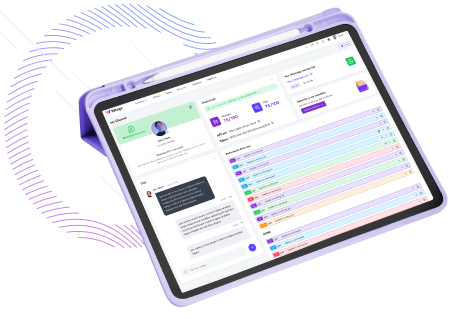
It takes 3 steps to get started to use WhatsApp API with Whapi.Cloud. You will need a phone with WhatsApp Business or regular WhatsApp. Access is granted for 5 days free of charge with an extension for $29 per month if you pay at once for a year. You can always stay on the completely free Sanbox plan!
      Pair your number via QR code in your account;
      Set up your Webhook to send and receive WhatsApp messages;
      Apply our ready-to-use features: send, receive and reply to messages via WhatsApp using the API;
Desktop with opened account
Chosen by developers

Trusted by 3,300+ developers and SaaS teams

Developers worldwide rely on Whapi.Cloud to build automations, bots, CRM integrations, bulk messaging tools and advanced WhatsApp workflows. Our infrastructure processes millions of API requests with high stability — and grows every month.

Icon of feature

5,5K+

active API channels

Icon of feature

21M+

API requests processed monthly

“Everything is simple, intuitive and easy to navigate. The docs are clear, and all the info I need is right on the screen. Great job.”

roberto k. / Web Developer

“We connected WhatsApp to our workflows using n8n in just a few minutes. No code, no complications- everything worked on the first try.”

Martin p. / Developer

“Whapi.Cloud became a key part of our customer communication. We automated product updates, order notifications and support messages without needing Meta templates or approvals”

Oscar T. / CTO

Decorative bubble
Everything you need to know before getting started

Frequently Asked Questions

No. You can start without any external approval flow or message template requirements. Once you link your WhatsApp number to a channel, you can send and receive messages via the API right away.

You can use your existing number. There is no migration process required. You simply link the number to a Whapi.Cloud channel via QR code (or pairing code), and you can also change the linked number later if needed.

Yes. The API works through a linked-device session, so you can keep using WhatsApp on your phone and in WhatsApp Web in parallel. To keep the session active, it is usually enough to use WhatsApp on your phone at least once every 14 days. In some cases, WhatsApp may still reset linked sessions and require re-authorization.

You can typically start in minutes. Create an account, open your channel, scan the QR code in WhatsApp (Linked Devices), and then use your token to call the API. For receiving events, configure a webhook when you are ready.

Yes. You can connect Whapi.Cloud to automation tools in two ways: via native integrations where available (for example, Make and n8n), or via standard HTTP requests/webhooks (which works well for tools like Zapier). Whapi.Cloud is designed for developers and integrators, and no-code platforms are a common way to run it without custom backend code.

“Linking a number” means connecting your WhatsApp account to a Whapi.Cloud channel (instance) via QR code/pairing. One channel can have one WhatsApp number connected at a time. If you need multiple numbers, you connect multiple channels.

It is a fixed plan price per connected channel/number. Whapi.Cloud does not charge per message, per conversation, or per API request. You can change the linked WhatsApp number at any time without additional fees.

Yes, Groups, Communities, Statuses, Calls and Channels are supported via the API. These are included in the platform capabilities; there are no separate feature add-on charges mentioned for them—pricing is tied to the connected channel/number.

On paid channels, Whapi.Cloud does not impose strict API request limits, but WhatsApp anti-spam systems can still restrict accounts if you send too much too fast or behave like spam. For Sandbox/Trial, there are clear monthly/daily quotas (chats, messages/day, checks/day, API calls/month).

Yes. Discounts are available for multiple channels, and there are also partner/white-label tiers depending on volume. If you tell us how many numbers you plan to connect, we can suggest the best tier.