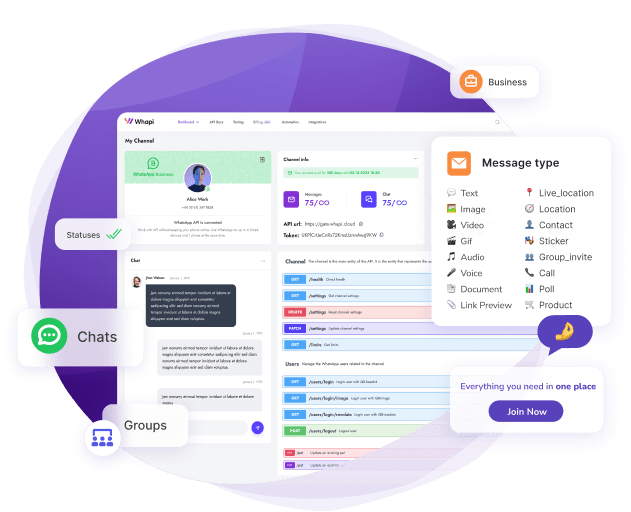
TL;DR: Installing the Whapi Agent Skill in one command prevents the three most common WhatsApp API mistakes AI agents make: wrong Chat IDs, wrong auth headers, and polling instead of webhooks. It encodes 7 reference categories and works with Cursor, Claude Code, Codex, GitHub Copilot, and 40+ other agents.
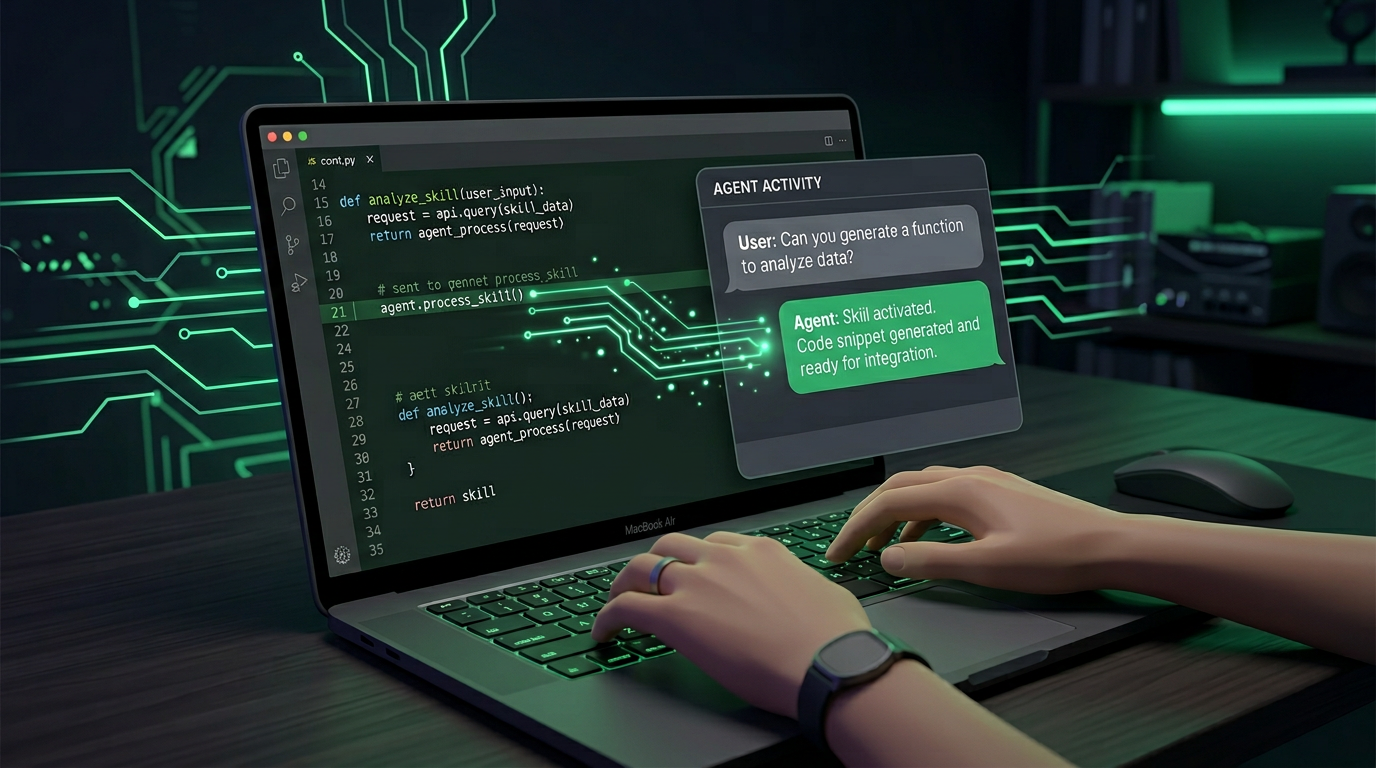
What Is an Agent Skill?
When you ask Cursor or Claude Code to build a WhatsApp bot, the agent pulls from training data that covers thousands of APIs — none of them specifically authoritative for Whapi.Cloud as it exists today. The result is code that looks plausible but fails silently in production.
An Agent Skill is the fix. It's a structured knowledge file (SKILL.md) that lives in your project and loads into the agent's context automatically when it detects a relevant task. Think of it as standing instructions: "When building with Whapi.Cloud's WhatsApp API, use these exact field names, auth patterns, and architectural rules."
The standard was introduced in late 2025 via vercel-labs/skills and is now supported by 40+ AI agents. You install skills with a single npx skills add command. No configuration files, no boilerplate — the agent picks it up automatically.
MCP is the pantry — Agent Skill is the recipe. The Whapi MCP server gives your agent 165 tools to call the WhatsApp API. The Agent Skill teaches it which tool to call in which situation, which parameters to use, and which patterns to avoid. Together, they close the most common failure modes in AI-generated WhatsApp code.
The Problem: What AI Agents Get Wrong About WhatsApp
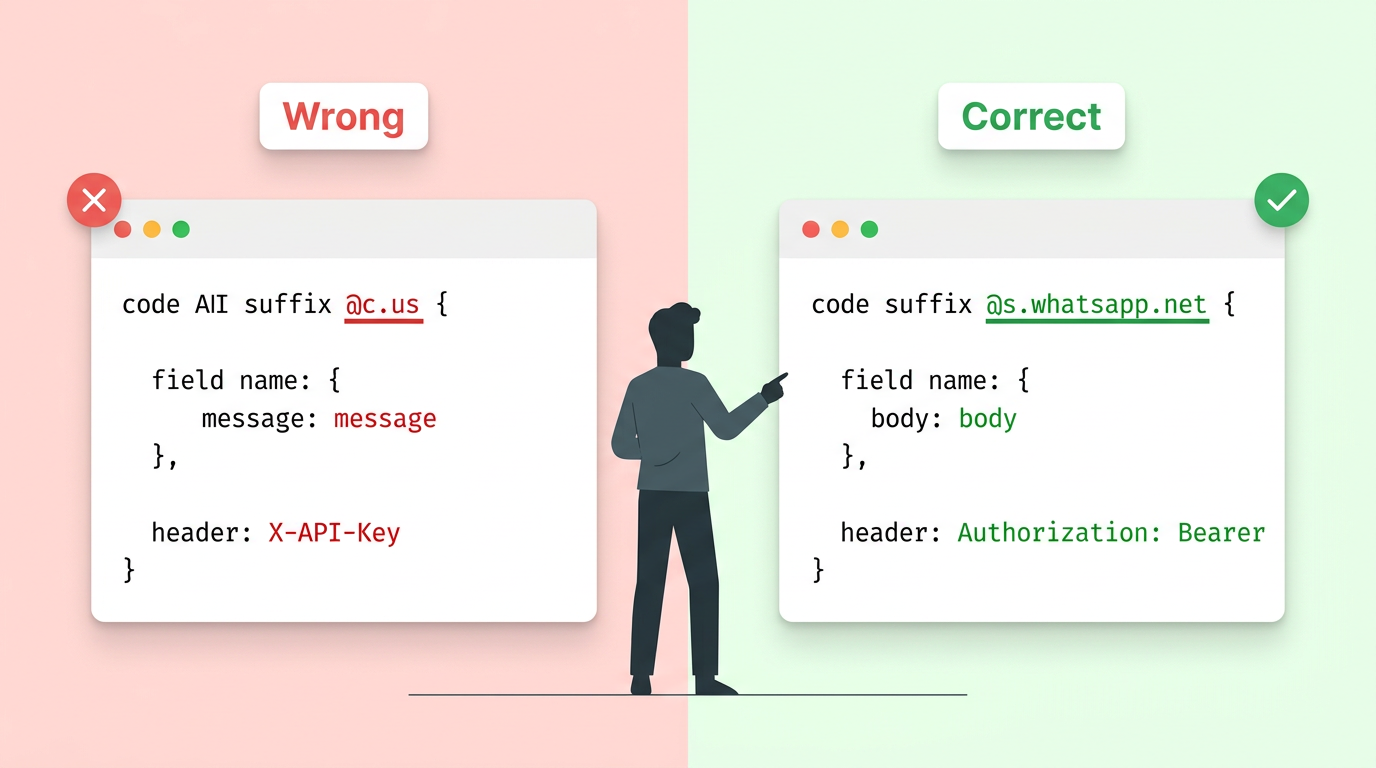
AI coding agents are general-purpose. Without specific grounding, they generate code that looks correct but breaks at runtime. None of these errors surface at compile time — they only appear when the API returns a 400 or 401.
Here are the ten most common mistakes, and what the Whapi Agent Skill corrects:
| What the AI writes (wrong) | What Whapi.Cloud requires (correct) | Impact |
|---|---|---|
[email protected] |
[email protected] |
Legacy format — every send returns 400 |
{"message": "hello"} |
{"body": "hello"} |
Wrong field name — message is silently dropped |
{"chat_id": "..."} |
{"to": "..."} |
Send tools use to, not chat_id |
X-API-Key: your_token |
Authorization: Bearer your_token |
Wrong auth header — 401 on every request |
API_KEY=your_token |
API_TOKEN=your_token |
Wrong env var name — MCP server never picks it up |
sendMessage() generic |
sendMessageText, sendMessageImage, etc. |
No generic tool exists — 400 error |
Polling getMessages in a loop |
Webhook via updateChannelSettings |
5+ second latency, burns rate limit, misses events |
| Reply to all incoming messages | Filter from_me: true before replying |
Without this filter, bot replies to itself in a loop |
sendBulkMessages(recipients: [...]) |
sendMessageText once per recipient, with delays |
This tool does not exist — hallucinated endpoint |
{"webhookUrl": "https://..."} |
{"webhooks": [{"url": "...", "mode": "body", ...}]} |
Webhook config must use nested webhooks[] array |
Agent Skill vs. MCP: Two Layers, One Stack
If you already use the Whapi MCP server, the Agent Skill adds the knowledge layer that MCP alone doesn't provide. Whapi.Cloud is the only WhatsApp API provider that ships both.
| Agent Skill | MCP Server (whapi-mcp) | |
|---|---|---|
| What it provides | Knowledge: how to use the API correctly | Capability: 165 tools to call the API |
| Install method | npx skills add ... |
Add entry to mcp.json |
| Requires Whapi account? | No — loads as context | Yes — needs valid API_TOKEN |
| Makes API calls? | No — reference file only | Yes — executes live API calls |
| Prevents hallucinations? | Yes — that's its primary purpose | Partially — tool schemas help, patterns don't |
What the Whapi Agent Skill Contains
The Whapi Agent Skill encodes 7 reference categories so your AI agent arrives at the API already knowing the rules. Each reference file includes correct and incorrect examples, anti-hallucination checklists, and Whapi-specific notes.
1. Core Concepts (CRITICAL)
Chat ID format errors are the single most common source of 400 errors in AI-generated WhatsApp code. The skill encodes the three formats:
- Personal chat:
{phone}@s.whatsapp.net— e.g.,[email protected] - Group:
{id}@g.us— retrieve viagetGroups; never construct the ID manually - Channel / Newsletter:
{id}@newsletter— retrieve viagetNewsletters
Also covers MCP setup and Authorization: Bearer {token} authentication with the correct API_TOKEN environment variable name.
2. Sending Messages (CRITICAL)
A full decision tree so the agent picks the correct tool for every content type:
- Text →
sendMessageText(field:body) - Image JPG/PNG/WebP →
sendMessageImage(field:media) - Video MP4 →
sendMessageVideo - GIF (MP4 file) →
sendMessageGif - Circular video →
sendMessageShort - Audio file MP3/WAV →
sendMessageAudio - Voice note OGG Opus →
sendMessageVoice - Document/PDF →
sendMessageDocument - Sticker WebP →
sendMessageSticker - Poll →
sendMessagePoll - Interactive buttons/list →
sendMessageInteractive - Location →
sendMessageLocation
3. Receiving Messages (CRITICAL)
Polling getMessages in a loop is the anti-pattern — WhatsApp message receiving requires webhooks only. The skill teaches the correct nested webhook configuration structure and explains why polling fails at scale: 5+ second latency, continuous rate limit consumption, missed events between polling intervals.
4. Groups (HIGH)
Create groups, manage participants, generate invite links, assign admin roles. The skill covers the full lifecycle via createGroup, getGroups, and participant management tools. Group IDs use @g.us format and must be fetched via the API.
5. Channels / Newsletters (HIGH)
Create WhatsApp Channels, post messages via @newsletter Chat ID, manage subscribers and admins. For large WhatsApp audiences, a Channel is safer than a broadcast loop — no ban risk, no per-message delays required.
6. Communities (MEDIUM)
Create communities, link groups, send announcements via the dedicated Announcements group. Announcements must go through the Announcements group specifically — not directly to sub-groups.
7. Integration Patterns (HIGH)
Two production-ready recipes:
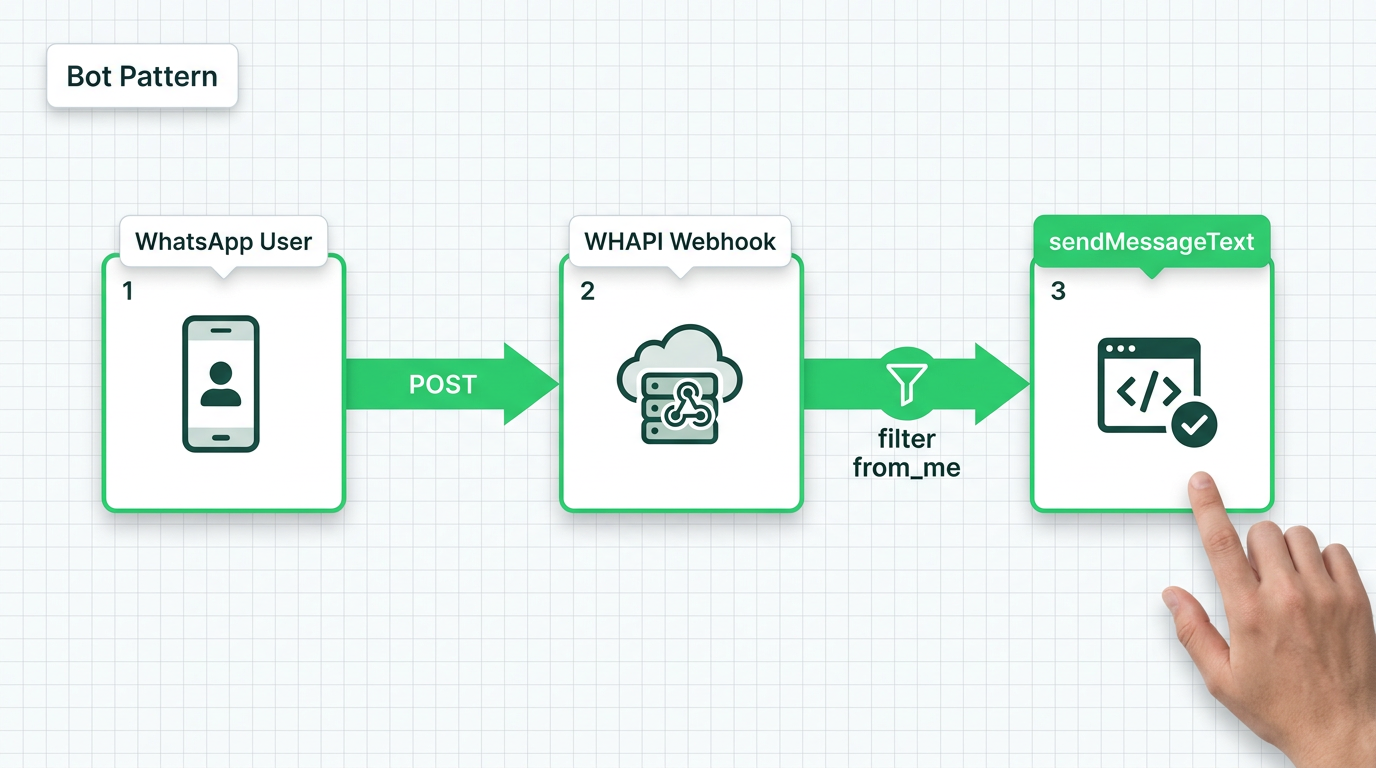
- Bot pattern: Configure webhook → receive message → filter
from_me: true→ reply. Works for echo bots, keyword responders, and AI-powered assistants. - Broadcast pattern: Per-recipient loop with mandatory delays, warm number requirements, personalization rules, and quota check via
getLimits.
Use Cases: Where the Skill Helps Today
Here are five concrete workflows where the Whapi Agent Skill produces correct code on the first attempt.
1. WhatsApp Customer Support Bot
You ask Cursor to build a support bot. Without the skill, Cursor writes a polling loop and uses @c.us Chat IDs. With the skill, it generates a webhook handler, filters from_me, and uses @s.whatsapp.net automatically. Filter from_me: true in every bot reply handler, or your WhatsApp bot will message itself into an infinite loop.
@app.route("/webhook", methods=["POST"])
def webhook():
    data = request.json
    if "messages" not in data:
        return {"status": "ok"}
    for message in data["messages"]:
        if message.get("from_me"):
            continue  # prevent infinite loop
        if message.get("type") != "text":
            continue
        chat_id = message["chat_id"]       # e.g., "[email protected]"
        text = message["text"]["body"]     # correct field name: body
        reply(chat_id, f"Got it: {text}")
2. Lead Notification from Web Form
A new lead submits a form. Your agent sends a WhatsApp message to the sales team. The skill ensures the agent uses sendMessageText with the body field and the correct @s.whatsapp.net Chat ID — not a hallucinated generic send endpoint.
3. Group Notification System
You want to post updates to a WhatsApp group. The skill teaches the agent that group IDs use @g.us format, that you must call getGroups to retrieve the ID (never construct it manually), and that the to parameter takes the full Chat ID string.
4. WhatsApp Channel Broadcasting
You need to reach hundreds of subscribers. The skill surfaces the Channel approach before the broadcast loop — no ban risk, no per-message delays, subscribers opt in themselves. For large audiences, this is the correct default.
5. Controlled Bulk Messaging
When direct messaging a list is required: max 10 messages per 15 minutes, minimum 60–90 seconds between sends, warmed number required, personalized content per recipient. Sending WhatsApp messages without 60-second delays and personalization triggers anti-spam detection and account suspension. Call getLimits first to check remaining quota.
Installation: One Command, All Agents
Install the Whapi WhatsApp Agent Skill with one command:
npx skills add Whapi-Cloud/whapi-whatsapp-api-skillRequirement: Node.js 18 or newer.
To target a specific agent or install globally:
# Install for Cursor only
npx skills add Whapi-Cloud/whapi-whatsapp-api-skill --agent cursor

# Install for Claude Code only
npx skills add Whapi-Cloud/whapi-whatsapp-api-skill --agent claude-code

# Install globally (available in all projects)
npx skills add Whapi-Cloud/whapi-whatsapp-api-skill --global
After installation the skill loads automatically when your agent detects a WhatsApp-related task. If it doesn't activate on its own:
- Cursor: Reference
@.agents/skills/whapi/AGENTS.mdin chat, or run/whapi - Claude Code: Run
/file .agents/skills/whapi/AGENTS.mdat session start, or run/whapi - GitHub Copilot: Reference
#.agents/skills/whapi/AGENTS.mdin chat
MCP Server Setup (Cursor)
To let the agent make live WhatsApp API calls, add the Whapi MCP server to %USERPROFILE%\.cursor\mcp.json:
{
  "mcpServers": {
    "whapi-mcp": {
      "command": "npx",
      "args": ["-y", "whapi-mcp@latest"],
      "env": { "API_TOKEN": "YOUR_TOKEN" }
    }
  }
}
Get your token from panel.whapi.cloud/dashboard. After saving the config, restart Cursor and call checkHealth (no arguments) — a connected channel returns "status.text": "AUTH".
Full installation guide: support.whapi.cloud/help-desk/ai-tools/agent-skills
What's Not Covered Yet — and What's Coming
The current version focuses on the most common workflows. Some areas are not yet in the skill's reference files:
- Interactive messages (
sendMessageInteractive): Documented, but marked unstable — delivery varies across WhatsApp versions. Actively monitored. - WhatsApp Status / Stories: Available in the MCP (165 tools), not yet documented in the skill's reference categories.
- Commerce / Orders / Products: WhatsApp catalog and order flows are available in the API, not yet in the skill's pattern library.
- Advanced media handling: Edge cases around file encoding, size limits, and streaming audio are not yet covered.
- WhatsApp Calls: Incoming call detection via webhooks is listed; call management patterns are pending.
Agent Skills encode years of API trial-and-error into one file so AI agents skip straight to correct implementation. The Whapi Agent Skill is a living document growing with each developer workflow we document. Contributions are welcome.
Getting Started with Whapi.Cloud
The Whapi Agent Skill is free and open source. To use it against the live WhatsApp API, you need a Whapi.Cloud account — a free sandbox is available with no expiry, covering 5 active conversations and 150 messages per day. No Meta approval, no template restrictions.
- Create a free account at whapi.cloud
- Pair your WhatsApp number via QR code
- Copy your channel token from the dashboard
- Run:
npx skills add Whapi-Cloud/whapi-whatsapp-api-skill - Add the MCP server entry to your agent config
- Ask your agent: "Send a WhatsApp message using WHAPI"
The agent will load the skill, verify the connection via checkHealth, and walk you through the first send with correct field names, Chat ID format, and auth header. Your first working WhatsApp send from skill install to delivery confirmation takes under ten minutes.
GitHub: github.com/Whapi-Cloud/whapi-whatsapp-api-skill
Documentation: support.whapi.cloud/help-desk/ai-tools/agent-skills
MCP integration: whapi.cloud/mcp-whatsapp-api