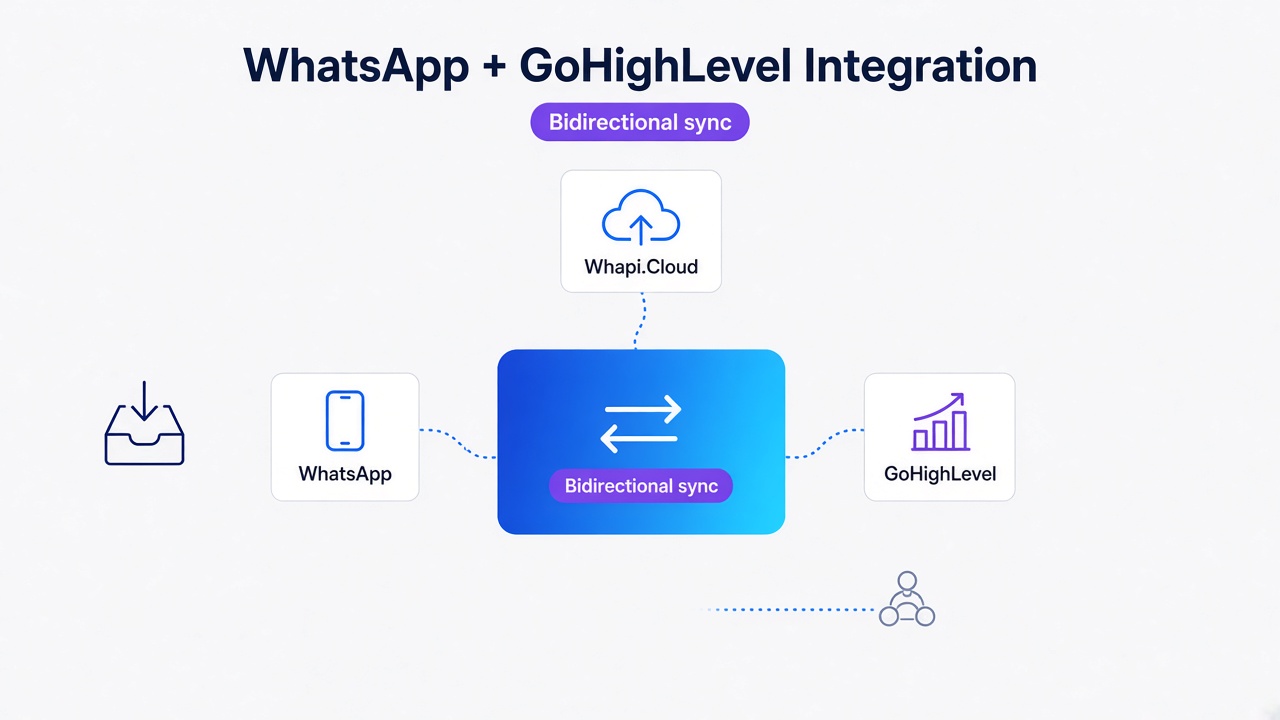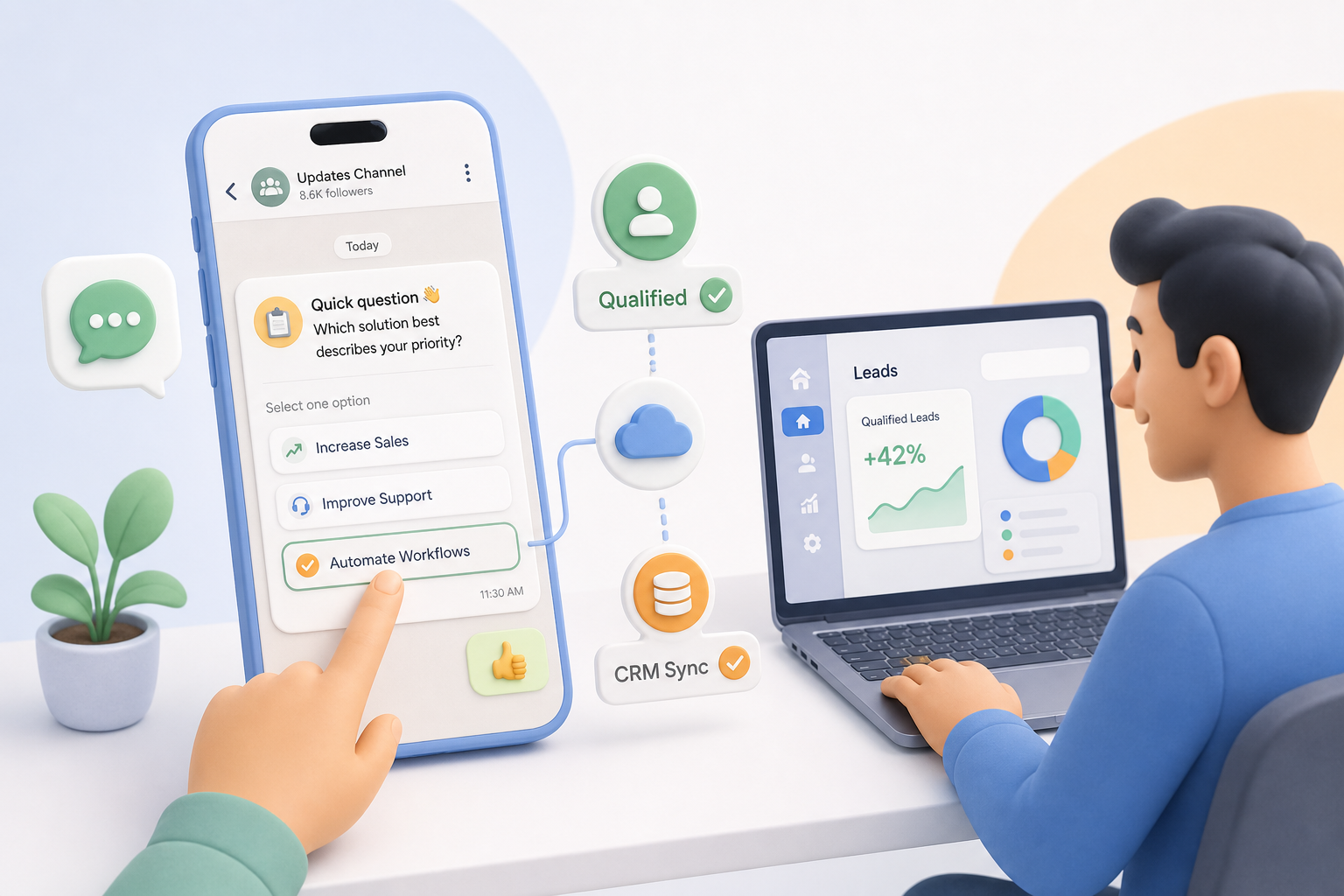
TL;DR: Automating interactive BANT qualification via WhatsApp channels empowers developers and builders to capture ban-safe trial signups instantly. Instead of sending risky direct broadcasts or building slow chatbot scripts, use Whapi.Cloud to send native interactive polls to opt-in WhatsApp channels. By tracking webhook response IDs asynchronously, you can score leads and route them to your CRM without account suspension risks. Read on to copy the Express.js handler.
The Lead Qualification Bottleneck: Why Website Popups and Manual Triage Fail
Traditional website popups and manual triage create friction, resulting in low completion rates and stale pipelines. Automating interactive BANT qualification via WhatsApp channels empowers developers and builders to capture ban-safe trial signups instantly.
When teams try to solve this by moving the qualification process to WhatsApp, they often make their first critical mistake: they build long, sequential chatbot scripts that ask ten questions in a row, causing a 70% drop-off rate within the first three messages.
To bypass this friction, some marketers turn to grey-market extensions to scrape numbers and send unsolicited direct broadcasts. This approach triggers immediate spam reports and account bans. Grey-market extensions cause permanent bans; Whapi Cloud newsletter APIs secure safe high-volume broadcasts. By shifting your qualification strategy from intrusive direct messaging to opt-in channel newsletters, you protect your sender reputation while engaging highly interested builders where they already spend their time.
In the official WhatsApp Business API, sending promotional broadcasts requires strict template approval workflows and incurs high per-message fees. In Whapi.Cloud, you can broadcast interactive polls and open questions freely to your channel subscribers without template gating, as our gateway connects via web-session sockets, bypassing the rigid Meta Business Manager onboarding entirely.
Why Are WhatsApp Channels the Safest Broadcast Method?
Opt-in channels guarantee ban safety, whereas forced group additions trigger instant account suspension. By broadcasting to opt-in channel newsletters instead of direct messaging, you protect your sender reputation while engaging highly interested builders.
When you force users into groups without prior consent, WhatsApp's server-side spam classifiers flag the rapid exits and spam reports, suspending your number within minutes. WhatsApp channels, however, are strictly opt-in and one-way, making them virtually immune to user-initiated spam reports. In fact, zero Whapi.Cloud clients have reported bans from channel broadcasts. To understand how Meta's automated systems detect spam, refer to our comprehensive guide on how to avoid a WhatsApp ban in 2026.
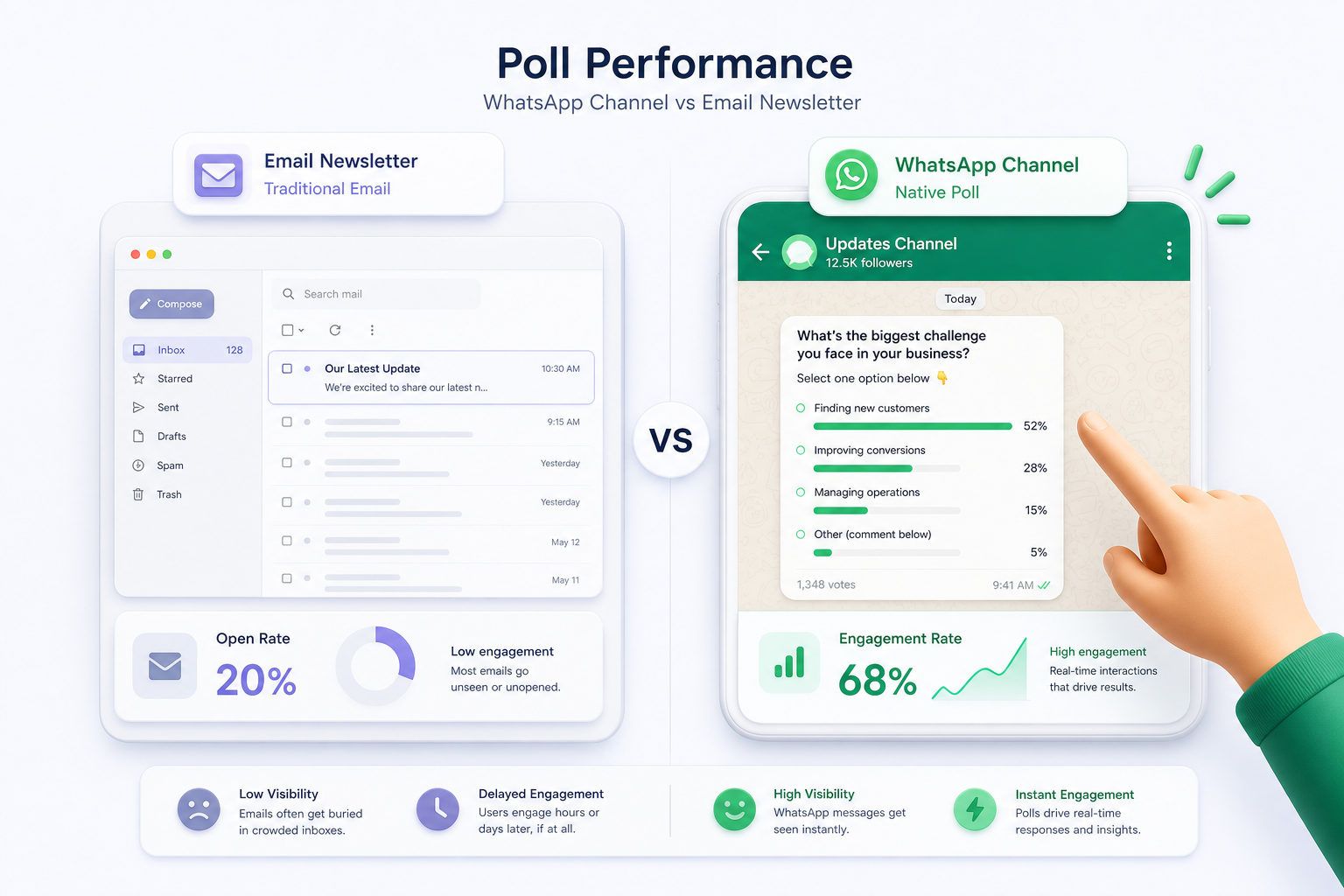
WhatsApp channel polls are non-intrusive programmatic tools for synchronous audience segmentation and lead qualification. Instead of interrupting a user's day with a direct message, you publish interactive polls directly to your newsletter feed. This approach achieves unprecedented engagement. While traditional email newsletters struggle with low visibility, WhatsApp newsletters achieve verified open rates of 60-68% and click-through rates of 15-25%, as documented in the Mazkara Studio Newsletter Benchmarks. The table below outlines the stark performance gap between these channels:
| Performance Metric | Traditional Email Newsletters | WhatsApp Channel Broadcasts | Operational Impact |
| Average Open Rate | 20% -- 25% | 60% -- 68% | 3x higher initial message visibility |
| Click-Through Rate (CTR) | 2% -- 5% | 15% -- 25% | 5x higher response and conversion rate |
| Account Suspension Risk | Low (IP warming required) | 0% (Strict opt-in model) | Absolute safety for high-volume broadcasts |
| User Friction | High (Redirects to external forms) | Zero (One-click native in-chat polls) | Drastically reduced drop-off rates |
We've seen teams use this high engagement to qualify leads in real-time. By utilizing Whapi.Cloud, you gain full access to WhatsApp features including groups, channels, statuses, and number checks. This is a massive advantage over official Business Solution Provider (BSP) templates, which completely lack channel-level endpoints. Through the Whapi.Cloud WhatsApp Channels API, you can programmatically manage your channel feed, publish native polls, and capture subscriber interactions automatically.
Bypassing the 'Template Tax' on WhatsApp User Surveys
Meta's official Cloud API charges variable per-message fees for templates, making high-volume surveys expensive. Whapi.Cloud resolves this with an affordable, flat monthly subscription, allowing you to send unlimited interactive quizzes with completely predictable costs.
In the official WhatsApp Business Platform, every outbound message sent outside the 24-hour customer service window must use a pre-approved template, which is subject to variable per-message fees that Meta can reclassify with little warning. Interactive multi-screen forms yield five times higher lead completion rates than long sequential chatbot texts, but billing teams often face steep, unpredictable invoices when scaling these campaigns. Unlike Meta's rigid billing rules, Whapi.Cloud does not require template approvals or restrict you to any 24-hour customer service window, and its fixed price per number/month with volume discounts allows you to send thousands of quizzes and surveys to your channel subscribers with completely predictable costs.
How to Send Quizzes and Open Questions via Whapi.Cloud API
In-chat quizzes automatically capture BANT data, routing qualified prospects directly to CRM pipelines. Whapi.Cloud provides dedicated endpoints to programmatically send structured multiple-choice quizzes and open-ended text questions directly to your channel subscribers.
To qualify a developer or low-code builder, you need to assess their Budget, Authority, Need, and Timeline (BANT) without making them leave the chat. Whapi.Cloud allows you to send two types of interactive elements to your channels: structured quizzes with a pre-defined correct option, and open-ended questions that invite text replies.
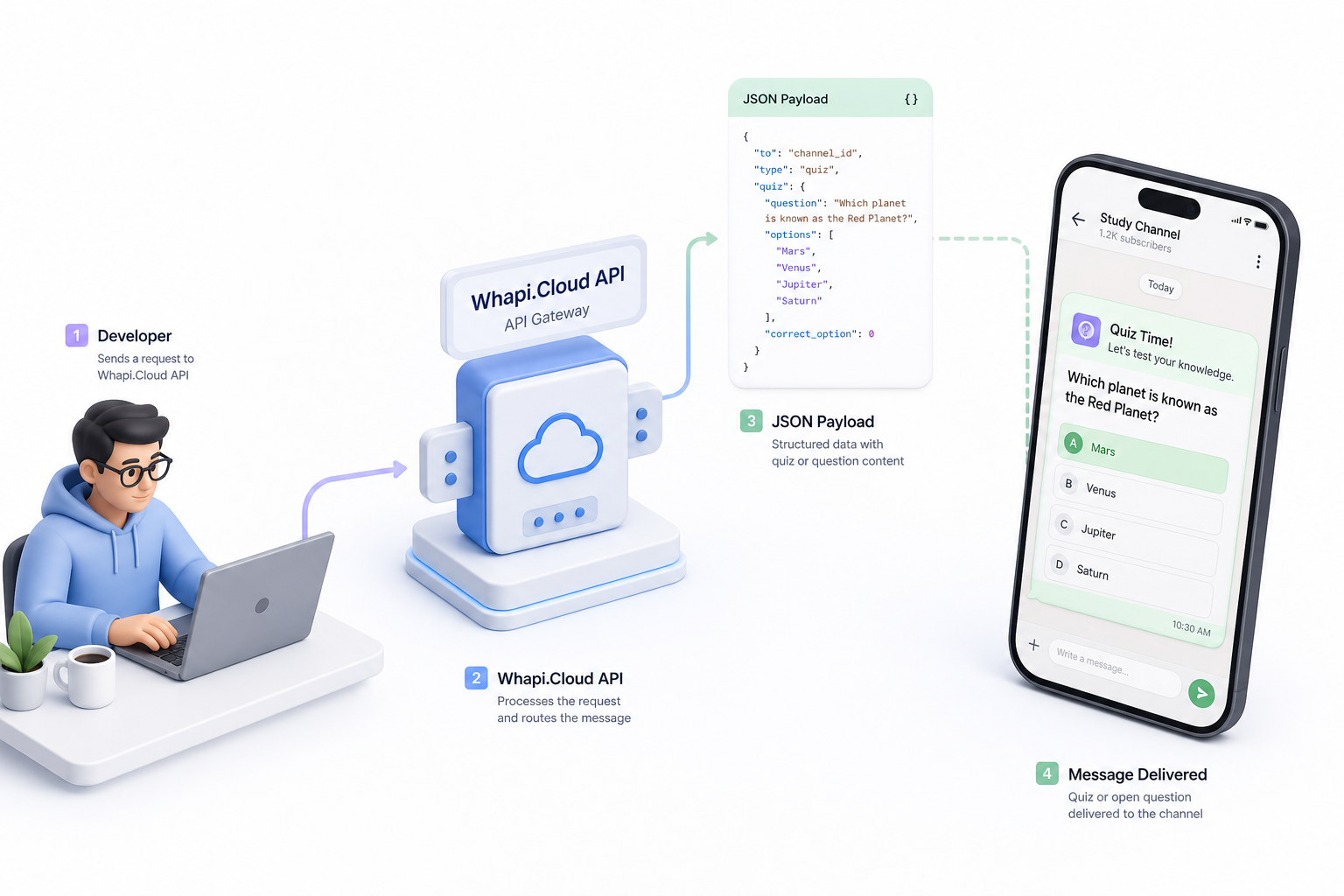
To publish an interactive quiz to your channel, you send a `POST` request to the `/messages/quiz` endpoint. The payload includes the target channel's JID (which always ends with `@newsletter`), the question text, an array of up to twelve options, and the index of the correct option. Below is a complete Node.js example using the native `fetch` API to send a qualification quiz:
// POST https://gate.whapi.cloud/messages/quiz
// Sends an interactive qualification quiz to a WhatsApp channel
async function sendQualificationQuiz(channelId) {
  const url = 'https://gate.whapi.cloud/messages/quiz';
  const payload = {
    to: channelId, // Format: 120363298746512907@newsletter
    title: "What is your team's primary WhatsApp automation stack?",
    options: [
      "Node.js / Python (Custom API)",
      "Make / n8n (No-Code)",
      "CRM-native integrations",
      "Just exploring options"
    ],
    correct_option_index: 0, // Optional: marks an option as correct
    hide_participant_name: true, // Keeps votes anonymous in the channel
    allow_add_option: false // Prevents subscribers from adding custom answers
  };

  const response = await fetch(url, {
    method: 'POST',
    headers: {
      'Content-Type': 'application/json',
      'Authorization': `Bearer ${process.env.WHAPI_TOKEN}`
    },
    body: JSON.stringify(payload)
  });

  if (!response.ok) {
    const errorText = await response.text();
    throw new Error(`Failed to send quiz: ${response.status} - ${errorText}`);
  }

  const result = await response.json();
  return result.message.id; // Store this ID to correlate incoming webhook votes
}
If you want to gather qualitative feedback instead of multiple-choice votes, you can send an open-ended question using the `/messages/question` endpoint. This is ideal for asking leads about their specific integration pain points or budget constraints. Here is how to programmatically send an open question:
// POST https://gate.whapi.cloud/messages/question
// Sends an open-ended text question to a WhatsApp channel
async function sendOpenQuestion(channelId) {
  const url = 'https://gate.whapi.cloud/messages/question';
  const payload = {
    to: channelId,
    body: "What is the biggest technical challenge you face with your current WhatsApp gateway?"
  };

  const response = await fetch(url, {
    method: 'POST',
    headers: {
      'Content-Type': 'application/json',
      'Authorization': `Bearer ${process.env.WHAPI_TOKEN}`
    },
    body: JSON.stringify(payload)
  });

  if (!response.ok) {
    throw new Error(`Failed to send question: ${response.statusText}`);
  }

  const result = await response.json();
  return result.message.id;
}
Once your quiz or question is published, you must enable tracking for that specific newsletter to receive user responses. You do this by sending a `POST` request to `https://gate.whapi.cloud/newsletters/{NewsletterID}/tracking`. This tells the Whapi.Cloud servers to monitor and forward all interaction events to your registered webhook URL.
The Asynchronous Webhook Decoupler: Preventing Infinite Retry Loops
Why do slow servers trigger duplicate WhatsApp webhook loops? Delayed processing causes Meta to resend payloads repeatedly, but responding with an immediate HTTP 200 status code terminates the retry cycle instantly.
To protect your server under load, you must decouple webhook reception from heavy background tasks like CRM synchronization or database updates.
When a user votes on your channel poll, WhatsApp sends an inbound notification to Whapi.Cloud, which immediately forwards it to your webhook server. If your server pauses to perform heavy operations -- such as querying a database, calling CRM APIs, or running AI models -- before returning an HTTP response, WhatsApp's servers will assume the delivery failed and retry sending the same payload, creating an infinite webhook loop that can crash your application.
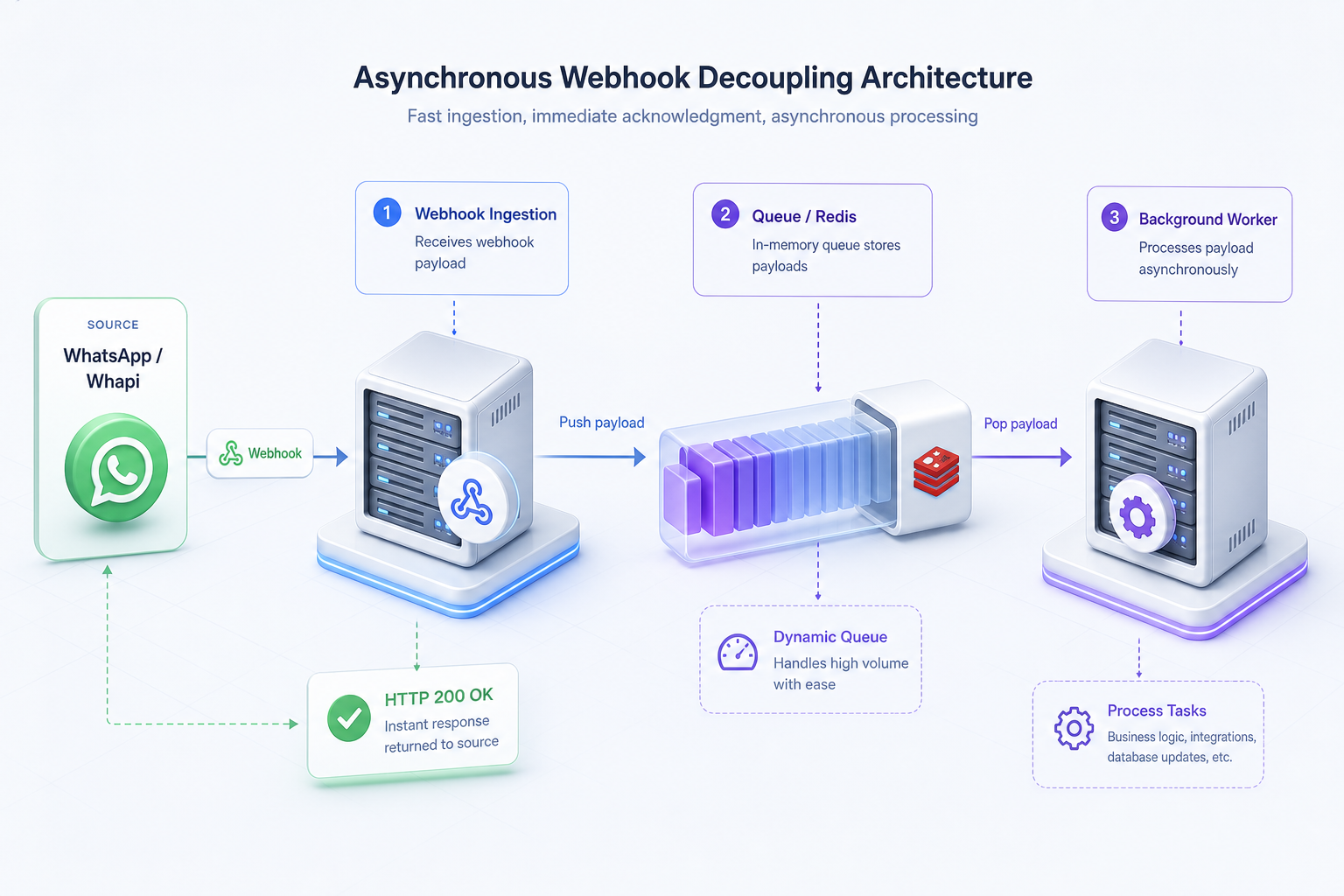
To resolve this, we highly recommend implementing a pattern we call The Asynchronous Webhook Decoupler. The core principle is simple: separate the synchronous HTTP ingestion thread from the asynchronous business logic thread. Your webhook endpoint should validate the signature, push the payload to an in-memory queue or background worker, and immediately return an HTTP 200 OK response within 500 milliseconds. We won't cover the setup of a Redis instance itself here; you can use managed Redis providers or refer to your cloud provider's database setup guides. However, you can easily implement a lightweight, in-memory queue in Node.js as shown in the Express handler below:
const express = require('express');
const app = express();
app.use(express.json());

// Simple in-memory queue to decouple processing from ingestion
const webhookQueue = [];

// Background worker that processes payloads sequentially
async function processQueue() {
  while (true) {
    if (webhookQueue.length > 0) {
      const task = webhookQueue.shift();
      try {
        await handleLeadQualification(task);
      } catch (err) {
        console.error("Error processing lead qualification:", err.message);
      }
    }
    // Pause for 100ms to prevent CPU spinning
    await new Promise(resolve => setTimeout(resolve, 100));
  }
}
processQueue(); // Start the background worker

// Webhook endpoint
app.post('/whatsapp-webhook', (req, res) => {
  const payload = req.body;

  // 1. Instantly return HTTP 200 OK to prevent Meta retry loops
  // If you block here for slow API calls, Meta will resend the payload repeatedly
  res.status(200).send('OK');

  // 2. Push the payload to the queue for asynchronous processing
  if (payload.messages && payload.messages.length > 0) {
    webhookQueue.push(payload);
  }
});

async function handleLeadQualification(payload) {
  // Heavy operations like CRM sync or database updates happen here, safely decoupled
  const message = payload.messages[0];
  console.log(`Processing message ID: ${message.id} from ${message.from}`);
}
By decoupling the message processing thread, you guarantee that your server never times out under heavy traffic. If you encounter unexpected behavior or duplicate deliveries, reach out to the Whapi.Cloud support team via the chat widget on whapi.cloud; they actively help customers resolve production issues.
Webhook Response Tracking: Correlating Option IDs to CRM Pipelines
Webhook response tracking maps distinct survey option IDs to update customer CRM profiles programmatically. By correlating Whapi.Cloud poll webhook payloads with your campaign database, you can score leads automatically and route them to sales pipelines instantly.
When a subscriber clicks an option in your channel poll, Whapi.Cloud delivers a `MESSAGES PATCH` webhook containing the updated message state. To build an automated lead scoring loop, you must map the selected option's index or text back to the specific campaign and update the lead's record in your CRM. Programmatic channel polls qualify cold builders faster than website popups or external survey links because the entire interaction happens natively within WhatsApp.
In practice, teams often struggle to correlate responses when running multiple simultaneous campaigns. The pattern we encounter most often is using the unique `message.id` returned during the initial `POST` request as the primary key in your database. When a webhook arrives, you look up the message ID to identify the campaign, extract the subscriber's phone number, and evaluate their response. Below is an example of the structured JSON webhook payload that Whapi.Cloud sends when a user votes on your poll:
{
  "messages": [
    {
      "id": "20260704_quiz_msg_987654321",
      "from": "120363298746512907@newsletter",
      "type": "poll_update",
      "timestamp": 1783167994,
      "poll_update": {
        "poll_id": "20260704_quiz_msg_987654321",
        "sender": "[email protected]",
        "selected_options": [0],
        "selected_options_text": ["Node.js / Python (Custom API)"]
      }
    }
  ]
}
This structured payload allows you to run point-based scoring algorithms. For example, if a user selects option index `0` ("Node.js / Python"), you can assign them a high technical score and automatically route them to HubSpot or Salesforce. This is exactly how brands like Uncover Skincare tripled their revenue compared to email, using interactive qualification quizzes to automatically segment leads and recommend the right products without manual sales agent outreach. Similarly, Meta's own documentation on dynamic lead generation flows highlights how conditional, responsive questionnaires dramatically increase data quality while reducing user friction.
By automating this scoring, you eliminate the lead bottlenecks caused by manual sales triage. The data is clean, structured, and synced directly to your CRM. According to the Zargham Labs Flows Guide, structured in-chat interactions deliver a 3-5x higher lead completion rate compared to standard, text-heavy chatbot conversations, proving that native interactive elements are the most efficient way to capture BANT data.
How to Build the Automated Qualification Loop with Low-Code
Whapi.Cloud's native Make and n8n integrations allow CRM integrators and technical marketers to build automated lead qualification loops without writing backend code. You can visually route poll response webhooks directly to HubSpot or Google Sheets.
To set this up, you create an n8n WhatsApp integration workflow with an active Webhook node that listens for Whapi.Cloud's `MESSAGES PATCH` events. When a subscriber votes on a channel poll, n8n receives the payload, extracts the selected option and the voter's identifier, and uses a HubSpot node to find or create a contact, updating their qualification status in seconds. This completely eliminates manual CRM data entry and ensures your sales pipeline is updated in real-time.
This low-code approach is highly scalable. In practice, teams like HelloFresh have successfully automated customer re-engagement and lead qualification by uploading CRM segments and triggering personalized interactive notifications, proving that you do not need a massive engineering team to deploy sophisticated WhatsApp automation.
Conclusion: Scaling Your Qualified Pipeline Safely
WhatsApp newsletter engagement rates triple email metrics, achieving up to sixty-eight percent verified opens. Automating interactive BANT qualification via WhatsApp channels empowers developers and builders to capture ban-safe trial signups instantly.
By combining the high reach of opt-in channels with the programmatic power of Whapi.Cloud's interactive poll endpoints, you can qualify leads automatically, safely, and cost-effectively. You no longer have to choose between the high ban risks of direct mass messaging and the slow, friction-heavy experience of traditional email marketing.
Ready to build your first ban-safe qualification loop? Register your developer account on the Whapi.Cloud Dashboard, scan your QR code to connect your number, and start sending interactive quizzes to your subscribers in minutes.