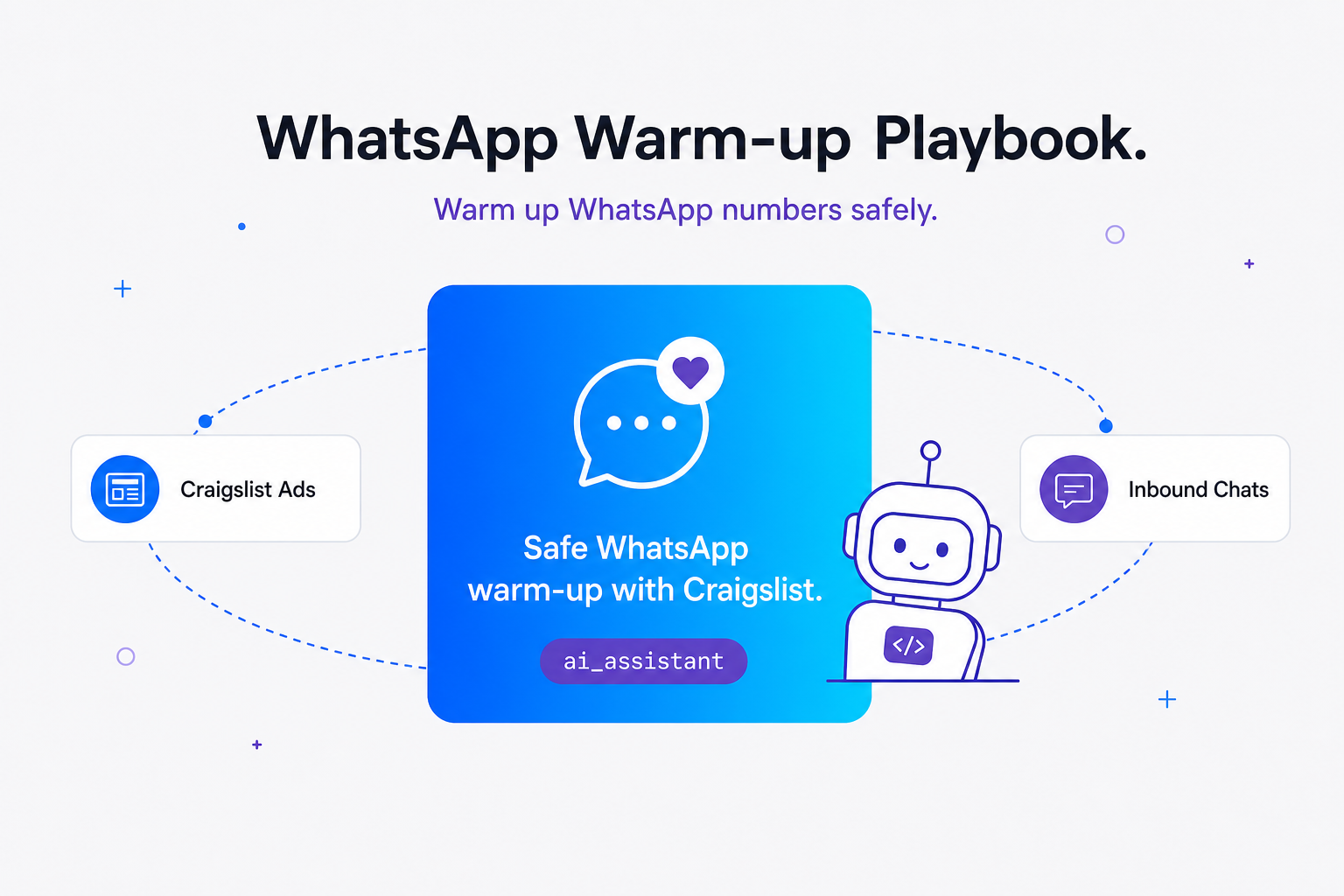
TL;DR: Drive inbound buyers via wa.me links to naturally scale WhatsApp account trust scores. Avoid artificial bot-to-bot chats that trigger bans. Set up a Node.js autoresponder with randomized delays between 15 and 45 seconds, and follow our strict 14-day schedule including silent Ghost days to build a trusted sender reputation.
Why Cold WhatsApp Numbers Die Instantly
A newly registered SIM card connected to an API will be banned within minutes if used for immediate cold outreach. Meta's anti-spam AI assigns a trust score that remains at zero until the account establishes organic, human-like activity.
Many marketers make the mistake of buying cold SIM cards, scanning the QR code, and immediately launching a bulk campaign to 500+ cold contacts, only to see their account banned in under 5 minutes. When a fresh, zero-trust account suddenly initiates dozens of outbound threads, the server-side risk engine flags it as automated abuse and triggers an immediate suspension.
In our practice working with thousands of client numbers, we have noticed that the single most critical factor in WhatsApp's spam-detection algorithm is the ratio of inbound to outbound messages. If you only send unsolicited messages and receive few or no replies, your account's reputation collapses. A brand-new WhatsApp number must be warmed up for a minimum of 10 to 30 days to build a trusted sender reputation before running high-volume automated traffic. This initial aging period allows the number to accumulate positive interaction points in Meta's trust graph, making it resilient to subsequent automated workflows, as detailed in Whapi.Cloud's guide to avoiding account bans.
Furthermore, connecting a zero-trust fresh number to an unofficial web socket session immediately after registration often triggers automated security blocks. This occurs because the risk engine expects a new account to behave like a normal human using a physical phone before transitioning to API-based automation. To bypass these early-stage filters, you must establish a pattern of genuine, high-quality conversations where real, established WhatsApp accounts proactively message your new number first.
Technical Architecture: Web-Session Sockets vs. Browser Emulation
Web-session socket APIs bypass restrictive Meta rules but require rigorous manual sender warm-up. Unlike headless browser libraries, web-session socket APIs eliminate heavy RAM overhead and maintain production stability.
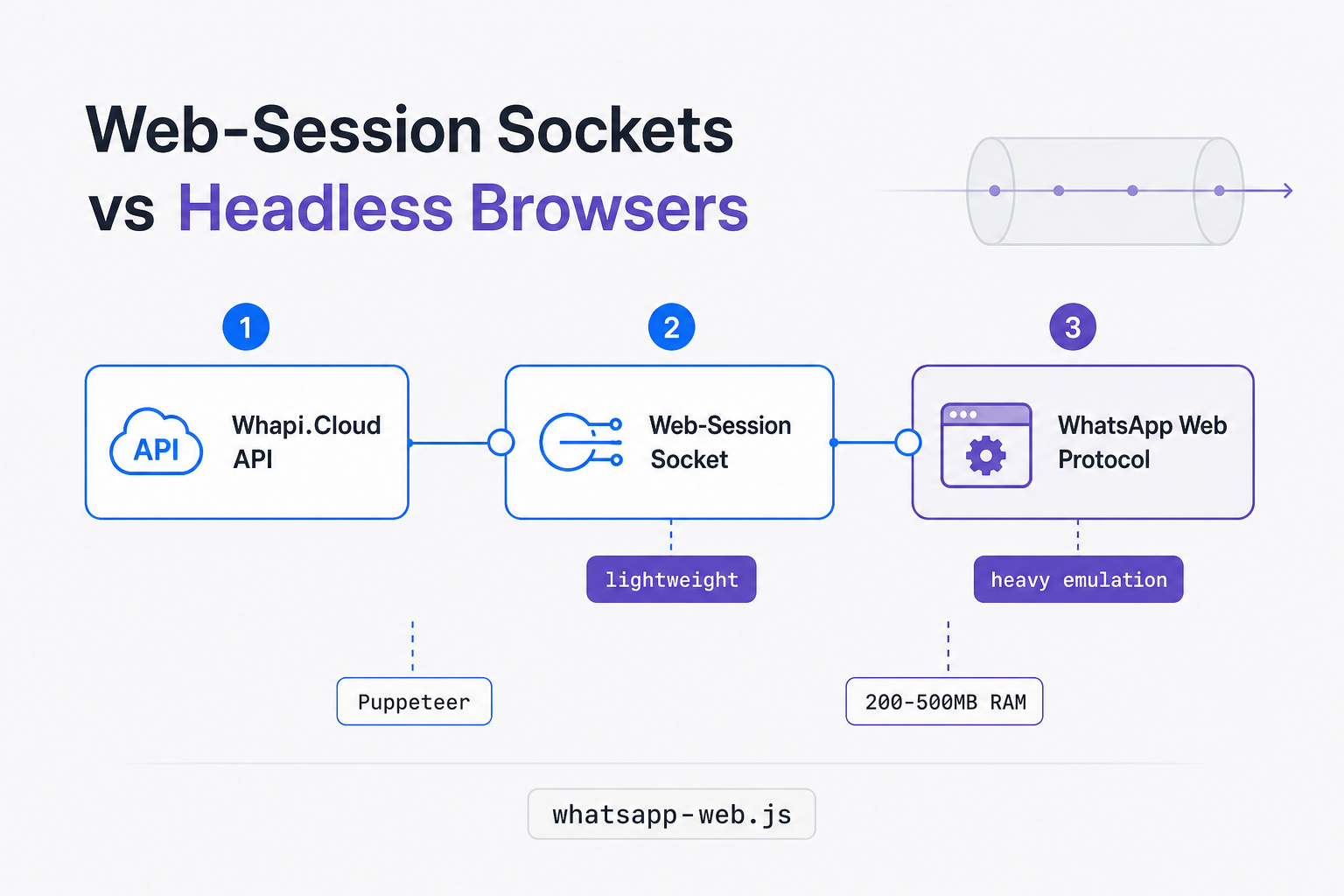
We have observed that running headless browsers requires substantial server resources, often consuming 200MB to 500MB of RAM per active session. These setups are also notoriously brittle, breaking frequently whenever WhatsApp Web rolls out minor UI updates, forcing development teams to absorb constant maintenance churn and handle unexpected downtime.
In the official WhatsApp Business API, you must navigate restrictive Meta Cloud API template rules, submit every message template for approval, and pay per-conversation fees. In Whapi.Cloud, you bypass these restrictions entirely -- because web-session sockets operate directly at the protocol level under a flat subscription model, though this technical freedom requires rigorous manual sender warm-up. This approach eliminates the browser layer entirely, allowing you to run hundreds of concurrent channels on a lightweight virtual private server without memory pressure. Developers can also research alternative library forks like baron-baileys-v2 to see how rate limits and presence states are simulated, but managing these custom setups still pushes the operational tax onto the integrator.
Whapi.Cloud absorbs these protocol changes upstream, keeping the customer-facing API completely stable. You can explore the full general API documentation to understand the underlying endpoints. If you encounter unexpected behavior during your warm-up or integration phase, the Whapi.Cloud support team is available via the chat widget on whapi.cloud to help resolve production issues immediately.
Why Does Craigslist Beat Artificial Bot-to-Bot Warming?
Meta's risk engine easily detects artificial bot-to-bot warming networks by analyzing repetitive patterns, identical message lengths, and lack of user engagement. In contrast, driving real human-initiated chats from classifieds platforms builds an organic trust score that is impossible to fake.
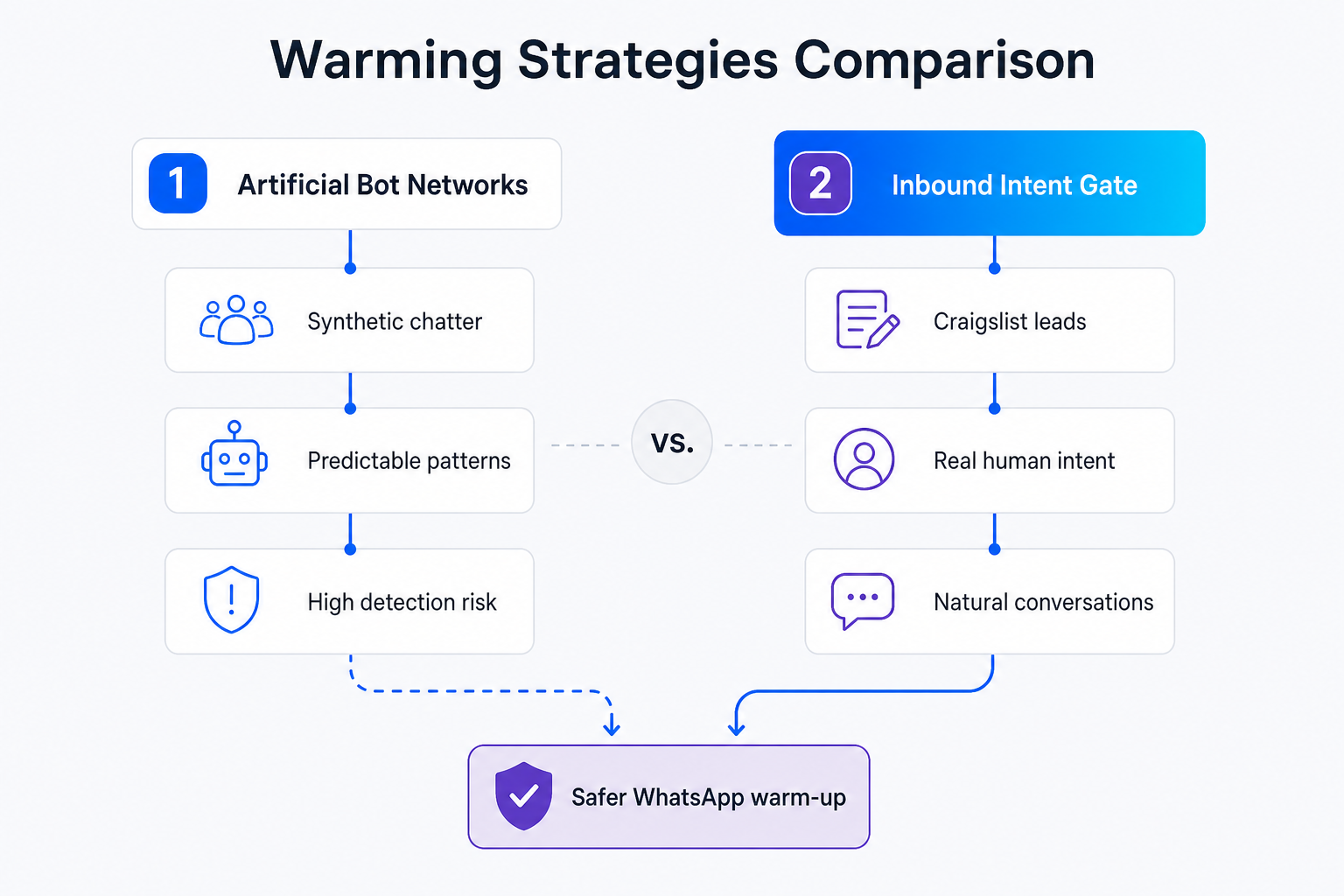
Many marketers attempt to warm up their numbers by purchasing automated warming software or referencing open-source tools like warm-up-bot (GitHub) that exchange pre-scripted messages between newly registered accounts. While this "bot-to-bot" approach seems convenient, it carries a high failure rate. The anti-spam AI monitors metadata such as typing speed, message variations, and the age of the interacting accounts. If a group of fresh numbers with zero history suddenly starts exchanging rapid, repetitive texts, the system flags the entire cluster and suspends them simultaneously.
The solution is the Inbound Intent Gate pattern. Instead of forcing your new number to initiate outbound messages, you must structure your setup so that real, long-established WhatsApp users proactively message you first. When a user with an aged WhatsApp account and a rich history of daily chats initiates a conversation with your new number, Meta's risk engine receives a powerful positive trust signal. Warming with real buyer chats builds trust; artificial bot conversations trigger instant bans.
Classifieds platforms like Craigslist, Facebook Marketplace, and regional alternatives like Avito are goldmines for generating this high-trust inbound traffic. Marketers frequently report highly effective reputation building by redirecting marketplace buyers to WhatsApp--a technique known in the community as a BHW Facebook Marketplace warmup. By posting highly attractive, organic listings for popular items or local services, you prompt motivated buyers to reach out to you. Because these buyers are highly interested in your offer, they will proactively save your contact, send detailed questions, and engage in multi-turn dialogues, boosting your overall WhatsApp trust score.
Drive Inbound Buyers via Pre-Filled Links to Scale Trust
Bypass Craigslist hCaptcha barriers and email relay protections by placing highly attractive local ads that direct motivated buyers to WhatsApp. Embedding pre-filled wa.me links forces real users to proactively initiate the chat, instantly boosting your sender reputation.
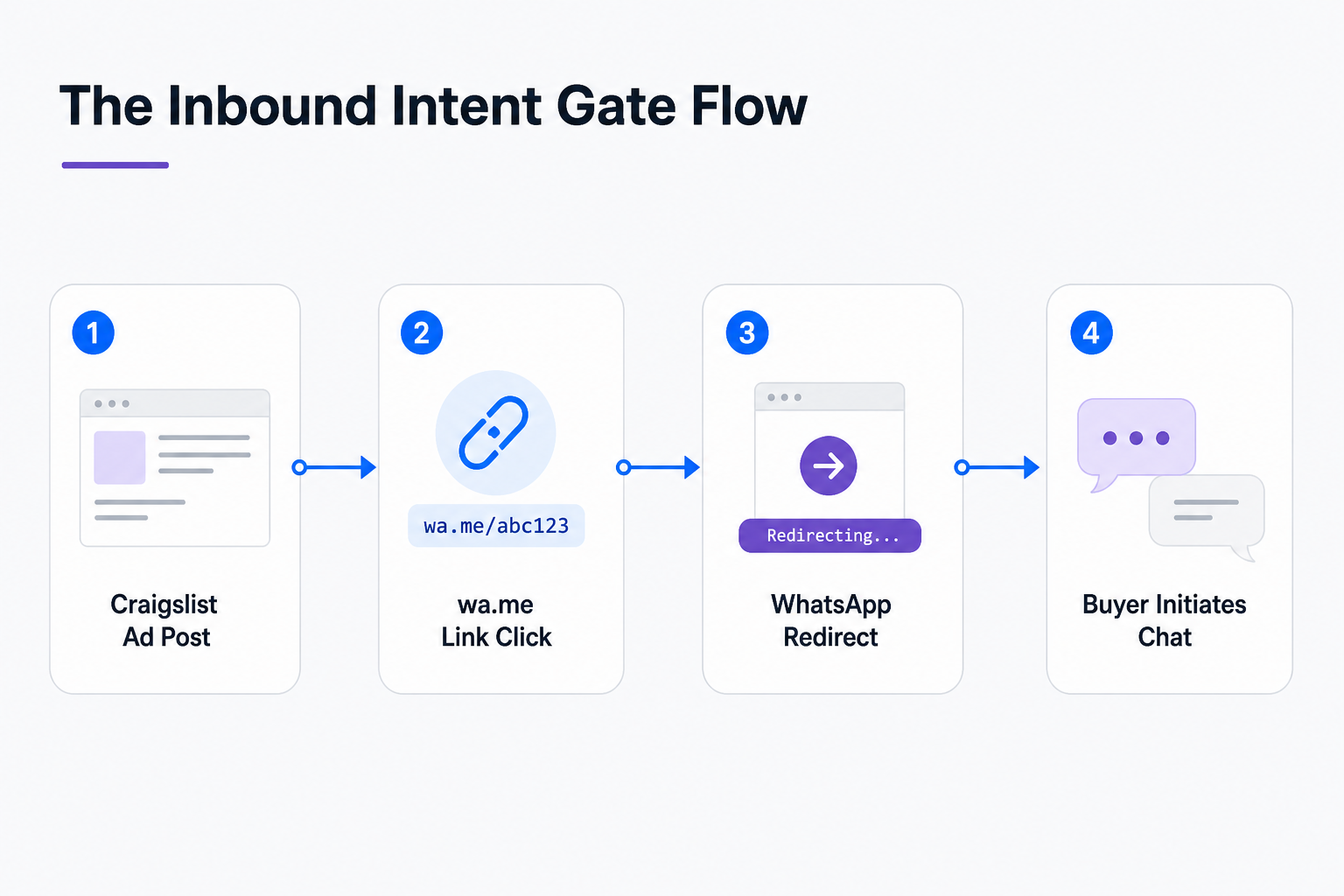
Craigslist heavily protects seller email addresses and contact details using a strict Craigslist hCaptcha barrier and anonymous mail relays. This makes fully automated outbound outreach scraping extremely difficult and prone to immediate IP blocks. To bypass these barriers, you must reverse the flow: place highly attractive local ads and direct the traffic to your WhatsApp number using wa.me pre-filled links.
To execute this strategy, post a listing for a high-demand, reasonably priced item (such as a used iPhone or a local rental property) on Craigslist or Facebook Marketplace. In the description, state that you receive too many inquiries on the platform's native messenger and prefer to communicate directly on WhatsApp for faster coordination. Always use a pre-filled wa.me link in your ad description to make it effortless for the buyer to initiate the chat.
Create a pre-filled link using the following format: https://wa.me/1234567890?text=Hi,%20is%20the%20iPhone%20still%20available?. When a motivated buyer clicks this link, their mobile WhatsApp app opens automatically with the message pre-typed in their chat box. All they have to do is press "Send." This simple action completes the high-trust inbound connection, establishing a clean, user-initiated conversation thread that Meta's algorithms view as 100% legitimate.
For advanced teams managing multiple numbers, a manual copy-paste workflow quickly becomes an operational bottleneck. You can build an automated n8n WhatsApp integration where new Craigslist alerts or incoming inquiries are routed to a central Slack channel for human-in-the-loop validation before triggering an automated response. This n8n automation workflow ensures your automated systems maintain a high safety margin while scaling up the number of active warm-up threads.
How to Build a Human-Like Autoresponder in Node.js?
Automating replies to inbound leads must simulate human behavior to prevent triggering automated security blocks. A safe autoresponder must use randomized delays, simulate active typing states, and program silent Ghost days to break robotic cadences.
When real buyers begin messaging your WhatsApp number, responding instantly with identical, robotic texts will raise immediate red flags. Human beings do not reply within 100 milliseconds of receiving a message, nor do they type at a constant speed of 1,000 words per minute. To maintain your warm-up momentum, your automated autoresponder must simulate natural human behavior. This includes configuring a random messaging interval between 15 and 45 seconds, simulating typing states, and implementing a healthy inbound-to-outbound reply ratio.
To implement this safely, you can deploy a lightweight Node.js script that listens to Whapi.Cloud webhooks and sends replies using the standard HTTP REST API. Below is a production-ready example of a webhook handler from our Node.js WhatsApp bot tutorial that implements randomized delays and typing simulations:
const express = require('express');
const app = express();
app.use(express.json());

const WHAPI_TOKEN = process.env.WHAPI_TOKEN;
const WHAPI_API_URL = 'https://gate.whapi.cloud';

// Helper to generate a random delay between min and max seconds
const getRandomDelay = (min, max) => {
  return Math.floor(Math.random() * (max - min + 1) + min) * 1000;
};

app.post('/webhook', async (req, res) => {
  const { messages } = req.body;
  if (!messages || messages.length === 0) {
    return res.sendStatus(200);
  }

  const message = messages[0];

  // Ignore outbound messages sent by ourselves
  if (message.from_me) {
    return res.sendStatus(200);
  }

  const chatId = message.chat_id;
  const incomingText = message.text ? message.text.body.toLowerCase() : '';

  // Simple autoresponder logic for Craigslist inquiries
  if (incomingText.includes('available') || incomingText.includes('iphone') || incomingText.includes('hi')) {
    const delay = getRandomDelay(15, 45);
    const typingTime = Math.floor(delay / 1000) - 5; // Simulate typing for most of the delay period

    console.log(`Incoming message from ${chatId}. Simulating typing for ${typingTime}s and replying in ${delay / 1000}s...`);

    // Step 1: Send typing state to simulate human presence
    // Without simulating typing_time and configuring a random delay, Meta's immediate-response heuristics will flag your autoresponder as a bot within 10 messages
    try {
      await fetch(`${WHAPI_API_URL}/presences/${chatId}`, {
        method: 'PUT',
        headers: {
          'Authorization': `Bearer ${WHAPI_TOKEN}`,
          'Content-Type': 'application/json'
        },
        body: JSON.stringify({
          presence: 'composing'
        })
      });
    } catch (err) {
      console.error('Failed to send typing state:', err.message);
    }

    // Step 2: Wait for the randomized delay to finish
    setTimeout(async () => {
      try {
        const response = await fetch(`${WHAPI_API_URL}/messages/text`, {
          method: 'POST',
          headers: {
            'Authorization': `Bearer ${WHAPI_TOKEN}`,
            'Content-Type': 'application/json'
          },
          body: JSON.stringify({
            to: chatId,
            body: "Hi! Yes, it's still available. I'm currently at work, but I can send you more photos or coordinate a meeting later tonight. Does that work for you?"
          })
        });

        if (response.ok) {
          console.log(`Successfully replied to ${chatId}`);
        } else {
          const errData = await response.json();
          console.error('Failed to send message:', errData);
        }
      } catch (err) {
        console.error('Error sending reply:', err.message);
      }
    }, delay);
  }

  res.sendStatus(200);
});

app.listen(3000, () => console.log('Autoresponder webhook server running on port 3000'));
In addition to text, you should actively encourage reaction exchange. When a buyer sends a message, have your operator or script add a message reaction (such as a thumbs-up emoji) using Whapi.Cloud's /messages/{MessageID}/reaction endpoint. Senders and receivers adding message reactions reinforces chat legitimacy in Meta's trust graph, signaling that the conversation is highly interactive and mutually approved. This classifieds lead autoresponder strategy can also be extended: you can deploy a two-step qualify-and-route Gemini bot to score real estate leads within seconds, transitioning warmed accounts into automated CRM pipelines.
The 14-Day WhatsApp Warm-up Schedule
Passive warm-up: a newly registered WhatsApp number receives chats without initiating outbound messages. This checklist combines passive warming, Craigslist ad launches, active text exchanges, and randomized delays to establish a trusted sender profile.
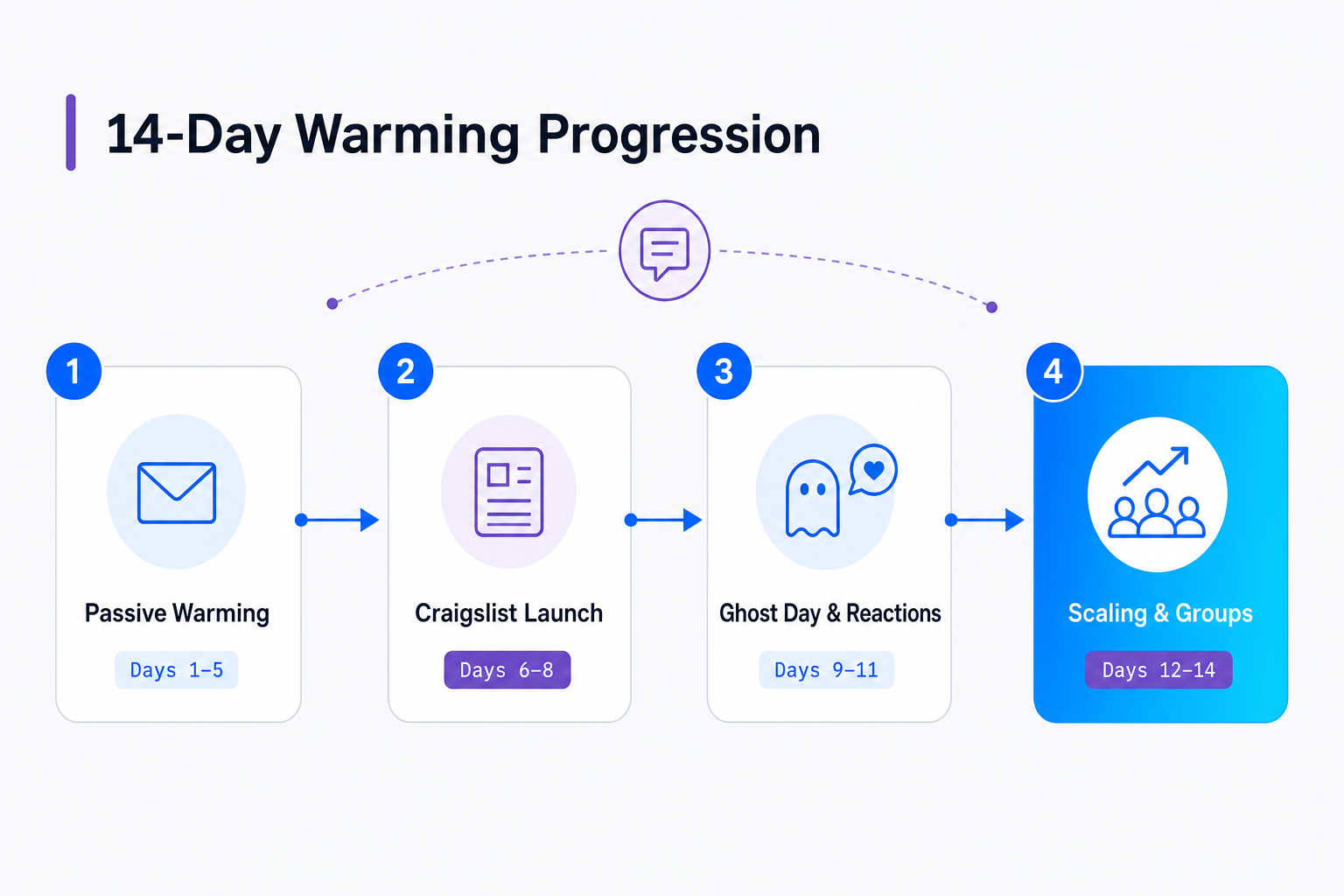
To ensure your number builds a bulletproof reputation, you must follow a disciplined, incremental warm-up schedule. Do not rush this process; scaling your message volume too quickly will trigger automated anti-spam blocks, resetting all your progress to zero. Below is our recommended 14-day blueprint, designed specifically for B2B SaaS operators and WhatsApp marketers looking to prepare their numbers for production-ready bulk messaging.
| Phase & Days | Daily Activity & Limits | Core Focus & Mechanics |
|---|---|---|
| Phase 1: Passive Warming Days 1-3 |
• Outbound: 0 messages • Inbound: 5-10 chats/day from trusted, aged accounts • No API connections |
Passive warm-up schedule: The new account only receives messages and never sends. Real, established accounts actively message the new account, signaling to Meta's risk system that the number belongs to a real person. |
| Phase 2: Craigslist Launch Days 4-7 |
• Outbound: 10-15 replies/day • Inbound: 15-20 chats/day from Craigslist buyers • Whapi.Cloud API connected |
Post your first Craigslist ad with a pre-filled wa.me link. Connect Whapi.Cloud and enable the Node.js autoresponder. Ensure random delays (15-45s) and simulated typing states are active. |
| Phase 3: Ghost Day & Reactions Days 8-10 |
• Outbound: 20-30 replies/day • Inbound: 30-40 chats/day • 1 full Ghost Day (Day 9) |
Ghost day simulation: Program a day of absolute messaging silence to simulate natural, irregular human work schedules. Active reaction exchanges should be triggered on at least 30% of incoming messages. |
| Phase 4: Scaling & Groups Days 11-14 |
• Outbound: 40-60 replies/day • Inbound: 50-70 chats/day • Join 2-3 public WhatsApp groups |
Active warm-up phase: Join active, high-quality promotional groups and exchange a few messages. Whapi.Cloud's full access to WhatsApp features allows you to check number readiness and manage group threads seamlessly. Keep daily scaling limits active. |
During Phase 4, you can also leverage Whapi.Cloud's advanced capabilities to check number readiness and monitor your progress. Unlike official APIs, Whapi.Cloud provides full access to native features, including the ability to perform a number existence check using the WhatsApp number checker tool to verify that your interacting contacts are active on WhatsApp before initiating threads. This ensures your warm-up resources are directed exclusively toward high-value, trusted accounts.
Risk Mitigation: Recovering Banned Numbers and Rebuilding Trust
Recovering a banned number resets its accumulated trust score to zero, requiring a fresh manual recovery protocol. Implementing unique proxies helps stabilize recovered accounts before reconnecting them to automated API workflows.
If your number gets banned, submit a polite appeal through the official WhatsApp app. Most soft bans are lifted within 24 to 48 hours. Once recovered, run a manual recovery protocol: keep the number on a physical phone, engage in 5-10 manual chats with trusted contacts daily, and completely avoid automated outbound sending for at least 5 days. A recovered banned number resets to zero trust and requires five days recovery warm-up.
To safeguard your infrastructure, Whapi.Cloud deploys numbers using unique proxies and regional providers. This managed cloud infrastructure ensures that an isolated block on one number does not compromise your entire sending fleet. Ultimately, securing a resilient sender reputation comes down to human-initiated engagement. By routing motivated inbound traffic to your warmed accounts and managing them through Whapi.Cloud's flat-rate subscription, you establish the organic trust score required to scale bulk messaging safely. Explore our pricing and subscription plans to find the right fit for your operation.
Ready to scale your WhatsApp automation safely?
Connect any WhatsApp number via QR code in minutes, bypass restrictive Meta template rules, and enjoy predictable flat-rate pricing with no per-message fees.