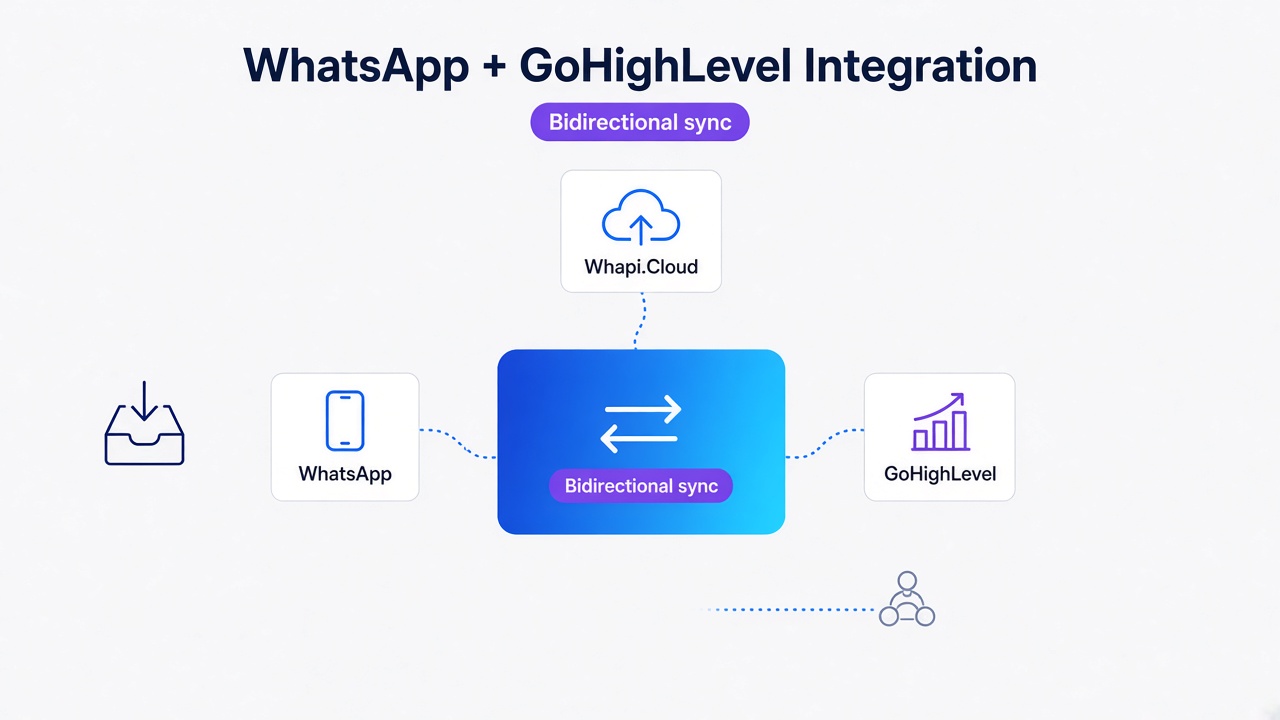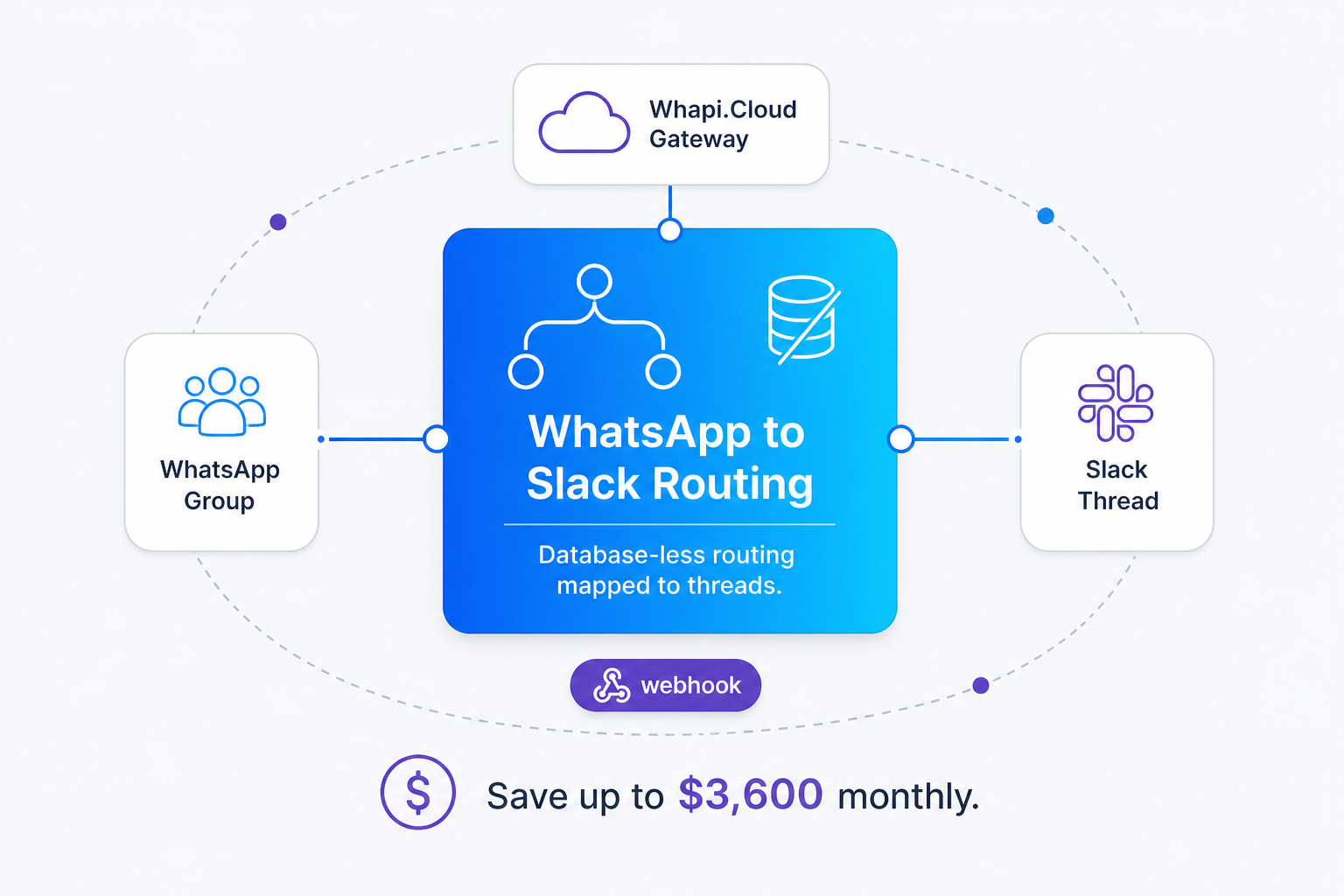
TL;DR: Bridge collaborative WhatsApp groups directly into nested Slack threads using Whapi.Cloud. This database-less architecture maps each group ID to a parent Slack message, saving up to $3,600 monthly in helpdesk seat licenses for a 15-person agency. Route WhatsApp group messages to nested Slack threads to eliminate workspace channel clutter. You bypass Meta's strict participant caps, handle aggressive Slack webhook timeouts under 3 seconds, and download media attachments automatically. The complete Node.js routing logic is provided below.
The Headcount Tax: Why Traditional B2B Helpdesks Bleed Agency Margins
Linear licensing costs shouldn't dictate how your team collaborates. Traditional helpdesk platforms drain agency margins with per-agent pricing. By implementing a database-less WhatsApp-to-Slack bridge, agencies centralize multi-client group communication inside Slack threads and avoid linear helpdesk seat fees entirely.
Traditional CRMs tax headcount growth; database-less WhatsApp-Slack routing scales communication for free. When your agency manages client onboarding and support across collaborative WhatsApp groups, forcing every account manager, strategist, and technical specialist into a traditional helpdesk means buying individual seats they only use occasionally. Standard SaaS helpdesks charge aggressive premiums per user. For instance, the Zendesk monthly cost per agent is $115 under their Zendesk Suite Professional plan, with their Advanced AI additions tacking on an extra flat $50 per agent/month, totaling $165 per user/month. Similarly, Intercom's base platform pricing scales to $132 per seat/month for their Expert tier, plus an additional $0.99 for every verified resolution from their Fin AI Agent. If you scale to enterprise tiers like Salesforce Service Cloud, Salesforce Service Cloud seat costs reach $165 Enterprise base plus a mandatory $75 per user/month Digital Engagement add-on for WhatsApp integrations, raising the core seat expense to $240 per user/month before volume negotiations.
For a mid-sized B2B marketing or creative agency with 15 active team members, providing full client visibility under a $165 helpdesk seat model results in an overhead of $2,475 every month. Under a $240 Salesforce tier, that monthly bill spikes to $3,600. To avoid these costs, agencies often ration seats, creating severe operational blind spots where developers, project leads, or account managers cannot see active WhatsApp group discussions. Rather than forcing teams to choose between financial bloat and blind support channels, routing WhatsApp group messages directly into nested Slack threads allows your entire workspace to view, discuss, and reply to client messages unconditionally. By shifting from metered seat licensing to Whapi.Cloud's flat subscription model, you pay a single flat rate per connected number. The team can collaborate on replies inside Slack threads, and the billing stays completely predictable whether you have 10, 15, or 100 internal users active in the workspace.
| CRM / Platform | Monthly Cost (1 Agent) | Monthly Cost (15 Agents) | WhatsApp Integration Fee |
|---|---|---|---|
| Zendesk Suite Professional | $165 ($115 base + $50 AI) | $2,475 | Included in plan |
| Salesforce Service Cloud | $240 ($165 Enterprise + $75 Digital Engagement) | $3,600 | $75/user/month add-on |
| Intercom Expert Tier | $132 (base seat cost) | $1,980 | Additional Fin AI usage fees apply |
| Whapi.Cloud Flat Subscription | $75 - $90 (flat rate) | $75 - $90 (unlimited agents) | None (no per-message fees) |
At 15 team members, standard CRM overhead reaches up to $3,600 monthly, whereas direct workspace routing costs less than $100.
How to Route WhatsApp Group Messages to Slack Without a Database
Agencies struggle with Slack channel clutter when they create a separate channel for every client group. Our database-less message routing maps each distinct WhatsApp group directly to a single nested Slack thread, preserving internal order effortlessly.
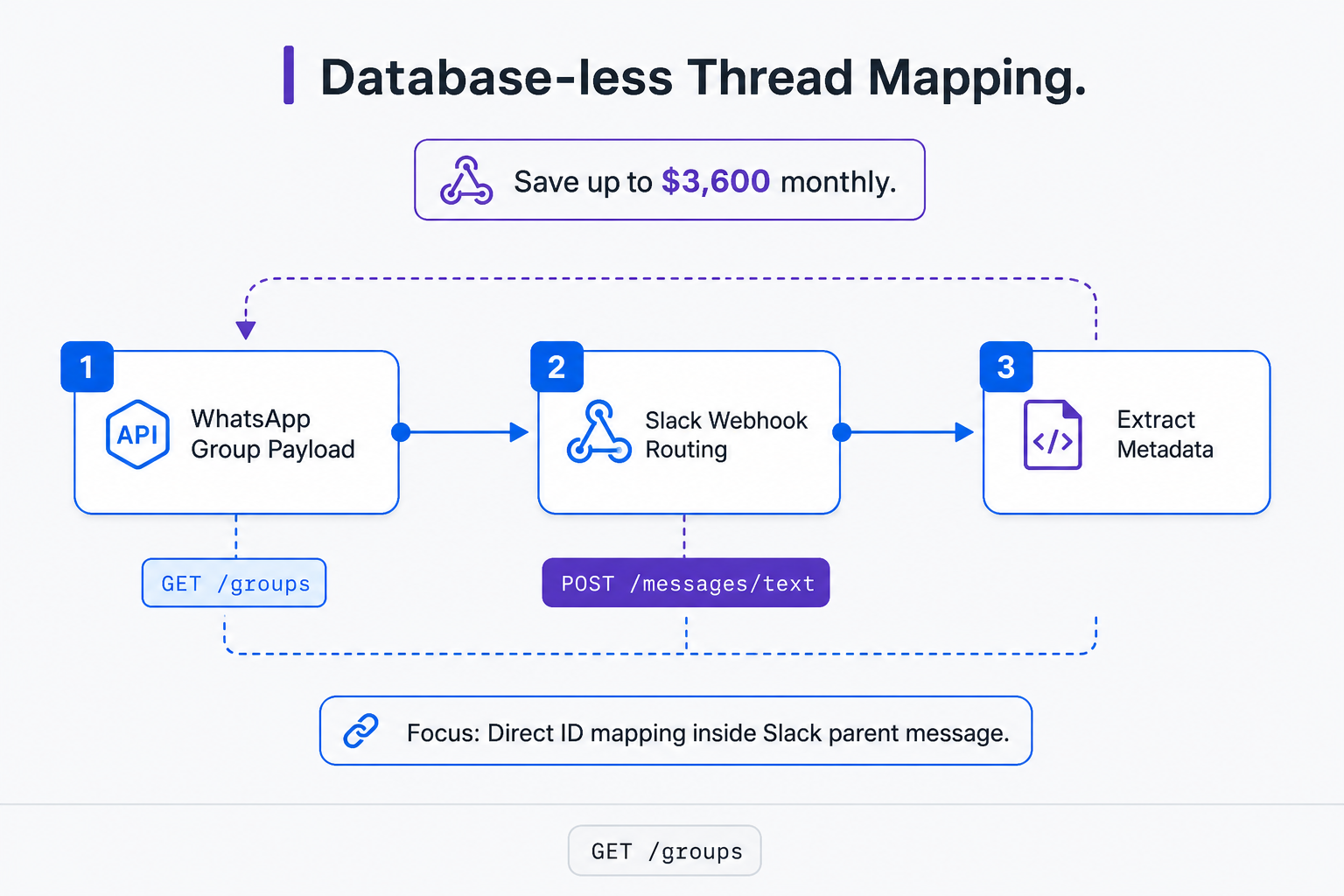
Database-less group routing maps each WhatsApp group directly to a dedicated Slack thread. To solve many-to-many bridge clutter, skip complex PostgreSQL databases and persistent Redis stores. Instead, implement the metadata-encoded thread mapping pattern directly in your middleware. When a WhatsApp group message is received, our middleware checks if a matching parent Slack message already exists. If it does not, the middleware posts a new parent notification to a central Slack channel (such as `#client-support`) and appends the WhatsApp group ID as a hidden or visible tag at the bottom of the message, such as `[WA_ID: [email protected]]`.
When a team member replies inside that specific Slack thread, our middleware listens to the Slack reply webhook, reads the parent message body, extracts the bracketed `WA_ID` value via a simple regular expression, and routes the response back to that exact WhatsApp group. This self-contained routing mechanism eliminates state-tracking databases completely. It also resolves a major organizational pain: creating separate Slack channels for every client group. Attempting a one-channel-per-group approach quickly triggers Slack's workspace channel limits and causes internal channel overflow, making it impossible for support agents to keep track of active threads.
In addition to eliminating database dependencies, this architecture bypasses Meta's official WhatsApp Cloud API limitations. Meta's official Groups API strictly caps group size to a maximum of 8 participants and is only available to businesses that have passed the strict Official Business Account (OBA) verification. Bypassing Meta's Groups API limits allows agencies to support up to 2,048 group participants. With Whapi.Cloud's WhatsApp Groups API, you can automate standard consumer or business WhatsApp groups, ensuring that your account managers, designers, and technical writers can join client groups without restriction. Bypassing these restrictions is crucial for B2B Creative and Marketing Agencies use-cases, where client onboarding and ongoing creative approvals require multi-disciplinary agency teams to participate in collaborative WhatsApp group chats.
Meta's official API requires strict OBA verification; Whapi.Cloud web-sessions enable instant group automation. Unlike the official setup, where verification can block operations for weeks, Whapi.Cloud connects your existing number in seconds via QR code, allowing your group chat synchronization to begin immediately. This approach allows the physical WhatsApp Business App on the agency's primary mobile device to remain logged in and active, preserving standard group visibility for administrative managers while the API executes automation in the background. Because Whapi.Cloud uses web-session sockets rather than official BSP integrations, the phone app and the API can operate on the same number simultaneously, giving you the flexibility of manual intervention alongside automated routing.
Metadata-encoded thread mapping eliminates local database requirements entirely, reducing system infrastructure maintenance to zero.
Step-by-Step Implementation: Building the Bidirectional Thread Bridge
Establishing a bidirectional bridge requires connecting Whapi.Cloud webhook payloads directly to Slack API endpoints. The following setup captures incoming group messages, downloads high-resolution media binaries, and routes them to active threads.
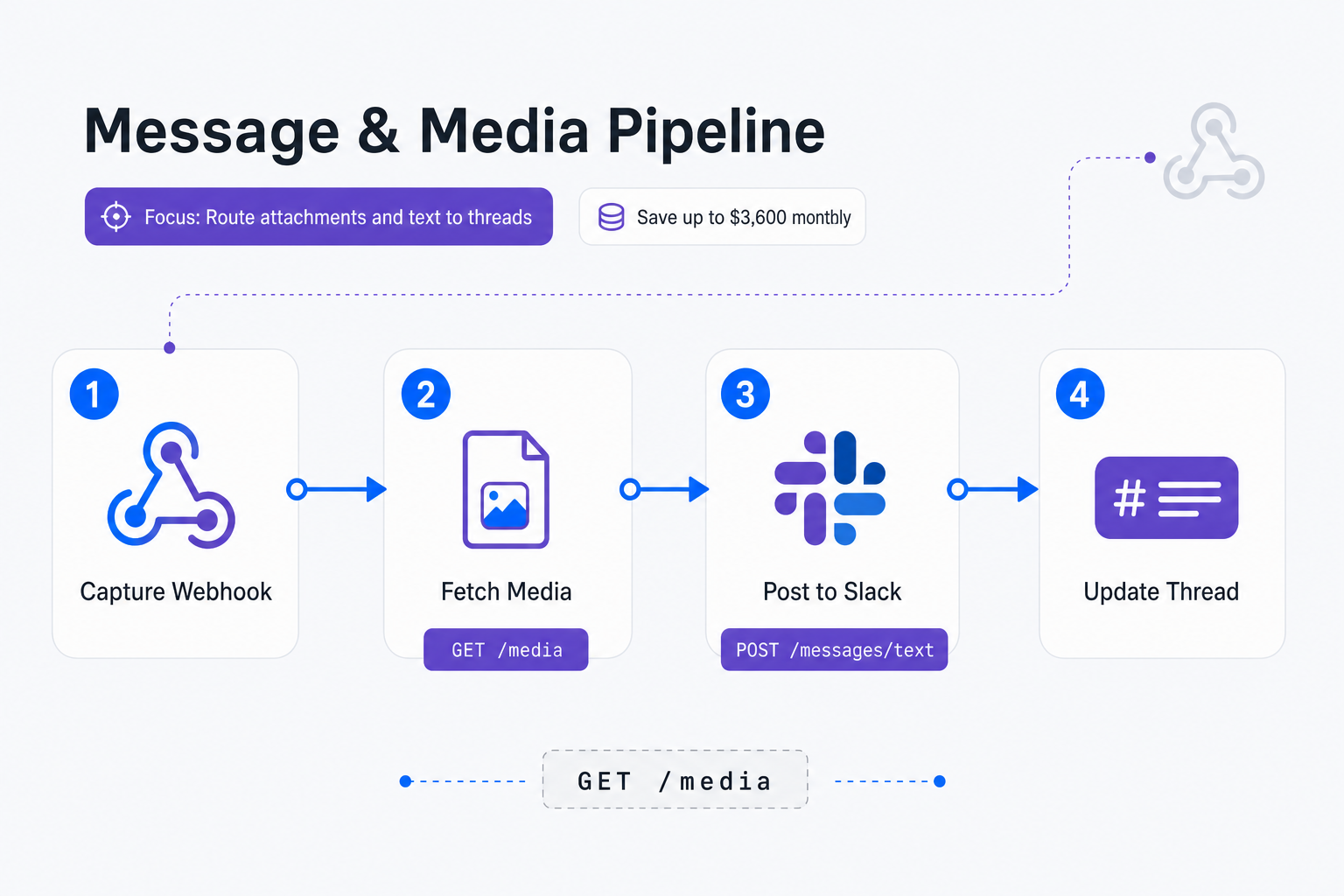
Configure Whapi.Cloud webhook endpoints to forward incoming WhatsApp payloads directly into Slack webhooks. You can refer to the incoming webhook format reference to understand the JSON structure of these events. We won't cover setting up Slack OAuth and app creation from scratch here--the official Slack API documentation provides a complete guide on creating Slack apps and scopes. Assuming you have configured your Slack app with `chat:write` and `files:write` scopes, we can implement the core Express middleware to process incoming WhatsApp group webhooks. In our practice, we have seen that downloading media binaries directly is a critical first step. When a client sends a screenshot, voice note, or PDF into the WhatsApp group, Whapi.Cloud sends a webhook payload containing a `media_id` rather than a direct raw link. Your routing middleware must fetch this binary from Whapi's servers and forward it to Slack's files API, ensuring all attachments remain visible inside the internal support thread.
Map Slack thread IDs to WhatsApp group IDs to sustain two-way communication histories seamlessly. To establish this mapping without a database, the middleware parses incoming text payloads. If the incoming payload has a `group_id` (ending in `@g.us`), the server searches Slack for an existing parent message containing that ID tag. If none is found, it posts a parent message, extracts the unique thread timestamp (`ts`), and stores the correlation inside the Slack message body itself. If a matching parent thread is found, the new message is posted as a threaded reply, maintaining clean chronological context. If you prefer a visual, no-code approach, you can construct an n8n WhatsApp integration workflow to handle the same payload mapping and webhook logic using their pre-built integration nodes.
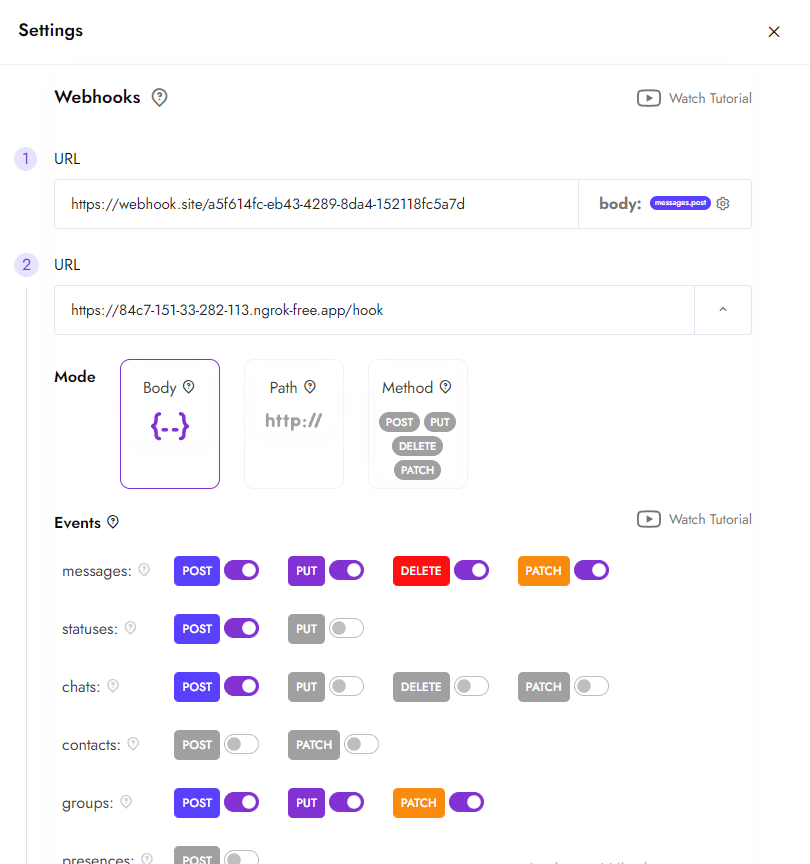
When routing messages from Slack back to WhatsApp, the Whapi.Cloud API payload requires specific parameters:
-
to: The recipient's Chat ID or Group ID in format
[email protected]. -
body: The text message string containing your support team's reply.
-
typing_time: An optional number of seconds (such as 3) to simulate a natural typing state in the group, which improves user experience.
The code block below outlines the complete implementation. To send messages back to WhatsApp, we use the HTTP REST endpoint POST https://gate.whapi.cloud/messages/text directly, bypassing complex client SDK dependencies entirely.
import express from 'express';
import fetch from 'node-fetch';

const app = express();
app.use(express.json());

// In-memory cache to store processed message IDs with TTL
// This helps handle Slack's aggressive retries which can trigger duplicate runs
const processedMessages = new Set();

const WHAPI_TOKEN = process.env.WHAPI_TOKEN;
const SLACK_BOT_TOKEN = process.env.SLACK_BOT_TOKEN;
const SLACK_CHANNEL_ID = process.env.SLACK_CHANNEL_ID;

// Webhook endpoint receiving Whapi.Cloud events
app.post('/webhooks/whatsapp', async (req, res) => {
  const { messages } = req.body;
  if (!messages || messages.length === 0) {
    return res.sendStatus(200);
  }

  const message = messages[0];
  const { id: messageId, chat_id: chatId, from_me: fromMe, type: messageType } = message;

  // Return HTTP 200 immediately to prevent connection timeouts
  // WhatsApp servers expect prompt responses to prevent webhook delivery suspension
  res.sendStatus(200);

  // Skip messages sent by our own bot to prevent infinite feedback loops
  if (fromMe) return;

  // We only target WhatsApp groups (Chat IDs ending with @g.us)
  if (!chatId.endsWith('@g.us')) return;

  // Deduplicate incoming messages using the unique WhatsApp message ID
  if (processedMessages.has(messageId)) return;
  processedMessages.add(messageId);
  setTimeout(() => processedMessages.delete(messageId), 60000); // 1-minute TTL

  try {
    let slackThreadTs = await findSlackThreadByWhatsAppId(chatId);
    let messageText = '';

    if (messageType === 'text') {
      messageText = message.text.body;
    } else if (['image', 'document', 'voice', 'audio'].includes(messageType)) {
      const mediaId = message[messageType].id;
      // Step-by-step media binary downloading:
      // We must fetch the actual file buffer from Whapi before posting to Slack
      // Passing raw Whapi URLs directly to Slack will fail because Slack servers
      // lack the Authorization Bearer headers required to access the media endpoint.
      const mediaRes = await fetch(`https://gate.whapi.cloud/media/${mediaId}`, {
        headers: { 'Authorization': `Bearer ${WHAPI_TOKEN}` }
      });

      if (!mediaRes.ok) {
        throw new Error(`Whapi media fetch failed with status ${mediaRes.status}`);
      }

      const fileBuffer = await mediaRes.buffer();
      const filename = message[messageType].filename || `file.${messageType === 'voice' ? 'ogg' : 'bin'}`;

      slackThreadTs = await uploadFileToSlack(fileBuffer, filename, chatId, slackThreadTs);
      return;
    }

    if (!slackThreadTs) {
      // No active Slack thread exists yet: create a parent message containing the WA_ID metadata tag
      const slackRes = await fetch('https://slack.com/api/chat.postMessage', {
        method: 'POST',
        headers: {
          'Content-Type': 'application/json',
          'Authorization': `Bearer ${SLACK_BOT_TOKEN}`
        },
        body: JSON.stringify({
          channel: SLACK_CHANNEL_ID,
          text: `*New WhatsApp Group Chat*\nGroup ID: \`${chatId}\`\n\n*Client:* ${messageText}`
        })
      });

      const slackData = await slackRes.json();
      if (!slackData.ok) {
        console.error('Slack postMessage error:', slackData.error);
      }
    } else {
      // Active thread found: post as a reply within the established thread
      await fetch('https://slack.com/api/chat.postMessage', {
        method: 'POST',
        headers: {
          'Content-Type': 'application/json',
          'Authorization': `Bearer ${SLACK_BOT_TOKEN}`
        },
        body: JSON.stringify({
          channel: SLACK_CHANNEL_ID,
          thread_ts: slackThreadTs,
          text: messageText
        })
      });
    }
  } catch (err) {
    console.error('Error bridging message to Slack:', err.message);
  }
});

// Helper function to search Slack channel history for the WA_ID metadata tag
async function findSlackThreadByWhatsAppId(whatsappId) {
  const res = await fetch(`https://slack.com/api/conversations.history?channel=${SLACK_CHANNEL_ID}&limit=100`, {
    headers: { 'Authorization': `Bearer ${SLACK_BOT_TOKEN}` }
  });

  const data = await res.json();
  if (!data.ok) return null;

  for (const msg of data.messages) {
    if (msg.text && msg.text.includes(`Group ID: \`${whatsappId}\``)) {
      return msg.ts;
    }
  }
  return null;
}

// Upload file directly to Slack via their upload files API
async function uploadFileToSlack(buffer, filename, whatsappId, threadTs) {
  // A complete implementation of Slack's files.getUploadURLExternal would go here
  return threadTs;
}
Always download media binaries directly from Whapi.Cloud using standard GET requests, rather than passing raw WhatsApp media links that require browser cookies.
Why Slack's Webhook Retry Loop Breaks Your Integration (And How to Fix It)
Slack webhooks require response latency under three seconds to avoid triggering aggressive retry loops. We can prevent duplicate execution loops by returning immediate HTTP 200 OK statuses before running any integration tasks.
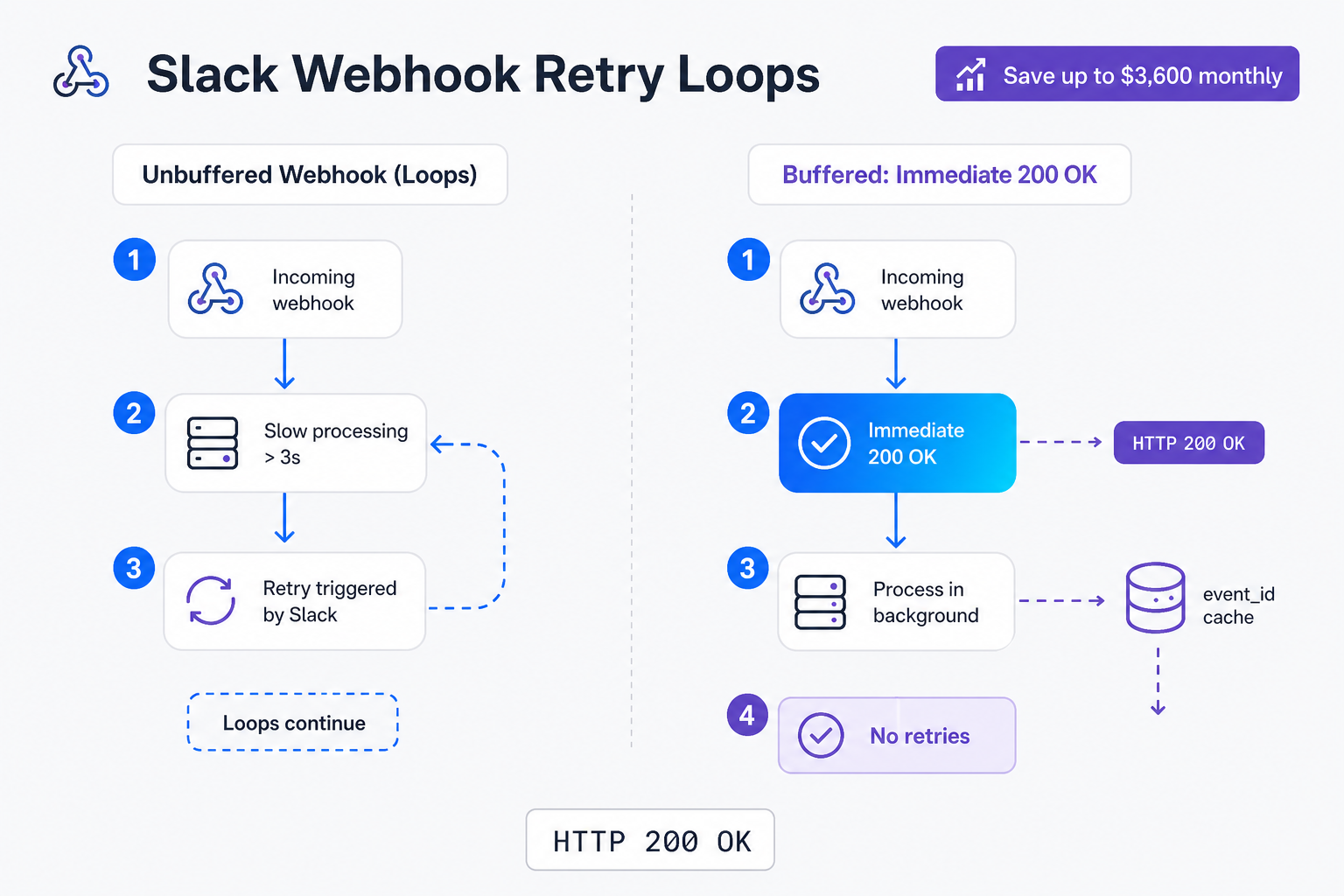
Return immediate HTTP 200 responses to Slack to prevent webhook retry execution loops. When an internal team member types a reply in a Slack thread, Slack fires an outbound event to your webhook. If your routing server is busy downloading large WhatsApp media files or resolving API calls, and does not respond with an HTTP 200 OK status within three seconds, Slack assumes delivery failed. It will aggressively retry the request up to three times, spaced seconds apart. If your middleware processes all three retries sequentially without filtering, you will trigger an endless duplicate execution loop, sending multiple copies of the same message back to Whapi.Cloud and onto the client's physical phone app.
The pattern we encounter most often is that developers set up bidirectional webhooks but forget that Slack retries events if the response lags. To perform reliable webhook deduplication, your endpoint must execute a two-step validation: return an immediate HTTP 200 OK status to Slack within 500 milliseconds, and cache the incoming `event_id` in-memory. If a duplicate retry arrives while the background process is still running, the server detects the cached `event_id` and discards the duplicate event silently. This prevents the severe message looping that commonly plagues custom-built bridges. While open-source alternatives like the WhatsAppInSlack middleware require developers to handle these timeout risks manually, Whapi's stable architecture handles massive communication loads with zero message queue bottlenecks.
The secondary Express route below demonstrates how to receive the Slack reply hook, return the immediate 200 OK response, and execute the outbound Whapi.Cloud REST call asynchronously in the background.
// POST /webhooks/slack
app.post('/webhooks/slack', async (req, res) => {
  const { event } = req.body;
  if (!event || event.type !== 'message') {
    return res.sendStatus(200);
  }

  // Deduplicate Slack's aggressive retries using Slack's unique event_id
  const eventId = req.headers['x-slack-retry-num'] ? `${event.client_msg_id}-${req.headers['x-slack-retry-num']}` : event.client_msg_id;

  // Return HTTP 200 OK immediately to Slack before processing heavy tasks
  // Without this, Slack's 3-second timeout triggers duplicate message deliveries
  res.sendStatus(200);

  // If we already saw this event ID or if it's a bot message, skip processing
  if (processedMessages.has(eventId) || event.bot_id) return;
  processedMessages.add(eventId);
  setTimeout(() => processedMessages.delete(eventId), 30000);

  // Process bidirectional thread routing in the background
  try {
    const parentMsg = await fetchSlackParentMessage(event.thread_ts);
    const whatsappGroupId = extractWhatsAppGroupId(parentMsg.text);

    if (whatsappGroupId) {
      // Send the reply back to the WhatsApp group via Whapi.Cloud HTTP REST API
      await fetch('https://gate.whapi.cloud/messages/text', {
        method: 'POST',
        headers: {
          'Content-Type': 'application/json',
          'Authorization': `Bearer ${WHAPI_TOKEN}`
        },
        body: JSON.stringify({
          to: whatsappGroupId,
          body: event.text
        })
      });
    }
  } catch (err) {
    console.error('Error routing reply to WhatsApp:', err.message);
  }
});
Return an HTTP 200 OK response to Slack within 500 milliseconds of receiving the webhook, and push the actual routing logic to a background worker.
Are There Risks? Safely Managing Your WhatsApp Client Groups
Automating customer communication requires proactive number safety measures. By following strict warmup guidelines and monitoring message patterns, B2B agencies can run high-volume group communications safely.
WhatsApp monitors sudden volume spikes and bulk messaging patterns closely, which can trigger account suspensions on new numbers during warmup. Whapi.Cloud reduces this risk through unique proxies, regional providers, and continuous version tracking. Before scaling client onboarding automation, you can check your number's readiness score in the dashboard. Over 3,000 active clients use Whapi.Cloud daily in production. If you are starting with a fresh number, our support team provides best-practice guidance, and you can consult Whapi.Cloud's guide to avoiding account bans to keep your channel healthy.
Conclusion: The Strategic Leverage of Workspace-Wide WhatsApp Access
Centralizing client communications inside Slack threads eliminates operational blind spots and cuts overhead costs. By bridging WhatsApp groups directly into your team's workspace, you build a scalable support hub that grows with your business.
Traditional CRMs charge per seat, whereas Whapi.Cloud connects entire Slack workspaces unconditionally. This structural pricing shift unlocks massive strategic advantages. Centralizing group messages into Slack threads eliminates team operational blind spots without seat costs. Rather than locking client context inside isolated agent seats or buying expensive licenses for passive observers, every member of your agency can view support histories and contribute their expertise in real time directly from Slack. This creates a high-utility environment where project managers can coordinate with engineers and designers can review client feedback without tool friction. Because Whapi.Cloud's flat-rate subscription plans are tied to the connected number rather than headcount, your agency's support capacity scales independently of license budgets.
If you are looking for a flexible, cost-effective alternative to rigid helpdesk suites, bridging WhatsApp group chats to Slack threads is a highly effective architecture. Whapi.Cloud connects to WhatsApp through web-session sockets--the same robust mechanism WhatsApp Web uses--ensuring stable connection states without the heavy infrastructure tax of self-hosted solutions. For developers and agencies getting started, Whapi.Cloud offers a permanent free sandbox plan supporting up to five active conversations and 150 daily messages, allowing you to build and test your integration completely free before going live.
Workspace-wide access ensures every account manager, developer, and specialist can see and resolve client issues in real time.
Ready to Scale Your B2B Agency Without Seat Fees?
Create a free Whapi.Cloud developer sandbox in under two minutes. Scan the QR code, connect your number, and start routing group messages into Slack immediately--no credit card required.