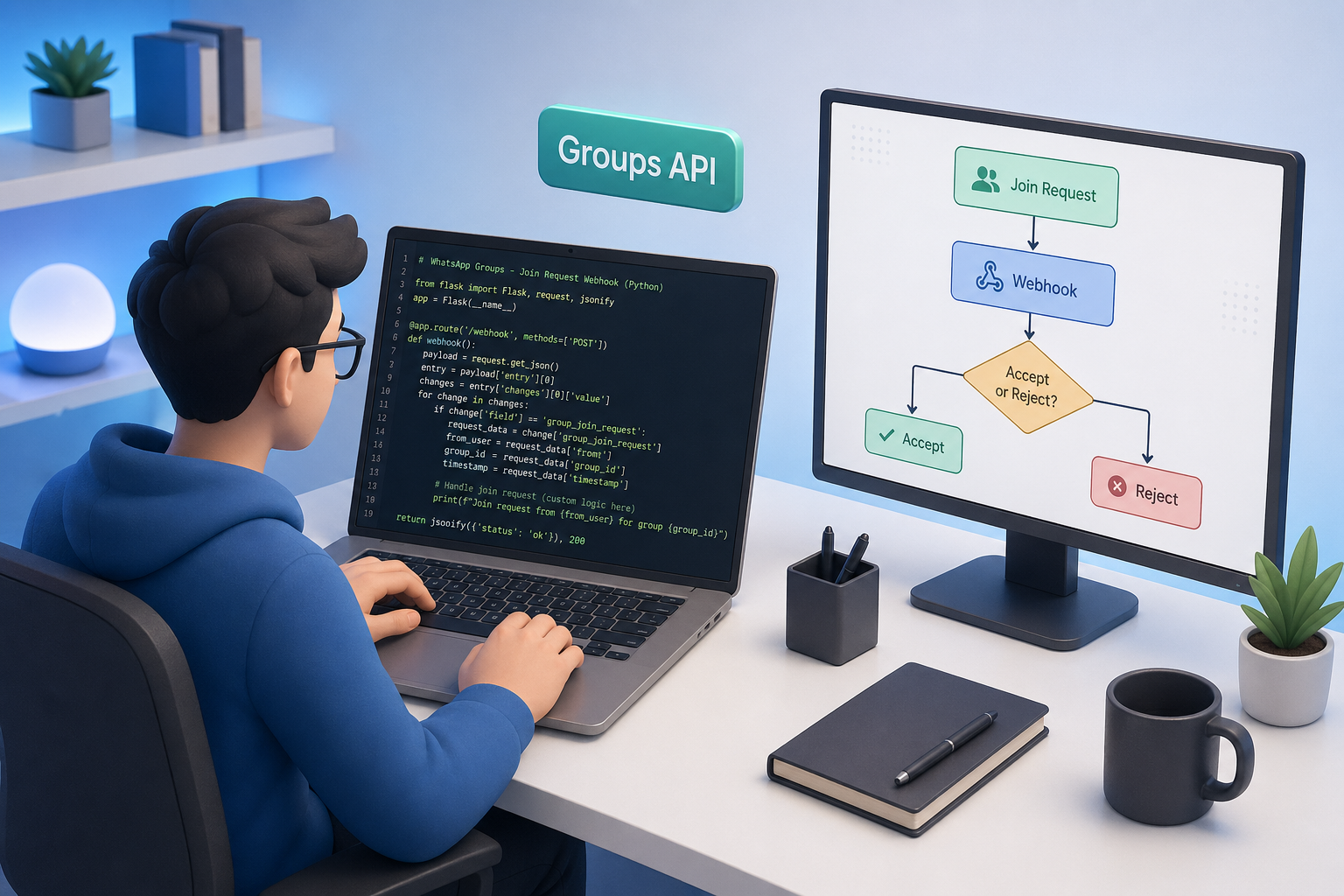
TL;DR: Three Whapi.Cloud endpoints cover the full group join request cycle: GET to list pending requests, POST to accept one, DELETE to reject one. Configure a groups.put webhook, filter on action: "request", and route to accept or reject based on your rule. The Python Flask handler is under 50 lines. For Make or n8n, it is a Webhook trigger plus one HTTP module. Start with a free sandbox to test every call before deploying.
Why Manual Group Moderation Breaks at Scale
Every closed WhatsApp group eventually fails under manual moderation. At 20 join requests per week the task is a routine interruption; at 100, requests stack up unanswered and group integrity breaks down.
Online course cohorts, SaaS beta communities, and paid membership channels all face the same ceiling: an admin who has to open the app, read each request, and tap approve or reject. The job does not scale.
Whapi.Cloud covers the full moderation cycle: detect a join request the instant it arrives, retrieve the full pending list on demand, accept a specific applicant, and reject others, all through three REST endpoints. This guide shows exactly how to wire them together, for both Python developers and teams using Make or n8n.
The broader Groups API reference and group automation guide cover the full API surface; this article focuses on join request moderation specifically.
Prerequisites Before You Start
Before writing any code, confirm you have all four of the following. Missing any one will cause the API calls to fail silently or return a 403.
-
Whapi.Cloud account with a connected number: sign up at panel.whapi.cloud/register, scan the QR code, and copy your channel token from the dashboard.
-
Group admin role: the connected number must be an admin of the target group. Non-admin accounts receive a 403 on all moderation endpoints.
-
Closed/private group setting: join requests only exist when the group is set to "Private"; only admins can approve new members. Open groups have no pending applications queue.
-
Python 3.8+ with
requestsandFlask(for the developer track), or an active Make or n8n account (for the low-code track).
How WhatsApp Group Join Requests Work
When a WhatsApp group is set to private, anyone joining via invite link enters a pending queue rather than joining immediately. GET /groups/{GroupID}/applications surfaces that queue through the API.
Each applicant stays in the queue until explicitly accepted or rejected. There is no automatic expiry. For high-volume communities, the queue can reach hundreds of entries if not cleared. Automated moderation is the only reliable way to keep up.
Setting Up the Webhook Trigger for Join Requests
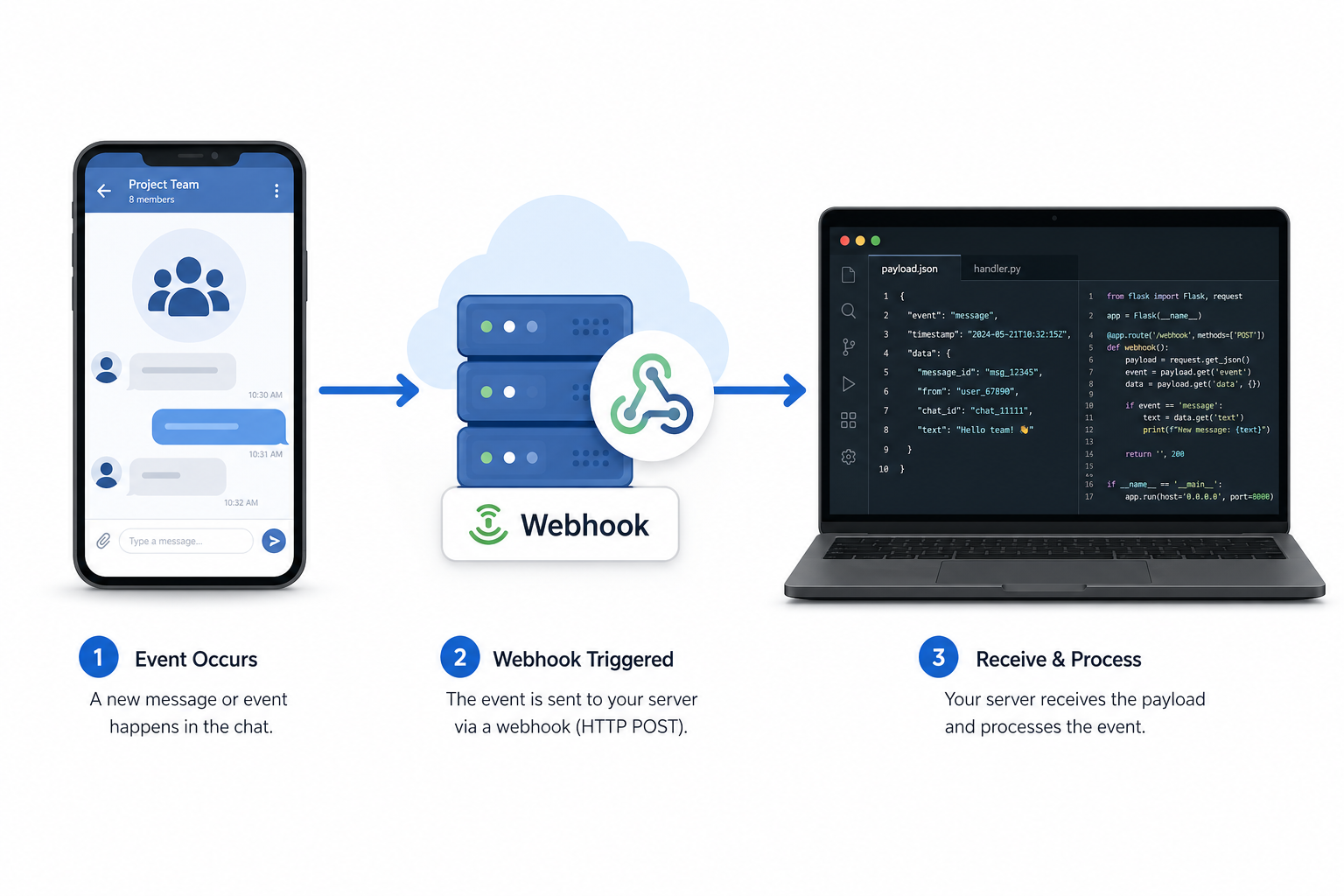
A join request webhook fires the instant someone asks to enter your group. You do not need to poll the list endpoint; Whapi.Cloud pushes the event to your URL in real time the moment WhatsApp delivers it.
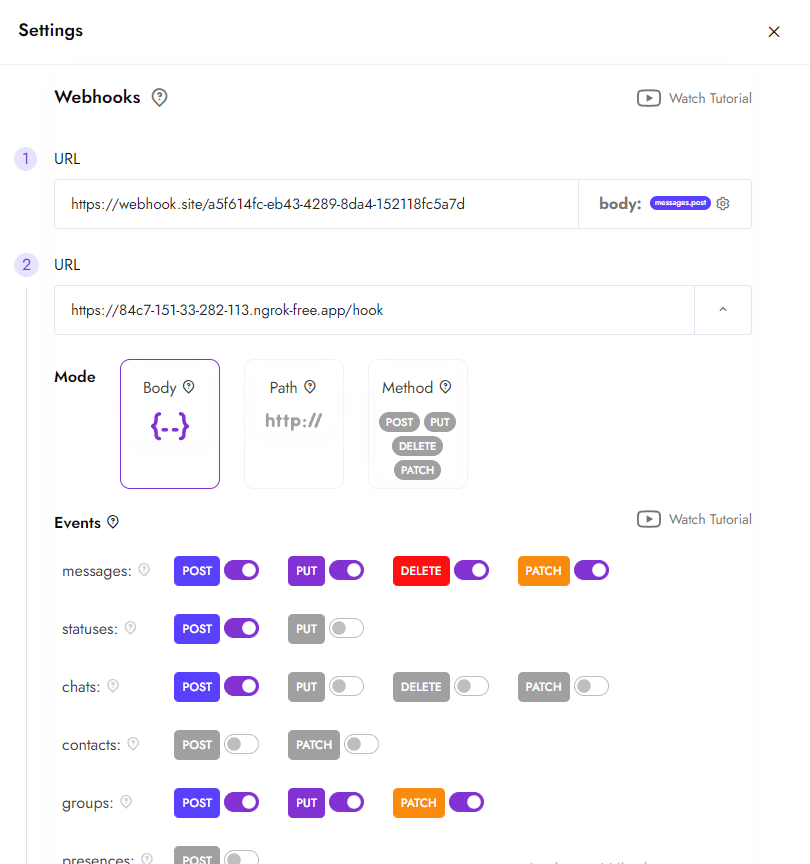
To enable this, go to your Whapi.Cloud channel settings and activate the groups.put webhook event. Set the webhook URL to your server endpoint (or your Make/n8n Webhook URL). Once enabled, every group membership change — joins, leaves, promotions, and join requests — will POST to that URL.
The payload for a join request looks like this. For full field descriptions, see the incoming webhook format reference:
{
  "groups_participants": [
    {
      "group_id": "[email protected]",
      "participants": [
        "61371989850"
      ],
      "action": "request"
    }
  ],
  "event": {
    "type": "groups",
    "event": "put"
  },
  "channel_id": "MANTIS-M72HC"
}
The discriminator is the action field. The same groups.put webhook also fires for joins, leaves, admin promotions, and removals. Your handler must check action === "request" before calling any moderation endpoint. Otherwise you will attempt to approve people who already joined.
From the payload, extract two values: group_id (e.g., [email protected]) and each entry in participants (the applicant's phone number or @lid identifier). Both are required parameters for every moderation API call.
Getting the List of Pending Join Requests
The GET endpoint retrieves the full pending queue on demand, independent of webhooks. Use it to backfill approvals on startup, audit the current queue, or display a review dashboard.
| Parameter | Type | Required | Description |
GroupID |
string | Yes | Full group ID including @g.us suffix |
count |
number | No | Max number of results to return |
offset |
number | No | Results offset for pagination |
count and offset to paginate when the queue exceeds 50 pending entries; each call returns only as many records as count specifies.
The Python call below lists pending applications with your channel token in the Authorization header. See the Whapi.Cloud group member documentation for full response field descriptions.
import requests

WHAPI_TOKEN = "your_channel_token_here"
WHAPI_BASE = "https://gate.whapi.cloud"

def get_pending_applications(group_id):
    """Lists pending join requests for a group. Inputs: group_id (str). Returns: list of applicants."""
    url = f"{WHAPI_BASE}/groups/{group_id}/applications"
    headers = {"Authorization": f"Bearer {WHAPI_TOKEN}"}
    resp = requests.get(url, headers=headers)
    resp.raise_for_status()
    return resp.json()

# Example usage
pending = get_pending_applications("[email protected]")
print(pending)
The response includes each applicant's phone number or @lid identifier. Use count and offset to page through queues with more than 50 entries.
Accepting a Join Request via the API
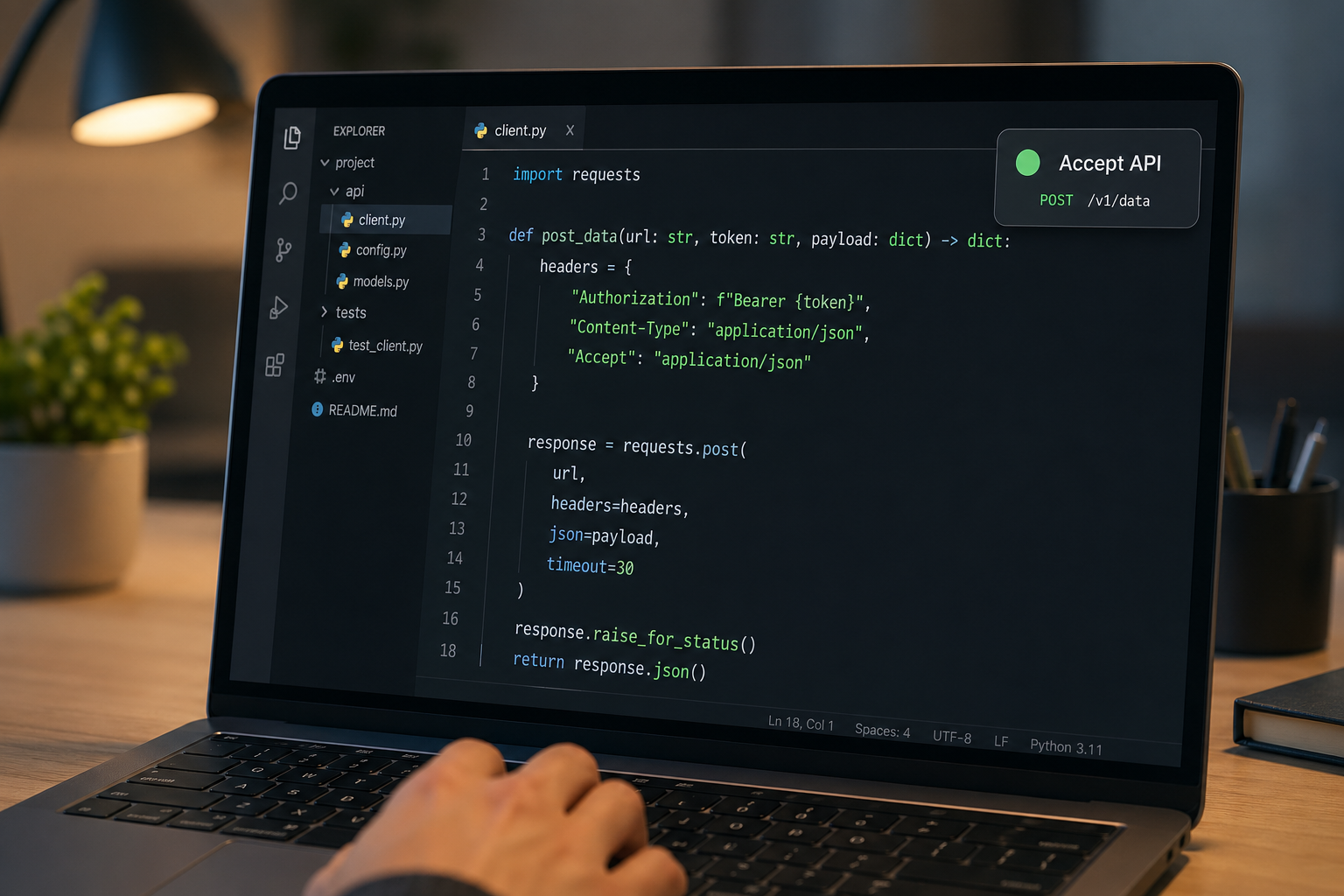
POST /groups/{GroupID}/applications accepts exactly one applicant per call. Pass the phone number or @lid identifier from the webhook payload as the application parameter. To approve multiple applicants, call it in a loop.
| Parameter | Location | Required | Description |
GroupID |
path | Yes | Full group ID (e.g., [email protected]) |
application |
body (JSON) | Yes | Applicant's Chat ID (phone number or @lid from the webhook payload) |
Authorization |
header | Yes | Bearer {channel_token} |
application parameter accepts either a phone number or a @lid identifier; both are valid Chat IDs for the accept and reject endpoints.
Python Track: Accepting a Request
The function below accepts a single applicant. Call it for each entry in the participants array from the webhook payload. Check the response status code: 200 means success, a 4xx means the applicant ID is wrong or you lack admin rights.
def approve_application(group_id, participant):
    """Accepts one join request. Inputs: group_id (str), participant phone (str). Returns: response."""
    url = f"{WHAPI_BASE}/groups/{group_id}/applications"
    headers = {"Authorization": f"Bearer {WHAPI_TOKEN}"}
    body = {"application": participant}
    resp = requests.post(url, json=body, headers=headers)
    if resp.status_code not in (200, 201):
        print(f"Approve failed [{resp.status_code}]: {resp.text}")
    return resp
Low-Code Track: Accepting in Make
In Make: Webhook module fires, HTTP module calls the Whapi.Cloud endpoint. Configure the HTTP module after your Webhook trigger filters the join request event. See the Make.com integration guide for the full scenario setup:
-
URL:
https://gate.whapi.cloud/groups/{{groups_participants[].group_id}}/applications -
Method: POST
-
Headers: Add a header with Name
Authorization, ValueBearer {{your_channel_token}} -
Body type: Raw, Content type: JSON
-
Body content:
{"application": "{{groups_participants[].participants[]}}"}
Low-Code Track: Accepting in n8n
In n8n: Webhook node catches the event, HTTP Request node calls accept or reject. After your Webhook node and an IF node that filters on body.groups_participants[0].action === "request", configure the HTTP Request node:
-
URL:
https://gate.whapi.cloud/groups/{{$json.body.groups_participants[0].group_id}}/applications -
Method: POST
-
Authentication: Header Auth. Name:
Authorization, Value:Bearer {{your_channel_token}} -
Body parameters: Send Body as JSON. Key:
application, Value:{{$json.body.groups_participants[0].participants[0]}}
Rejecting Join Requests via the API
The DELETE endpoint rejects one applicant per call, with the same parameters as the accept endpoint. Swap the HTTP method to DELETE; everything else stays identical. For bulk rejections, loop over the participants list.
application body field; only the HTTP method changes from POST to DELETE.
Python Track: Rejecting a Request
def reject_application(group_id, participant):
    """Rejects one join request. Inputs: group_id (str), participant phone (str). Returns: response."""
    url = f"{WHAPI_BASE}/groups/{group_id}/applications"
    headers = {"Authorization": f"Bearer {WHAPI_TOKEN}"}
    body = {"application": participant}
    resp = requests.delete(url, json=body, headers=headers)
    if resp.status_code not in (200, 201):
        print(f"Reject failed [{resp.status_code}]: {resp.text}")
    return resp
Low-Code Track: Rejecting in Make
Same HTTP module configuration as the accept flow above. Change only one field:
-
Method: DELETE (all other fields — URL, headers, body — remain the same as the accept module)
Low-Code Track: Rejecting in n8n
-
Method: DELETE (URL, auth, and body parameters remain identical to the accept node)
-
In n8n, connect both the "true" (approve) and "false" (reject) branches of your IF node to separate HTTP Request nodes with the respective methods.
Building the Full Moderation Automation Flow
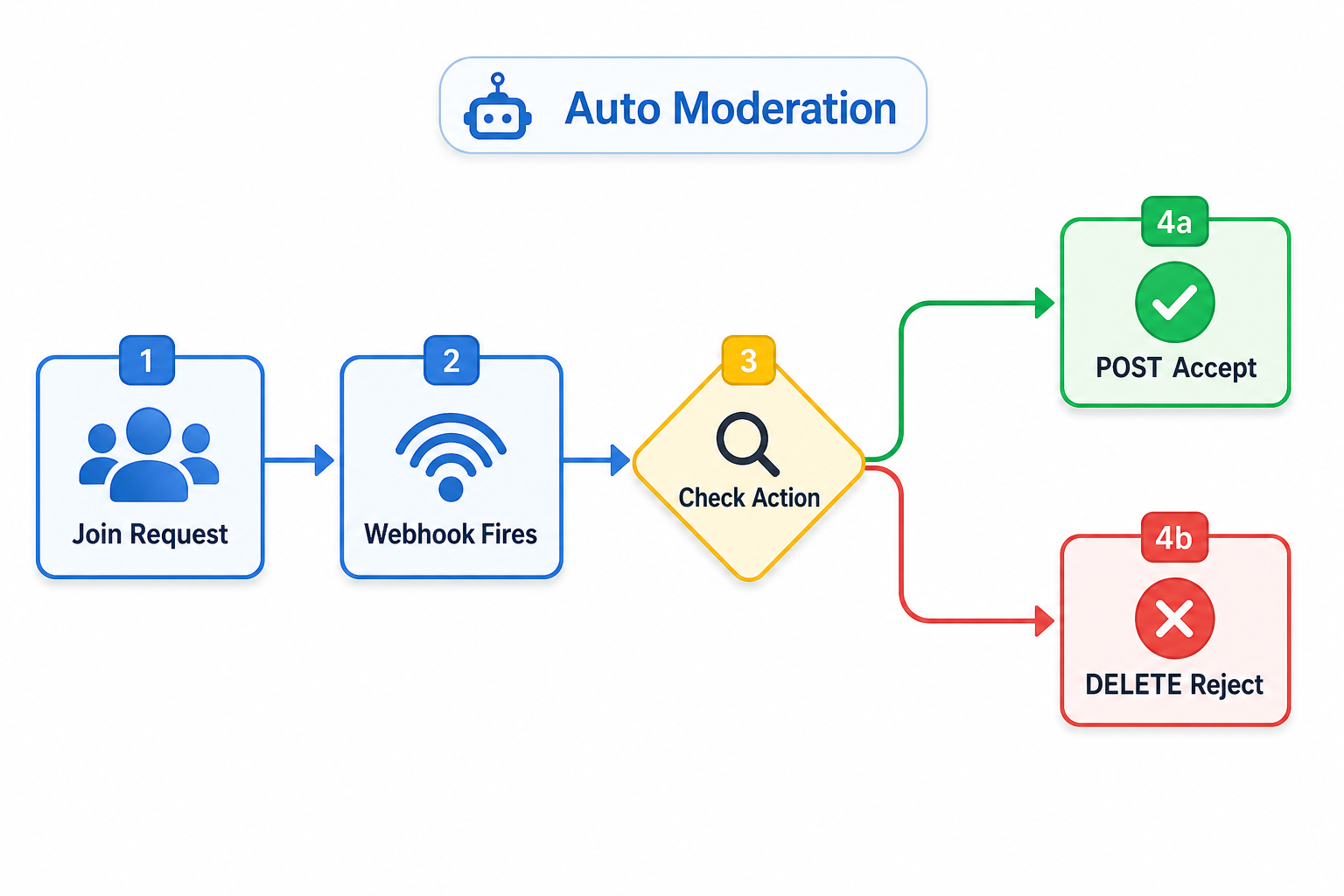
The full Python handler is a single Flask route that filters the webhook, applies your rule, and calls POST or DELETE. It fits under 50 lines and covers all three endpoints.
Replace the should_approve() function with your own logic: check against an allowlist, validate an email domain, look up the phone number in your CRM, or query your own database. The Python WhatsApp bot tutorial covers additional Flask patterns if you want to extend this handler further.
import requests
from flask import Flask, request, jsonify

app = Flask(__name__)

WHAPI_TOKEN = "your_channel_token_here"
WHAPI_BASE = "https://gate.whapi.cloud"

def get_pending_applications(group_id):
    """Lists pending join requests. Inputs: group_id (str). Returns: API response JSON."""
    url = f"{WHAPI_BASE}/groups/{group_id}/applications"
    headers = {"Authorization": f"Bearer {WHAPI_TOKEN}"}
    resp = requests.get(url, headers=headers)
    resp.raise_for_status()
    return resp.json()

def approve_application(group_id, participant):
    """Accepts one join request. Inputs: group_id (str), participant phone (str). Returns: response."""
    url = f"{WHAPI_BASE}/groups/{group_id}/applications"
    headers = {"Authorization": f"Bearer {WHAPI_TOKEN}"}
    resp = requests.post(url, json={"application": participant}, headers=headers)
    if resp.status_code not in (200, 201):
        print(f"Approve failed [{resp.status_code}]: {resp.text}")
    return resp

def reject_application(group_id, participant):
    """Rejects one join request. Inputs: group_id (str), participant phone (str). Returns: response."""
    url = f"{WHAPI_BASE}/groups/{group_id}/applications"
    headers = {"Authorization": f"Bearer {WHAPI_TOKEN}"}
    resp = requests.delete(url, json={"application": participant}, headers=headers)
    if resp.status_code not in (200, 201):
        print(f"Reject failed [{resp.status_code}]: {resp.text}")
    return resp

def should_approve(phone_number):
    """
    Your custom approval rule. Return True to accept, False to reject.
    Replace this with your own logic: allowlist check, CRM lookup, domain validation, etc.
    """
    # Example: approve any number (replace with real condition)
    return True

@app.route("/webhook", methods=["POST"])
def handle_webhook():
    """Receives Whapi.Cloud webhook events and routes join requests to approve or reject."""
    data = request.get_json(force=True)

    for group_event in data.get("groups_participants", []):
        # Only process join request events — skip joins, leaves, and promotions
        if group_event.get("action") != "request":
            continue

        group_id = group_event["group_id"]
        for participant in group_event.get("participants", []):
            if should_approve(participant):
                approve_application(group_id, participant)
            else:
                reject_application(group_id, participant)

    return jsonify({"status": "ok"})

if __name__ == "__main__":
    app.run(port=5000)
On error handling: a 403 response means the connected number is not a group admin. A 404 means the group ID is wrong or the applicant already left the queue. Log both: they identify configuration errors, not transient failures.
For the low-code track, the complete Make or n8n flow follows this sequence:
-
Webhook trigger: Custom Webhook module (Make) or Webhook node (n8n) receives the
groups.putpayload from Whapi.Cloud. -
Filter: Router (Make) or IF node (n8n) checks that
groups_participants[].actionequalsrequest. Non-matching events are discarded. -
Decision: Add your own condition: look up the participant phone in a Google Sheets allowlist, check a database HTTP request, or use a simple text filter.
-
HTTP module (accept path): POST to
https://gate.whapi.cloud/groups/{group_id}/applicationswith{"application": "{participant}"}in the JSON body. -
HTTP module (reject path): Same URL, same body; method changes to DELETE.
Whapi.Cloud delivers a clean JSON payload with a single discriminator field. Make and n8n map it directly without middleware or a custom transformer. Automated moderation eliminates the manual admin queue and applies consistent access rules across every group the connected number administers.
A Note on @lid Identifiers in Join Requests
Some applicants appear as @lid identifiers, such as 1524746986546@lid, rather than phone numbers due to WhatsApp's 2025 privacy changes. Pass @lid values directly as the application parameter; they work identically to phone numbers on both accept and reject endpoints.
Whapi.Cloud automatically resolves @lid to phone numbers when WhatsApp provides the mapping. When resolution is not available, the @lid value is returned as-is and can still be passed directly as the application parameter to the accept or reject endpoint. For a full explanation, see the Whapi.Cloud knowledge base articles on what @lid is in WhatsApp groups and the @lid FAQ.
Endpoint Summary: The Full Moderation Cycle
Three endpoints — GET list, POST accept, DELETE reject — cover the full moderation cycle. Here is the complete reference table before you move to testing:
| Operation | Method | Endpoint | Required Body | Notes |
| List pending requests | GET | /groups/{GroupID}/applications |
None | Returns full queue; supports pagination |
| Accept one request | POST | /groups/{GroupID}/applications |
{"application": "phone_or_lid"} |
One applicant per call; loop for multiples |
| Reject one request | DELETE | /groups/{GroupID}/applications |
{"application": "phone_or_lid"} |
One applicant per call; loop for multiples |
All three calls use the same Authorization header: Bearer {channel_token}. The base URL is https://gate.whapi.cloud. Any pacing you add is about WhatsApp server-side spam detection, not Whapi.Cloud API restrictions; production plans have no hard rate limits at the API level.
Start Testing in the Free Sandbox
Start a free Whapi.Cloud sandbox to test the join request API without payment. The sandbox is permanently free: 5 active conversations per month, no time limit. Scan a QR code, connect a number, and run every endpoint in this guide against a real WhatsApp group before deploying to production.