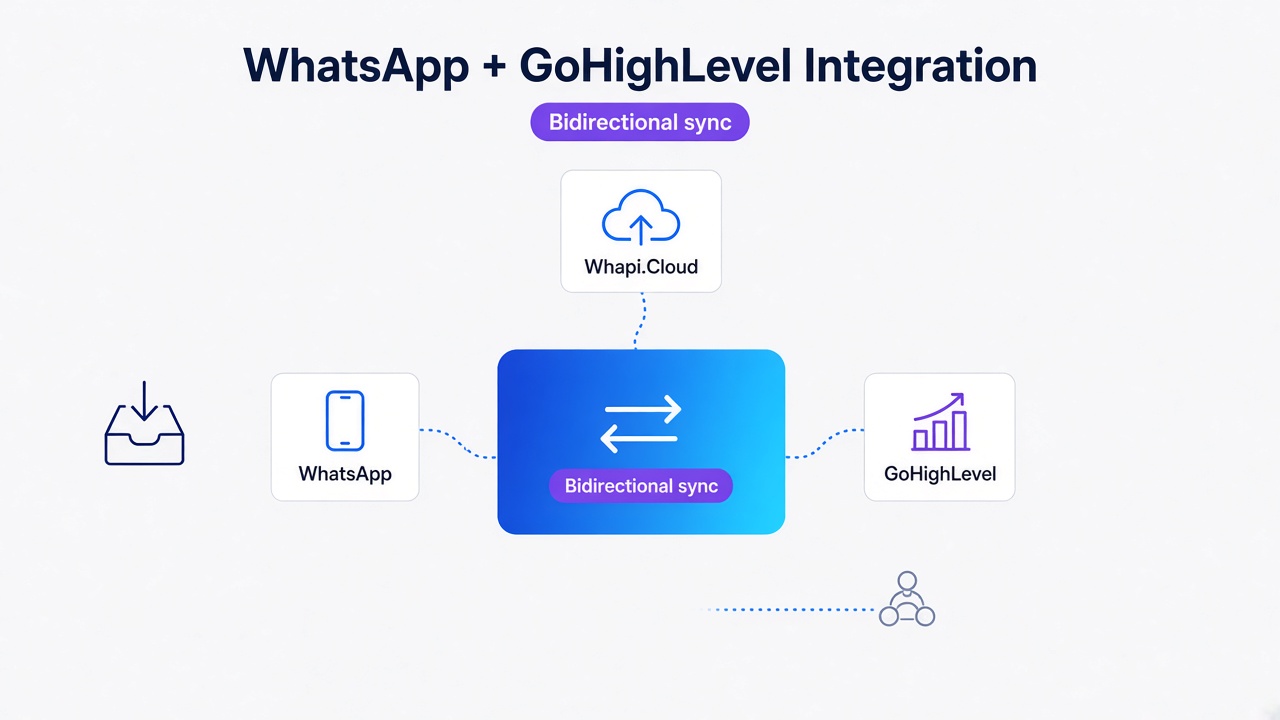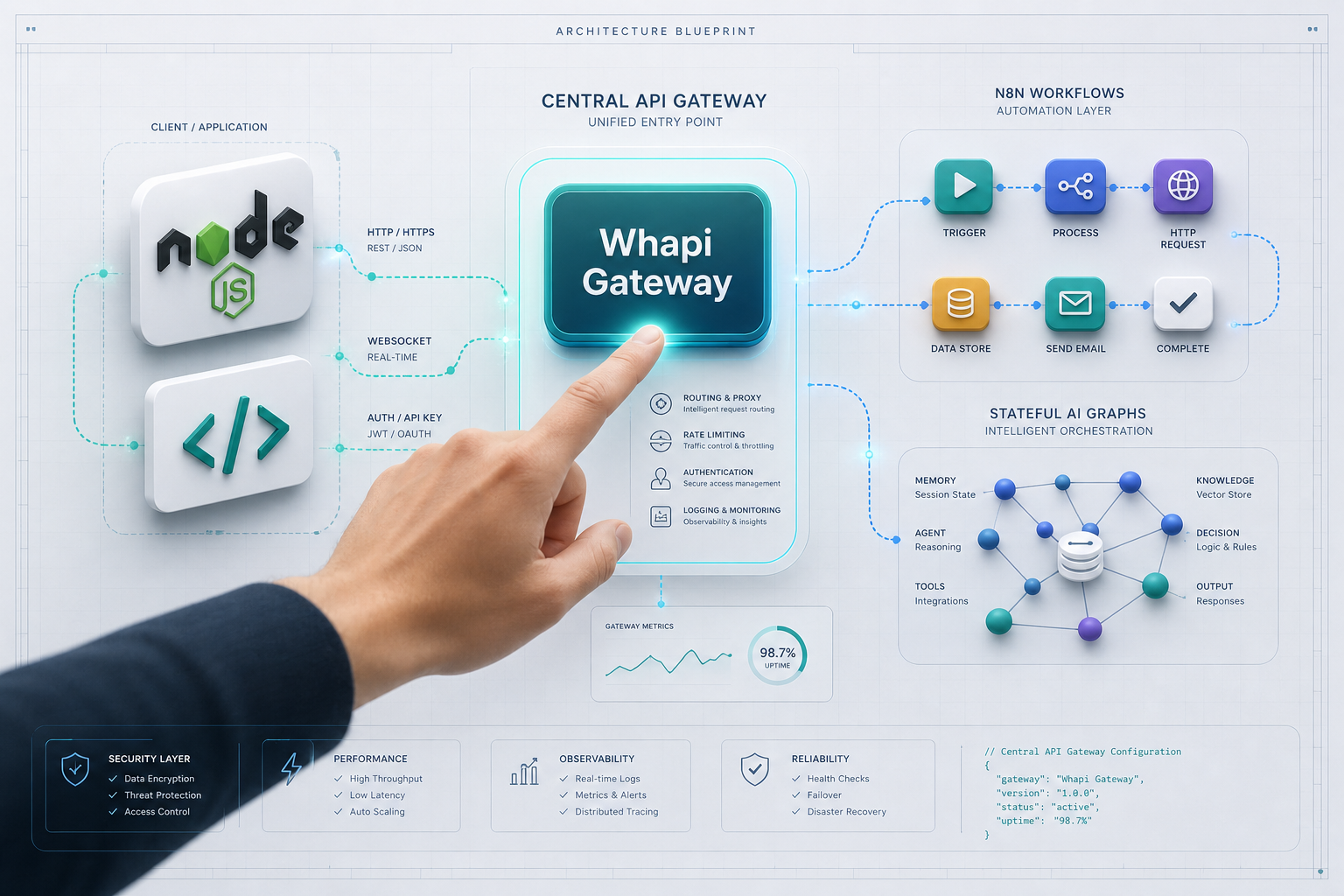
TL;DR: Connecting WhatsApp in 2026 does not require weeks of Meta verification or multi-step media uploads. Raw REST APIs and rigid no-code builders are a false choice; Whapi.Cloud drives both. Scanning a QR code establishes a stable web-session socket connection to run visual n8n workflows and multimodal LangGraph agents from a single API token. This guide provides the complete architecture and production-ready queue code.
Why Raw Code and No-Code Are a False Choice in WhatsApp Integration
Choosing between raw, complex API code and restrictive no-code builders is a false choice. Whapi.Cloud serves as a unified REST transport layer that powers both zero-code triggers and stateful AI agent architectures from a single, verified WhatsApp connection. We have established that a single web-session socket gateway runs both backend services and visual automations seamlessly under one unified transport layer.
You are likely starting your WhatsApp integration with a clear picture of what you want: a system that notifies customers, responds to queries, or drives interactive support. However, your very first mistake is assuming you must make a rigid architectural choice at the outset. Developers often believe they must either write thousands of lines of custom code to interface with Meta's official APIs, or force their team into a locked-in, visual SaaS platform that restricts how their database interacts with customers.
We've seen hundreds of teams hit this wall when trying to scale. A startup begins with a visual automation tool like Make.com, only to find that when they need to connect a persistent database or coordinate a stateful AI agent, the platform's constraints choke their development. Conversely, teams that build on raw, direct official APIs from day one spend weeks on plumbing -- managing system user tokens, setting up custom retry queues, and seeking approval for simple image templates -- before sending their first outbound message.
The Binary Myth of WhatsApp Integration forces teams into silos, but 2026 has established a more pragmatic approach. Instead of choosing between code-heavy and zero-code, leading architectures utilize the unified transport layer. This design pattern positions Whapi.Cloud as a single API gateway that handles the underlying protocol complexity, providing clean HTTP endpoints that can simultaneously be triggered by an n8n webhook and consumed by a Node.js microservice or an advanced LangGraph agent.
To understand how this unified transport operates, consider the following blueprint:
  +-----------------------------------------------------------------+
  |                          WHATSAPP CLIENT                        |
  +-----------------------------------------------------------------+
                                  |
                   web-session sockets connection
                                  v
  +-----------------------------------------------------------------+
  |                     WHAPI.CLOUD GATEWAY                         |
  |             (Absorbs silent protocol updates)                   |
  +-----------------------------------------------------------------+
          |                                                 |
     HTTP Webhook                                      HTTP REST API
          v                                                 ^
  +----------------------+                          +---------------+
  |  REDIS / BULLMQ      |                          |  Node.js app  |
  |  (Reliable Queue)    |                          |      OR       |
  +----------------------+                          |  n8n flow     |
     /                \                             |      OR       |
    v                  v                            |  LangGraph    |
  +-------+      +---------------+                    +---------------+
  |  n8n  |      |   LangGraph   |                            |
  | Flow  |      |   AI Agent    |----------------------------+
  +-------+      +---------------+
Bypassing the Onboarding Bottleneck: QR Code Scan vs. Meta Business Verification
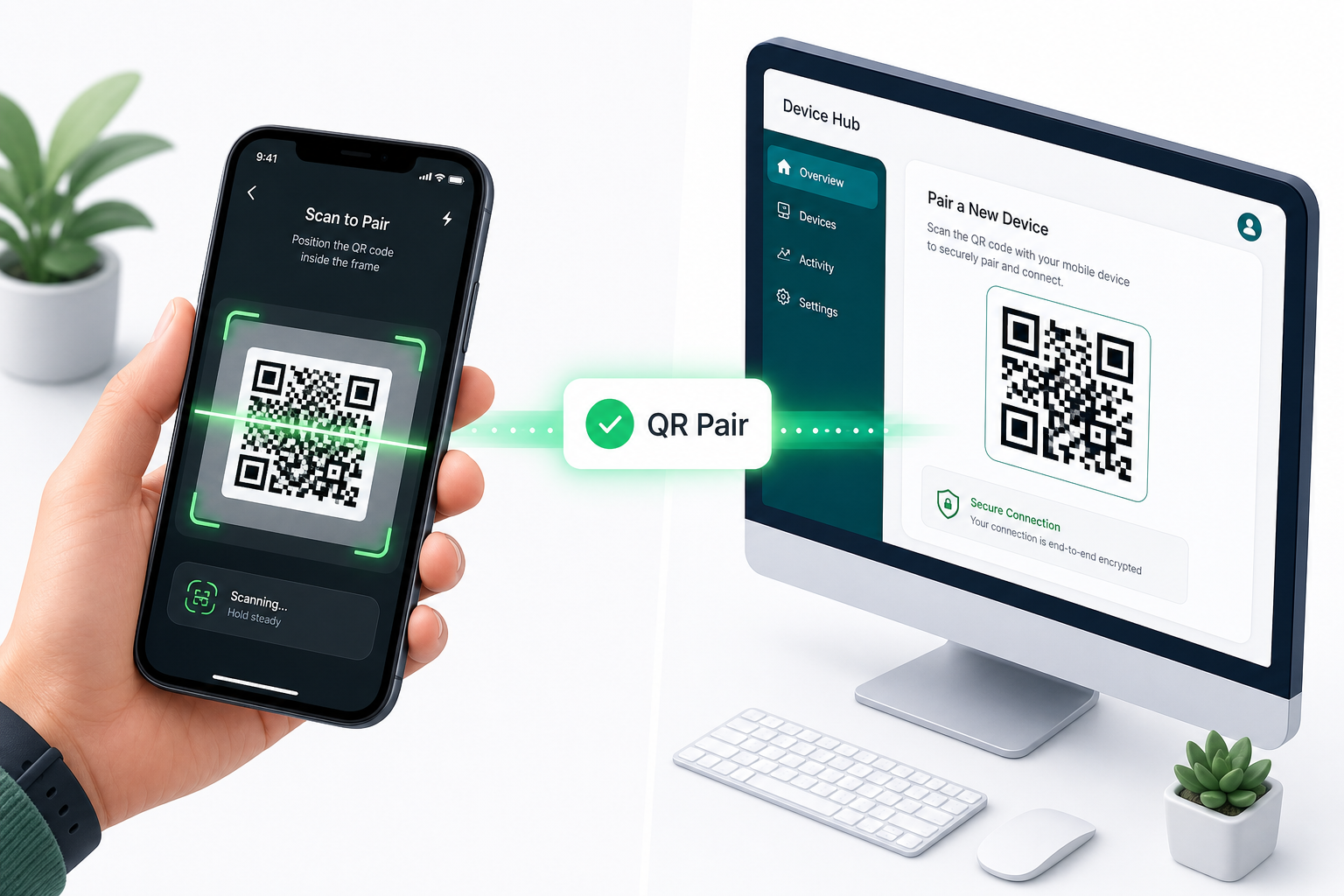
Meta verification stalls launches for weeks; Whapi.Cloud scans QR codes in seconds. By establishing a web-session socket connection instantly, teams can bypass complex Facebook compliance checks and activate their messaging channels in under two minutes.
In typical production environments, a company planning to deploy an automated WhatsApp channel is forced to go through Facebook Business Manager and submit legal documents, tax registrations, or utility bills to complete the Meta Business Verification process. This compliance gate frequently takes between 2 to 7 business days to approve, leaving development teams idle and product launches blocked.
Furthermore, migrating an existing phone number from the consumer WhatsApp Business App to the official Cloud API deletes all previous chat history, requires a physical SIM card for verification, and forces the number into a strict number warmup period. During this warmup, your outbound message volume is heavily throttled by Meta to protect users from spam-detection triggers, limiting you to as few as 250 business-initiated conversations per day until your account's quality rating is established.
Whapi.Cloud bypasses this organizational tax entirely by utilizing a web-session sockets connection. Because the gateway communicates with WhatsApp using the same secure protocol as the official WhatsApp Web application, onboarding requires no paperwork. You scan a QR code via the Whapi.Cloud panel, and your server gains full API capabilities within two minutes. This rapid path to production is detailed in Whapi.Cloud's getting started guide.
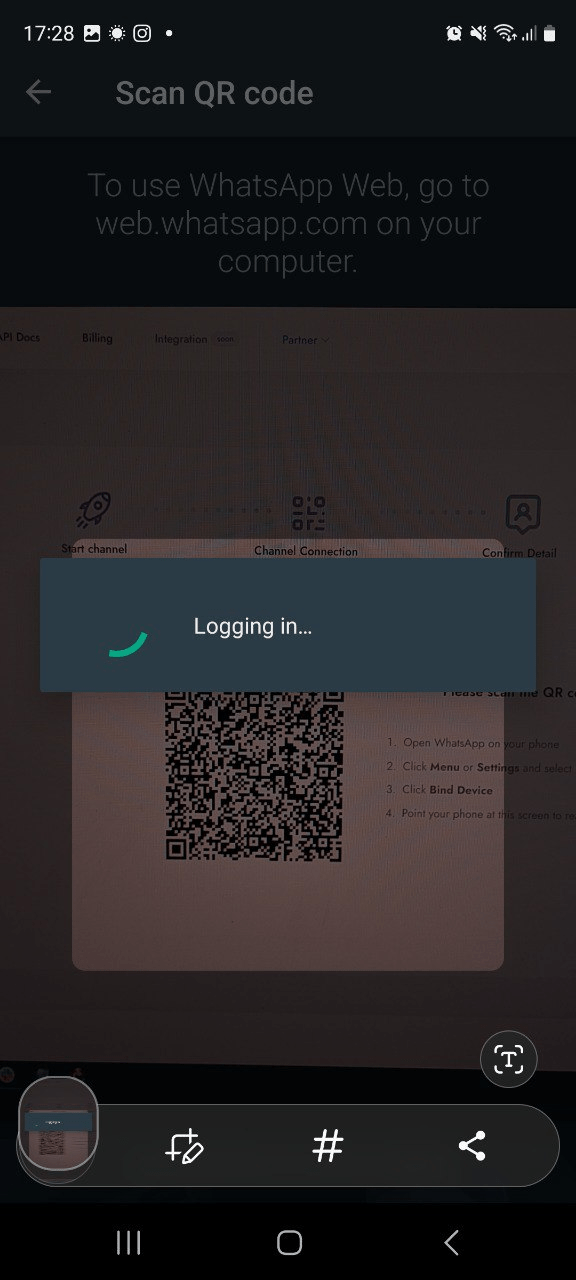
Outbound scaling remains manageable without Meta's artificial messaging tiers. However, because WhatsApp server-side filters actively monitor user complaints and sudden spikes, you must respect natural usage patterns. This means gradually increasing outbound message frequency and utilizing a dedicated warm-up script rather than executing unthrottled bulk blasts on a brand-new number. If your channel requires maximum safety, you can evaluate your score inside the dashboard to adjust your pacing strategy before scaling.
Why Stateless Webhooks Fail -- and How to Build a Redis-Backed Queue
Unbuffered webhooks drop incoming messages; Redis-backed message queues guarantee delivery. Decoupling ingestion from execution ensures that spike loads or short server restarts do not result in permanent, unrecoverable data loss in production.
The rejected alternative for high-volume message handling is direct, stateless HTTP routing: forwarding webhook payloads from the gateway directly to your primary application server without an intermediate buffer. In our experience, teams that attempt this face permanent message loss during deployment restarts or transient server crashes.
In the official WhatsApp Business API, webhooks often fail to receive production messages when developers use temporary tokens from the Embedded Signup Flow instead of permanent system user tokens. In Whapi.Cloud, webhook authentication is secured by a single, permanent API token generated instantly in your dashboard -- because our web-session sockets connection does not require complex Meta token hierarchies. To protect against server downtime and burst spikes under load, you must decouple the reception of the webhook from its execution. This is known as webhook queueing and retry logic, which uses an in-memory data store like Redis and a queue processor like BullMQ to guarantee that no payload is dropped.
To implement this pattern, we run a lightweight Express endpoint that validates the webhook's signature, immediately pushes the raw payload to our Redis-backed BullMQ queue, and returns an HTTP 200 status code within 50 milliseconds. A worker process then pulls messages from the queue asynchronously, executing our integration logic without blocking incoming traffic:
const express = require('express');
const { Queue } = require('bullmq');
const Redis = require('ioredis');

const app = express();
const connection = new Redis(process.env.REDIS_URL || 'redis://127.0.0.1:6779');

// Initialize the reliable BullMQ incoming webhook queue
const webhookQueue = new Queue('incoming-whatsapp', { connection });

// Parse the raw body to verify webhook signature or validate integrity
app.use(express.json());

app.post('/webhook', async (req, res) => {
  const payload = req.body;

  // Without immediate queueing here, a transient 500 error on your primary
  // business logic handler will cause the gateway to drop the message permanently.
  if (!payload || !payload.messages) {
    return res.status(400).send('Malformed webhook payload');
  }

  try {
    // Add the webhook job to the Redis queue with a persistent retry configuration
    await webhookQueue.add('message-job', payload, {
      attempts: 5,
      backoff: {
        type: 'exponential',
        delay: 1000 // Retry starting at 1s, doubling up to 16s
      }
    });

    // Respond immediately to the Whapi gateway to free up the socket connection
    return res.sendStatus(200);
  } catch (error) {
    console.error('Failed to queue WhatsApp webhook payload:', error);
    return res.status(500).send('Internal queue failure');
  }
});

app.listen(3000, () => console.log('Webhook receiver listening on port 3000'));
Complex two-step Meta uploads fail; direct media URL ingestion simplifies image templates. In the official WhatsApp Business API, sending an image template requires a complex, non-intuitive two-step upload process using the `/uploads` endpoint to generate a `media_id`. In Whapi.Cloud, direct media URL ingestion simplifies image templates -- because our gateway accepts direct media URLs in your API payload and handles retrieval, transcoding, and delivery to WhatsApp servers automatically.
The Unified Transport Architecture: Connecting n8n Workflows and LangGraph Agents
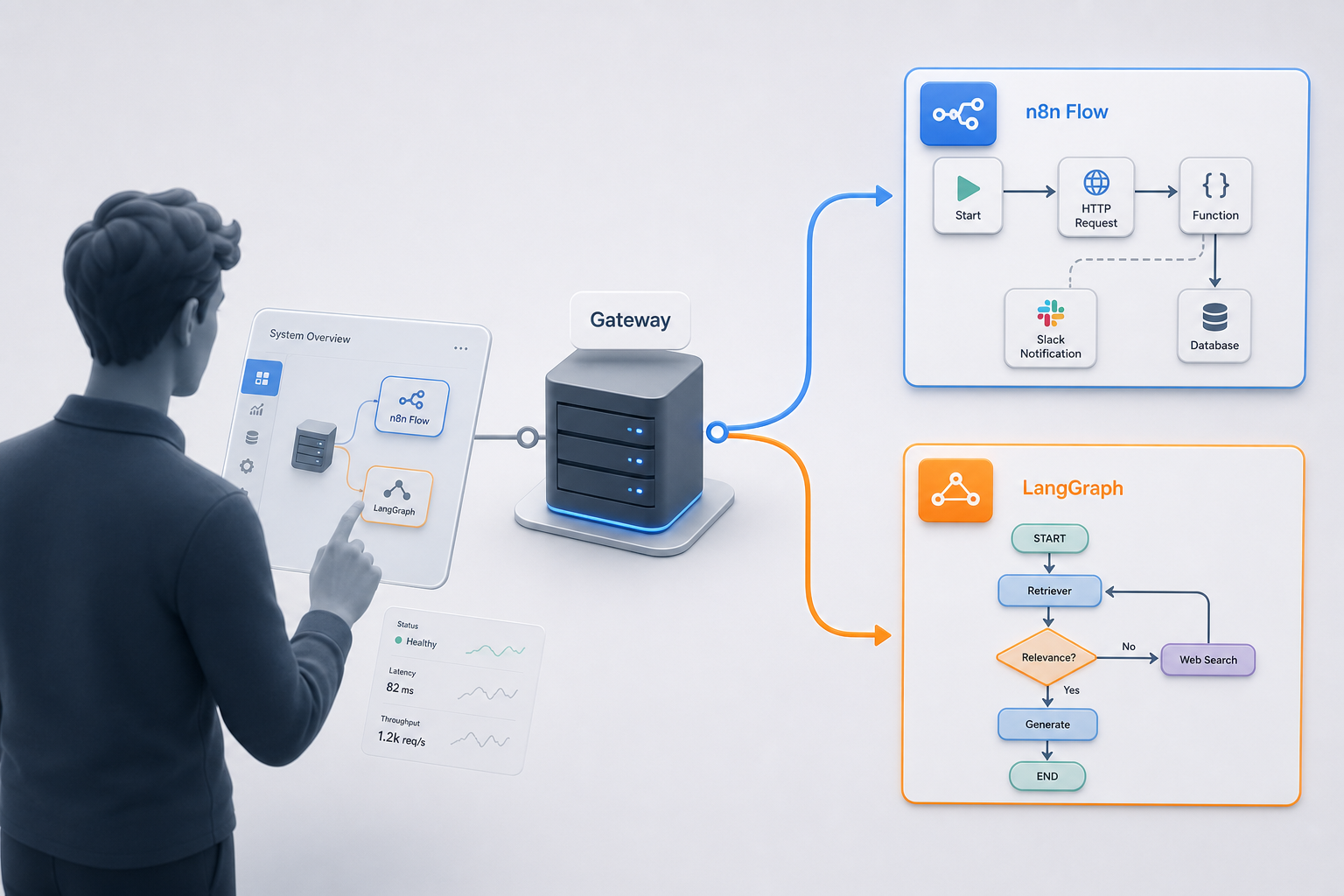
LangGraph coordinates agent state; Whapi.Cloud web-session sockets stream multimodal payloads. Isolating state management from raw delivery protocols ensures your AI integrations remain clean, modular, and highly maintainable under scaling pressure.
This separation of concerns allows you to build sophisticated AI conversational systems. When designing a multimodal AI agent, your development stack must coordinate multimodal AI agent state management, speech-to-text pipelines, and external API toolsets. By isolating state management in LangGraph and using Whapi.Cloud purely as a transport gateway, you avoid hard-coding API connections inside your state-machine nodes.
Stateless bots forget user context; persistent PostgreSQL memory anchors conversational continuity. Because WhatsApp users expect to resume conversations hours or days after their last exchange, your agent cannot rely on in-memory arrays. In practice, developers of the Kylie multimodal AI companion solved this by persisting session graphs inside a SQLite or PostgreSQL database and indexing semantic records in a vector database like Qdrant. When an incoming webhook delivers an image or voice note, the system transcribes it via Whisper, queries Qdrant for vector context, and updates the state machine.
Let's look at how to send a programmatic reply to a user from our Node.js server or an agent tool using Whapi's verified sendMessageText HTTP REST endpoint. This code shows how easy it is to communicate using a single REST call:
// POST https://gate.whapi.cloud/messages/text
async function sendProgrammaticReply(chatId, responseText) {
  // If your token has expired or is missing the proper Bearer prefix,
  // the Whapi gateway will return a 401 Unauthorized response immediately.
  const response = await fetch('https://gate.whapi.cloud/messages/text', {
    method: 'POST',
    headers: {
      'Authorization': `Bearer ${process.env.WHAPI_TOKEN}`,
      'Content-Type': 'application/json'
    },
    body: JSON.stringify({
      to: chatId,
      body: responseText,
      typing_time: 1 // Simulates typing indicator for a natural human feel
    })
  });

  if (!response.ok) {
    const errorDetails = await response.text();
    throw new Error(`Whapi API call failed: ${response.status} - ${errorDetails}`);
  }

  return await response.json();
}
For teams seeking visual automation instead of raw code, this same HTTP payload can be dropped directly into an n8n HTTP Request node. Our step-by-step n8n WhatsApp integration guide shows how to wire up incoming webhooks to trigger visual paths in n8n, sending updates based on HubSpot pipeline movements or Google Sheets changes without maintaining a self-hosted server.
How to Unlock Groups, Channels, and Native WhatsApp Features
Many communication workflows require community coordination. Whapi.Cloud provides full programmatic control over native groups, channels, and statuses, all of which remain strictly blocked or heavily restricted on Meta's official API surface.
By utilizing WhatsApp Groups API, teams can automate participant moderation and broadcasts. For instance, Shopify store 'Lumi & Fern' recovered 23% of abandoned carts by moving customer touchpoints to WhatsApp, driving 40% of total revenue. Their automated sequences tapped into high engagement, demonstrating a typical 10% to 30% cart recovery rate that far outperforms traditional email conversion limits.
Economics of Scale: Predictable Flat Subscriptions vs. Volatile Per-Message Fees
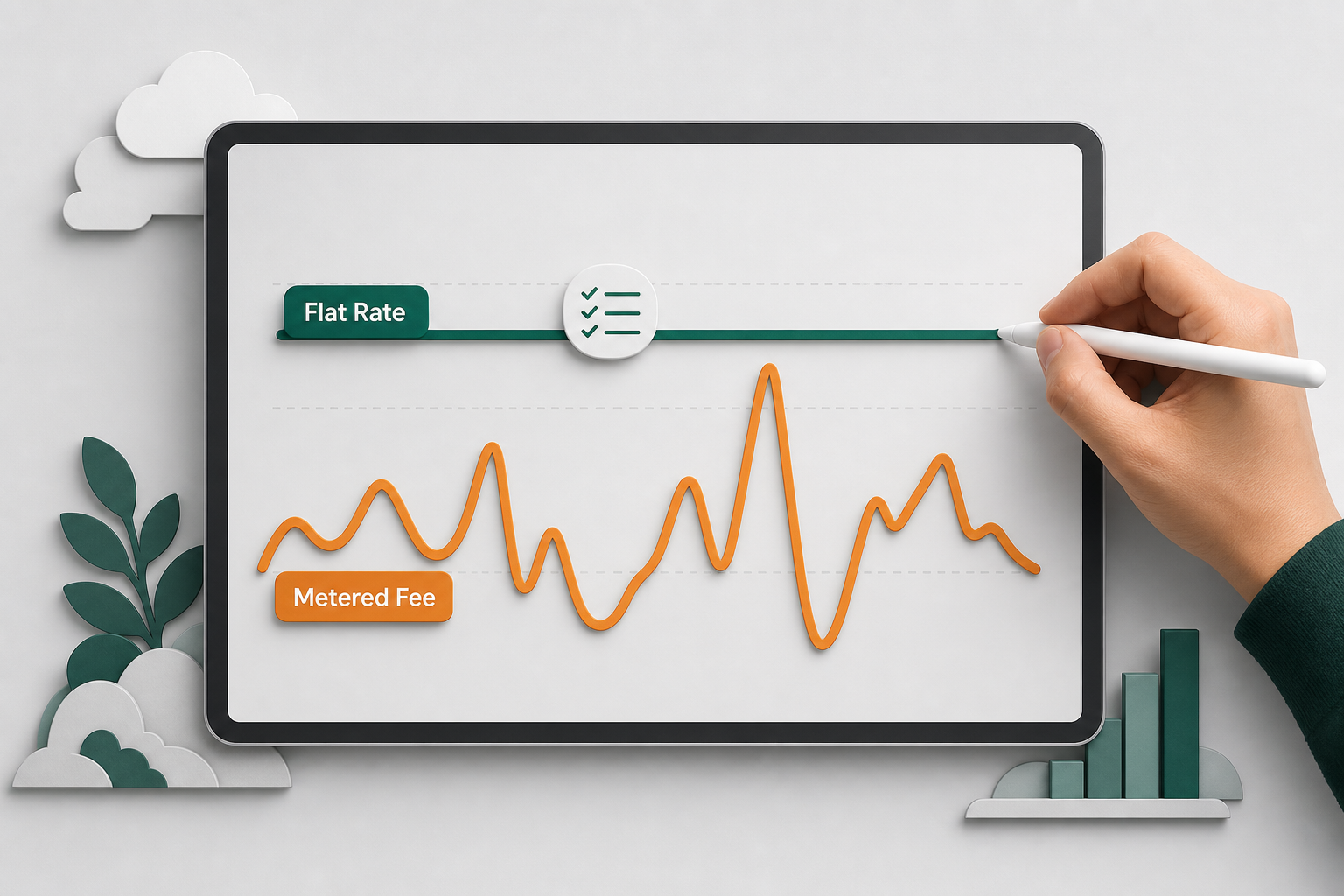
Rigid 24-hour conversation windows restrict Meta; Whapi.Cloud flat subscriptions enable continuous engagement. Paying a predictable flat fee per channel protects businesses from volatile dialog fees and surprise utility-to-marketing template reclassifications.
In the official WhatsApp Business API, businesses are restricted by rigid 24-hour conversation windows and metered per-message fees. In Whapi.Cloud, flat subscriptions enable continuous engagement -- because you pay a predictable monthly subscription per connected number with no per-message Meta fees, keeping messaging margins robust even as traffic scales. This makes high-volume workflows, such as reminder sequences that trigger a 30% to 40% clinic no-show reduction, completely predictable. Leveraged alongside WhatsApp's industry-standard 98% open rate, flat-rate subscriptions keep messaging margins robust even as traffic scales.
Choosing the Right WhatsApp Integration Strategy for Your Team
Choosing a fast-to-deploy gateway allows you to validate market fit immediately without wasting weeks on bureaucratic review loops before launching.
If you are a solo developer or founder, spending weeks on Meta's business reviews is a critical risk. Whapi.Cloud allows you to validate product-market fit in minutes. If volume grows, you can easily implement a hybrid architecture, reserving official APIs for outbound alerts and utilizing Whapi's flat-rate endpoints for interactive support, group coordination, and AI agents.
Do not let the LLM guess the target group; fetch active chat IDs first. Always use Whapi's getChats or checkPhones endpoints to resolve the correct WhatsApp ID. In summary, Whapi.Cloud serves as a unified REST transport layer that bridges the gap between zero-code triggers and stateful AI agent architectures from a single, verified WhatsApp connection. If you encounter unexpected behavior, the Whapi.Cloud support team is available via the live chat widget on the main website to help troubleshoot.
Ready to connect your first WhatsApp number?
Start Your Free Sandbox Trial Now