TL;DR: WhatsApp's June 2026 passkey update enforces a strict WebAuthn assertion that headless servers cannot spoof. If your Baileys or Puppeteer integration is stuck on a 428 error, migrate to Whapi.Cloud and use the Manual Paste solution to inject a one-time payload and restore connectivity immediately.
The June 2026 Rollout: Why Bots Are Suddenly Failing
Around late June 2026, WhatsApp pushed a server-side update that halted production bots globally. Integrations built on Baileys, whatsmeow, and whatsapp-web.js suddenly began returning 428 errors during device linking.
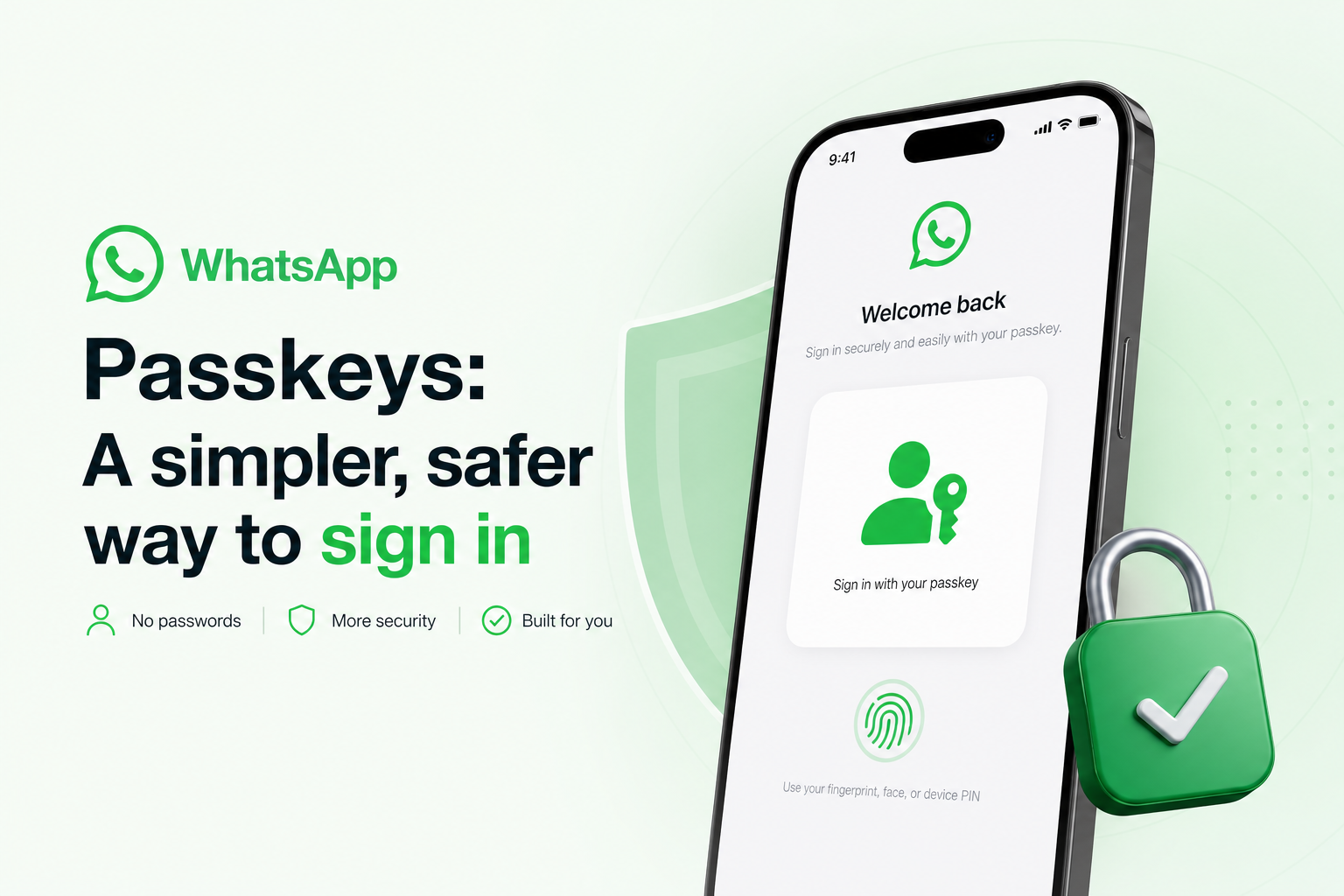
WhatsApp activated the "Shortcake" companion-linking flow, requiring a passkey to link a new device. This targets the exact pairing stage where automated accounts operate, immediately freezing open-source libraries that rely on QR codes. We've seen high-volume messaging accounts using unofficial Baileys integrations for CRM workflows suddenly halt as aggressive Passkey gates hit.
How WebAuthn Blocks Headless Servers
Headless servers fail navigator.credentials.get() because they lack a hardware authenticator and cannot match the whatsapp.com relying-party ID.
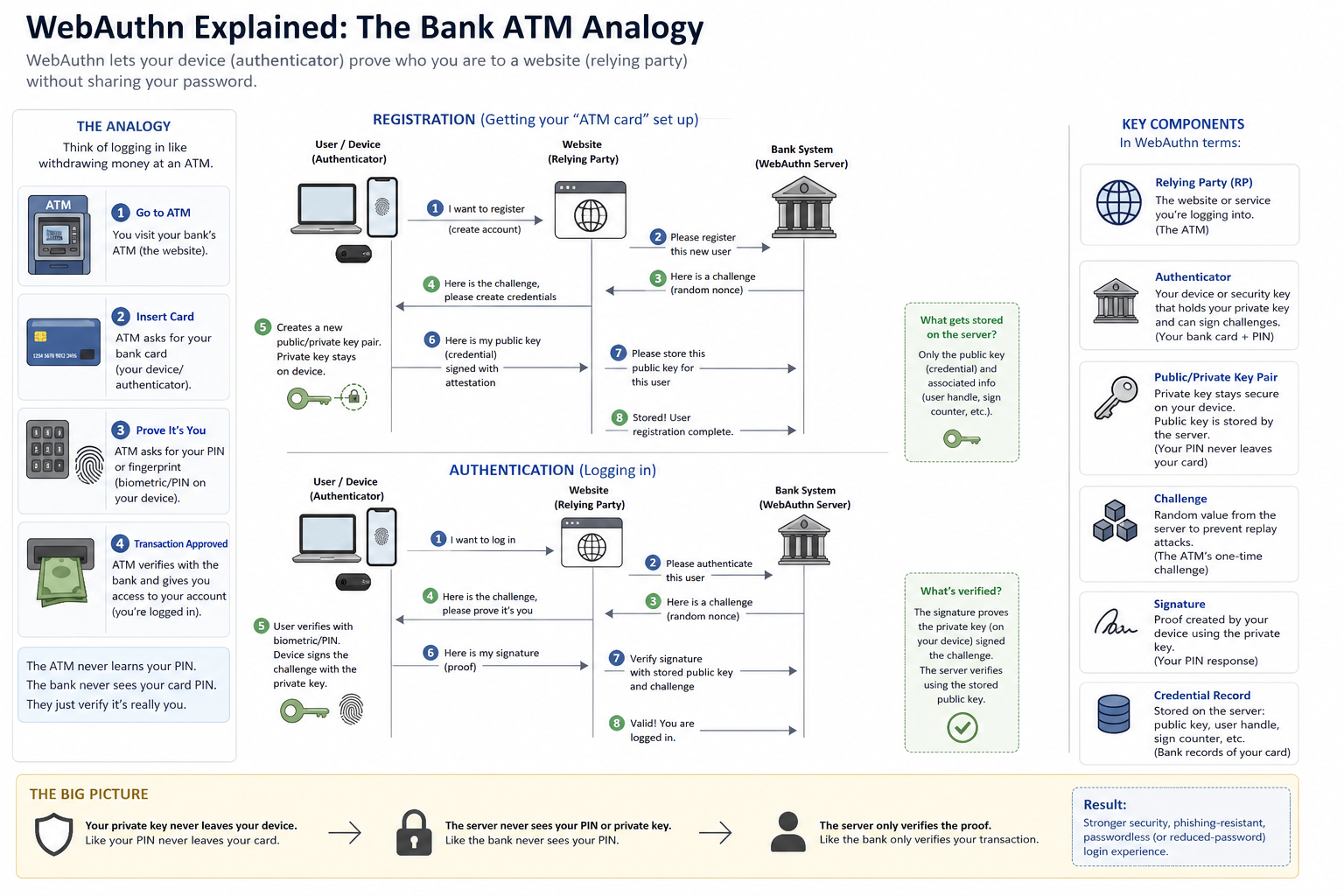
The W3C WebAuthn protocol uses hardware cryptography to prevent remote session hijacking. Think of it like a bank ATM. WhatsApp is the bank, the Passkey is your physical bank card, the WhatsApp mobile app is your local branch, and WhatsApp Web is the ATM. When you link a device, the ATM asks the bank to verify your card. The bank issues a cryptographic challenge that only the physical card can sign.
// Without a hardware authenticator, headless Puppeteer fails here
// The promise rejects with: DOMException: The operation either timed out or was not allowed.
const credential = await navigator.credentials.get({
  publicKey: {
    challenge: serverChallenge,
    rpId: "whatsapp.com",
    userVerification: "required"
  }
});
A headless Chromium container booting in a data center has no physical card. Forging a signed assertion outside a real browser is impossible without access to the provisioned passkey's private key. The WebAuthn API enforces domain verification against the whatsapp.com relying-party ID, rejecting the headless client and returning a permanent "Something went wrong" error.
The "Shortcake" Pairing Flow and UX Flaws
WhatsApp's flawed UX causes endless loops when passkeys mismatch across synced Google accounts or when Bluetooth proximity pairing fails.
Once a user creates a passkey, WhatsApp demands it for all future device linking. If the passkey is deleted from the device but remains active on WhatsApp's servers, the user is locked out. This friction complicates the rollout for legitimate users and creates insurmountable roadblocks for automated deployments.
The Hidden Cost of "Free" Open-Source Libraries
Free libraries hide massive maintenance costs when WhatsApp pushes undocumented cryptographic updates, forcing teams into unscalable manual workarounds.
When the passkey update hit, the immediate community workaround was manual session extraction: logging into the official WhatsApp Web client, extracting the authenticated session data, and injecting it into the library. In practice, teams quickly discover that this manual extraction from official web clients is unsustainable for automated CRM platforms managing hundreds of numbers.
This incident exposes the true cost of self-hosted infrastructure. Open-source breaks unexpectedly; maintainers and operators absorb the churn together. Whapi.Cloud absorbs protocol changes upstream, keeping the customer-facing API stable and reducing surprise breakage tied to silent protocol shifts.
How to Unblock Your Integration: The Manual Paste Solution
Whapi's Manual Paste injects a safe, one-time payload to bridge the WebAuthn gap and restore connectivity in minutes.
Whapi.Cloud provides a streamlined workaround that eliminates complex session extractors. The Manual Paste feature lets you generate the required WebAuthn assertion in your own local browser and securely pass it to your Whapi.Cloud instance.
The payload is a one-time cryptographic signature that expires immediately. You copy the challenge script from the Whapi dashboard, paste it into the console of a logged-in WhatsApp Web tab, and return the signed assertion. This bypasses the headless limitation without exposing your private keys.
For detailed steps, read the Whapi.Cloud guide to the new passkey step.
What Comes Next: AutoPasskey
Whapi's upcoming AutoPasskey will fully abstract the complex W3C assertion ceremony for developers.
While Manual Paste solves the immediate crisis, the long-term fix requires removing the browser step entirely. Whapi.Cloud is actively developing AutoPasskey, which will handle the relying-party constraints automatically. Migrating to a managed cloud infrastructure ensures your integration survives the next undocumented protocol update.