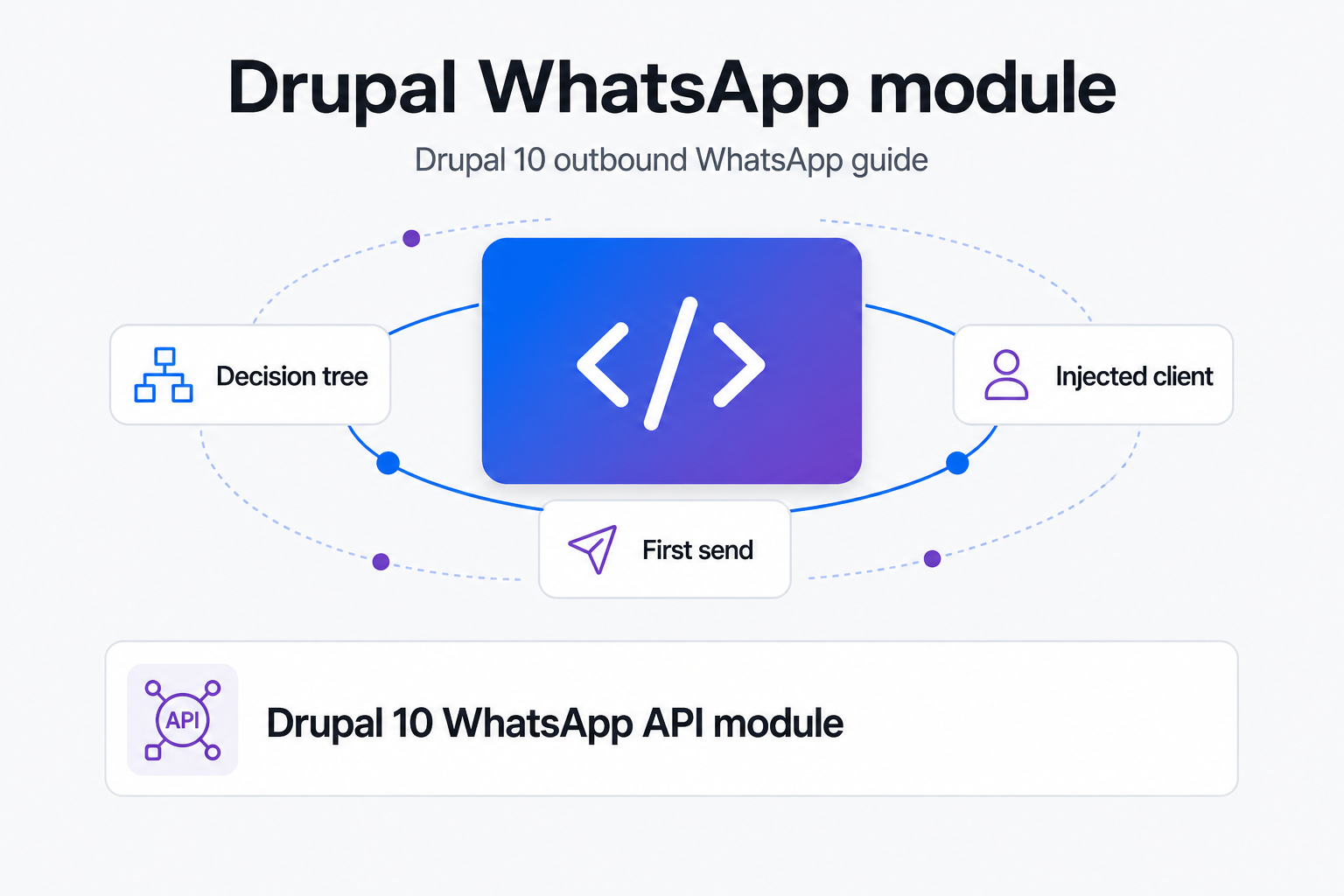
TL;DR: Build a Drupal 10 custom module, inject `@http_client`, store the token in Key, and prove the setup with one Drush command that calls `POST /messages/text`. Do that before webhooks, queues, or admin UI. A free Whapi.Cloud sandbox is enough to validate the architecture.
When to Build a Custom WhatsApp Module in Drupal 10
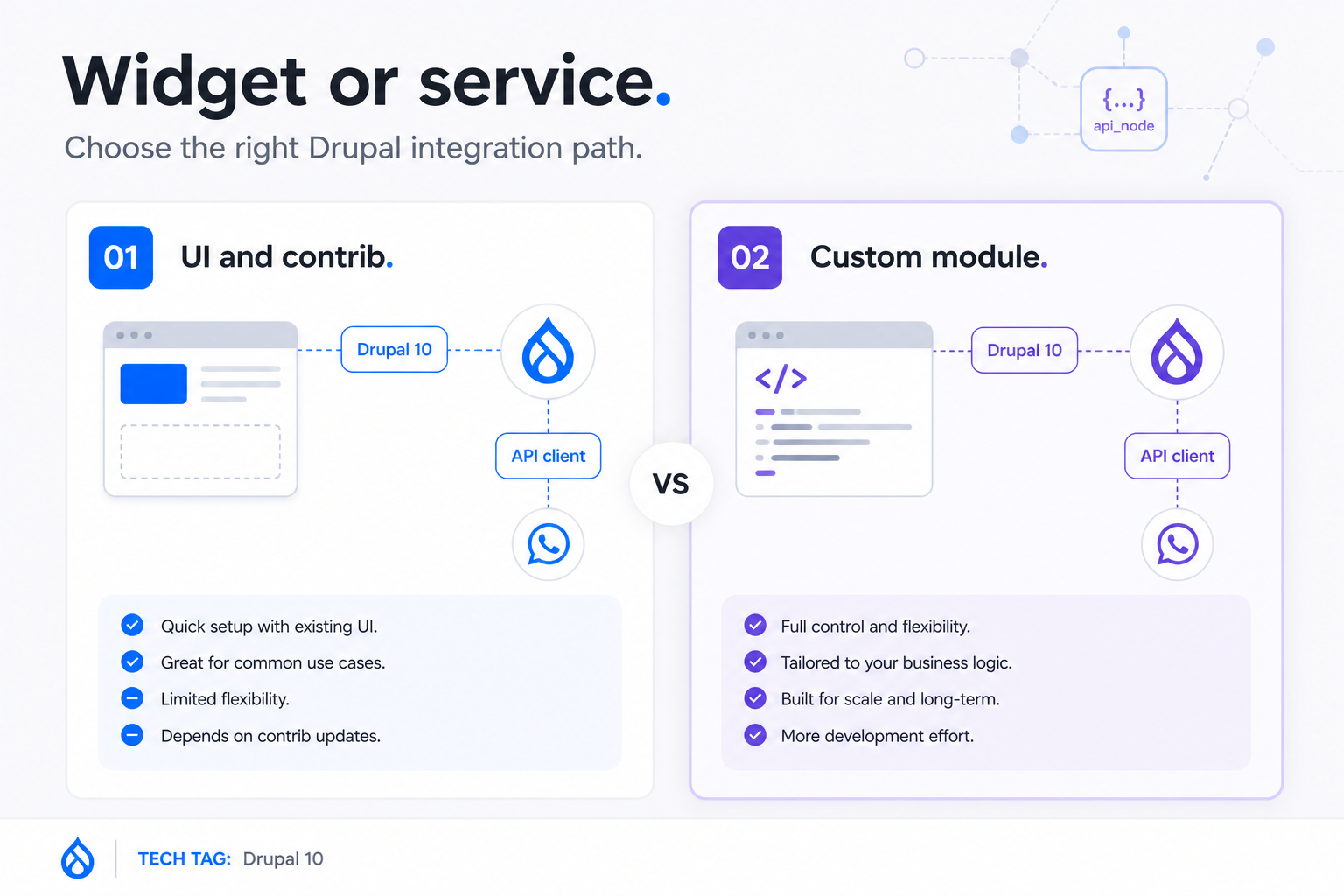
If your goal is a reusable outbound WhatsApp call inside Drupal 10, start with a custom module. Widget modules and admin-only contrib screens solve a different job.
A Drupal-native WhatsApp integration starts with a service, not a widget. That is the architectural fork that decides whether your first success turns into maintainable code or another admin screen you cannot reuse from an event subscriber, queue worker, or command.
| Option | Best for | Programmatic outbound send | Drupal-native reuse | Maintenance signal | Choose it when |
|---|---|---|---|---|---|
| UI modules like `whatsapp_button` or `whatsapp_bubble` | Click-to-chat entry points | No transport layer for your module logic | Low | Fast install, narrow scope | You only need a front-end chat button |
| `whatsapp_cloud_api` contrib | Admin-driven experiments | Limited and screen-oriented | Medium at best | Visible Drupal.org project, but the most cited dedicated module was last updated in 2022 | You are evaluating ideas, not designing a reusable service layer |
| Brevo actions | Campaign or workflow actions from another platform | Possible, but outside Drupal's own service container | Low inside custom PHP | Good for marketing automations, weaker for code-first Drupal ownership | You want external automation more than Drupal module code |
| Custom Drupal module | Outbound messages from site logic | Yes, from services, commands, controllers, and queues | High | More setup on day one, much better reuse afterward | You need one send path that belongs to Drupal |
That mismatch is visible across current search results. Most Drupal and WhatsApp pages cover chat bubbles, login flows, or admin-triggered actions. They rarely show the service-container-first pattern you need when an order event, a lead event, or a custom controller has to send from Drupal code.
UI modules
`whatsapp_button` and `whatsapp_bubble` are fine when the reader's job is simple chat entry. They do not give you an injectable transport service, request builder, or error handling path for outbound WhatsApp logic inside Drupal.
Contrib API modules
The dedicated `whatsapp_cloud_api` signal in Drupal land is useful mainly as a maintenance clue. Its center of gravity is config forms, and the clearest current signal is a last update in September 2022. That is thin reassurance when your requirement is reusable Drupal 10 service code.
When custom is the right choice
Build custom when Drupal already knows why the message should go out. We've seen Drupal Commerce teams start with one order notification from site logic, not a bot platform. Real estate follow-up and healthcare intake flows usually start the same way: one useful outbound message first, orchestration later.
Choosing Your WhatsApp API Backend
Pick the backend that gets you to a first real send without hiding the production constraints. For this article's job, Whapi.Cloud is the shortest route.
Whapi.Cloud gives you the shortest path from empty module to first real send: QR connect, token, POST, done. Meta Cloud API can be the right long-term compliance path in some organizations, but it adds more onboarding weight before a beginner Drupal developer sees the first successful message leave the site.
| Backend path | Time to first test send | Production gate | Outbound rules that affect MVP | Drupal 10 integration effort |
|---|---|---|---|---|
| Meta Cloud API | Same day if your Meta assets are already in place, otherwise days | Often days or weeks because business verification, phone setup, webhook subscriptions, and approval steps stack up | Official flows bring template rules and the 24-hour service window into production design | Higher, because onboarding and policy constraints arrive before the code path feels stable |
| Whapi.Cloud | About 2 minutes after QR connect | No Meta business verification for the MVP send path | No template gate for a first outbound test message, so you can validate transport earlier | Lower, because Drupal can focus on one HTTP integration pattern first |
Meta Cloud API path
The official path deserves a fair distinction between test and production. You can test earlier than many teams assume, but production still moves slower because business verification, number setup, and webhook configuration enter the project before the integration feels routine. We will not cover the full Meta Business Verification flow here because it is a separate onboarding track, not the fastest way to prove a Drupal outbound module.
Gateway API path
Whapi.Cloud fits this guide because the MVP is one outbound text message from Drupal, not a compliance program. The QR-connect setup path and the forever-free sandbox give you 5 active chats per month, 150 messages per day, and 1,000 API requests per month. That is enough to validate service design, token storage, logging, and Drush testing before you wire the send path to business events.
Selection criteria
Use Meta when official platform requirements are part of the brief from day one. Use Whapi.Cloud when the immediate job is a working Drupal 10 custom module with a trial-friendly first send. If you are tempted to self-host a web-client wrapper instead, remember what that usually buys you: upstream protocol churn, 500-level surprises, and debugging work that has nothing to do with Drupal.
Module Structure: Service, Config, and Dependency Injection
Your module should look like a normal Drupal integration, because that is what it is. Keep the transport code in one service and let everything else call into it.
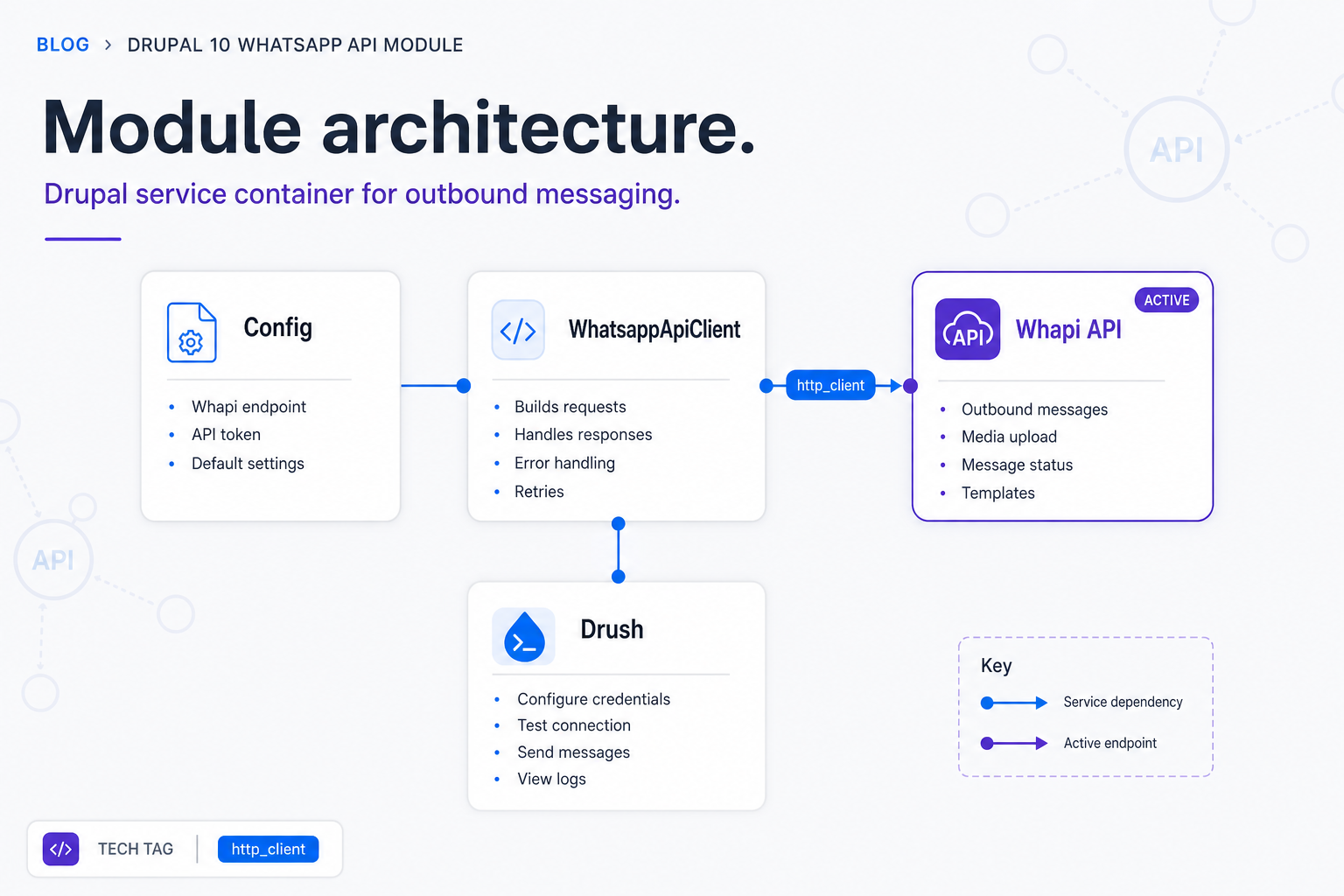
Inject `@http_client` once, and every WhatsApp call becomes reusable Drupal code. That one decision lets the same send method work from Drush, controllers, event subscribers, queue workers, and tests without rewriting transport logic.
File scaffold
Start small. You need a module definition, a service definition, a config schema, one client class, and one Drush command class. That is enough to reach the first message cleanly.
name: Whapi Drupal
type: module
description: Drupal 10 custom module for outbound WhatsApp messaging.
core_version_requirement: ^10 || ^11
package: Custom
dependencies:
  - key:key
services.yml and WhatsappApiClient
The service definition is where the Drupal way becomes explicit. It wires the HTTP client, config factory, Key repository, and logger channel into one transport class that can grow against the Whapi.Cloud API docs without changing the module shape.
services:
  logger.channel.whapi_drupal:
    parent: logger.channel_base
    arguments: ['whapi_drupal']

  whapi_drupal.client:
    class: Drupal\whapi_drupal\Service\WhatsappApiClient
    arguments:
      - '@http_client'
      - '@config.factory'
      - '@key.repository'
      - '@logger.channel.whapi_drupal'
<?php

namespace Drupal\whapi_drupal\Service;

use Drupal\Core\Config\ConfigFactoryInterface;
use Drupal\key\KeyRepositoryInterface;
use GuzzleHttp\ClientInterface;
use Psr\Log\LoggerInterface;

final class WhatsappApiClient {

  public function __construct(
    private ClientInterface $httpClient,
    private ConfigFactoryInterface $configFactory,
    private KeyRepositoryInterface $keyRepository,
    private LoggerInterface $logger,
  ) {}

}
Injecting http_client vs static call
Drupal already wraps Guzzle in the service container. Use that instead of raw cURL snippets or static container lookups. That keeps the client testable, avoids duplication, and matches the framework conventions the rest of your module will rely on.
Storing API Credentials Securely in Drupal
Separate the secret value from the rest of the module settings. Drupal config is for references and flags; Key is for the token itself.
Store the key ID in config and the token value in Key; never store the token itself in module code or exported config. This is the line between a tutorial that survives team handoff and one that leaks credentials into git history.
Key module setup
Create a Key entity in Drupal and use that key ID in your module settings. The common secure pattern is to let the Key module pull from an environment-backed provider, then let your custom module request the resolved value through `key.repository`.
Config schema
Your config schema should describe the non-secret settings clearly: channel or sender identifier, key ID, and any optional defaults you want to reuse. The token value itself should never appear here.
whapi_drupal.settings:
  type: config_object
  label: 'Whapi Drupal settings'
  mapping:
    channel_id:
      type: string
      label: 'Connected WhatsApp channel ID'
    token_key:
      type: string
      label: 'Key entity ID for the Whapi token'
    default_country_code:
      type: string
      label: 'Default country code for test sends'
What never goes in .module files
The transport token does not belong in `.module` files, copied blog snippets, or hardcoded defaults. The first failure here is rarely the API call. It is a secret that leaks into git history after the demo.
Sending Your First Outbound Message
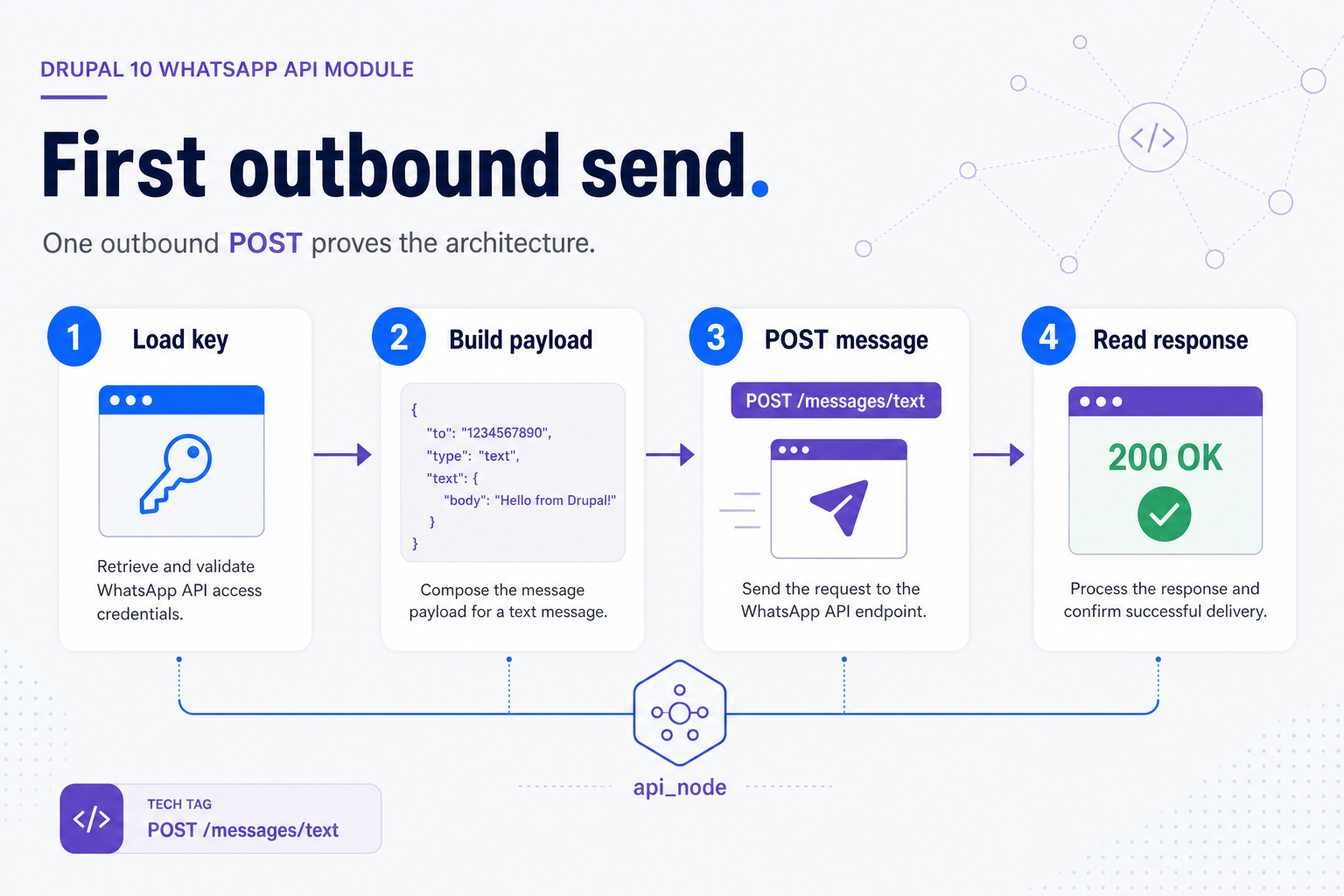
Once the module structure and token storage are in place, the working send path is simple. Build a payload, post it to the verified endpoint, and read the response as structured data.
One successful POST to `/messages/text` is enough to prove the architecture. You do not need webhooks, queues, or a full admin UX before this point. You need one reproducible send method that works from Drupal code.
Building the request payload
The verified Whapi.Cloud text-send endpoint is `POST /messages/text`. The required payload fields are `to` and `body`, which maps neatly to a minimal Drupal service method.
POST via injected HTTP client
This is the core transport method. It fetches the token from Key, sends JSON through Drupal's injected HTTP client, logs upstream failures, and returns decoded response data to the caller.
<?php

use GuzzleHttp\Exception\RequestException;

public function sendText(string $to, string $body): array {
  $config = $this->configFactory->get('whapi_drupal.settings');
  $keyId = $config->get('token_key');
  $token = $this->keyRepository->getKey($keyId)?->getKeyValue();

  if (!$token) {
    throw new \RuntimeException('Missing Whapi token in Key module.');
  }

  try {
    $response = $this->httpClient->request('POST', 'https://gate.whapi.cloud/messages/text', [
      'headers' => [
        // If you skip this Bearer header, Whapi.Cloud returns 401 and the send never leaves Drupal.
        'Authorization' => 'Bearer ' . $token,
        'Content-Type' => 'application/json',
      ],
      'json' => [
        'to' => $to,
        'body' => $body,
      ],
      'timeout' => 15,
    ]);

    return json_decode((string) $response->getBody(), TRUE, 512, JSON_THROW_ON_ERROR);
  }
  catch (RequestException $exception) {
    $this->logger->error('Whapi send failed for {recipient}: {message}', [
      'recipient' => $to,
      'message' => $exception->getMessage(),
    ]);
    throw $exception;
  }
}
Reading the API response
Read the JSON response and surface the message ID or status to the caller. In trial mode, `402` is the important limit signal. `401` usually means the token was missing or wrong, and `403` usually means the target chat or recipient cannot receive the send under the current channel state.
That boundary matters because sandbox limits are enough to validate the module design. They are not a production throughput benchmark. At this stage, you are proving architecture, not volume.
Testing the Integration from Drupal
Test the transport where failure is visible. Drush gives you faster feedback than an admin page and keeps the first validation loop small.
Test from Drush before you build an admin screen. You will see the exception, the payload inputs, and the returned data faster, which makes your first debugging cycle shorter and much less noisy.
Drush command approach
Expose the service through one command. That gives you the fastest proof that Drupal can resolve the client, load the token, and send a real message. We've seen this save hours on Drupal Commerce builds because the first useful check is transport, not admin UX.
<?php

namespace Drupal\whapi_drupal\Commands;

use Drupal\whapi_drupal\Service\WhatsappApiClient;
use Drush\Commands\DrushCommands;

final class WhapiDrupalCommands extends DrushCommands {

  public function __construct(
    private WhatsappApiClient $client,
  ) {}

  /*
   * Sends a test WhatsApp message through Whapi.Cloud.
   *
   * @command whapi:send-test
   */
  public function sendTest(string $chatId, string $message): void {
    $result = $this->client->sendText($chatId, $message);
    $this->output()->writeln('Message sent. Remote id: ' . ($result['messages'][0]['id'] ?? 'n/a'));
  }

}
Run it with a known target chat ID or phone number, then compare the result with the Whapi.Cloud Postman collection if something looks off. That cross-check is faster than guessing whether the bug lives in Drupal, the token, or the payload.
Minimal admin controller approach
After Drush works, add a tiny internal route or admin controller if your team needs a browser-based smoke test. Keep it thin: collect input, call the same service, show the result. Do not duplicate transport logic.
Handling API Errors the Drupal Way
Transport failures are normal. What matters is whether Drupal turns them into signals your team can act on.
Drupal logging plus Messenger turns a silent upstream failure into a debuggable event. Catch the transport exception once, log the upstream context once, and show a short user-facing message instead of a blank page or a swallowed error.
Catching RequestException
Catch `RequestException` around the actual send call, not around the whole controller or command class. That keeps the failure boundary tight and lets you log the target recipient, HTTP symptom, and action that triggered the send.
Logging with logger factory
Use a dedicated channel like `whapi_drupal` so your operational events are easy to filter in Recent log messages. This matters the moment a queued send, event subscriber, and manual Drush call all use the same client.
User-facing error messages
Controllers and admin forms should convert the exception into one short `Messenger` error: the send failed, and the operator should check logs. Do not dump raw upstream JSON into the UI. The log entry is for developers; the Messenger text is for operators.
If you encounter unexpected behavior, reach out to the Whapi.Cloud support team via the chat widget on whapi.cloud. A direct support contact is more useful here than trawling random issue threads that describe someone else's stack.
What to Build Next: Webhooks, Queues, and ECA Actions
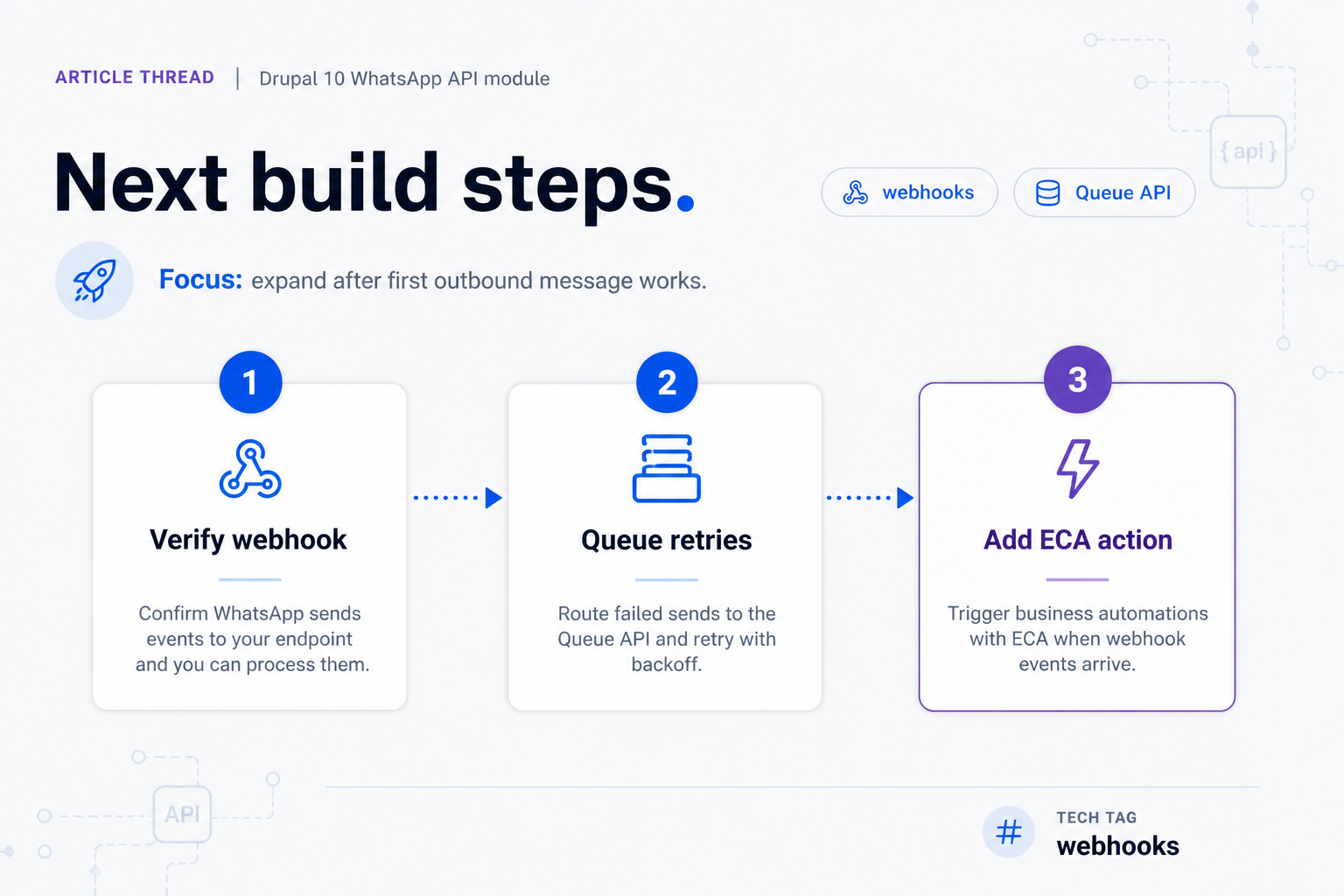
Expand only after the first outbound message works reliably. The next layer is about resilience and inbound state, not about proving the basic integration anymore.
The best MVP sends one useful WhatsApp message before automating whole customer journeys. Once the transport is proven, you can add inbound webhooks, retries, and editor-friendly actions without redesigning the core client.
Webhook controller skeleton
Keep the first webhook controller narrow: accept the request, verify it, extract the event type from the webhook payload format, and hand the payload to a service. Webhook setup becomes messy when validation, business logic, and side effects live in one controller. Signature validation is the next hardening step after the outbound path works.
Queue API
Use Drupal Queue API when the send should survive retries, spikes, or non-blocking workflows. That is especially useful for commerce notifications, lead follow-up, and scheduled reminders where the site event should enqueue work instead of waiting for the remote call in the request thread.
ECA Send WhatsApp action
After the service is stable, you can wrap it in an ECA action for editor-managed automation. That is where business users get value without inheriting token storage or transport complexity. The service-first transport stays the load-bearing part.
We will not cover deep webhook signature handling, bot branching, or a full Meta production approval playbook here. Those are follow-up topics once your Drupal module can already send one verified message through a real channel.
A maintainable Drupal 10 WhatsApp integration stays small on purpose: one service, one key reference, one outbound POST, and one Drush test command. That is enough to complete a real first send with a Whapi.Cloud trial and enough structure to grow without rewriting the transport later.
The fastest next move is practical. Connect a sandbox number, store the token in Key, run the Drush command, and confirm one message leaves Drupal successfully. The sandbox limits are intentional, but 5 active chats per month, 150 messages per day, and 1,000 API calls are plenty for architecture proof before you attach events, queues, or inbound automation.