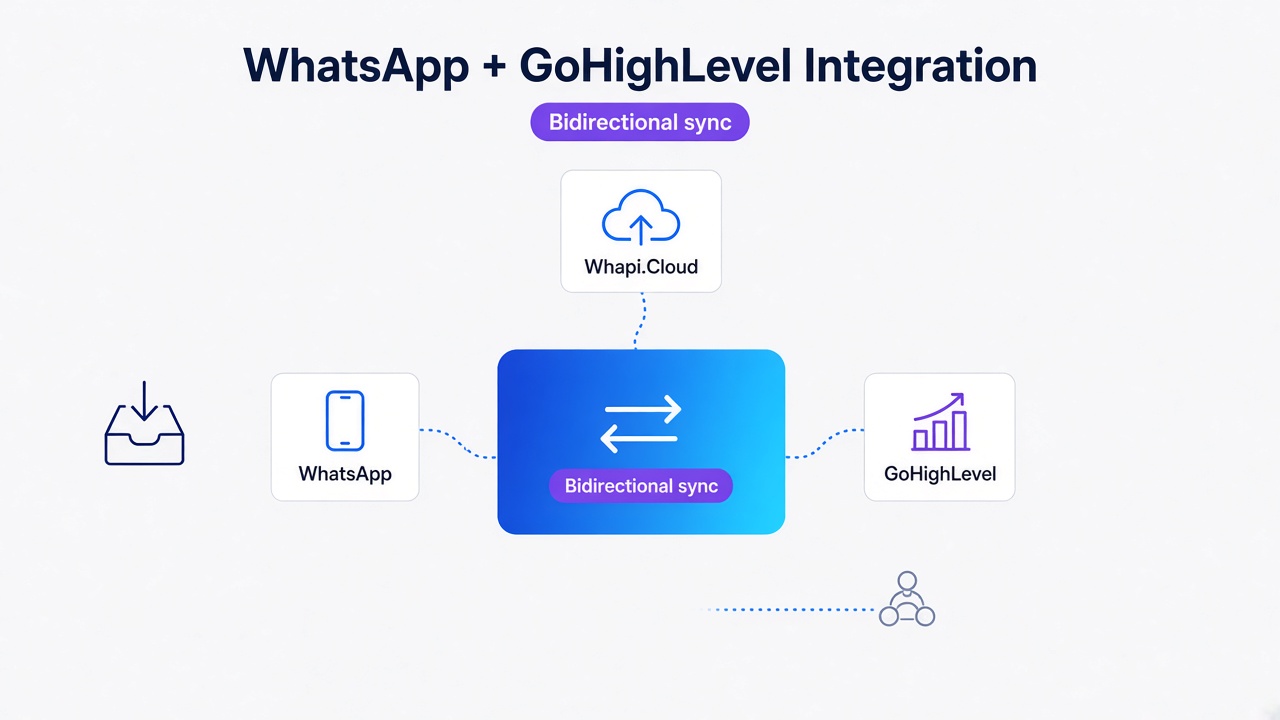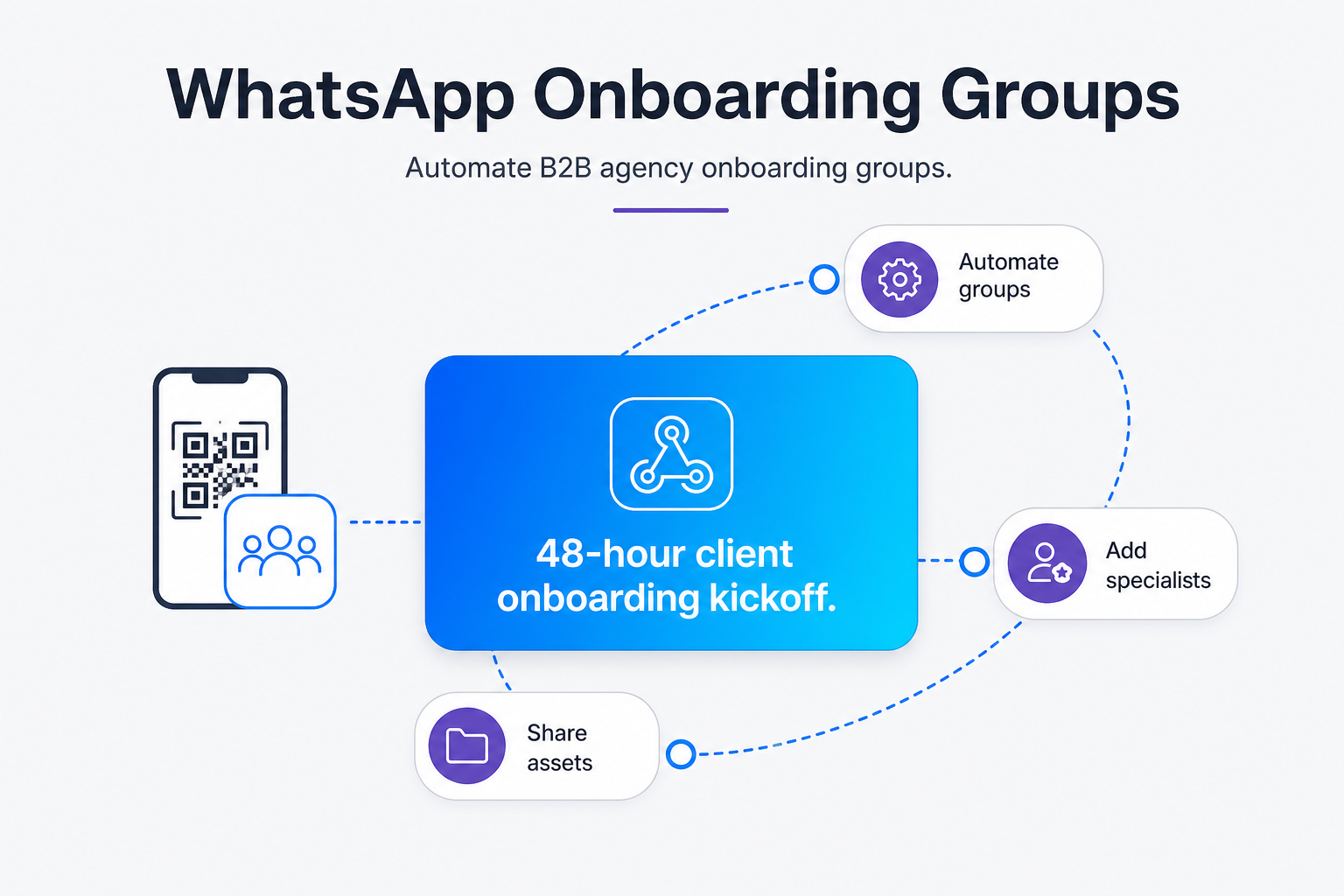
TL;DR: Manual B2B agency onboarding introduces kickoff delays. Automating WhatsApp group creation via Whapi.Cloud using n8n reduces setup times to seconds and secures a structured forty-eight-hour kickoff. By bypassing Meta's 8-participant group caps and using flat-subscription plans, agencies save hours of account manager labor. Connect your number via a QR code, set up an n8n webhook trigger for closed deals, and promote a secondary human admin immediately to prevent orphaned chats.
Why Email Onboarding Slows B2B Kickoff
Email kickoff threads still stall high-ticket B2B deals: calendar invites, logo files, and stakeholder intros scatter across inboxes while the client waits. Automating WhatsApp group creation gives specialists and clients one real-time channel from day one.
Manual account managers remain the bottleneck. On a busy Monday with three simultaneous launches, each client needs a group created on a personal phone, specialists added one by one, an invite link copied, and a welcome message drafted. That routine takes about forty-five minutes per client and invites missed stakeholders. WhatsApp-based briefs cut that setup lag and keep asset collection in one thread.
Mini-case — Northline Digital: A 12-person performance marketing agency wired CRM-triggered onboarding groups through Whapi.Cloud. Manual AM setup dropped from ~45 minutes to under 5 minutes per client — roughly six account-manager hours saved each month at eight kickoffs/month.
Groups vs DMs for B2B Onboarding
Not every kickoff belongs in a group. Direct messages work when a single account manager handles a solo founder, shares sensitive documents, or needs a quiet first touch before looping in the wider team. Groups win when onboarding involves multiple client stakeholders, shared creative assets, and parallel workstreams — the pattern most B2B agencies face after a closed-won deal.
Group-first onboarding keeps the AM, project lead, and client ops in one visible thread. Everyone sees the welcome brief, uploaded logos, and deadline reminders without forwarding email chains. For recurring retainer kickoffs, that shared context prevents the "who has the latest file?" friction that slows week-one delivery.
| Scenario | Prefer | Why |
|---|---|---|
| Enterprise client, 5+ stakeholders | Group | One thread, shared brief, visible handoffs |
| Solo founder, NDA-heavy scope | DM, then group later | Lower friction on first touch |
| Recurring retainer kickoff | Group | AM + PM + client ops aligned from hour one |
Meta's Limitations: Bypassing the Restrictions of the Official Groups API
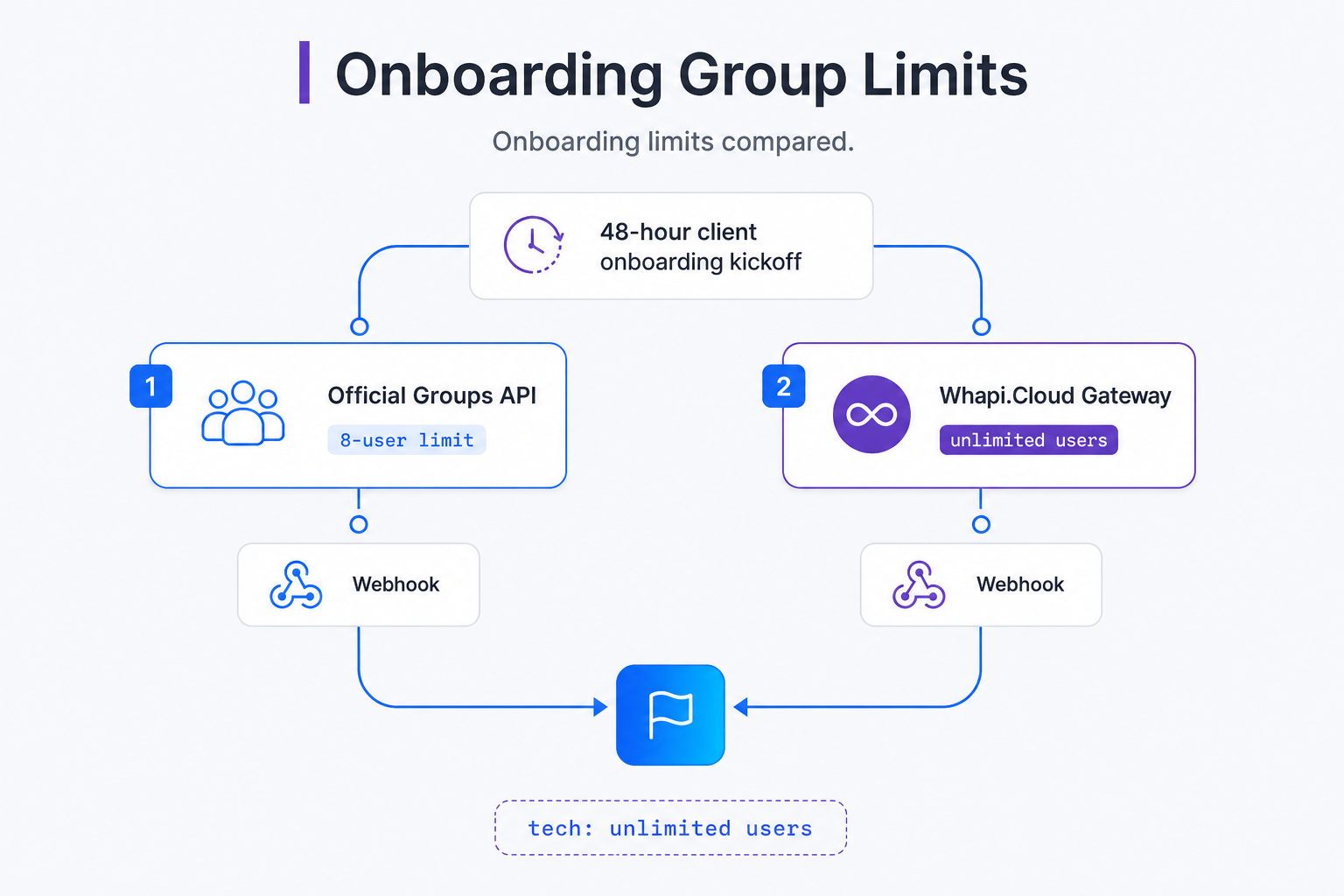
Meta's official Groups API imposes restrictive caps that undermine standard agency workflows. Integrating WhatsApp Groups API overcomes these limits by enabling unlimited onboarding participants, zero template pre-approval gating, and predictable pricing.
Do not mix Meta rules with Whapi.Cloud capabilities. The 48-hour kickoff window in this guide is your agency SLA — collect assets while the client is engaged. It is not a Whapi API limit. Meta's official WhatsApp Business Platform enforces template pre-approval and a 24-hour customer service session window for free-form replies. Whapi.Cloud connects via web-session sockets and does not apply those messaging windows.
| Topic | Official Meta Cloud API / BSP | Whapi.Cloud (this guide) |
|---|---|---|
| Outbound messaging | Templates required; 24-hour session window for free-form replies | POST /messages/text — welcome, briefs, files anytime; no template gate; no 24h/48h messaging window |
| Group size | Max 8 participants (OBA / volume gates) | Up to 2,048 members via web-session sockets |
| Add participants | Restricted / template-driven flows | POST /groups/{GroupID}/participants — add client + specialists from CRM data |
| Create group | Not available for typical mid-market agencies | POST /groups |
| Admin redundancy | N/A in this onboarding pattern | PATCH /groups/{GroupID}/admins — promote human AM |
| Invite fallback | — | GET /groups/{GroupID}/invite when privacy blocks direct add |
Many business owners assume that the official WhatsApp Business Platform is the default choice for automation. However, for group-based communication, Meta's Official Groups API has a deal-breaking limit of 8 participants. For a standard B2B agency onboarding team--which often includes an account director, a project manager, a copywriter, a designer, and multiple client stakeholders--an eight-person limit is reached immediately. Additionally, official group automation is restricted to businesses sending over 100,000 messages daily and requires an Official Business Account (OBA) status, which is unavailable to mid-sized agencies.
Whapi.Cloud unlocks unlimited participant agency onboarding, bypassing these artificial structural limits entirely. Built on web-session sockets that mirror how WhatsApp Web operates, Whapi.Cloud allows you to manage groups with up to 2,048 members. This lets B2B agencies build comprehensive, multi-disciplinary groups that scale naturally as the project grows, without hitting participant ceilings or compliance blocks. Because Whapi.Cloud connects via web-session sockets, you can use a single phone number to run your automation scripts while simultaneously keeping your physical WhatsApp Business phone app logged in for real-time human monitoring.
Furthermore, billing models on the official path introduce severe budget volatility. Meta charges per-delivered-message fees based on categories like marketing or utility, which BSPs markup. This means your monthly invoice swings wildly depending on how active your client chats are. A flat subscription per WhatsApp number guarantees predictable monthly pricing regardless of message volumes or template categories, eliminating billing surprises. A highly active client group sending 10,000 coordination messages costs exactly the same as a quiet one sending ten.
B2B SaaS Group Onboarding Cases show that agencies transitioning from metered, restricted official setups to Whapi.Cloud's flat-rate subscription cut their communications overhead while gaining full access to groups, channels, and number verification tools. Because Whapi.Cloud has no template gate and no 24-hour session window, your automation can call POST /messages/text to send welcome messages, files, and briefs whenever a client acts — including days after the CRM deal closed. Whapi.Cloud offers non-intrusive WhatsApp group automation with a free trial for B2B integrators, letting teams test these high-volume workflows without upfront cost.
The No-Code Blueprint: Designing a CRM-Triggered Onboarding Flow
Transforming manual onboarding operations into an automated pipeline requires connecting three core blocks. Linking n8n or Zapier to a HubSpot or Airtable deal win event triggers instant group setups and delivers starting assets.
You do not need a team of developers or complex custom software to automate your onboarding. B2B agency owners and operations directors can build the entire system using visual, no-code integrations like n8n or Make. The entire workflow follows a simple trigger-and-action sequence that mirrors your existing pipeline stages. By utilizing an n8n WhatsApp integration, you can construct an active, self-running pipeline in under an hour.
The journey begins inside your CRM System (HubSpot, Airtable), which acts as the single source of truth for your business. The moment a deal is moved to 'Closed Won' or marked as 'Active Onboarding,' the CRM triggers an outgoing webhook. This webhook sends the essential deal details--including client contact numbers, deal names, and assigned account specialists--directly to your no-code orchestration platform. Webhook-triggered group creation eliminates manual manager setup latency entirely by synchronizing CRM deal fields with Whapi.Cloud's create group via API endpoint.
-
Group Creation: The system sends a create request to Whapi.Cloud, generating a new WhatsApp group named after the client (e.g., "Client x Agency Onboarding") in under 5 seconds.
-
Programmatic Addition: The workflow automatically adds the assigned account manager, project lead, and client contacts. If the client has privacy restrictions, the bot immediately triggers an invite link fallback.
-
Resource Delivery: An auto-responder posts a personalized welcome message outlining rules, and delivers a PDF kickoff brief directly into the chat to prompt immediate asset collection.
| Operational Metric | Manual Onboarding Approach | Automated Whapi.Cloud Pipeline |
|---|---|---|
| Setup Latency | 30 to 90 minutes per client | Under 5 seconds (instantaneous) |
| Stakeholder Addition | Manual search and add from phone contact list | Programmatic addition via POST /groups/{GroupID}/participants |
| Kickoff Asset Delivery | Delayed, manual attachment via email | Instant PDF delivery upon group creation |
| Human Error Risk | High (missing admins, wrong names) | Zero (fully synchronized with CRM fields) |
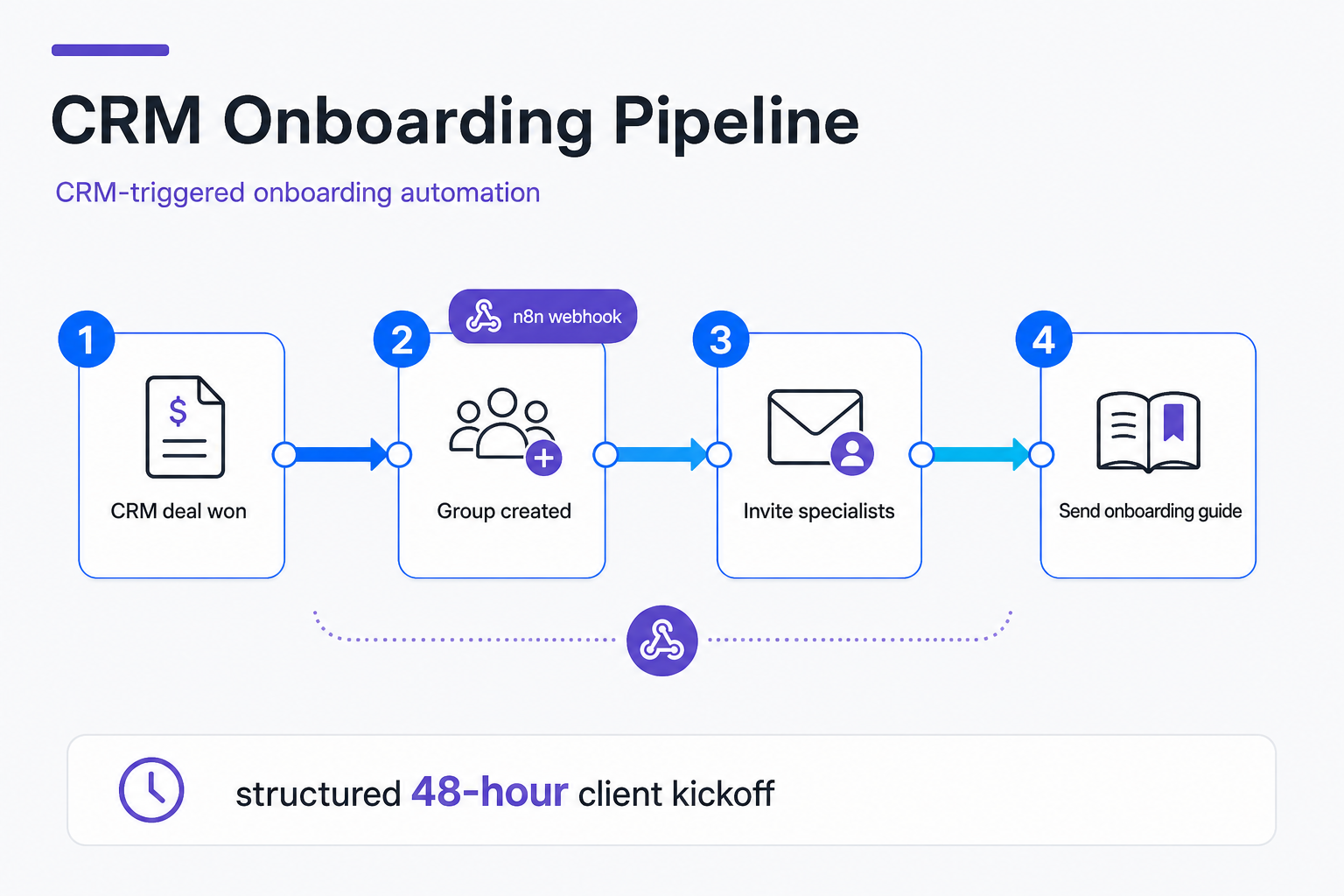
Implementing this no-code agency automation ensures that your clients are greeted in a high-touch, structured workspace the moment they sign a contract. n8n welcome sequences transform WhatsApp groups into structured client kickoff dashboards, ensuring that momentum is capitalized on immediately. By eliminating manual file-sharing and setting expectations instantly, you establish professional boundaries and professional authority from the first second of collaboration.
Avoid the Single-Bot Trap: Build Safeguards Against Orphaned Chats
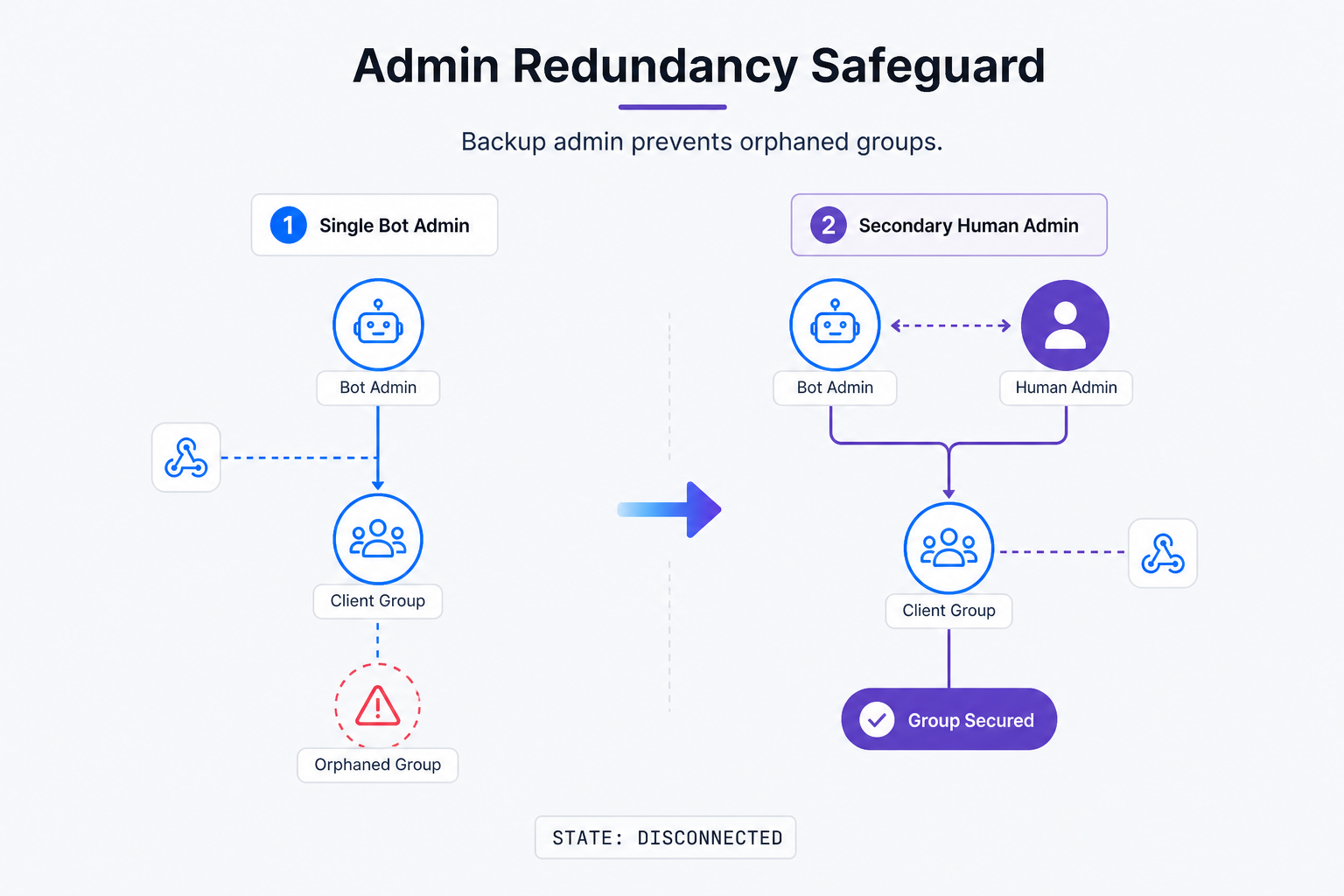
Relying on a single automated bot to manage B2B onboarding groups creates a critical single point of failure. Deploying an active admin redundancy protocol ensures that client group collaboration remains manageable and uninterrupted.
In our practice, we have seen automated setups fail because of a simple, overlooked detail: admin permissions. If the bot account that created the group is the only administrator, and that account gets disconnected, logged out, or temporarily blocked, the group becomes locked. This leaves your account managers and specialists inside an orphaned group where they cannot add new team members, change group settings, or manage participants. To keep your number healthy and understand connection safeguards, read our guide to avoiding WhatsApp bans. This operational bottleneck can disrupt communication and make your agency look unprofessional.
The solution is the admin redundancy protocol, which you must build into your no-code workflow. After Whapi.Cloud creates a group via POST /groups and adds the account manager, your automation must call PATCH /groups/{GroupID}/admins to promote that manager to administrator. Promoting secondary human administrators prevents orphaned groups during account disconnection incidents, keeping your communication channels secure and functional. If the bot goes offline, your human team maintains full control over the group settings. This simple protocol safeguards agency workflows and maintains client kickoff momentum.
Additionally, you must account for client privacy settings. In WhatsApp, some users have strict privacy settings that prevent business numbers or unknown accounts from adding them directly to groups. If your direct addition attempt fails, your workflow must have a robust backup. Automated invite links resolve client privacy blocks when direct add member to WhatsApp group attempts fail. When Whapi.Cloud detects a direct addition failure (returned as a known permission error), the automation script must instantly query the group invite link and deliver it to the client via a direct WhatsApp message or email, allowing them to join manually with one click.
Opt-in Before You Add Clients to a Group
Automation should respect consent — without turning your kickoff flow into a legal document. Three practical rules keep groups compliant and client-friendly:
- Trigger only after consent. Fire the CRM webhook after contract signature, an explicit onboarding checkbox, or a recorded "yes" reply to join — not on a cold lead record.
- Respect privacy blocks. If
POST /groups/{GroupID}/participantsreturns a permission error, send oneGET /groups/{GroupID}/invitelink. Do not spam repeated add attempts. - Set expectations in the welcome message. State who is in the group, why it exists, and how the client can leave or mute notifications.
Another common mistake is querying group info too quickly. When a group is programmatically created, there is a 15-second synchronization delay before WhatsApp's servers replicate the group's metadata. If your script attempts to add members or pull the group's invite link within milliseconds of creation, WhatsApp may return an empty list or a 'group not found' error. You must build a fifteen-second operational window before querying metadata to prevent empty listings into your n8n workflow using a simple delay node. This small pause ensures subsequent actions execute flawlessly.
Why Do Webhook Filters Matter for Spam and Ban Prevention?
Preventing account suspensions during automated outreach requires strict programmatic rules. Filtering incoming webhook payloads with from_me flags stops infinite reply loops that trigger server-side spam detection.
When automating groups, your gateway receives webhooks for every message. If your bot responds to keywords, it must ignore its own outgoing messages. Filtering webhook payloads with from_me flags stops infinite bot reply loops entirely by instructing n8n to ignore the bot's own number. Review the incoming webhooks format reference to configure these filters. If you encounter issues, contact the Whapi.Cloud support team via the widget on whapi.cloud -- they actively help resolve production problems.
After the 48-Hour Kickoff Window
Your agency's forty-eight-hour kickoff SLA ends when core assets are collected and roles are clear — not when the WhatsApp group goes quiet. Plan what happens next so onboarding groups do not become permanent noise channels.
Rename or archive the onboarding group. Use PUT /groups/{GroupID} (updateGroupInfo) to rename the chat to a project label (e.g., "Acme — Active Retainer") or document that the thread is read-only. Some teams create a fresh project group with POST /groups and post one handoff message linking both threads.
Mute or remove the automation bot. Once welcome sequences finish, demote the bot or call DELETE /groups/{GroupID} (leaveGroup) so the bot account stops receiving every client ping. Human AMs stay in control via their promoted admin role.
Hand off to the project channel. Confirm deliverables, primary Slack or PM tool links, and the weekly stand-up rhythm in one final POST /messages/text before the AM shifts from onboarding to delivery mode.