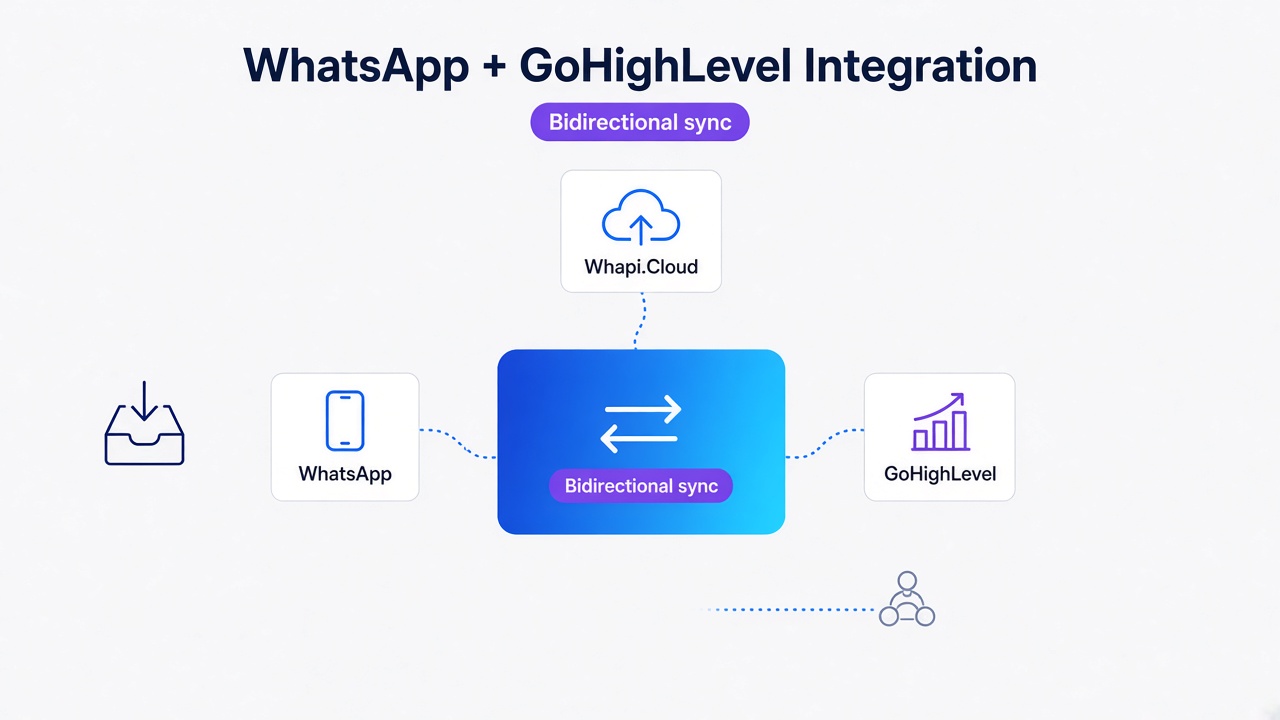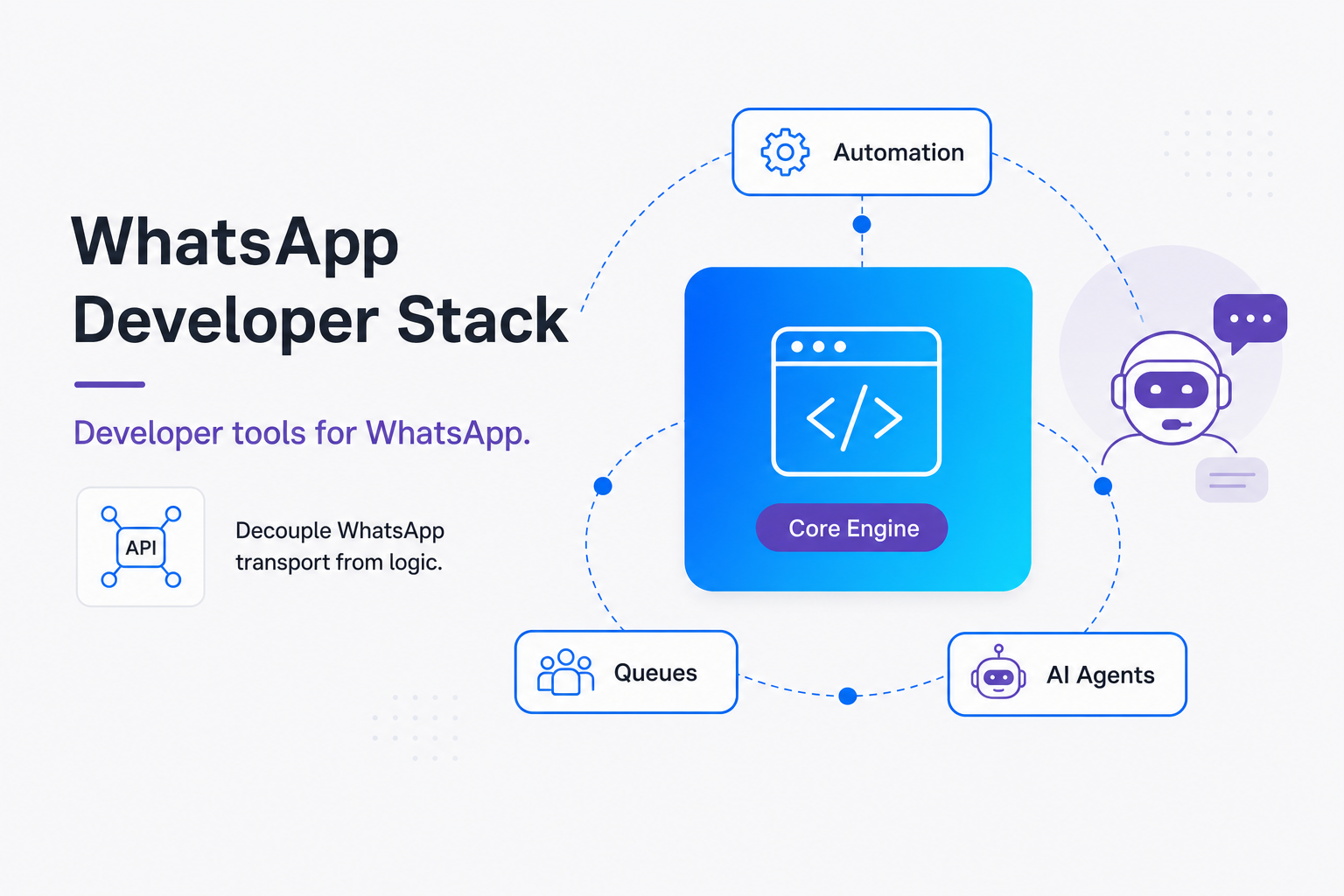
TL;DR: Decouple your business logic from the direct WhatsApp session layer using the Transport Decoupling Pattern. Use Redis or RabbitMQ for webhook ingestion to bypass Meta and Twilio rate limits, and orchestrate conversational AI via Dify or LangGraph grounded in pgvector. Whapi.Cloud serves as your stable, QR-connected transport layer, eliminating local hardware maintenance and per-message charges.
The Monolithic Webhook Trap: Why Custom Integrators Fail
We repeatedly observe that custom monolithic scripts fail under scaling pressure. If you do not decouple your core business logic from the WhatsApp connection layer, your integration will break under the operational tax of protocol churn and silent disconnects.
In our practice helping teams scale integrations, we have seen synchronous webhooks block thread execution and crash during network latency or unexpected traffic surges. To resolve this, developers must implement The Transport Decoupling Pattern, where the WhatsApp connection layer is kept entirely separate from your business logic, passing messages via async message brokers. By using an external gateway like Whapi.Cloud as a lightweight transport layer, you can rely on open-source visual workflow editors, job queues, and stateful AI frameworks to build highly maintainable, enterprise-ready messaging architectures.
We outline twenty crucial open-source tools and two bonuses categorized by their roles within visual workflows, job queues, vector databases, and conversational frameworks. Each tool fits naturally into a decoupled layout, with Whapi.Cloud operating exclusively as the stable delivery mechanism.
Visual Workflows: Connecting n8n, Activepieces, and Node-RED to WhatsApp
Visual workflow editors are the fastest way to route webhooks and automate actions. However, multi-instance n8n workflows overwrite Meta webhooks, causing fatal four-hundred-four webhook verification errors unless you isolate your development and production environments using dedicated channels.
We've seen multi-instance n8n integration configurations drop webhooks entirely when a test node is activated, because the test deployment silently registers its temporary URL over the production hook in Meta. Whapi.Cloud resolves this by maintaining a separate, dedicated channel and webhook configuration console, allowing you to route events concurrently to distinct targets without risk of de-registration. By coupling visual workflow nodes with flat pricing models, teams achieve exceptional business value. For example, automated WhatsApp reminders reduce clinic appointment no-shows from thirty-one percent to ten percent.
Whapi.Cloud opens full programmatic access to WhatsApp groups, broadcast channels, statuses, and phone number reachability checks, making visual routing tools incredibly expressive.
Here are the primary open-source visual automation tools you should leverage in your stack:
-
n8n (n8n-io/n8n) - Category: Visual Workflow Automation. Useful for designing multi-step pipelines with a low-code UI. Integration example: Whapi.Cloud webhook triggers a workflow -> n8n filters message intent -> routes customer data to your custom CRM -> sends a receipt back to Whapi.Cloud `/messages/text` endpoint.
-
Activepieces (activepieces/activepieces) - Category: Business Automation. Highly modular low-code builder optimized for business users and internal IT operations. Integration example: New lead in activepieces triggers a phone-validity check on Whapi.Cloud, sending a standardized welcome text if active.
-
Node-RED (node-red/node-red) - Category: Event-Driven Flow Editor. Extremely lightweight node-based interface ideal for IoT, hardware triggers, and low-latency webhook ingestion. Integration example: Hardware alert triggers Node-RED flow -> Node-RED formats payload -> fires a POST request to Whapi.Cloud `/messages/text` to notify the maintenance group.
-
zrok (openziti/zrok) - Category: Secure Tunneling. Exposes local webhook endpoints to the public internet securely during development. Integration example: Expose your local n8n instance using `zrok share public` -> register the zrok URL as your Whapi.Cloud webhook target to receive real-time events locally.
-
Bruno (usebruno/bruno) - Category: API Client. A Git-friendly, offline-first API client for testing and documenting API requests. Integration example: Import the Whapi.Cloud Postman collection into Bruno -> save requests as markup files in your git repo -> test `/messages/text` endpoints directly from your local IDE.
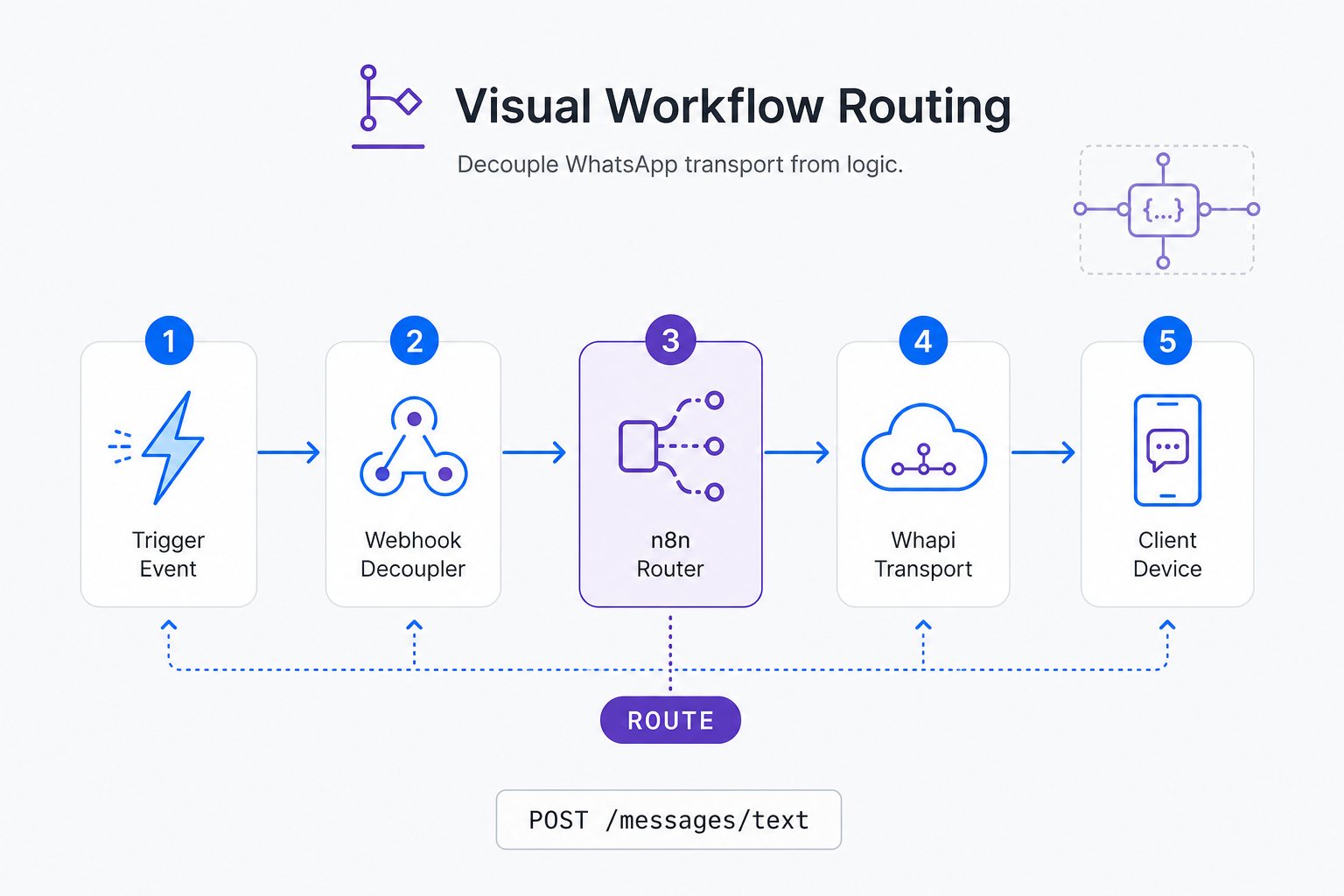
How to prevent 404 webhook errors and rate-limiting issues
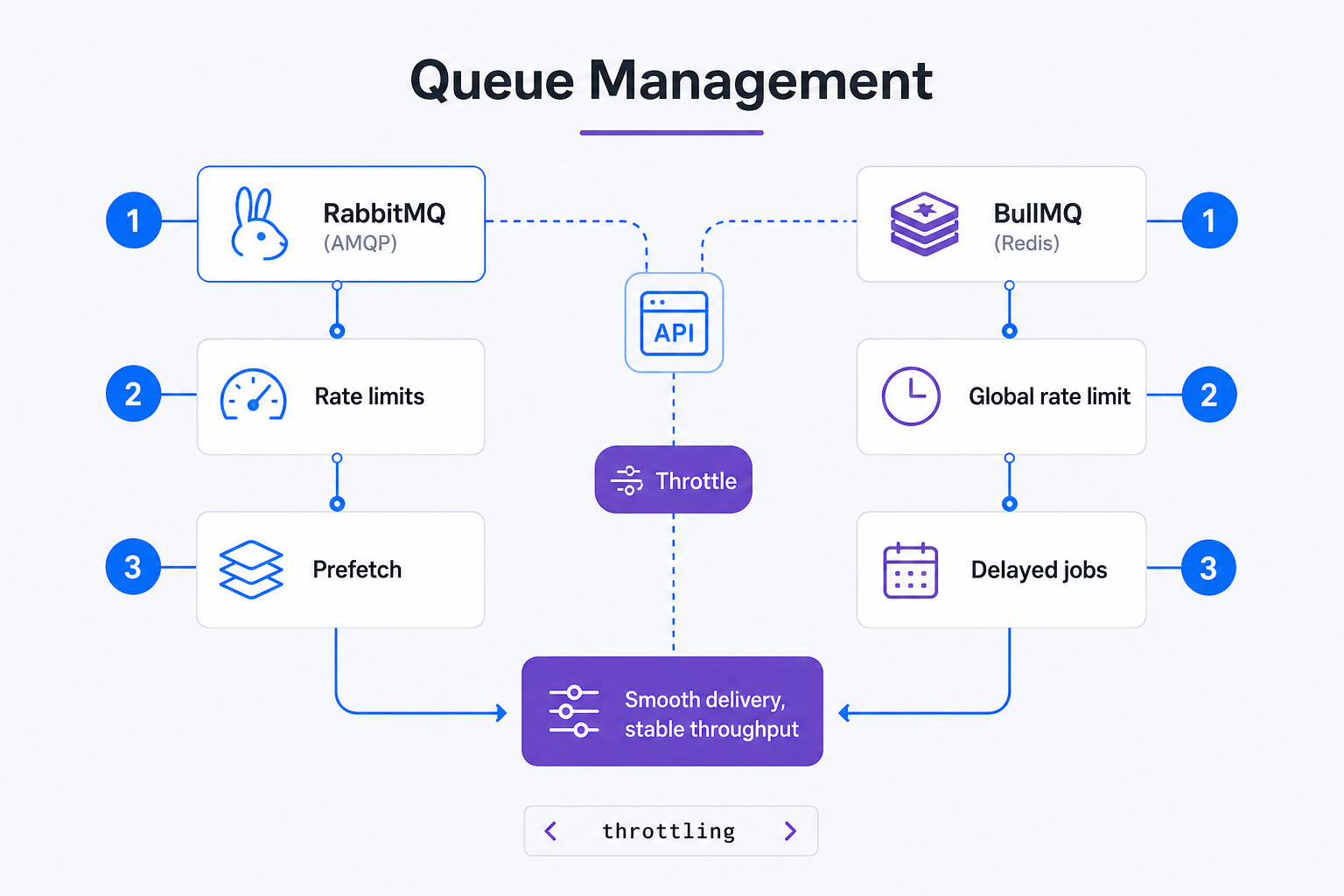
Throttling outbound traffic is critical to safeguarding your WhatsApp numbers. Remember that messaging limits restrict unique daily recipients; sender throughput governs real-time messages per second. We advise integrators to queue webhooks using Redis or RabbitMQ to protect downstream APIs from traffic spikes.
Blasting thousands of messages simultaneously flags your session under WhatsApp's spam-detection algorithms and suspends your account. Implementing a background queue protects your number from rapid traffic spikes.
Unlike metered APIs with per-message fees, Whapi.Cloud offers a flat subscription model per phone number, keeping costs predictable. However, because the gateway imposes no outbound limits, implementing queue pacing in your own open-source stack is mandatory to avoid WhatsApp's network-level blocks.
To implement rate-limiting, developers should use background job frameworks and message brokers:
-
Redis (redis/redis) - Category: In-Memory Caching. Stores real-time connection state, rate-limits, and deduplication keys. Integration example: Storing message hashes in Redis with a 24-hour TTL to prevent double-processing incoming webhook retries.
-
BullMQ (taskforcesh/bullmq) - Category: Message Queue. Node.js rate-limited queue that schedules messages sequentially. Integration example: Push all Whapi outbound messages to BullMQ with a `limiter` set to 5 messages per second to guarantee continuous, safe delivery. This prevents rate-limiting errors.
-
RabbitMQ (rabbitmq/rabbitmq-server) - Category: Message Broker. Robust multi-language broker for routing high-volume event messages. Integration example: Incoming webhooks from Whapi.Cloud are instantly published to RabbitMQ exchange and safely consumed by multiple worker instances.
-
Temporal (temporalio/temporal) - Category: Durable Execution. Orchestrates complex, multi-step campaigns that must survive server crashes.
-
Trigger.dev (triggerdotdev/trigger.dev) - Category: Background Jobs. Typescript-first background framework with built-in retries and real-time step visualization. Integration example: Execute long-running reporting operations and fire the final PDF back to Whapi.Cloud `/messages/document` endpoint once rendered.
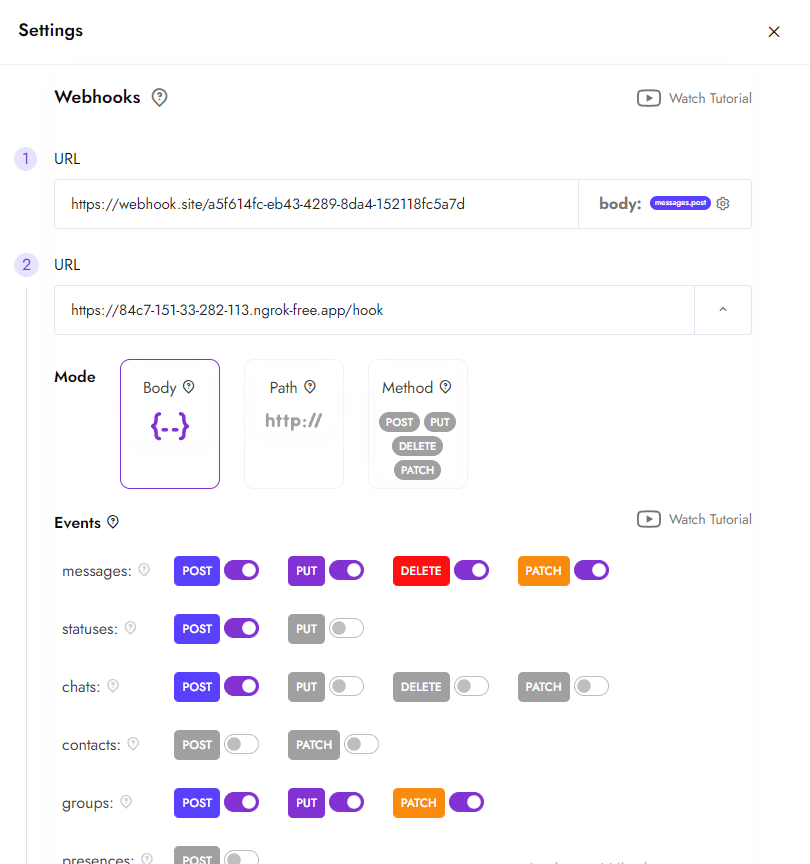
Below is an example of an outbound worker in Node.js using BullMQ to enforce rate-limiting for WhatsApp messages, ensuring that we never trigger WhatsApp's anti-spam blocks. We won't cover specific Docker Compose networking or Redis cluster setups here -- those are covered comprehensively in the respective tools' official deployment guides.
import { Worker, Queue } from 'bullmq';

// Create outbound queue with rate limiter
const mailQueue = new Queue('whatsapp-outbound', {
  connection: { host: 'localhost', port: 6379 }
});

// Configure Rate Limiting worker
const worker = new Worker('whatsapp-outbound', async (job) => {
  const { to, body } = job.data;

  // without parsing express.raw() or managing idempotency keys, you risk processing duplicated webhooks from Meta's retry cycles
  const response = await fetch('https://gate.whapi.cloud/messages/text', {
    method: 'POST',
    headers: {
      'Content-Type': 'application/json',
      'Authorization': `Bearer ${process.env.WHAPI_TOKEN}`
    },
    body: JSON.stringify({ to, body })
  });

  if (!response.ok) {
    throw new Error(`Failed to deliver message via Whapi: ${response.statusText}`);
  }
}, {
  limiter: {
    max: 5,       // Max 5 messages...
    duration: 1000 // ...per 1 second (safe WhatsApp pacing)
  }
});
Why does Twilio queue messages for hours while Whapi.Cloud delivers instantly?
Developers transitioning to high-volume messaging often hit severe bottlenecks. Exceeding Twilio sending rates triggers four-hour message queues; Whapi.Cloud delivers instant direct transport. This direct web-session socket connection routes messages immediately without arbitrary middleware queuing delays.
For time-sensitive OTPs or appointment reminders, a multi-hour queue is equivalent to system downtime. Twilio restricts sending rates to 25 MPS and queues excess messages, delaying critical notifications. This is particularly crucial when managing high-speed notifications across your broadcast channels.
In the official WhatsApp Business API, messaging is restricted by template rules and tiered fees. In Whapi.Cloud, outbound delivery is unmetered and requires no template gating; web-session sockets maintain a direct, authenticated session, bypassing BSP markups and official constraints entirely.
Autonomous AI Agents: Structuring WhatsApp Bots with Dify and LangGraph
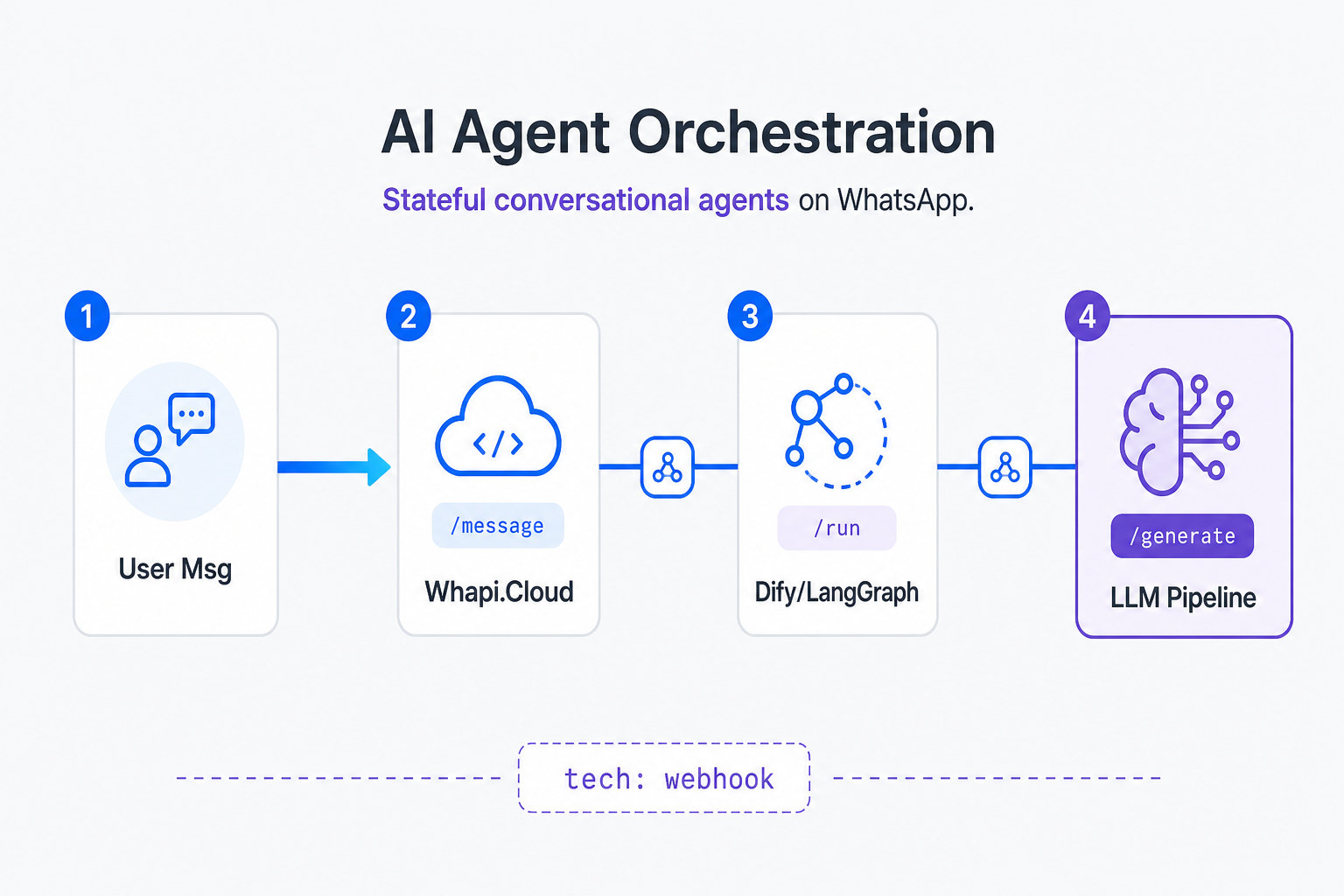
Integrating AI into messaging channels requires stable context preservation. However, empty strings from n8n HTTP nodes trigger strict Pydantic validation errors in Dify. Typebot rejects Meta temporary tokens; permanent System User Access Tokens ensure uninterrupted development.
In our practice helping developers connect AI orchestrators, we repeatedly observe that teams spend hours debugging Pydantic schemas because they routed n8n data directly to Dify without a fallback empty dictionary block. Grounding these systems prevents severe hallucinations. By leveraging open-source conversational tools, autonomous real estate AI agents drop lead response times from hours to seconds. They capture customer timelines, coordinate calendars, and request exact coordinates before routing high-intent buyers to real agents.
These are the core open-source frameworks for stateful AI assistants:
-
Dify (langgenius/dify) - Category: AI Agent Platform. Excellent visual prompt engineer and agent manager. Integration example: Incoming Whapi message triggers a webhook -> routes payload to Dify endpoint -> Dify triggers LLM agent -> response sent back via Whapi API.
-
Flowise (FlowiseAI/Flowise) - Category: Visual UI for LangChain. Easily connects complex LangChain chains, prompts, and vector databases visually. Integration example: Incoming customer query on WhatsApp is directed to Flowise, which queries the database and sends a contextual response via Whapi.
-
LangGraph (langchain-ai/langgraph) - Category: Multi-Agent Stateful Workflows. Perfect for building cyclical, graph-based agent structures that require state machines. Integration example: WhatsApp dialog triggers LangGraph agent -> agent transitions between "Discovery", "Booking", and "Confirmation" states, triggering Whapi texts at each state transition.
Grounding RAG using pgvector, Qdrant, and LiteLLM
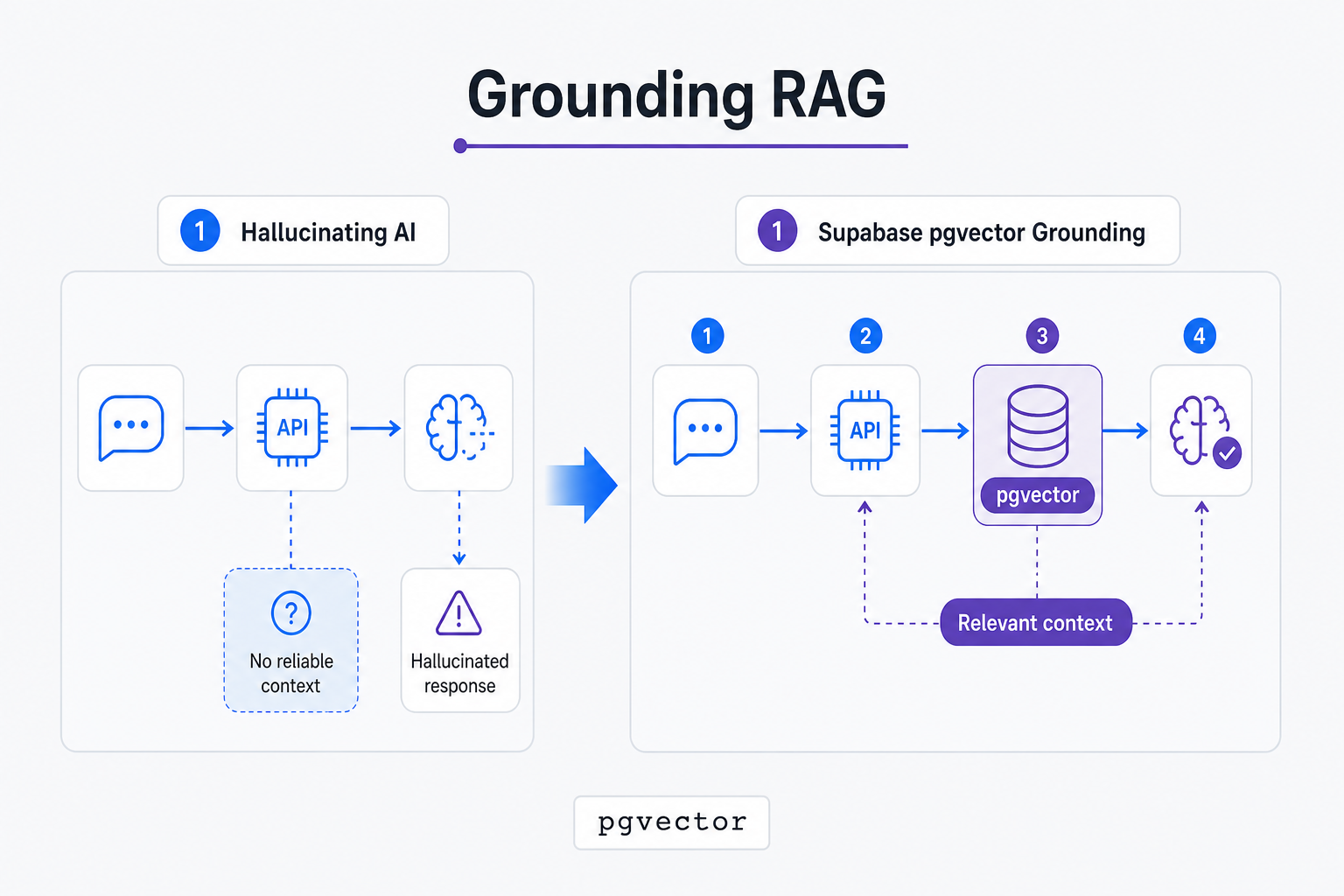
AI assistants require grounded databases to prevent hallucinations. Vector databases like Supabase pgvector enable hallucination-free property querying via semantic search. By converting product catalogs into embeddings, the assistant matches unstructured WhatsApp queries with actual properties instantly.
A grounded Retrieval-Augmented Generation (RAG) pipeline requires vector databases, RAG indices, and universal gateways:
-
LlamaIndex (run-llama/llama_index) - Category: RAG Framework. Connects external private documents (PDFs, APIs) to LLMs.
-
Qdrant (qdrant/qdrant) - Category: Vector Database. High-performance, production-ready vector similarity search engine. Integration example: Storing thousand of product item descriptions as vector embeddings in Qdrant to power real-time product recommendations inside WhatsApp.
-
pgvector (pgvector/pgvector) - Category: PostgreSQL Extension. Stores vector embeddings directly alongside relational database tables. Integration example: Keeping a unified Postgres table for clinic appointments and storing doctor profile embeddings to match patient symptoms to specialists. This ensures completely grounded responses.
-
LiteLLM (BerriAI/litellm) - Category: Universal LLM Proxy. Provides a unified OpenAI-compatible API format for over 100 LLM providers. Integration example: Routes WhatsApp prompts to Claude, GPT-4, or local Llama through a single standardized endpoint, handling automatic API fallbacks and tracking tokens.
-
Ollama (ollama/ollama) - Category: Local Model Runner. Hosts and executes open-source LLMs locally. Integration example: Powering a fully private, offline automated receptionist on your local server, processing incoming WhatsApp text via Ollama.
Below is a Python Flask snippet demonstrating how to ingest a Whapi.Cloud webhook, query LiteLLM with OpenAI or Claude models, and ground the response using semantic vector search in Qdrant or pgvector.
from flask import Flask, request, jsonify
import litellm
import requests

app = Flask(__name__)

@app.route("/webhook", methods=["POST"])
def whatsapp_webhook():
    data = request.json

    # Process only text messages
    for action in data.get("messages", []):
        if action.get("type") == "text":
            sender = action.get("from")
            user_text = action.get("text", {}).get("body")

            # Query the grounded knowledge layer (pseudo-search)
            # In production: search_results = vector_db.search(query=user_text)
            grounded_context = "Verified Clinic Schedule: Dr. Smith is available at 3 PM today."

            # if you pass empty inputs or invalid JSON to Dify's raw chat API, Pydantic throws a 422 validation error and drops the session
            # Use LiteLLM proxy for a unified model interface
            response = litellm.completion(
                model="openai/gpt-4o-mini",
                messages=[
                    {"role": "system", "content": f"Ground replies in this context: {grounded_context}"},
                    {"role": "user", "content": user_text}
                ]
            )

            ai_reply = response.choices[0].message.content

            # Send message back via Whapi
            requests.post(
                "https://gate.whapi.cloud/messages/text",
                headers={"Authorization": "Bearer YOUR_WHAPI_TOKEN"},
                json={"to": sender, "body": ai_reply}
            )

    return jsonify({"status": "success"}), 200
Securing and Optimizing the Voice Stack with Guardrails and Whisper
High-performance WhatsApp integrations must support audio transcripts and enforce safety guardrails. Developers can use OpenAI's Whisper engine to transcribe voice notes locally, while PostHog and Grafana monitor delivery latency and session success rates in production.
To optimize performance and enforce security compliance, implement these tools. While Whisper transcribes audio, you can also use these transcriptions to automatically update your WhatsApp statuses with daily summaries.
-
Whisper (openai/whisper) - Category: Speech-to-Text. Transcribes voice messages into clean text. Integration example: Incoming WhatsApp voice message triggers download -> Whisper translates audio to string -> AI agent crafts text response sent back via Whapi.Cloud.
-
Guardrails AI (guardrails-ai/guardrails) - Category: LLM Safety. Validates structural outputs, ensuring the AI replies do not contain offensive material, competitor mentions, or PII. Integration example: Ground response from LLM -> run Guardrails validation -> send sanitised text to `/messages/text` endpoint.
-
Mem0 (mem0ai/mem0) - Category: Personalization Memory. Long-term memory layer that remembers user preferences, budget, and names across conversations. Integration example: Automatically updates customer constraints in Mem0 when they state their location on WhatsApp, optimizing future RAG searches.
-
Langfuse (langfuse/langfuse) - Category: LLM Engineering Platform. Audits trace paths, costs, latency, and prompt performance. Integration example: Map exact execution paths of conversational agents triggered by WhatsApp webhooks to analyze prompt costs. This helps optimize API billing.
To maintain exceptional clarity across your developer stacks, we summarize the 22 tools in the reference table below, showing how they align across different operational layers when paired with a central gateway.
| Category Name | Primary Tools | Role in WhatsApp Architecture | Whapi.Cloud Integration Touchpoint |
|---|---|---|---|
| Visual Workflows | n8n, Activepieces, Node-RED, zrok, Bruno | Webhook routing, workflow orchestration, local testing | Fires incoming webhook events; executes `/messages` calls |
| Queues & Brokers | BullMQ, RabbitMQ, Temporal, Trigger.dev | Rate-limiting, throttling, retry state, background jobs | Buffers outgoing traffic to prevent Meta spam bans |
| Memory & State | Redis, Mem0 | Caching, context preservation, long-term memory | Tracks chat session status and long-term user preferences |
| AI Orchestration | Dify, Flowise, LangGraph | Conversational agent management, prompts | Drives conversational flows; evaluates message context |
| Vector Retrieval | pgvector, Qdrant, LlamaIndex, LiteLLM, Ollama | Grounding RAG, document indexing, universal proxy | Grounds LLM prompts in verified property/clinic data |
| Monitoring & Transcripts | Whisper, Guardrails AI, Langfuse | Voice processing, safety guardrails, LLM tracing | Processes voice notes; monitors webhook processing speed |
Conclusion: Choosing the Right Transport Layer for Your Open-Source Stack
Building reliable WhatsApp integrations requires a decoupled microservices architecture. Whapi.Cloud acts as the lightweight transport layer, leaving business logic to open-source tools. Separating transport from logical workflows simplifies scaling and guarantees outstanding delivery metrics.
By choosing a managed gateway like Whapi.Cloud, you bypass the operational tax of hosting your own proxy servers, managing Docker containers, or dealing with credentials rotation. This allows you to treat WhatsApp as a lightweight, plug-and-play transport layer. It handles silent upstream protocol shifts, manages proxies, and guarantees 24/7 uptime so your core system remains entirely unaffected during Meta platform updates.
Ready to deploy a resilient, production-ready WhatsApp integration? Start building in minutes using our free, permanent Sandbox. Access the complete set of developer resources, review our comprehensive tutorials, and connect your phone number instantly.