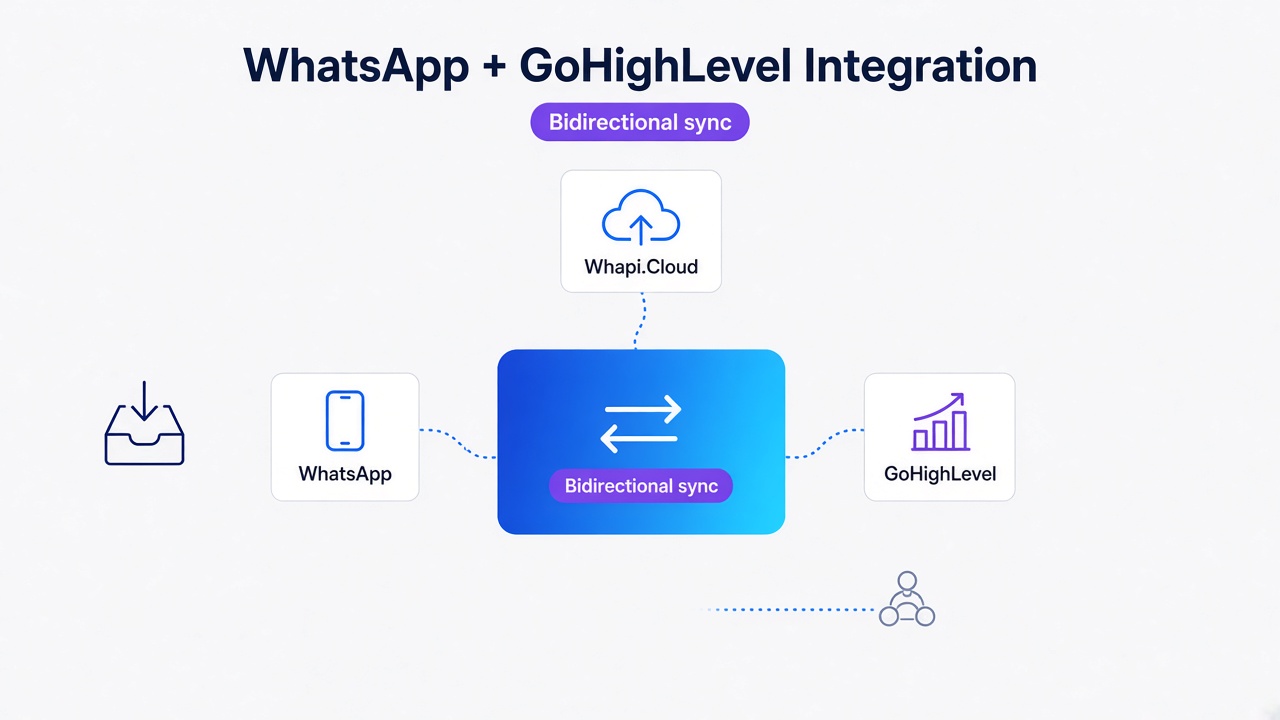
TL;DR: Meta banned general-purpose AI assistants as the main product, not every WhatsApp bot. Redesign your agent around one narrow job, add guardrails and a RAG knowledge base, then wire it through Whapi.Cloud with POST /messages/text and PATCH /settings. You can start in the free sandbox without Meta Business verification.
A scoped WhatsApp bot built on Whapi.Cloud turns the 2026 compliance panic into a working free-tier sandbox in minutes. That is the move most teams miss. They hear "Meta bans AI chatbots" and assume their appointment reminder or order-tracking bot is next. That assumption is wrong when the AI is an ancillary feature inside a business task rather than the product the user pays for.
Definitions and Scope Lock: What the 2026 WhatsApp AI Rule Actually Covers

Most people misread the January 15, 2026 WhatsApp Business Solution Terms as a blanket ban. The update is a product-categorization rule. It hits general-purpose AI and leaves alone business automation that answers one tightly defined thing.
Scope lock 1: consumer AI versus business automation. Meta's restriction targets providers that distribute AI assistants to consumers for open-ended chat. A clinic booking bot, a real-estate lead qualifier, or a Shopify order-status agent falls outside that bucket because the AI is a feature inside a business workflow rather than the product the user came for.
Scope lock 2: official API versus Whapi.Cloud. Meta's channel requires a verified business, approved message templates, and compliance with conversation windows. Whapi.Cloud is a separate gateway that connects any number via QR scan and web-session sockets, the same mechanism WhatsApp Web uses, without Meta Business verification or pre-approved templates.
Scope lock 3: general-purpose assistant versus task-specific agent. A ChatGPT-style wrapper sells open-ended conversation as its main value. A support bot that looks up orders, schedules appointments, or verifies identity sells a completed task. A bot that debates philosophy is likely in the wrong category. A bot that confirms a delivery slot is likely fine.
Did Meta Really Ban Every AI Chatbot? The Myth vs. the Terms
No. The official WhatsApp Business Solution Terms ban AI providers when the AI is the primary functionality. That clause forced general-purpose assistants to shut down after January 15, 2026, while narrow business bots kept running.
The clause itself is unambiguous:
Providers and developers of artificial intelligence or machine learning technologies are strictly prohibited from accessing or using the WhatsApp Business Solution when such technologies are the primary (rather than incidental or ancillary) functionality being made available for use.
The EU/EEA and Brazil got a carve-out for rival assistants under antitrust interim measures, which is why the same services continued there temporarily. Everyone else saw the global product category shut down. For a practical take on keeping a number safe, see our guide on how to avoid a WhatsApp ban in 2026.
Task-oriented use cases stayed explicitly permitted: customer service, order management, appointments, transaction notifications, and identity verification. These are the same jobs most businesses already build on WhatsApp.
We have seen teams freeze entire roadmaps because they conflated the two categories. That confusion costs more than delay; it costs the chance to redesign around a compliant, narrower agent that still converts.
How to Draw the Line Between General-Purpose AI and a Task-Specific Agent
Scope the bot to one end-to-end job, or it scopes itself to a ban. A general-purpose assistant answers anything. A task-specific agent owns one workflow from trigger to handoff.
Purpose. A general-purpose bot markets itself as "ask me anything." A scoped bot markets itself as "book, track, or refund here." The first sells open-ended conversation. The second sells a completed task.
API surface. A general-purpose wrapper calls the LLM with raw user input and returns whatever the model generates. A scoped agent calls the LLM only inside a fixed intent map, checks the output against a RAG knowledge base, and routes outbound messages through business rules.
Template needs. In the official WhatsApp Business API, business-initiated outbound messages outside the 24-hour window require pre-approved templates. A general-purpose bot generates free-form text whenever it wants, so it quickly runs into template limits. A scoped agent knows exactly which messages it may send and when, so it fits the template model if it uses the official API.
Whapi.Cloud does not require pre-approved templates. You compose the body in your own handler and POST it to /messages/text. There is no template library or category approval, so there is no wait before an outbound message can go out. That difference makes a scoped agent much easier to wire on Whapi.Cloud than to maintain on the official Business API.
Ban risk. The closer the bot is to "chat with AI," the closer it is to the prohibited category. The closer it is to "check your order status," the safer it is. We have watched the same model survive review when it stopped selling open conversation and started selling appointment confirmation. If you want to keep the number healthy, follow Whapi.Cloud's guide to avoiding account bans before you scale.
Task-contract rule: one input, one business action, one allowed response type. Route everything else to a human.
Policy and Operations Are Different Layers

Do not confuse the AI clause with the general Business API mechanics. Meta's AI rule only restricts AI providers. The rest of the rules you hear about belong to messaging operations, separate from the ban.
Policy layer first. The January 15, 2026 update prohibits AI providers from offering general-purpose AI assistants when the AI is the primary functionality. That is a product-categorization rule. It leaves alone your appointment bot, order tracker, or support triage agent because those are business features with incidental AI.
Operational layer: the 24-hour window. In the official WhatsApp Business API, the 24-hour customer-service window governs when a business can send a free-form session message versus a pre-approved template. That routing logic applies to every business-initiated conversation, whether AI is involved or not.
Whapi.Cloud does not use the 24-hour window, HSM templates, or template categories. Because it connects through web-session sockets, the same path WhatsApp Web uses, outbound messages are sent as regular user messages without template approval queues or category fees.
Operational layer: HSM templates. In the official API, any business-initiated message outside the session window must use a pre-approved HSM template with a fixed category such as utility, authentication, or marketing. Template rejection, category reclassification, and version churn are normal parts of that workflow.
Whapi.Cloud sidesteps HSM template gating entirely. Because messages are sent through web-session sockets, you compose the body and POST it to /messages/text. There is no template approval, no category restriction, and no version churn when Meta reclassifies a template.
Operational layer: BSUID. Business-Scoped User ID (BSUID) arrived in 2026 as an identifier migration on the official API. Phone numbers in webhooks and API calls are being replaced by scoped IDs. If you rely on phone numbers as the primary key in your CRM or webhook handler, you will need a mapping layer before the next breaking change.
On Whapi.Cloud the same migration does not apply. Webhooks still carry the phone number or Chat ID you already use, so a scoped agent can stay on a simple data model while the official API world re-keys its user store.
Operational layer: per-message pricing. Meta introduced per-message pricing in July 2025. It replaced the older 24-hour conversation model and made cost planning more sensitive to outbound volume and template category.
Whapi.Cloud bills a flat subscription per connected number. For a small team running a scoped support or booking bot, that means the free sandbox covers early testing and the paid tier stays predictable as volume grows.
The Redesign Checklist: From GPT Wrapper to Scoped Business Agent

Redesigning a wrapper into a compliant agent takes a build plan, not a rewrite. Shrink the conversational surface until each user request maps to one allowed business action.
If you need a starting prompt, Whapi.Cloud's send-message AI assistant prompt includes an anti-hallucination checklist you can adapt.
- Run a compliance audit. List every intent your bot currently handles. Flag open chat, creative writing, advice, and general knowledge for removal or human routing.
- Scope the task. Pick one end-to-end job. A clinic bot books, reschedules, and cancels appointments. Each bot does one job well and refuses the rest.
- Add LLM guardrails. Constrain the model with a system prompt and an
allowed-intentlist. Validate every output shape. If a reply falls outside the approved templates, drop it and route to a human. - Ground answers in a RAG knowledge base. Point the bot at your own documents, shipping rules, or clinic FAQ so it does not hallucinate policies. RAG narrows the answer space; guardrails narrow the behavior; a human-escalation layer narrows the risk.
- Use templates only where applicable. Unlike the official Business API, Whapi.Cloud sends the message body directly through POST
/messages/text, so pre-approved templates are not required. If you later move to the official API, templates become necessary for outbound messages outside the 24-hour window. - Build a human handoff. What happens when a request falls outside the task contract? The bot should say so and offer a human. Treat that handoff as the intended path.
- Test with real traffic. Use the Whapi.Cloud free sandbox (5 active conversations per month, 150 messages per day). Watch for off-topic prompts, model drift, and handoff triggers before you scale.
Wiring Webhooks and Messages Without Meta Business Verification

Whapi.Cloud skips the official-API gates that slow down a scoped agent. Scan a QR code, connect a regular WhatsApp number, then send and receive messages over HTTP without Meta verification or template approval.
Outbound text. Send a message with POST /messages/text. The body needs to, which is the phone number or Chat ID, and body, the message text. The optional typing_time field makes the message feel natural by simulating typing for a few seconds.
// If typing_time is too low for a long body, the message can look robotic.
const res = await fetch('https://gate.whapi.cloud/messages/text', {
  method: 'POST',
  headers: {
    'Authorization': `Bearer ${process.env.WHAPI_TOKEN}`,
    'Content-Type': 'application/json'
  },
  body: JSON.stringify({
    to: '[email protected]',
    body: 'Your appointment is confirmed for tomorrow at 10:00.',
    typing_time: 1
  })
});
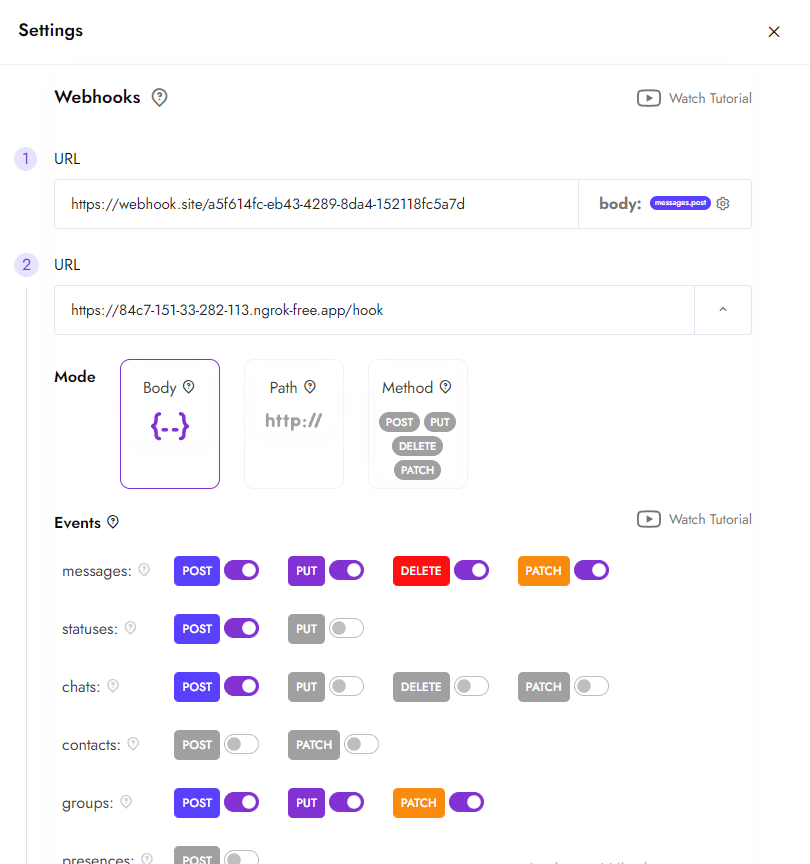
Incoming webhooks. Configure your endpoint with PATCH /settings. Pass a webhooks array where each item has a url and an events list. Use GET /settings/events to see which events you can subscribe to, such as message for inbound texts. The webhook payload format reference shows the exact JSON shape.
// If the events array omits 'message', inbound texts never reach your handler.
await fetch('https://gate.whapi.cloud/settings', {
  method: 'PATCH',
  headers: {
    'Authorization': `Bearer ${process.env.WHAPI_TOKEN}`,
    'Content-Type': 'application/json'
  },
  body: JSON.stringify({
    webhooks: [{
      url: 'https://your.app/webhook',
      events: ['message']
    }]
  })
});
Webhook testing. Before you go live, use POST /settings/webhook_test to fire a test payload at your endpoint. The call needs a type, a url, and a mode. If the mode does not match what your server expects, the test will look successful to Whapi.Cloud while your handler ignores it.
Message history. Use GET /messages/list to fetch recent messages for a chat. This is useful for building context windows without storing every message yourself, or for auditing a handoff after the bot escalates.
Because the connection uses web-session sockets, the same underlying mechanism as WhatsApp Web, the platform does not need to register your number as a business API channel. That is why the sandbox is available immediately after the QR scan and why outbound messages do not pass through a template approval layer.
If you want a step-by-step start, the create WhatsApp chatbot guide covers QR pairing and the first message.
Where Narrow Bots Already Win: Real-World Outcomes
Scoped agents already drive measurable outcomes. A real-estate lead-qualification bot delivered three times faster response and 40% more site visits booked.
In healthcare, a clinic appointment agent dropped off-hours response time from 8-14 hours to under 90 seconds and captured roughly 95% of inbound leads. Staff triage time fell below 15% of the shift because the bot handled intake, rescheduling, and reminders.
E-commerce and retail support agents now autonomously resolve 60-80% of routine queries, including order status, returns, and refunds. The narrow scope is what makes the high deflection rate possible. The bot never needs to answer philosophy because the user never asks it to.
Build a Compliant Bot That Still Converts
Start with a task contract, not a platform choice. Meta's 2026 terms do not ban AI in WhatsApp. They ban general-purpose conversational AI as the primary product. That leaves a space for task-specific agents that book, track, verify, and support.
Lock the scope to one end-to-end job, add guardrails and a RAG knowledge base, and wire a human handoff for anything outside the contract. Then connect the bot through Whapi.Cloud, where the free sandbox and web-session sockets let you test without Meta Business verification or pre-approved templates.
Whapi.Cloud offers an alternative WhatsApp API path, not a legal workaround. Use it to get a scoped agent in front of real users quickly while you decide whether the official Business API is needed later. For the full endpoint map, see the API documentation.