Wow! Redução de 65% no preço para clientes brasileiros! Registre-se agora
Chat routing · WhatsApp API use case

Assign a qualified WhatsApp chat to one sales owner

A buyer gets one sales owner after qualification, instead of waiting on a number where nobody is responsible. When your rules finish qualification, your backend marks that chat for the chosen owner and sends the handoff through Whapi.Cloud. This use case shows integrators how to implement that flow through the WhatsApp API.

Chat id arrives on the inbound message event Your backend picks the sales owner
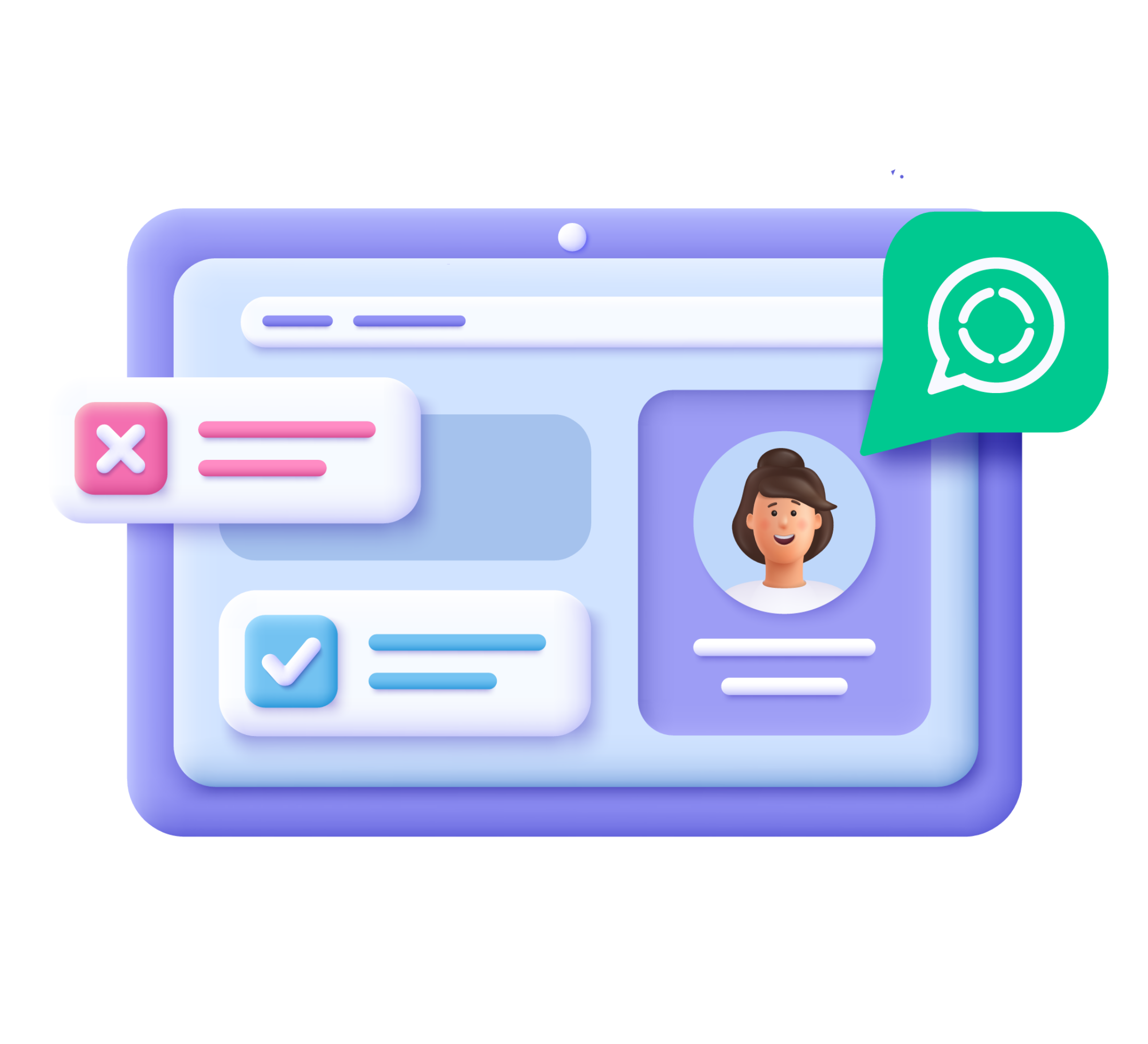
A WhatsApp chat on a phone after qualification, with one sales owner marked and a short handoff ready to send.
Use case

When to use this flow

Qualification is already done

Use this flow when your rules mark the direct chat qualified and it still has no owner, so you can assign that chat to one sales owner.

Each owner is a label

Use this flow when a sales person or a department is a label on the same connected number.

The buyer must be told

Use this flow when the buyer should receive the handoff in that same direct chat.

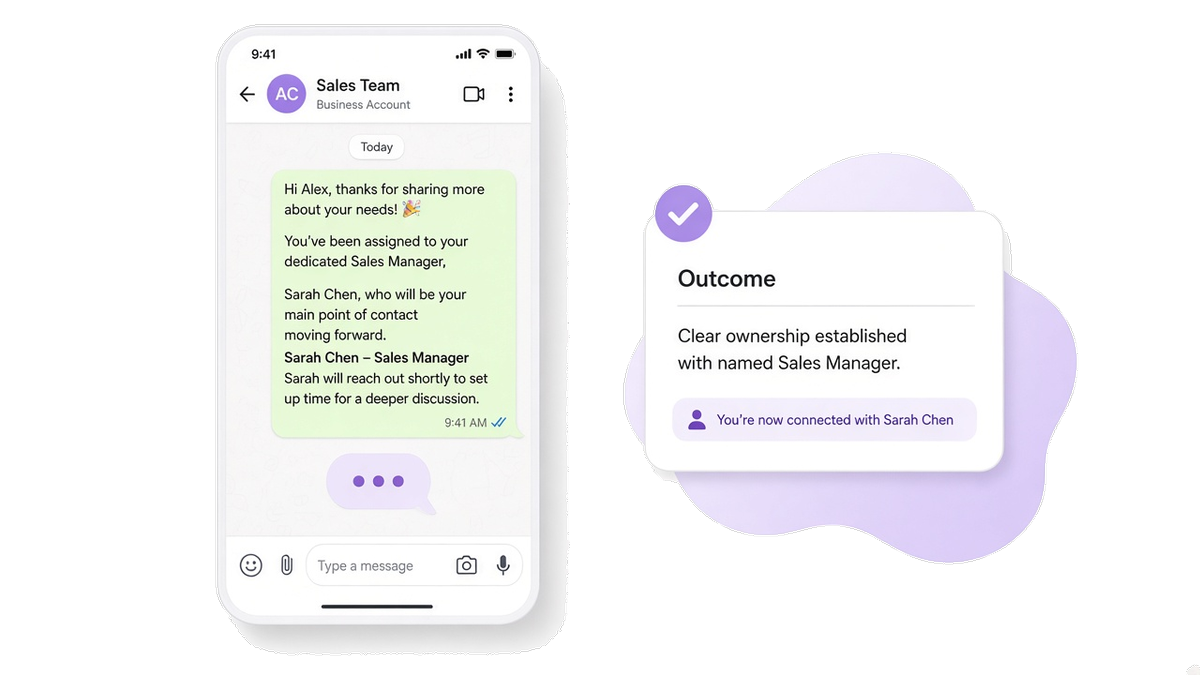
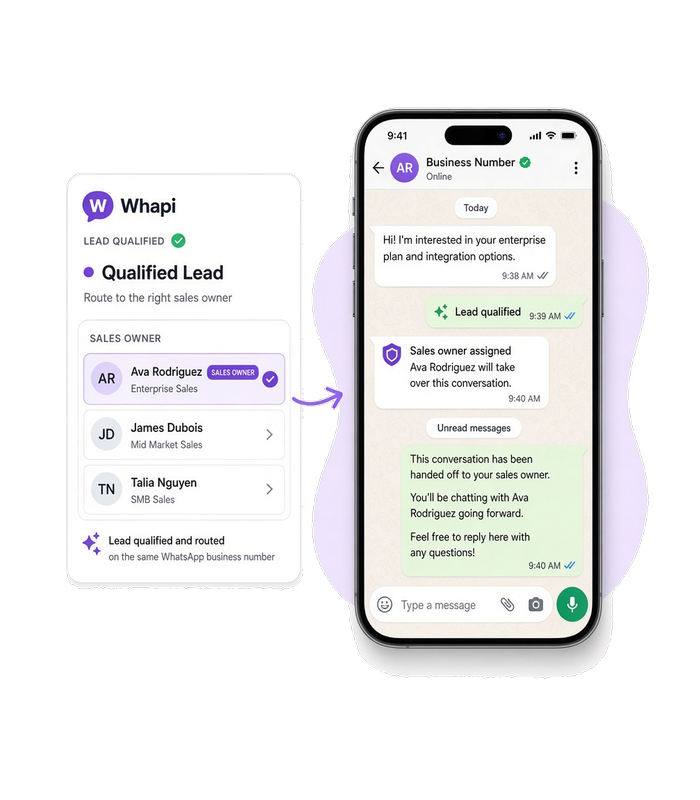
A phone screen showing a WhatsApp chat where the buyer has just received a message naming their sales owner.
Customer experience

The buyer meets a named owner

Before this flow, a qualified chat sits on the number until someone notices it, and the buyer does not know who is responsible.

The buyer receives a message that names who continues the conversation, and that chat is no longer unowned. Integrators build this result with the WhatsApp API.

Workflow

Route the chat to a sales owner

1

Qualification finishes

Your rules mark this direct chat as qualified. Webhook events tell your backend the chat is ready, without polling.

2

Match the owner to a label

GET /labels

List the labels on the connected number and keep the one that matches the sales person or department your backend chose.

3

Put the label on the chat

POST /labels/{LabelID}/{AssociationID}

Attach that label to this chat so the owner is visible on the same number.

4

Tell the buyer who continues

POST /messages/text

Send the handoff text your backend wrote for this buyer into the same chat.

Need delivery tracking? If the handoff stays pending, it was not delivered. Later changes arrive on statuses.post and statuses.put. Learn about delivery status →

Prerequisites

Before you run the flow

The connected number is the one the buyer already wrote to. The API token lets your backend read labels on that number and send the handoff from it.

Optional — go deeper for this flow

API implementation

Calls that set the owner label

These calls run only after your backend has already chosen the sales person or department. They read labels, mark this chat, and send the handoff text.

Get your API token for free after you register on whapi.cloud, and use that token in the code instead of Your_Token from the examples.

Match the owner to a label

Find the label that stands for the owner your backend selected.

curl --request GET \
     --url https://gate.whapi.cloud/labels \
     --header 'accept: application/json' \
     --header 'authorization: Bearer Your_Token'
$curl = curl_init();

curl_setopt_array($curl, [
  CURLOPT_URL => "https://gate.whapi.cloud/labels",
  CURLOPT_RETURNTRANSFER => true,
  CURLOPT_CUSTOMREQUEST => "GET",
  CURLOPT_HTTPHEADER => [
    "accept: application/json",
    "authorization: Bearer Your_Token"
  ],
]);

$response = curl_exec($curl);
curl_close($curl);
echo $response;
import requests

url = "https://gate.whapi.cloud/labels"
headers = {
    "accept": "application/json",
    "authorization": "Bearer Your_Token"
}

response = requests.get(url, headers=headers)
print(response.text)
const response = await fetch('https://gate.whapi.cloud/labels', {
  method: 'GET',
  headers: {
    accept: 'application/json',
    authorization: 'Bearer Your_Token',
  },
});

console.log(await response.text());
OkHttpClient client = new OkHttpClient();

Request request = new Request.Builder()
  .url("https://gate.whapi.cloud/labels")
  .method("GET", null)
  .addHeader("accept", "application/json")
  .addHeader("authorization", "Bearer Your_Token")
  .build();

Response response = client.newCall(request).execute();
using RestSharp;

var options = new RestClientOptions("https://gate.whapi.cloud/labels");
var client = new RestClient(options);
var request = new RestRequest("");
request.AddHeader("accept", "application/json");
request.AddHeader("authorization", "Bearer Your_Token");
var response = await client.GetAsync(request);

Console.WriteLine("{0}", response.Content);
package main

import (
	"fmt"
	"io"
	"net/http"
)

func main() {
	req, _ := http.NewRequest("GET", "https://gate.whapi.cloud/labels", nil)
	req.Header.Set("accept", "application/json")
	req.Header.Set("authorization", "Bearer Your_Token")

	res, _ := http.DefaultClient.Do(req)
	defer res.Body.Close()
	out, _ := io.ReadAll(res.Body)
	fmt.Println(string(out))
}
Put the label on the chat

Attach that label to this chat on the same number.

curl --request POST \
     --url https://gate.whapi.cloud/labels/3/[email protected] \
     --header 'accept: application/json' \
     --header 'authorization: Bearer Your_Token'
$curl = curl_init();

curl_setopt_array($curl, [
  CURLOPT_URL => "https://gate.whapi.cloud/labels/3/[email protected]",
  CURLOPT_RETURNTRANSFER => true,
  CURLOPT_CUSTOMREQUEST => "POST",
  CURLOPT_HTTPHEADER => [
    "accept: application/json",
    "authorization: Bearer Your_Token"
  ],
]);

$response = curl_exec($curl);
curl_close($curl);
echo $response;
import requests

url = "https://gate.whapi.cloud/labels/3/[email protected]"
headers = {
    "accept": "application/json",
    "authorization": "Bearer Your_Token"
}

response = requests.post(url, headers=headers)
print(response.text)
const response = await fetch('https://gate.whapi.cloud/labels/3/[email protected]', {
  method: 'POST',
  headers: {
    accept: 'application/json',
    authorization: 'Bearer Your_Token',
  },
});

console.log(await response.text());
OkHttpClient client = new OkHttpClient();

Request request = new Request.Builder()
  .url("https://gate.whapi.cloud/labels/3/[email protected]")
  .method("POST", null)
  .addHeader("accept", "application/json")
  .addHeader("authorization", "Bearer Your_Token")
  .build();

Response response = client.newCall(request).execute();
using RestSharp;

var options = new RestClientOptions("https://gate.whapi.cloud/labels/3/[email protected]");
var client = new RestClient(options);
var request = new RestRequest("");
request.AddHeader("accept", "application/json");
request.AddHeader("authorization", "Bearer Your_Token");
var response = await client.PostAsync(request);

Console.WriteLine("{0}", response.Content);
package main

import (
	"fmt"
	"io"
	"net/http"
)

func main() {
	req, _ := http.NewRequest("POST", "https://gate.whapi.cloud/labels/3/[email protected]", nil)
	req.Header.Set("accept", "application/json")
	req.Header.Set("authorization", "Bearer Your_Token")

	res, _ := http.DefaultClient.Do(req)
	defer res.Body.Close()
	out, _ := io.ReadAll(res.Body)
	fmt.Println(string(out))
}

Tell the buyer who continues

Send the buyer a text that names who continues the conversation.

curl --request POST \
     --url https://gate.whapi.cloud/messages/text \
     --header 'accept: application/json' \
     --header 'authorization: Bearer Your_Token' \
     --header 'content-type: application/json' \
     --data '
{
  "to": "61371989950",
  "body": "Thanks for your answers \u2014 Alex from Sales will continue this chat with you here."
}
'
$curl = curl_init();

curl_setopt_array($curl, [
  CURLOPT_URL => "https://gate.whapi.cloud/messages/text",
  CURLOPT_RETURNTRANSFER => true,
  CURLOPT_CUSTOMREQUEST => "POST",
  CURLOPT_POSTFIELDS => "{\"to\": \"61371989950\", \"body\": \"Thanks for your answers \\u2014 Alex from Sales will continue this chat with you here.\"}",
  CURLOPT_HTTPHEADER => [
    "accept: application/json",
    "authorization: Bearer Your_Token",
    "content-type: application/json"
  ],
]);

$response = curl_exec($curl);
curl_close($curl);
echo $response;
import requests

url = "https://gate.whapi.cloud/messages/text"
payload = {
    "to": "61371989950",
    "body": "Thanks for your answers \u2014 Alex from Sales will continue this chat with you here."
}
headers = {
    "accept": "application/json",
    "authorization": "Bearer Your_Token",
    "content-type": "application/json"
}

response = requests.post(url, json=payload, headers=headers)
print(response.text)
const response = await fetch('https://gate.whapi.cloud/messages/text', {
  method: 'POST',
  headers: {
    accept: 'application/json',
    authorization: 'Bearer Your_Token',
    'content-type': 'application/json',
  },
  body: JSON.stringify({
    "to": "61371989950",
    "body": "Thanks for your answers \u2014 Alex from Sales will continue this chat with you here."
}),
});

console.log(await response.text());
OkHttpClient client = new OkHttpClient();

MediaType mediaType = MediaType.parse("application/json");
RequestBody body = RequestBody.create(mediaType, "{\"to\": \"61371989950\", \"body\": \"Thanks for your answers \\u2014 Alex from Sales will continue this chat with you here.\"}");
Request request = new Request.Builder()
  .url("https://gate.whapi.cloud/messages/text")
  .post(body)
  .addHeader("accept", "application/json")
  .addHeader("authorization", "Bearer Your_Token")
  .addHeader("content-type", "application/json")
  .build();

Response response = client.newCall(request).execute();
using RestSharp;

var options = new RestClientOptions("https://gate.whapi.cloud/messages/text");
var client = new RestClient(options);
var request = new RestRequest("");
request.AddHeader("accept", "application/json");
request.AddHeader("authorization", "Bearer Your_Token");
request.AddHeader("content-type", "application/json");
request.AddJsonBody(new { to = "61371989950", body = "Thanks for your answers — Alex from Sales will continue this chat with you here." });
var response = await client.PostAsync(request);

Console.WriteLine("{0}", response.Content);
package main

import (
	"bytes"
	"fmt"
	"io"
	"net/http"
)

func main() {
	body := []byte(`{"to": "61371989950", "body": "Thanks for your answers \u2014 Alex from Sales will continue this chat with you here."}`)
	req, _ := http.NewRequest("POST", "https://gate.whapi.cloud/messages/text", bytes.NewReader(body))
	req.Header.Set("accept", "application/json")
	req.Header.Set("authorization", "Bearer Your_Token")
	req.Header.Set("content-type", "application/json")

	res, _ := http.DefaultClient.Do(req)
	defer res.Body.Close()
	out, _ := io.ReadAll(res.Body)
	fmt.Println(string(out))
}
Delivery

See when the handoff message arrives

The first status on an API send can be pending. A handoff that stays pending was not delivered. sent, delivered, and read arrive later on statuses.post and statuses.put.

  • A status that stays pending means the handoff was not delivered.

  • Watch statuses.post and statuses.put for sent, delivered, and read.

  • Do not treat the buyer as informed until the handoff moves past pending.

What to read on delivery and webhooks

Contact our support if something went wrong
When things break

Handle failures at each step

If no owner is resolved, the matching label is missing, the label is not applied, or the handoff is not delivered, the chat is still unowned.

Do not leave the chat without an owner

Retry or alert when the owner cannot be resolved, the label is missing, the label is not applied, or the handoff is not delivered. If that handoff still fails, contact Whapi support with the chat and the label you tried to set.

Contact our support if something went wrong

Troubleshoot by API step

Status What it means What to do
400 Wrong request parameters
500 Internal Error
Status What it means What to do
400 Wrong request parameters
401 Need channel authorization for add label association
404 Specified chat or message not found
409 Label association already exists
500 Internal Error
Status What it means What to do
400 Wrong request parameters
401 Need channel authorization for send message
402 Trial version limit exceeded
403 It is forbidden to send to this group/recipient
429 Too many requests
500 Internal Error
FAQ

Questions about chat ownership

If no eligible owner is resolved, the matching label is missing, the label is not applied, or the handoff is not delivered, retry or alert. Do not leave that chat unowned.
No. The chat stays on the number the buyer already wrote to. A label marks the owner, and the handoff names who continues the chat.
Your backend chooses. It can use your own rules. This page does not pick the owner for you.
No. Those questions happen earlier. This flow starts after qualification and assigns the chat to one owner.
A normal text in the same chat. The wording comes from your backend, so the handoff names who continues the chat.
Recursos compatíveis do WhatsApp

Tudo o que você precisa para criar automações no WhatsApp

O Whapi.Cloud oferece acesso a um conjunto completo de recursos do WhatsApp — mensagens, mídia, grupos, canais, webhooks e muito mais. Crie bots, automações e integrações sem limitações de funcionalidades.

Escolhido por desenvolvedores

Confiado por mais de 3.300 desenvolvedores e equipes SaaS

Desenvolvedores no mundo inteiro utilizam o Whapi.Cloud para criar automações, bots, integrações com CRM, ferramentas de envio em massa e fluxos avançados de WhatsApp. Nossa infraestrutura processa milhões de requisições API com alta estabilidade — e esse número cresce a cada mês.

Ícone de recurso

5,5K+

canais de API ativos

Ícone de recurso

21M+

requisições API por mês

“Tudo é simples, intuitivo e fácil de navegar. A documentação é clara e todas as informações estão bem à mão. Trabalho excelente.”

Roberto K. / Desenvolvedor Web

“Conectamos o WhatsApp aos nossos fluxos usando o n8n em apenas alguns minutos. Sem código, sem complicações — funcionou de primeira.”

Martin P. / Desenvolvedor

“O Whapi.Cloud se tornou uma parte essencial da nossa comunicação com clientes. Automatizamos atualizações de produtos, notificações de pedidos e mensagens de suporte — tudo sem templates nem aprovações da Meta.”

Oscar T. / CTO

Balão decorativo