Wow! WhatsApp entegrasyonunuzu oluşturun. Ücretsiz başlayın. Şimdi Kaydol
Stale lead nudge · WhatsApp API use case

WhatsApp lead follow-up when the chat goes quiet

The lead gets one follow-up message in the thread where the conversation stopped, so warm deals do not stall in silence. When your idle timer fires after two-way engagement, your backend can send that preset text through Whapi.Cloud. This use case shows integrators how to implement that flow through the WhatsApp API.

At most one follow-up per silence window Plain message text in the same direct chat
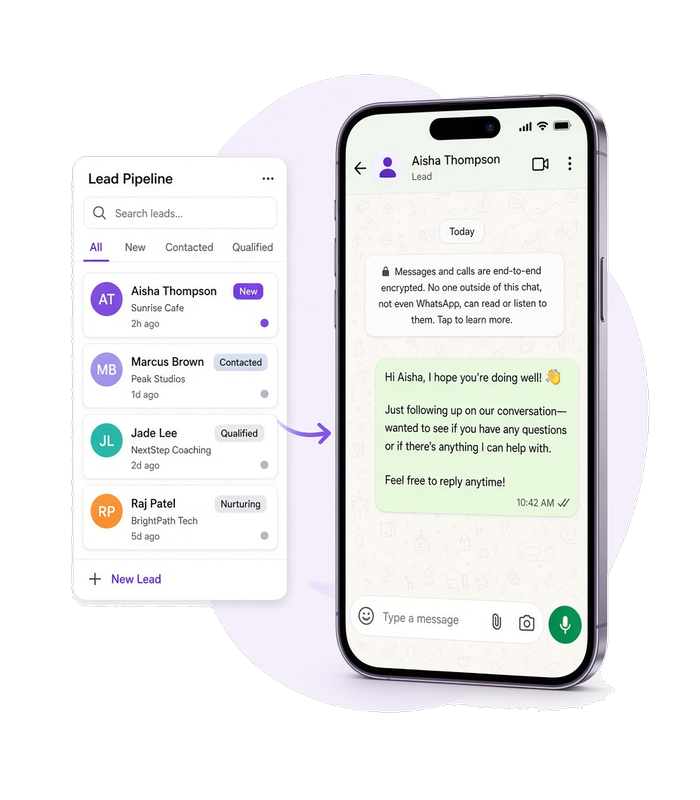
A CRM-style lead thread beside a phone whose WhatsApp chat shows a short reminder waiting to send after silence.
Use case

When to use this flow

The thread was engaged, then went idle

Use this flow when the lead already exchanged messages with you and your rules mark the chat past an idle threshold, not on first contact alone.

The nudge stays in the same chat

Use this flow when the reminder should appear in the existing personal chat, not as a channel post, group invite, or owner handoff.

Your service tracks silence from events

Use this flow when your own backend already knows last activity from message webhooks or stored chat state and can cap one reminder per silence window.

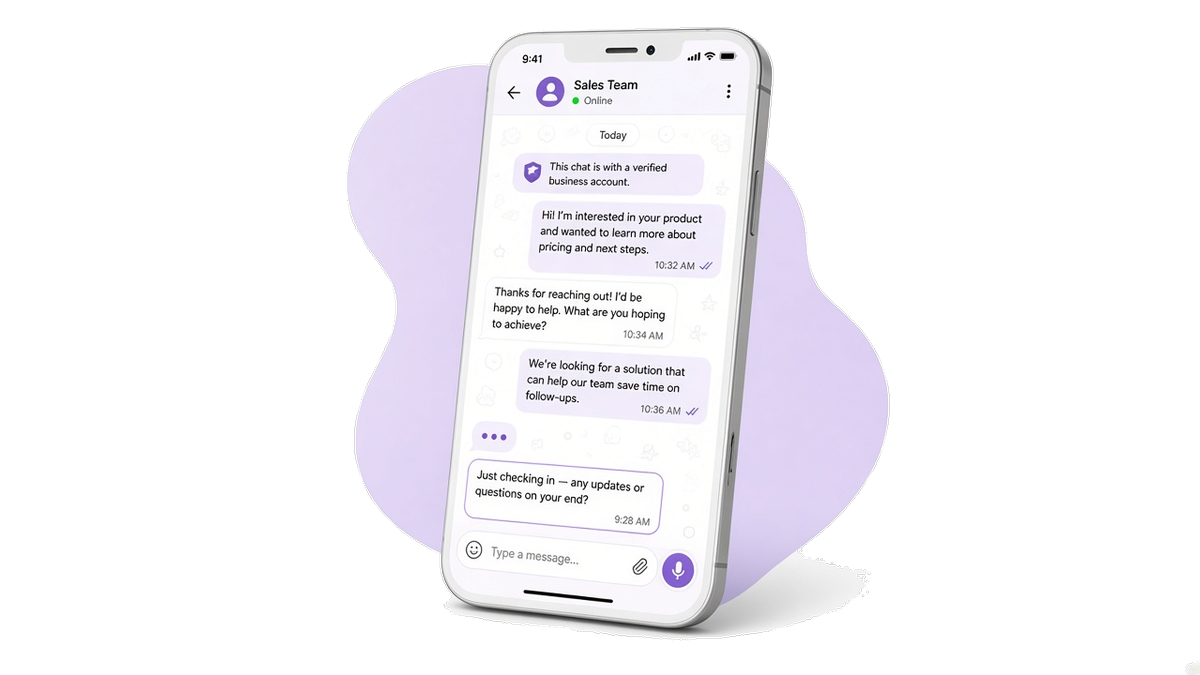
A phone screen showing a WhatsApp chat where the lead has just received a short follow-up message after going quiet.
Customer experience

The lead sees the nudge in chat

Before automation, reps forget to ping leads after a good start, so warm threads cool off while the CRM still shows an open chat.

After the flow runs, the lead sees your fixed reminder in the same WhatsApp chat where the dialog stopped. Integrators build this result with the WhatsApp API.

Workflow

From idle chat to one reminder

1

Chat goes idle after engagement

Your backend decides the chat had two-way exchange and now exceeds the idle threshold. Message webhooks and stored state feed that decision; Whapi.Cloud does not run the timer.

2

Send the follow-up message

POST /messages/text

sendMessageText sends the fixed reminder body your backend chose for this lead into the same chat.

Need delivery tracking? If the reminder stays pending, it was not delivered. Later changes arrive on statuses.post and statuses.put. Learn about delivery status →

Prerequisites

Before you run the flow

Connect the WhatsApp number the lead already wrote to, and authenticate every request with that number's API token. Idle rules and reminder copy stay in your backend.

Optional — go deeper for this flow

API implementation

The call that sends the text

Your backend already decided this chat qualifies and holds the recipient and reminder body. This call delivers that canned text into the same thread.

Get your API token for free after you register on whapi.cloud, and use that token in the code instead of Your_Token from the examples.

Send the follow-up message

Send the fixed reminder text after engagement and silence.

curl --request POST \
     --url https://gate.whapi.cloud/messages/text \
     --header 'accept: application/json' \
     --header 'authorization: Bearer Your_Token' \
     --header 'content-type: application/json' \
     --data '
{
  "to": "447123456789",
  "body": "Hi \u2014 still happy to help with your question. Reply here when you have a minute."
}
'
$curl = curl_init();

curl_setopt_array($curl, [
  CURLOPT_URL => "https://gate.whapi.cloud/messages/text",
  CURLOPT_RETURNTRANSFER => true,
  CURLOPT_CUSTOMREQUEST => "POST",
  CURLOPT_POSTFIELDS => "{"to":"447123456789","body":"Hi — still happy to help with your question. Reply here when you have a minute."}",
  CURLOPT_HTTPHEADER => [
    "accept: application/json",
    "authorization: Bearer Your_Token",
    "content-type: application/json"
  ],
]);

$response = curl_exec($curl);
curl_close($curl);
echo $response;
import requests

url = "https://gate.whapi.cloud/messages/text"
payload = {
    "to": "447123456789",
    "body": "Hi — still happy to help with your question. Reply here when you have a minute."
}
headers = {
    "accept": "application/json",
    "authorization": "Bearer Your_Token",
    "content-type": "application/json"
}

response = requests.post(url, json=payload, headers=headers)
print(response.text)
const response = await fetch('https://gate.whapi.cloud/messages/text', {
  method: 'POST',
  headers: {
    accept: 'application/json',
    authorization: 'Bearer Your_Token',
    'content-type': 'application/json',
  },
  body: JSON.stringify({
    to: '447123456789',
    body: 'Hi — still happy to help with your question. Reply here when you have a minute.',
  }),
});

console.log(await response.text());
OkHttpClient client = new OkHttpClient();

MediaType mediaType = MediaType.parse("application/json");
RequestBody body = RequestBody.create(mediaType, "{"to": "447123456789", "body": "Hi \u2014 still happy to help with your question. Reply here when you have a minute."}");
Request request = new Request.Builder()
  .url("https://gate.whapi.cloud/messages/text")
  .post(body)
  .addHeader("accept", "application/json")
  .addHeader("authorization", "Bearer Your_Token")
  .addHeader("content-type", "application/json")
  .build();

Response response = client.newCall(request).execute();
using RestSharp;

var options = new RestClientOptions("https://gate.whapi.cloud/messages/text");
var client = new RestClient(options);
var request = new RestRequest("");
request.AddHeader("accept", "application/json");
request.AddHeader("authorization", "Bearer Your_Token");
request.AddHeader("content-type", "application/json");
request.AddJsonBody(new { to = "447123456789", body = "Hi — still happy to help with your question. Reply here when you have a minute." });
var response = await client.PostAsync(request);

Console.WriteLine("{0}", response.Content);
package main

import (
	"bytes"
	"fmt"
	"io"
	"net/http"
)

func main() {
	body := []byte(`{"to": "447123456789", "body": "Hi \u2014 still happy to help with your question. Reply here when you have a minute."}`)
	req, _ := http.NewRequest("POST", "https://gate.whapi.cloud/messages/text", bytes.NewReader(body))
	req.Header.Set("accept", "application/json")
	req.Header.Set("authorization", "Bearer Your_Token")
	req.Header.Set("content-type", "application/json")

	res, _ := http.DefaultClient.Do(req)
	defer res.Body.Close()
	out, _ := io.ReadAll(res.Body)
	fmt.Println(string(out))
}
Delivery

See when the reminder arrives

The first status on an API send can be pending. A reminder that stays pending was not delivered. sent, delivered, and read arrive later on statuses.post and statuses.put.

  • A status that stays pending means the reminder was not delivered.

  • Watch statuses.post and statuses.put for sent, delivered, and read.

  • Do not treat the lead as re-engaged until the reminder moves past pending or they reply.

What to read on delivery and webhooks

Contact our support if something went wrong
When things break

Handle failures at each step

If the reminder send is rejected or not delivered, the lead already replied before the timer fired, or you already sent a reminder for this silence window, do not treat the lead as re-engaged.

The chat is still silent after your timer?

Retry or skip when the send fails, the lead replied first, or this window already got a reminder. Do not count the lead as re-engaged on a failed nudge. If the send keeps failing, contact Whapi support with the chat id and the body you tried.

Contact our support if something went wrong

Troubleshoot by API step

Status What it means What to do
400 Wrong request parameters
401 Need channel authorization for send message
402 Trial version limit exceeded
403 It is forbidden to send to this group/recipient
429 Too many requests
500 Internal Error
FAQ

Questions about stale leads

No. The branch requires prior two-way exchange in that thread. Cold reactivation to contacts who never engaged is a different flow.
No. The trigger is chat silence after engagement, not an unfinished checkout.
This page sends ordinary message text you write in your backend. No separate approval workflow or template namespace applies.
Your backend should cancel the send. If a reminder still fails or never delivers, retry or skip and do not treat the lead as re-engaged.
No. Owner assignment after qualification is a separate flow. This job only sends one fixed reminder.
Desteklenen WhatsApp Özellikleri

WhatsApp otomasyonları oluşturmak için ihtiyacınız olan her şey

Whapi.Cloud; mesajlaşma, medya, gruplar, kanallar, webhook’lar ve daha fazlası dahil olmak üzere WhatsApp’ın tüm özelliklerine erişim sağlar. Özellik kısıtlamaları olmadan botlar, otomasyonlar ve entegrasyonlar oluşturun.

Geliştiricilerin tercihi

3.300+ geliştirici ve SaaS ekibi tarafından güveniliyor

Dünya genelindeki geliştiriciler, otomasyonlar, botlar, CRM entegrasyonları, toplu mesaj araçları ve gelişmiş WhatsApp iş akışları oluşturmak için Whapi.Cloud'a güveniyor. Altyapımız her ay yüksek kararlılıkla milyonlarca API isteği işliyor — ve bu sayı giderek artıyor.

Özellik simgesi

5,5K+

aktif API kanalı

Özellik simgesi

21M+

aylık API isteği

“Her şey basit, sezgisel ve kullanımı kolay. Dokümantasyon net ve gerekli tüm bilgiler elimizin altında. Harika iş.”

Roberto K. / Web Geliştirici

“WhatsApp'ı n8n kullanarak iş akışlarımıza sadece birkaç dakikada bağladık. Kod yok, karmaşa yok — her şey ilk denemede çalıştı.”

Martin P. / Geliştirici

“Whapi.Cloud, müşteri iletişimimizin önemli bir parçası haline geldi. Ürün güncellemelerini, sipariş bildirimlerini ve destek mesajlarını Meta şablonlarına veya onaylara ihtiyaç duymadan otomatikleştirdik.”

Oscar T. / CTO

Dekoratif balon