Wow! Emoji of happy man Full-featured sandbox for developers — free forever! Register Now
WhatsApp API capabilities

Everything you can automate in WhatsApp

One REST API for every WhatsApp automation surface — JSON endpoints, real-time events, and full docs.

Jump to a section:

3,300+ clients 5,500+ active channels

API documentation

Whapi REST API: JSON requests, webhooks, and developer docs
Decorartive bubble
No number migration — use any WhatsApp you already have.

Get started in 3 steps

Icon

Pair your number via QR

Link any personal or Business WhatsApp — like WhatsApp Web. Start in the free sandbox to connect and test.

Icon

Send your first API request

Use your token in the sandbox, curl, or Postman. One REST API for messages, groups, channels, and more.

Icon

Add webhooks when you need events

Receive messages and WhatsApp events in real time — configure only the events your app uses.

WhatsApp API Grouping Messages and Management

Automate Groups & Communities

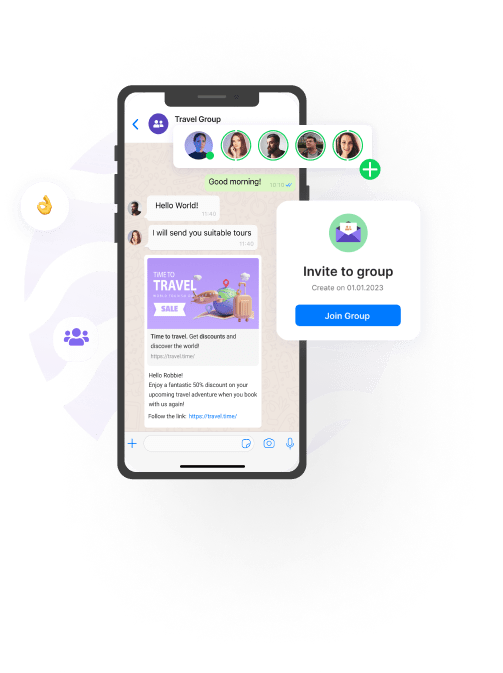
Automate WhatsApp groups from your backend — post messages, read group chats, add or remove participants, and manage admins without opening the app. Export member phone numbers for CRM sync and onboard users at scale. When you outgrow a single group, run Communities with linked sub-groups — same REST API for both. Groups API guide →

Post text, media, or interactive messages to groups and read incoming chats — including announcement-style groups.

Add or remove participants, change admins, create invite links, and export member numbers.

Run Communities with linked groups. Send announcements, moderate sub-groups, manage events, and organize members programmatically.

Member joins, new messages, and other group changes via webhooks.

WhatsApp Channels via API

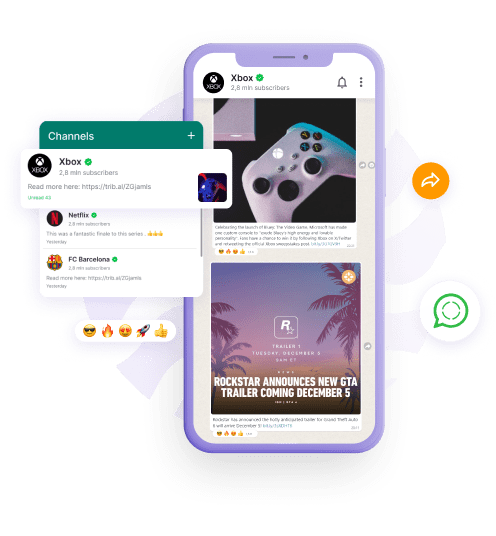
Create and manage WhatsApp Channels from your backend — publish posts, assign admins, and read reactions without the app. Cross-post news, release notes, and deal alerts from your website, Telegram, or CRM. Channel posts carry no per-message fees. Channel API overview →

Publish text, photos, videos, polls, quizzes, and questions on a schedule or from another source.

Open new channels and assign admins from the API — no need to tap through the app for each one.

Read posts and reactions so you can sync them to a site or dashboard.
WhatsApp Channel API
WhatsApp API messaging, catalog, and media

Messaging & E-Commerce

Engage customers with unlimited direct messaging and built-in e-commerce tools. Send rich media, interactive buttons, and product catalogs directly in chat — with zero per-message fees and no pre-approval templates. Build smart chatbots, sync orders with your CRM, and handle the entire sales funnel on a single API.

Show products and categories in chat, sync carts, and react to orders customers place in WhatsApp.

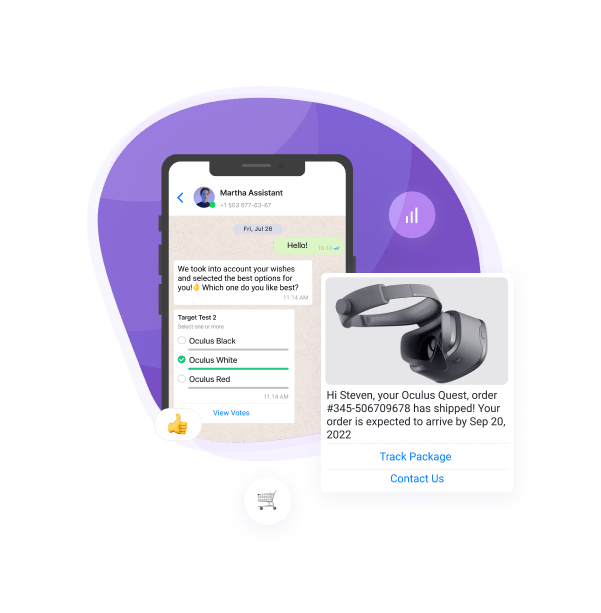
Send text, documents, voice, location, contact cards, stickers, buttons, and link previews — with headers and footers.

Reactions, quote-replies, read receipts, and typing or recording indicators.

Pull messages, chats, contacts, and number details into your CRM. Export catalogs, products, and orders.
Try it out free

Statuses & Stories

Engage your audience with automated WhatsApp Status (Stories) updates. Publish images, videos, or text with custom colored backgrounds programmatically. Unlock a powerful marketing channel that is completely missing from most official WhatsApp APIs.

Send image, video, or text to Status — including text-only posts with colored backgrounds and custom fonts. Reach any number of recipients you choose.

Track view counts on your Status posts and fetch stories from your contacts programmatically — for analytics and engagement workflows.
Try it out free
WhatsApp Status and Stories API

Also automate

Built-in utility features on a clear, developer-friendly API — get started fast with any action. Automate voice calls, polls, number verification, and chat labels — fully included, no add-on fees.

Call events

Start group calls, initiate outgoing calls, reject incoming calls, and get call events on webhooks — missed, answered, and ringing.

Polls

Create polls in chats and groups and react when people vote.

Number check

Check if a number is on WhatsApp before you send.

Business labels

Tag chats from the API — useful for CRM stages and support queues.

WhatsApp webhooks and real-time events

Advanced Webhook Capabilities

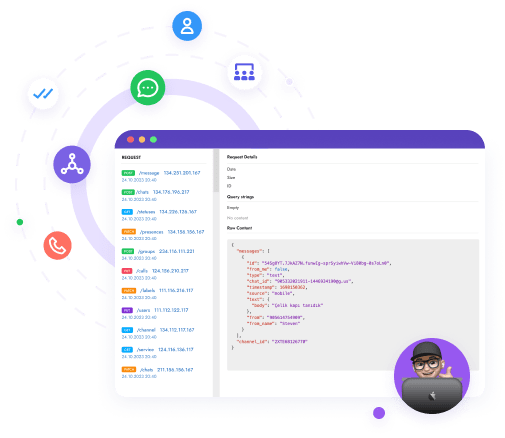
Get WhatsApp events on your server in real time — new messages, group changes, channel posts, and orders. Connect multiple URLs to distribute workloads across different services, and subscribe only to the events you need. If your server goes down, we automatically retry delivery. Webhook docs →

Pick only the event types your app needs.

  • Messages & statuses: new, edited, or deleted messages and delivery status.
  • Chats & users: new chats and profile updates.
  • Groups & contacts: new groups, member joins, and contact changes.
  • Channels & communities: posts, reactions, and membership updates.
  • Orders & goods: new orders, abandoned carts, and product changes.

Configure delivery method, retries, and security — not just where events land.

  • HTTP methods: POST, PUT, PATCH, or DELETE per event type.
  • Retries: automatic resend with backoff if your endpoint is down.
  • Auth header: add a secret token so only your server accepts events.
  • Multiple URLs: route different event types to different services.

Safety & number health

Protect your numbers with proactive safety tools and dedicated infrastructure. WhatsApp's AI anti-spam is aggressive — soft bans and blocks are common and depend on how you use the number: bulk sends, cold outreach, and how recipients react. We don't promise zero risk — we give you tools to scale more safely: isolated regional proxies, a built-in warm-up module, and a real-time Activity Safety Meter.

Each channel gets a dedicated regional proxy and a unique connection port. If one account has issues, others stay isolated.

The warm-up module simulates natural chats between numbers in the background, so a number has usage history before you send more. Included in the API price — learn more about warm-up.

A daily score for the number's activity — based on send volume and recent chats. Use it before you scale, or pause when the meter is high.
Try it out free
WhatsApp number safety and channel isolation
WhatsApp API integrations and connectors

Integrations & connectors

One API token for REST calls, Make/n8n modules, and agent tools — connect Whapi to any stack.

Docs, Postman, and ready-to-use examples. One token, JSON in and out. API docs →

Native modules for Make.com and n8n. Zapier, IFTTT, and Pabbly Connect work via HTTP and webhooks. Google Sheets and DialogFlow are also available.

Give Cursor, Claude Desktop, or custom agents WhatsApp tools through WhatsApp MCP — send messages, list chats, set webhooks, and look up Chat IDs. Or load the AI Agent Skill so the agent uses the API correctly from the start.

Integrate the API in any programming language, it's easy!

                                            
curl --request POST \
     --url 'https://gate.whapi.cloud/messages/text' \
     --header 'accept: application/json' \
     --header 'authorization: Bearer {your_token}' \
     --header 'content-type: application/json' \
     --data '
{
  "to": "15056482143",
  "body": "Hello, world!"
}
'


$curl = curl_init();

curl_setopt_array($curl, [
  CURLOPT_URL => "https://gate.whapi.cloud/messages/text",
  CURLOPT_RETURNTRANSFER => true,
  CURLOPT_ENCODING => "",
  CURLOPT_MAXREDIRS => 10,
  CURLOPT_TIMEOUT => 30,
  CURLOPT_HTTP_VERSION => CURL_HTTP_VERSION_1_1,
  CURLOPT_CUSTOMREQUEST => "POST",
  CURLOPT_POSTFIELDS => json_encode([
    'to' => '15056482143',
    'body' => 'Hello, world!'
  ]),
  CURLOPT_HTTPHEADER => [
    "accept: application/json",
    "authorization: Bearer {your_token}",
    "content-type: application/json"
  ],
]);

$response = curl_exec($curl);
$err = curl_error($curl);

curl_close($curl);

if ($err) {
  echo "cURL Error #:" . $err;
} else {
  echo $response;
}


import requests

url = "https://gate.whapi.cloud/messages/text"

payload = {
    "to": "15056482143",
    "body": "Hello, world!"
}
headers = {
    "accept": "application/json",
    "authorization": "Bearer {your_token}",
    "content-type": "application/json"
}

response = requests.post(url, json=payload, headers=headers)

print(response.text)


const url = 'https://gate.whapi.cloud/messages/text';
const payload = { to: '15056482143', body: 'Hello, world!' };

const response = await fetch(url, {
  method: 'POST',
  headers: {
    accept: 'application/json',
    authorization: 'Bearer {your_token}',
    'content-type': 'application/json',
  },
  body: JSON.stringify(payload),
});

console.log(await response.text());


OkHttpClient client = new OkHttpClient();

MediaType mediaType = MediaType.parse("application/json");
RequestBody body = RequestBody.create("{"to":"15056482143","body":"Hello, world!"}", mediaType);
Request request = new Request.Builder()
  .url("https://gate.whapi.cloud/messages/text")
  .post(body)
  .addHeader("accept", "application/json")
  .addHeader("authorization", "Bearer {your_token}")
  .addHeader("content-type", "application/json")
  .build();

Response response = client.newCall(request).execute();


using RestSharp;

var options = new RestClientOptions("https://gate.whapi.cloud/messages/text");
var client = new RestClient(options);
var request = new RestRequest("");
request.AddHeader("accept", "application/json");
request.AddHeader("Authorization", "Bearer {your_token}");
request.AddJsonBody("{"to":"15056482143","body":"Hello, world!"}", false);
var response = await client.PostAsync(request);

Console.WriteLine("{0}", response.Content);


# First get chat_id via GET /chats, GET /groups, or GET /newsletters
curl --request POST \
     --url 'https://gate.whapi.cloud/messages/text' \
     --header 'accept: application/json' \
     --header 'authorization: Bearer {your_token}' \
     --header 'content-type: application/json' \
     --data '
{
  "to": "[email protected]",
  "body": "Hello, group!"
}
'


// First get chat_id via GET /chats, GET /groups, or GET /newsletters
$curl = curl_init();

curl_setopt_array($curl, [
  CURLOPT_URL => "https://gate.whapi.cloud/messages/text",
  CURLOPT_RETURNTRANSFER => true,
  CURLOPT_ENCODING => "",
  CURLOPT_MAXREDIRS => 10,
  CURLOPT_TIMEOUT => 30,
  CURLOPT_HTTP_VERSION => CURL_HTTP_VERSION_1_1,
  CURLOPT_CUSTOMREQUEST => "POST",
  CURLOPT_POSTFIELDS => json_encode([
    'to' => '[email protected]',
    'body' => 'Hello, group!'
  ]),
  CURLOPT_HTTPHEADER => [
    "accept: application/json",
    "authorization: Bearer {your_token}",
    "content-type: application/json"
  ],
]);

$response = curl_exec($curl);
$err = curl_error($curl);

curl_close($curl);

if ($err) {
  echo "cURL Error #:" . $err;
} else {
  echo $response;
}


# First get chat_id via GET /chats, GET /groups, or GET /newsletters
import requests

url = "https://gate.whapi.cloud/messages/text"

payload = {
    "to": "[email protected]",
    "body": "Hello, group!"
}
headers = {
    "accept": "application/json",
    "authorization": "Bearer {your_token}",
    "content-type": "application/json"
}

response = requests.post(url, json=payload, headers=headers)

print(response.text)


// First get chat_id via GET /chats, GET /groups, or GET /newsletters
const url = 'https://gate.whapi.cloud/messages/text';
const payload = { to: '[email protected]', body: 'Hello, group!' };

const response = await fetch(url, {
  method: 'POST',
  headers: {
    accept: 'application/json',
    authorization: 'Bearer {your_token}',
    'content-type': 'application/json',
  },
  body: JSON.stringify(payload),
});

console.log(await response.text());


// First get chat_id via GET /chats, GET /groups, or GET /newsletters
OkHttpClient client = new OkHttpClient();

MediaType mediaType = MediaType.parse("application/json");
RequestBody body = RequestBody.create("{\"to\":\"[email protected]\",\"body\":\"Hello, group!\"}", mediaType);
Request request = new Request.Builder()
  .url("https://gate.whapi.cloud/messages/text")
  .post(body)
  .addHeader("accept", "application/json")
  .addHeader("authorization", "Bearer {your_token}")
  .addHeader("content-type", "application/json")
  .build();

Response response = client.newCall(request).execute();


// First get chat_id via GET /chats, GET /groups, or GET /newsletters
using RestSharp;

var options = new RestClientOptions("https://gate.whapi.cloud/messages/text");
var client = new RestClient(options);
var request = new RestRequest("");
request.AddHeader("accept", "application/json");
request.AddHeader("Authorization", "Bearer {your_token}");
request.AddJsonBody("{\"to\":\"[email protected]\",\"body\":\"Hello, group!\"}", false);
var response = await client.PostAsync(request);

Console.WriteLine("{0}", response.Content);


curl --request GET \
     --url 'https://gate.whapi.cloud/chats?count=100' \
     --header 'accept: application/json' \
     --header 'authorization: Bearer {your_token}'


$curl = curl_init();

curl_setopt_array($curl, [
  CURLOPT_URL => "https://gate.whapi.cloud/chats?count=100",
  CURLOPT_RETURNTRANSFER => true,
  CURLOPT_ENCODING => "",
  CURLOPT_MAXREDIRS => 10,
  CURLOPT_TIMEOUT => 30,
  CURLOPT_HTTP_VERSION => CURL_HTTP_VERSION_1_1,
  CURLOPT_CUSTOMREQUEST => "GET",
  CURLOPT_HTTPHEADER => [
    "accept: application/json",
    "authorization: Bearer {your_token}"
  ],
]);

$response = curl_exec($curl);
$err = curl_error($curl);

curl_close($curl);

if ($err) {
  echo "cURL Error #:" . $err;
} else {
  echo $response;
}


import requests

url = "https://gate.whapi.cloud/chats?count=100"

headers = {
    "accept": "application/json",
    "authorization": "Bearer {your_token}"
}

response = requests.get(url, headers=headers)

print(response.text)


const url = 'https://gate.whapi.cloud/chats?count=100';

const response = await fetch(url, {
  method: 'GET',
  headers: {
    accept: 'application/json',
    authorization: 'Bearer {your_token}',
  },
});

console.log(await response.text());


OkHttpClient client = new OkHttpClient();

Request request = new Request.Builder()
  .url("https://gate.whapi.cloud/chats?count=100")
  .get()
  .addHeader("accept", "application/json")
  .addHeader("authorization", "Bearer {your_token}")
  .build();

Response response = client.newCall(request).execute();


using RestSharp;

var options = new RestClientOptions("https://gate.whapi.cloud/chats?count=100");
var client = new RestClient(options);
var request = new RestRequest("");
request.AddHeader("accept", "application/json");
request.AddHeader("Authorization", "Bearer {your_token}");
var response = await client.GetAsync(request);

Console.WriteLine("{0}", response.Content);


curl --request GET \
     --url 'https://gate.whapi.cloud/messages/list?count=100' \
     --header 'accept: application/json' \
     --header 'authorization: Bearer {your_token}'


$curl = curl_init();

curl_setopt_array($curl, [
  CURLOPT_URL => "https://gate.whapi.cloud/messages/list?count=100",
  CURLOPT_RETURNTRANSFER => true,
  CURLOPT_ENCODING => "",
  CURLOPT_MAXREDIRS => 10,
  CURLOPT_TIMEOUT => 30,
  CURLOPT_HTTP_VERSION => CURL_HTTP_VERSION_1_1,
  CURLOPT_CUSTOMREQUEST => "GET",
  CURLOPT_HTTPHEADER => [
    "accept: application/json",
    "authorization: Bearer {your_token}"
  ],
]);

$response = curl_exec($curl);
$err = curl_error($curl);

curl_close($curl);

if ($err) {
  echo "cURL Error #:" . $err;
} else {
  echo $response;
}


import requests

url = "https://gate.whapi.cloud/messages/list?count=100"

headers = {
    "accept": "application/json",
    "authorization": "Bearer {your_token}"
}

response = requests.get(url, headers=headers)

print(response.text)


const url = 'https://gate.whapi.cloud/messages/list?count=100';

const response = await fetch(url, {
  method: 'GET',
  headers: {
    accept: 'application/json',
    authorization: 'Bearer {your_token}',
  },
});

console.log(await response.text());


OkHttpClient client = new OkHttpClient();

Request request = new Request.Builder()
  .url("https://gate.whapi.cloud/messages/list?count=100")
  .get()
  .addHeader("accept", "application/json")
  .addHeader("authorization", "Bearer {your_token}")
  .build();

Response response = client.newCall(request).execute();


using RestSharp;

var options = new RestClientOptions("https://gate.whapi.cloud/messages/list?count=100");
var client = new RestClient(options);
var request = new RestRequest("");
request.AddHeader("accept", "application/json");
request.AddHeader("Authorization", "Bearer {your_token}");
var response = await client.GetAsync(request);

Console.WriteLine("{0}", response.Content);


curl --request GET \
     --url 'https://gate.whapi.cloud/groups' \
     --header 'accept: application/json' \
     --header 'authorization: Bearer {your_token}'


$curl = curl_init();

curl_setopt_array($curl, [
  CURLOPT_URL => "https://gate.whapi.cloud/groups",
  CURLOPT_RETURNTRANSFER => true,
  CURLOPT_ENCODING => "",
  CURLOPT_MAXREDIRS => 10,
  CURLOPT_TIMEOUT => 30,
  CURLOPT_HTTP_VERSION => CURL_HTTP_VERSION_1_1,
  CURLOPT_CUSTOMREQUEST => "GET",
  CURLOPT_HTTPHEADER => [
    "accept: application/json",
    "authorization: Bearer {your_token}"
  ],
]);

$response = curl_exec($curl);
$err = curl_error($curl);

curl_close($curl);

if ($err) {
  echo "cURL Error #:" . $err;
} else {
  echo $response;
}


import requests

url = "https://gate.whapi.cloud/groups"

headers = {
    "accept": "application/json",
    "authorization": "Bearer {your_token}"
}

response = requests.get(url, headers=headers)

print(response.text)


const url = 'https://gate.whapi.cloud/groups';

const response = await fetch(url, {
  method: 'GET',
  headers: {
    accept: 'application/json',
    authorization: 'Bearer {your_token}',
  },
});

console.log(await response.text());


OkHttpClient client = new OkHttpClient();

Request request = new Request.Builder()
  .url("https://gate.whapi.cloud/groups")
  .get()
  .addHeader("accept", "application/json")
  .addHeader("authorization", "Bearer {your_token}")
  .build();

Response response = client.newCall(request).execute();


using RestSharp;

var options = new RestClientOptions("https://gate.whapi.cloud/groups");
var client = new RestClient(options);
var request = new RestRequest("");
request.AddHeader("accept", "application/json");
request.AddHeader("Authorization", "Bearer {your_token}");
var response = await client.GetAsync(request);

Console.WriteLine("{0}", response.Content);


curl --request POST \
     --url https://gate.whapi.cloud/contacts \
     --header 'accept: application/json' \
     --header 'authorization: Bearer {your_token}' \
     --header 'content-type: application/json' \
     --data '
{
  "force_check": false,
  "contacts": [
    "919984351847",
    "61371989950"
  ]
}
'


$curl = curl_init();

curl_setopt_array($curl, [
  CURLOPT_URL => "https://gate.whapi.cloud/contacts",
  CURLOPT_RETURNTRANSFER => true,
  CURLOPT_ENCODING => "",
  CURLOPT_MAXREDIRS => 10,
  CURLOPT_TIMEOUT => 30,
  CURLOPT_HTTP_VERSION => CURL_HTTP_VERSION_1_1,
  CURLOPT_CUSTOMREQUEST => "POST",
  CURLOPT_POSTFIELDS => json_encode([
    'force_check' => false,
    'contacts' => ['919984351847', '61371989950']
  ]),
  CURLOPT_HTTPHEADER => [
    "accept: application/json",
    "authorization: Bearer {your_token}",
    "content-type: application/json"
  ],
]);

$response = curl_exec($curl);
$err = curl_error($curl);

curl_close($curl);

if ($err) {
  echo "cURL Error #:" . $err;
} else {
  echo $response;
}


import requests

url = "https://gate.whapi.cloud/contacts"

payload = {
    "force_check": False,
    "contacts": ["919984351847", "61371989950"]
}
headers = {
    "accept": "application/json",
    "authorization": "Bearer {your_token}",
    "content-type": "application/json"
}

response = requests.post(url, json=payload, headers=headers)

print(response.text)


const url = 'https://gate.whapi.cloud/contacts';
const payload = {
  force_check: false,
  contacts: ['919984351847', '61371989950'],
};

const response = await fetch(url, {
  method: 'POST',
  headers: {
    accept: 'application/json',
    authorization: 'Bearer {your_token}',
    'content-type': 'application/json',
  },
  body: JSON.stringify(payload),
});

console.log(await response.text());


OkHttpClient client = new OkHttpClient();

MediaType mediaType = MediaType.parse("application/json");
RequestBody body = RequestBody.create("{"force_check":false,"contacts":["919984351847","61371989950"]}", mediaType);
Request request = new Request.Builder()
  .url("https://gate.whapi.cloud/contacts")
  .post(body)
  .addHeader("accept", "application/json")
  .addHeader("authorization", "Bearer {your_token}")
  .addHeader("content-type", "application/json")
  .build();

Response response = client.newCall(request).execute();


using RestSharp;

var options = new RestClientOptions("https://gate.whapi.cloud/contacts");
var client = new RestClient(options);
var request = new RestRequest("");
request.AddHeader("accept", "application/json");
request.AddHeader("Authorization", "Bearer {your_token}");
request.AddJsonBody("{"force_check":false,"contacts":["919984351847","61371989950"]}", false);
var response = await client.PostAsync(request);

Console.WriteLine("{0}", response.Content);


curl --request GET \
     --url https://gate.whapi.cloud/contacts/ids/118876465958956%40lid \
     --header 'accept: application/json' \
     --header 'authorization: Bearer {your_token}'


$curl = curl_init();

curl_setopt_array($curl, [
  CURLOPT_URL => "https://gate.whapi.cloud/contacts/ids/118876465958956%40lid",
  CURLOPT_RETURNTRANSFER => true,
  CURLOPT_ENCODING => "",
  CURLOPT_MAXREDIRS => 10,
  CURLOPT_TIMEOUT => 30,
  CURLOPT_HTTP_VERSION => CURL_HTTP_VERSION_1_1,
  CURLOPT_CUSTOMREQUEST => "GET",
  CURLOPT_HTTPHEADER => [
    "accept: application/json",
    "authorization: Bearer {your_token}"
  ],
]);

$response = curl_exec($curl);
$err = curl_error($curl);

curl_close($curl);

if ($err) {
  echo "cURL Error #:" . $err;
} else {
  echo $response;
}


import requests

url = "https://gate.whapi.cloud/contacts/ids/118876465958956%40lid"

headers = {
    "accept": "application/json",
    "authorization": "Bearer {your_token}"
}

response = requests.get(url, headers=headers)

print(response.text)


const url = 'https://gate.whapi.cloud/contacts/ids/118876465958956%40lid';

const response = await fetch(url, {
  method: 'GET',
  headers: {
    accept: 'application/json',
    authorization: 'Bearer {your_token}',
  },
});

console.log(await response.text());


OkHttpClient client = new OkHttpClient();

Request request = new Request.Builder()
  .url("https://gate.whapi.cloud/contacts/ids/118876465958956%40lid")
  .get()
  .addHeader("accept", "application/json")
  .addHeader("authorization", "Bearer {your_token}")
  .build();

Response response = client.newCall(request).execute();


using RestSharp;

var options = new RestClientOptions("https://gate.whapi.cloud/contacts/ids/118876465958956%40lid");
var client = new RestClient(options);
var request = new RestRequest("");
request.AddHeader("accept", "application/json");
request.AddHeader("Authorization", "Bearer {your_token}");
var response = await client.GetAsync(request);

Console.WriteLine("{0}", response.Content);


curl --request PATCH \
     --url 'https://gate.whapi.cloud/settings' \
     --header 'accept: application/json' \
     --header 'authorization: Bearer {your_token}' \
     --header 'content-type: application/json' \
     --data '
{
  "callback_backoff_delay_ms": 3000,
  "max_callback_backoff_delay_ms": 900000,
  "callback_persist": true,
  "webhooks": [
    {
      "headers": {
        "myKey": "secret-key"
      },
      "mode": "body",
      "events": [
        {
          "type": "messages",
          "method": "post"
        },
        {
          "type": "statuses",
          "method": "post"
        },
        {
          "type": "groups",
          "method": "patch"
        }
      ],
      "url": ""
    }
  ]
}
'


$curl = curl_init();

curl_setopt_array($curl, [
  CURLOPT_URL => "https://gate.whapi.cloud/settings",
  CURLOPT_RETURNTRANSFER => true,
  CURLOPT_ENCODING => "",
  CURLOPT_MAXREDIRS => 10,
  CURLOPT_TIMEOUT => 30,
  CURLOPT_HTTP_VERSION => CURL_HTTP_VERSION_1_1,
  CURLOPT_CUSTOMREQUEST => "PATCH",
  CURLOPT_POSTFIELDS => json_encode([
    'callback_backoff_delay_ms' => 3000,
    'max_callback_backoff_delay_ms' => 900000,
    'callback_persist' => true,
    'webhooks' => [
        [
                'headers' => ['myKey' => 'secret-key'],
                'mode' => 'body',
                'events' => [
                                ['type' => 'messages', 'method' => 'post'],
                                ['type' => 'statuses', 'method' => 'post'],
                                ['type' => 'groups', 'method' => 'patch']
                ],
                'url' => ''
        ]
    ]
  ]),
  CURLOPT_HTTPHEADER => [
    "accept: application/json",
    "authorization: Bearer {your_token}",
    "content-type: application/json"
  ],
]);

$response = curl_exec($curl);
$err = curl_error($curl);

curl_close($curl);

if ($err) {
  echo "cURL Error #:" . $err;
} else {
  echo $response;
}


import requests

url = "https://gate.whapi.cloud/settings"

payload = {
    "callback_backoff_delay_ms": 3000,
    "max_callback_backoff_delay_ms": 900000,
    "callback_persist": True,
    "webhooks": [
        {
            "headers": {"myKey": "secret-key"},
            "mode": "body",
            "events": [
                {"type": "messages", "method": "post"},
                {"type": "statuses", "method": "post"},
                {"type": "groups", "method": "patch"}
            ],
            "url": ""
        }
    ]
}
headers = {
    "accept": "application/json",
    "authorization": "Bearer {your_token}",
    "content-type": "application/json"
}

response = requests.patch(url, json=payload, headers=headers)

print(response.text)


const url = 'https://gate.whapi.cloud/settings';
const payload = {
  callback_backoff_delay_ms: 3000,
  max_callback_backoff_delay_ms: 900000,
  callback_persist: true,
  webhooks: [
    {
      headers: { myKey: 'secret-key' },
      mode: 'body',
      events: [
        { type: 'messages', method: 'post' },
        { type: 'statuses', method: 'post' },
        { type: 'groups', method: 'patch' },
      ],
      url: '',
    },
  ],
};

const response = await fetch(url, {
  method: 'PATCH',
  headers: {
    accept: 'application/json',
    authorization: 'Bearer {your_token}',
    'content-type': 'application/json',
  },
  body: JSON.stringify(payload),
});

console.log(await response.text());


OkHttpClient client = new OkHttpClient();

MediaType mediaType = MediaType.parse("application/json");
RequestBody body = RequestBody.create("{\"callback_backoff_delay_ms\":3000,\"max_callback_backoff_delay_ms\":900000,\"callback_persist\":true,\"webhooks\":[{\"headers\":{\"myKey\":\"secret-key\"},\"mode\":\"body\",\"events\":[{\"type\":\"messages\",\"method\":\"post\"},{\"type\":\"statuses\",\"method\":\"post\"},{\"type\":\"groups\",\"method\":\"patch\"}],\"url\":\"\"}]}", mediaType);
Request request = new Request.Builder()
  .url("https://gate.whapi.cloud/settings")
  .patch(body)
  .addHeader("accept", "application/json")
  .addHeader("authorization", "Bearer {your_token}")
  .addHeader("content-type", "application/json")
  .build();

Response response = client.newCall(request).execute();


using RestSharp;

var options = new RestClientOptions("https://gate.whapi.cloud/settings");
var client = new RestClient(options);
var request = new RestRequest("");
request.AddHeader("accept", "application/json");
request.AddHeader("Authorization", "Bearer {your_token}");
request.AddJsonBody("{\"callback_backoff_delay_ms\":3000,\"max_callback_backoff_delay_ms\":900000,\"callback_persist\":true,\"webhooks\":[{\"headers\":{\"myKey\":\"secret-key\"},\"mode\":\"body\",\"events\":[{\"type\":\"messages\",\"method\":\"post\"},{\"type\":\"statuses\",\"method\":\"post\"},{\"type\":\"groups\",\"method\":\"patch\"}],\"url\":\"\"}]}", false);
var response = await client.PatchAsync(request);

Console.WriteLine("{0}", response.Content);


Use our guides with code source for an easy start

Step-by-step guides with copy-paste code for Python, PHP, Node.js, and Java — plus open-source bots, checkers, and automation templates on GitHub. Fork a repo and ship faster. Browse 20+ repos on GitHub →

Meta Cloud API vs Whapi.Cloud API — what you get

Same decision criteria as our full guide: cost model, onboarding, feature scope, and operational trade-offs between Meta’s Cloud API and Whapi.Cloud.

Meta Cloud API Whapi.Cloud API
Pricing & onboarding
Outbound cost model Per-message fees (category + market) Flat subscription, no Meta fees
Pricing predictability Variable (limits, auctions) Predictable monthly cost
Onboarding speed Multi-step verification & templates QR scan — minutes to first message
Message templates Required for most outbound Not required — send any message type to anyone
Features & access
WhatsApp Groups Limited — 8 members, enterprise Full API groups (1024–2048)
Channels & statuses Not available Full API access
Number existence check Not available Available
Phone app + API on same number Limited coexistence Multi-device, app stays usable
Native features (catalogs, carts) Basic messaging only Groups, channels, statuses, catalogs
Risk & operations
Business category restrictions Meta category gates Use any number you already have
Message moderation Meta pre/post-moderation No pre-moderation
Ban / restriction profile Multi-step restrictions Soft bans, often recoverable
Warm-up & safety tools Not available Warm-up + Safety Meter
VoIP / calling API Meta Cloud telephony REST messaging only

Full comparison guide →

Chosen by developers

Trusted by 3,300+ developers and SaaS teams

Developers worldwide rely on Whapi.Cloud to build automations, bots, CRM integrations, bulk messaging tools and advanced WhatsApp workflows. Our infrastructure processes millions of API requests with high stability — and grows every month.

Icon of feature

5,5K+

active API channels

Icon of feature

21M+

API requests processed monthly

“Everything is simple, intuitive and easy to navigate. The docs are clear, and all the info I need is right on the screen. Great job.”

roberto k. / Web Developer

“We connected WhatsApp to our workflows using n8n in just a few minutes. No code, no complications- everything worked on the first try.”

Martin p. / Developer

“Whapi.Cloud became a key part of our customer communication. We automated product updates, order notifications and support messages without needing Meta templates or approvals”

Oscar T. / CTO

Decorative bubble
WhatsApp API capabilities

Frequently Asked Questions

Whapi.Cloud covers messaging (text, media, catalogs, reactions), groups and communities, WhatsApp Channels, Statuses, contacts and chats, webhooks for real-time events, and integrations with automation tools. Each section on this page maps to API capabilities you can call over HTTPS.
No. You can start without an external approval flow or message template library. Link your WhatsApp number to a channel and send conversational messages through the API right away.
Yes. Link your current number via QR code or pairing code in WhatsApp Linked Devices. There is no number migration, and you can change the linked number later if needed.
Yes. Create and manage groups, add or remove participants, send group messages, work with communities, and automate WhatsApp Channels — posting, admin management, and reading channel data are supported via the API.
Configure an HTTPS webhook URL on your channel. When events occur — new messages, delivery status, group changes, and more — Whapi.Cloud sends a POST payload to your endpoint so your app reacts instantly without polling.
Yes. Use native connectors for Make.com and n8n, or call the REST API from any language or platform. Zapier, IFTTT, and similar tools work through standard HTTP requests and webhooks.
Yes. The Sandbox plan lets you link a number and test core API methods with daily and monthly quotas. Upgrade when you need production volume without strict sandbox limits.
Whapi.Cloud uses a fixed monthly price per connected channel (number), not per message or per conversation. API requests are not metered separately on paid plans.
Any automation can carry a risk of WhatsApp restrictions if sending patterns look spammy. Risk depends on volume, pacing, number reputation, and message quality. We provide warm-up tools, safety guidance, and support to review cases when issues occur.
Whapi.Cloud - Get started for free!

WhatsApp API Pricing

Billed monthly

Billed annually

Developer Sandbox

Free Forever

Full API functionality for testing and development, with usage limits applied

  • Up to 5 active conversations per month

  • Up to 150 messages per day

  • Up to 30 WhatsApp number checks per day

  • Up to 1,000 API requests per month

  • Periodic activity required

  • Standard support (non-priority)

Start Free Trial
Developer Premium

$29 / month

$40
33% off

A stable and reliable service for production workloads with priority support

  • Unlimited messaging & media

  • Full access to Groups, Channels & Webhooks

  • No per-message charges

  • Priority live support & faster incident handling

  • Automatic number warming module

  • Built-in tools and automation integrations

  • Suitable for long-term, stable production workflows

Price per WhatsApp number. Discounts for multiple numbers.

Selected: 1

1

Price For Number

Start Free Trial
5-day
trial